

TTMS Blog
TTMS experts about the IT world, the latest technologies and the solutions we implement.
Posts by: Karolina Panfil
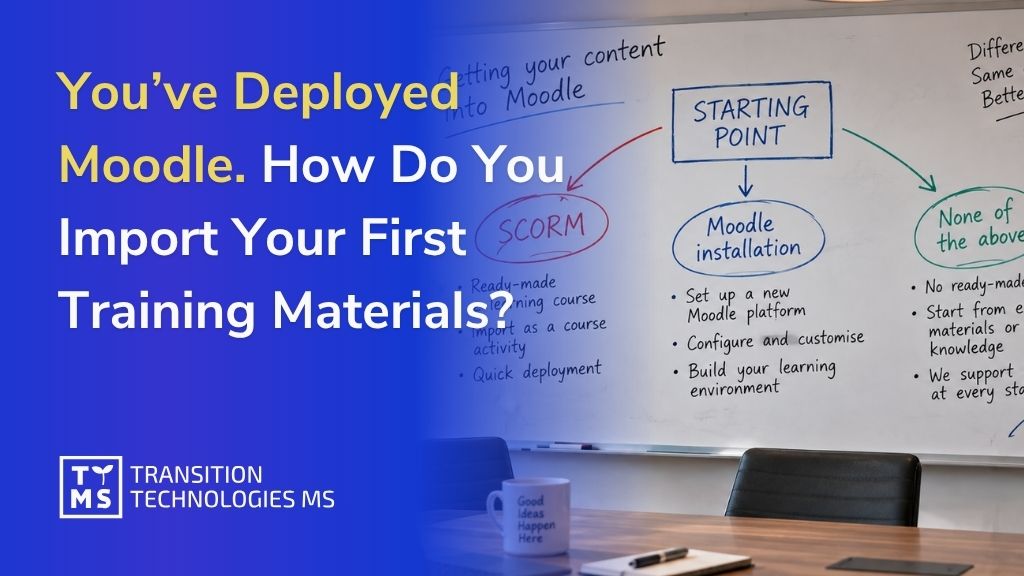
You’ve Deployed Moodle. How Do You Import Your First Training Materials?
Having Moodle installed and configured is only half the journey toward launching training in your company. The next step is to bring real content into it: courses from a previous system, ready-made SCORM packages, or a list of employees who need access to the platform. In this article, we walk through this process step by step — and what to do if you don’t have any training materials yet at all. 1. Before You Start: Identify Your Starting Point for Importing into Moodle The import method depends on exactly what you want to bring into Moodle. In practice, companies find themselves in one of three situations: You already have a ready-made course in SCORM format – produced earlier, purchased from an external provider, or exported from another LMS. In this case, you simply need to import it as an activity within a course. You have a full backup of a course from another Moodle instance (an .mbz file) – e.g., from a test environment, a previous deployment, or from a company that previously managed your platform. In this case, you import the entire course along with its structure. You don’t have either of the above yet – instead, you have presentations, PDF procedures, onboarding recordings, or simply knowledge in your employees’ heads that still needs to be turned into a course. This is the most common situation right after deployment and requires a different approach, which we cover in the final section. The instructions below apply to the first two cases. Option names and their locations may vary slightly depending on the Moodle version, but the main stages of the process remain similar. For certainty, it’s also worth checking the current official Moodle documentation. You’ll find links to the relevant materials further in the article. 2. Importing an Entire Course from a Backup File (.mbz) If you have an .mbz file – a full course backup including section structure, activities, and (optionally) files – the process looks as follows: Log in to Moodle with teacher or manager permissions and go to the course you want to upload content into (this can be a newly created, empty course). From the course menu, select More → Course reuse → Restore. Select the .mbz file – you can upload it from your computer or point to a file already located in the course’s file area. Moodle will guide you through several screens: file confirmation, restore settings (whether to merge the content with the existing course or overwrite it entirely), and selection of which elements should be restored. At the review stage, you’ll see a full list of what will be imported. This is your last chance to go back and make corrections. Once confirmed, the restore process runs in the background – depending on the size of the course, this can take anywhere from a few dozen seconds to several minutes. Important note: a full backup usually does not include user data such as quiz results or forum posts, unless this option was deliberately selected when creating the backup. This is a safeguard that protects against accidentally transferring personal data between environments. You can find more information about creating backups and restoring courses in the official Moodle documentation. A detailed description of the process is available in the materials. 3. Importing Individual Elements from Another Course If you don’t need an entire course, but only selected materials – e.g., a single module, a quiz, or a set of files – Moodle offers a separate Import feature, available in the same place as Restore: Go to the destination course and select More → Course reuse → Import. Search for the source course (you must have editing permissions in it). Select which types of elements you want to transfer: activities, blocks, filters. On the next screen, select the specific items – you can choose a single quiz or file instead of an entire section. Confirm the import and wait for the completion message. This method is convenient when you’re building several similar courses (e.g., for different departments) and want to reuse some shared materials instead of creating them from scratch each time. 4. Importing a SCORM Package as a Course Activity A SCORM package is the most popular format for a ready-made e-learning course – regardless of whether it was created by an external provider, an authoring tool, or exported from another system. The import looks different than for a course backup, because SCORM here is a single activity within a course, not an entire course: Go to the course where the training should appear and turn on editing mode. In the chosen section, click Add an activity or resource and select SCORM package from the list. Upload the .zip file containing the SCORM package. Configure the basic settings: grading method (e.g., based on the highest score or the most recent attempt), the number of allowed attempts, and how the content is displayed (in a new window or within the course page). Save and return to the course – you’ll see the new activity, ready to be opened by users. It’s worth testing the package from a test account before making it available to the target group – especially if the SCORM package comes from an external source and you’re not sure about its compatibility with your Moodle version. 5. Importing a User List and Assigning Roles Materials are only one side of the equation – the other is the people who will use them. Instead of adding each employee manually, you can import a list in bulk: Prepare a CSV file with columns such as first name, last name, email address, and username (the exact required format depends on the platform’s configuration). Go to Site administration → Users → Upload users. Upload the CSV file and review the preview – Moodle will show how it interprets each column and whether there are any data errors. Confirm the import. New accounts will be created automatically, and if the file included the appropriate columns, users can be immediately enrolled in the specified courses. Separately assign roles (e.g., teacher, participant, manager) at the course or category level, if the import didn’t already do so. If the company uses SSO login (e.g., via Azure AD or Microsoft 365), part of this process can be automated through account synchronization – however, that’s a separate topic beyond manual import. You can find more information about the features described above in the official Moodle documentation: Import course data describes moving selected activities and resources between courses, SCORM settings explains adding and configuring SCORM packages, and Upload users describes bulk account creation and course enrollment using a CSV file. Information on Microsoft 365 integration and user synchronization is also described in Microsoft 365 integration. 6. What to Do When You Don’t Have Any Materials to Import Yet This is the most common scenario right after deployment: the platform works correctly from a technical standpoint, but there’s nothing to upload to it yet. The company has knowledge – procedures, presentations, recordings – but not in a format that Moodle recognizes as a ready-made course. In this situation, there are two paths: Prepare the content yourself, with the help of the AI4E-learning tool. The team defines the training goal and provides the source materials they have (documents, presentations, recordings), and the tool generates a course structure from them, complete with audio narration and quizzes, exporting a ready SCORM package – in exactly the format that can be imported using the method described above. Commission course production to the TTMS team. If you need full graphic design, animation, or language versions, custom production covers the entire process: from the script, through graphics and interactions, to export and testing on the platform. Both paths lead to the same end result: a package ready to be uploaded to the platform you already have configured. 7. Summary Launching Moodle is an important step, but that’s when the practical part of the whole process really begins: transferring existing courses, organizing users, and populating the platform with content that employees will actually use. The starting point can be different for every organization. Sometimes it’s ready-made SCORM packages and courses from a previous LMS, and sometimes it’s presentations, documents, procedures, and expert knowledge that still needs to be turned into training. That’s why it’s worth looking at Moodle as part of a larger learning ecosystem within the organization. TTMS can support the entire process: from needs analysis, Moodle deployment and configuration, through migration and integrations, to preparing and launching training content. If source materials already exist, AI4E-learning can additionally help turn them into ready-made courses and significantly shorten the path from company knowledge to training available to employees. If you’re currently wondering how to move from a deployed platform to a fully functioning training environment, let’s talk about your starting point. We’ll help you determine the right scope of implementation and the next steps tailored to your organization’s materials, systems, and needs. FAQ Does importing a course into Moodle also transfer user results and history? It depends on how the course is transferred. Importing content from another Moodle course does not include user data, such as forum posts. When restoring a course from a backup, the scope of transferred information depends on the backup’s content and the available permissions. What's the maximum size of a SCORM file that can be uploaded to Moodle? This depends on the settings of the specific installation – the upload file size limit configured on the server and within Moodle itself. If needed, this limit can be raised at the platform configuration level. Can I import a course from a completely different LMS, not just from Moodle? It depends on the format in which the source system exports data. If it provides a SCORM package, it can be imported as an activity in a Moodle course. Fully transferring the course structure, roles, and data from another LMS is usually a separate migration project that requires the scope to be determined in advance. What should I do if the import fails with an error? There can be many causes, ranging from file size limits and environment configuration to compatibility issues when restoring course backups. In such a case, it’s worth analyzing the specific error message along with the Moodle environment’s configuration. Can an imported SCORM package be edited later directly in Moodle? No – a SCORM package is a closed content package, and Moodle treats it as a ready-made file to be played back, not editable material. To make changes, you need to modify the course in the tool where it was created (e.g., in AI4E-learning or another authoring tool), export it again, and replace the previous version of the activity in Moodle.
Read
Global Employee Training: 2026 Strategies That Work
A sales rep in Manila may need to learn the same product update as an engineer in Warsaw or a compliance officer in Toronto. Yet they work in different languages, time zones, and regulatory environments. For companies running global employee training programs in 2026, this makes a single standardized training deck increasingly impractical. Global training therefore requires a balance between consistency and local relevance. Core knowledge, processes, and brand standards may stay the same across markets, while other parts of the training need to reflect local regulations, language, culture, or job-specific requirements. The challenge is not simply to translate the same course into multiple languages. It is to decide what should remain standardized, what needs to be adapted, and where full localization is necessary. The right approach can make training easier to scale, more relevant for employees, and more consistent across regions. 1. What Global Employee Training Looks Like in 2026 Global employee training in 2026 is increasingly designed around a shared core with room for local adaptation. Companies may standardize product knowledge, internal processes, brand guidelines, or compliance principles, while adjusting language, examples, legal references, and delivery formats for individual markets. Digital learning platforms make this approach easier to manage across regions. Employees in São Paulo and Seoul can complete the same core course while receiving content adapted to their language, role, or local requirements. This helps organizations maintain consistency without if every audience should receive exactly the same version of the training. Artificial intelligence and data analytics have added another layer of sophistication. Training systems now track how individual employees learn, where they struggle, and what content keeps them engaged, then adjust the experience accordingly. Personalization has become the baseline expectation for global employee training and development, not some nice-to-have extra. 1.1 Key Differences from Traditional, Single-Region Training Traditional training is often designed for one language, regulatory environment, and organizational context. Global employee training has to account for several of these at the same time. A compliance or safety course, for example, may need more than a direct translation. Legal terminology, procedures, examples, and even the way instructions are presented can differ between countries. Live training also requires additional planning when employees are spread across time zones. As a result, global training programs are usually built around a combination of standardized and localized content. The key is deciding which elements need to remain consistent across the organization and which should be adapted for a particular market or audience. 1.2 Why This Matters Now: Distributed Teams, AI, and Skills Gaps Distributed teams are the norm rather than the exception, and that alone forces companies to rethink how they train people. Add rapidly evolving AI tools and widening skills gaps across industries, and the pressure to modernize training becomes hard to ignore. Companies that fail to adapt risk losing talent to competitors offering more relevant, more accessible learning experiences. Those that invest in scalable solutions for global employee training are better positioned to keep pace with both technology shifts and workforce expectations. 2. The Business Case: Benefits of Global Employee Training and Development Global employee training supports much more than compliance. It helps companies build the skills they need across different markets, introduce new processes more consistently, reduce operational risk, and give employees a clearer understanding of what is expected of them. Its value is especially visible in organizations that operate across several countries, where differences in skills, regulations, language, and local working practices can quickly create gaps between teams. 2.1 Closing Skills Gaps Across Markets Skills gaps rarely look the same from one region to the next. A well-designed global training program identifies where those gaps exist and builds targeted content to close them, so every market has the competencies it needs to hit business goals. This matters especially as new technologies and processes roll out faster than ever, leaving less room for regional teams to fall behind. 2.2 Boosting Engagement, Confidence, and Retention Worldwide Employees who feel equipped to do their jobs well tend to stick around longer. Strong training programs give people the confidence to take on new responsibilities, and that confidence translates into higher engagement and better retention across every office, not just headquarters. 2.3 Strengthening Compliance and Reducing Regional Risk Regulations differ from country to country, and getting them wrong can be costly. A structured global training approach makes sure compliance training reflects local laws while still aligning with company-wide standards, which keeps costly missteps in any one market to a minimum. 2.4 Building a Consistent Culture Across Borders Culture can fracture quickly across a distributed workforce if there’s no shared thread connecting offices. Training is one of the most effective tools for reinforcing company values and expectations everywhere the business operates. It gives teams a sense of belonging to the same organization, even when they’ve never met face to face. 3. Common Challenges in Training a Global, Distributed Workforce Running training across several countries introduces challenges that are less visible in a single-market program. Language, time zones, local regulations, infrastructure, and differences in learning culture all affect how training should be designed and delivered. The difficulty is usually not creating one course. It is maintaining a program that works across different environments without making it unnecessarily complex or expensive. 3.1 Language and Cultural Diversity Language barriers can quietly undermine even the best-designed course. Beyond translation, cultural context shapes how people read examples, humor, feedback, all of it, and training that ignores this risks losing its audience before the message ever lands. Automated translation tools help with speed, but they still miss idiom and tone often enough that human review remains necessary before content goes live in a new market. 3.2 Time Zone and Logistical Barriers Coordinating live sessions across a dozen time zones is nearly impossible without leaving someone out. That’s pushing companies toward asynchronous, self-paced formats that let employees engage with material on their own schedule instead of forcing everyone into the same time slot. The trade-off: self-paced courses without any live touchpoint or accountability structure tend to see weaker completion rates than blended formats, which is worth weighing before going fully asynchronous. 3.3 Balancing Global Consistency with Local Relevance Lean too hard on standardization and training feels disconnected from local realities. Lean too hard on localization and the company loses a consistent message, plus the cost and coordination burden can outweigh the benefit for smaller or less regulated markets. Striking that balance is one of the harder judgment calls in designing any global employee training and development strategy. 3.4 Technology and Infrastructure Disparities Not every office has the same bandwidth, devices, or digital literacy. Training platforms need to work reliably across varying levels of technological infrastructure, or entire regions risk being left with a worse learning experience than others. 3.5 Measuring Impact Across Multiple Regions Data collected in one market doesn’t always translate cleanly to another. Comparing outcomes across regions requires consistent metrics and reporting tools, otherwise it becomes difficult to know whether the program is working everywhere it’s deployed. 4. FourCore Strategies for Structuring Global Training Programs Companies generally choose from four broad approaches when structuring global training, each with its own trade-offs between simplicity and personalization. Strategy 1: Fully Standardized Training for All Topics This approach delivers identical content everywhere. It’s the easiest to build and maintain, but it risks missing the cultural and regulatory details that matter in specific markets. Strategy 2: Standardized Approach, Customized by Topic Here, some topics stay uniform across the company while others get adapted per region. This gives more flexibility than a fully standardized model without the resource demands of full localization. Strategy 3: Shared Objectives with Region-Specific Content Under this strategy, every region works toward the same learning objectives but builds content that fits local context. It’s a middle ground that keeps the company aligned while respecting regional differences. Strategy 4: Fully Localized Objectives and Content per Region This is the most tailored approach, with both objectives and content built specifically for each market. It delivers the most relevant experience but demands significant time, budget, and coordination, and it’s often overkilled for smaller regional offices or lightly regulated topics where a shared, lightly adapted version works just as well. Choosing the Right Strategy for Your Organization The right strategy depends on company size, industry regulation, and how much variation exists between regional teams. Organizations with tighter budgets often start with a standardized core and layer in customization as they scale, while larger multinationals with complex regulatory needs may need full localization from day one. 5. Building Blocks of an Effective Global Training and Development Program A global training strategy needs to translate into a program that employees can actually use across different countries, roles, and working environments. That means deciding what people need to learn, which content should be shared globally, where local adaptation is necessary, and how employees will access the training. 5.1 Types of Training to Include: Technical, Compliance, Leadership, and Soft Skills Most global training programs cover several different areas. These may include role-specific technical skills, compliance and safety training, leadership development, product knowledge, and soft skills such as communication or teamwork. They do not all require the same approach. Product or process training can often use a common global core, while compliance content may need significant changes to reflect local regulations. Leadership and communication training may also need different examples or scenarios depending on the cultural and organizational context. 5.2 Localization and Multilingual Content Delivery Localization goes beyond swapping words from one language to another. It means adjusting examples, tone, and even visual design so the material feels natural to the audience. Multilingual delivery has become a baseline expectation for any employee training platform for global companies serving a diverse workforce. 5.3 Blended and Self-Paced Learning Models for Different Time Zones Combining live sessions with self-paced modules gives employees flexibility to learn when it suits them, without losing the benefits of interactive discussion when schedules do align. This blended model has become one of the most practical answers to the time zone problem. 5.4 Peer Learning and Regional Mentorship Networks Some knowledge is easier to develop through interaction with colleagues than through a course alone. Regional mentors, subject-matter experts, and peer groups can help employees apply what they have learned to their actual work. They can also answer questions that are specific to a particular market, customer group, or local process. This is especially useful after formal training has finished, when employees start applying new knowledge in day-to-day situations. 6. Using AI and Technology to Scale Training for Skills Development Technology makes it possible to deliver and manage training across large, distributed teams. AI can support this process by helping organizations personalize learning, adapt content, translate materials, and analyze training data. Human review is still important, especially when content involves compliance, safety, culture, or sensitive terminology. 6.1 AI-Driven Personalization and Adaptive Learning Paths AI can adjust a learning path in real time based on how an individual employee is progressing. It gives someone more practice where they’re struggling and pushes them faster through material they’ve already nailed down. This kind of personalization would be nearly impossible to manage manually across a large, distributed workforce. 6.2 Automated Translation and Localization Tools Automated translation tools speed up the process of adapting content for multiple markets, cutting both cost and turnaround time. Paired with human review for cultural accuracy, these tools make multilingual delivery far more manageable than it used to be, though relying on machine translation alone still creates a real risk of tone-deaf or awkward phrasing in markets with limited review. 6.3 Learning Analytics for Real-Time Performance Insights Learning analytics help L&D teams understand how employees are progressing across courses and regions. They can show completion rates, assessment results, engagement with individual modules, or areas where learners repeatedly encounter difficulties. This data can be used to improve existing courses, identify skills gaps, and decide where additional training or support is needed. It also gives global training teams a more consistent way to compare results across markets. TTMS supports organizations in building and maintaining this type of learning environment through its AI Solutions and E-Learning administration services. Depending on the scale and complexity of the program, this may include AI-assisted content creation and adaptation, multilingual course management, hosting, reporting, and ongoing updates. The level of technology should match the actual training needs. A large international program may benefit from automation and advanced analytics, while a smaller rollout can often be managed effectively with a simpler platform and a well-defined review process. 7. How to Implement a Global Training Strategy Rolling out a global training strategy starts with a clear assessment of organizational needs and a definition of what success should look like. From there, companies select the training methods and delivery formats that fit their workforce, whether that means blended learning, mobile-first content, or live regional workshops. Engaging local stakeholders early is essential, since they’re the ones who know which cultural or regulatory details need attention before content goes live. Technology plays a central role in execution. An employee training platform for global companies needs to handle content hosting, multilingual delivery, and progress tracking, ideally within a single system rather than a patchwork of tools. Continuous evaluation and feedback loops then let teams refine the program over time, rather than treating the initial rollout as a finished product. TTMS can also support the operational side of a global training rollout by automating processes around course assignment, approvals, reminders, and completion tracking. With Process Automation and Low-Code Power Apps, these workflows can be connected across departments and regional offices, reducing the need to manage them through separate spreadsheets or manual email exchanges. For organizations already using Microsoft 365 and Azure, training processes can also be integrated with the tools employees and administrators use every day. 8. Measuring ROI and Impact of Corporate Training Programs Globally Proving the value of a global training investment requires looking at more than completion rates. Organizations should track performance indicators tied to productivity, retention, and skill application on the job, alongside qualitative feedback that reveals how employees perceive the training’s usefulness. Comparing outcomes between trained and untrained groups offers one of the clearest ways to demonstrate tangible impact and gives leadership the evidence it needs to justify continued investment or adjust course where results fall short. Business Intelligence tools, such as Snowflake DWH and Power BI, can play a useful role here by consolidating training data from multiple regions into a single view. That makes it far easier to spot trends and report results across the organization instead of reviewing each market’s numbers in isolation. 9. Real-World Examples of Global Employee Training Done Right Successful global employee training starts with matching the learning format to the content, audience, and business context. Some topics can be delivered through standardized materials across regions, while others require a more tailored approach because of local regulations, safety requirements, language, or cultural differences. A good example comes from a global production and technology company that needed to standardize Health & Safety training for production and office employees across five locations worldwide. Previously, individual sites used different materials, which made it difficult to ensure that employees received the same information and that training completion was properly tracked. TTMS developed a single interactive e-learning course built around workplace scenarios and storytelling. Employees worked through situations that could lead to accidents and selected the appropriate response, receiving immediate feedback on their decisions. The course helped the company deliver the same core safety principles across a multicultural workforce while replacing part of its previously time-consuming classroom training. The platform also gave managers visibility into who had started or completed the training and automatically reminded employees about approaching deadlines. According to the case study, the organization subsequently recorded fewer accidents across its locations. This example shows an important principle of global employee training: not every subject should be handled in the same way. Compliance and safety content often needs more careful adaptation and stronger learner engagement, while other training can remain more standardized. Technology makes it easier to distribute and update learning across locations, but the format and level of localization should still reflect the needs of each audience. If you are planning to scale employee training across countries, languages, or business units, TTMS can help you choose the right mix of standardization, localization, technology, and content formats. Talk to our e-learning experts about your training needs and the best way to structure a global program. Frequently Asked Questions What is global employee training? Global employee training refers to the systematic development of skills and knowledge among employees across different regions and cultures, ensuring that training is relevant, accessible, and effective for a diverse workforce. How to manage global employee training? Managing global employee training involves understanding cultural differences, using technology to improve accessibility, and making sure training content is both standardized and localized to meet regional needs. How do companies handle language barriers in global training? Companies address language barriers by localizing training content, using multilingual support, and employing translation tools to ensure that all employees can understand and engage with the training material. What's the difference between standardized and localized training? Standardized training provides a uniform approach across all regions, while localized training adapts content to fit the specific cultural and linguistic needs of different employee groups. How do you measure the success of a global training program? Success can be measured through various metrics, including employee performance improvements, retention rates, engagement levels, and feedback from participants regarding the training’s relevance and effectiveness. Building an effective global employee training program takes more than good intentions. It needs the right mix of strategy, localization, and technology, plus a partner who knows how to bring those pieces together. Companies exploring global employee training management software or looking to modernize their approach to workforce learning can turn to TTMS for guidance grounded in real IT implementation experience across AI, automation, and e-learning administration.
Read
Why Does Design Matter? How UX Design for E-learning Affects the Effectiveness of Online Training?
Have you ever heard of Jakob’s Law? In short, Jakob’s Law says that users expect a tool or website to work in a similar way to solutions they already know. The more an interface matches their previous experience, the faster they can find their way around it and the more smoothly they can use it. That is why an effective e-learning course should be predictable and intuitive. Learners should not have to learn how to use the course – they should be able to focus on absorbing knowledge. In this article, we will walk you through the most important principles of UX design for e-learning, explain the importance of good UX design, and show how it affects the effectiveness of online training. 1. How UX Affects Training Effectiveness? It has long been known that good content alone is not enough to make an e-learning course effective. Just as important is how the learner uses the course, finds information, and moves between the different stages of learning. At the same time, users’ expectations toward digital experiences keep growing. Learners compare training courses not only with other courses, but also with the apps and services they use every day. The challenge, then, is to turn the general idea of “good UX” into specific decisions when designing e-learning courses that genuinely support the learning process. Even the best-prepared content can turn out to be ineffective if learners have trouble navigating the course. Unclear navigation, inconsistent screen layouts, or overly complicated interactions pull the learner’s attention away from learning. This is exactly why UX in e-learning – the overall experience a user has while taking a course – plays an increasingly important role in training design. Good UX helps learners navigate the course intuitively, find the information they need faster, and focus on reaching their training goals. It has long been known that human working memory has limited capacity. This means that every extra effort spent operating an interface reduces the resources a learner can devote to processing and remembering new information. Every additional effort related to using the interface reduces the amount of resources that can be devoted to processing and remembering new information. That is why effective online training should be not only substantive, but also easy to use. The less energy a learner spends understanding how the course works, the more they can devote to actually learning. 2. What Is UX in E-learning? When people talk about UX in online training, many immediately think of attractive graphics or a modern-looking course. In reality, User Experience is far more than aesthetics. UX in online education covers every experience a learner has while taking a course, from launching it for the first time to completing the final task: navigating the course, readability of the content, the layout of screens and modules, how information is presented, interactions and exercises, accessibility of the materials. A well-designed E-learning UX means the learner intuitively knows what to do next. They don’t need to wonder where to find the information they need or how to move to the next lesson. This lets them concentrate on learning instead of spending attention on operating the platform or the course itself. In practice, this means effective e-learning should be simple, consistent, and predictable. The less effort a course requires to use, the greater the chance a learner will finish it and remember the content presented. 2.1 E-learning UX – What It Is and What It Is Not UX is… UX is not… Designing the learner’s experience while taking the course Just attractive graphics Creating intuitive, predictable navigation Adding lots of animations and visual effects Making it easier to find information and complete tasks Making the interface more complicated with extra features Reducing the learner’s cognitive load Forcing the user to learn how to operate the course Keeping content readable and materials logically organized Cramming as much information as possible onto one screen Designing interactions that support the learning process Adding interactions just because they are trendy Making training accessible to different groups of users Designing only for the most advanced learners Helping learners reach training goals faster and more easily Focusing only on how the course looks 3. When Does a Learner Stop Learning? Imagine a learner who has just started an online course. Instead of focusing on the content, they are wondering: where to click, how to move to the next module, where to find the information they need, how to go back to the previous lesson, why they can’t start an exercise. At this point, their attention is no longer on learning. The cognitive resources that should be used to process and remember new information are instead spent on operating the interface. The limits of working memory can be described with a few rough figures. Depending on the type of task, a person can process only a few new, related pieces of information at once. Research most often points to around three to five items, when a learner cannot rely on repetition or previously built knowledge structures (Cowan, 2010). These are, of course, average values. The capacity of working memory depends on things like the type of task, prior knowledge, and the ability to combine individual pieces of information into larger, meaningful groups. That’s why this figure shouldn’t be treated as a strict limit that applies to every user in every situation (Cowan, 2010). The limited capacity of working memory has a direct impact on how educational materials should be designed. Cognitive Load Theory, developed and updated over several decades, shows that the way information is organized and the learning environment is built can make it either easier or harder to process new content (Sweller, van Merriënboer and Paas, 2019). In a digital environment, some of these limited resources can be used up by elements that have nothing to do with the training content itself: looking for a button, interpreting unclear icons, switching between scattered pieces of information, or remembering how an interaction works. Research on Cognitive Load Theory in educational technology shows that interface design, the way multimedia is used, and how content is organized can all affect a learner’s cognitive effort and how effectively they learn (Sweller, 2020). From the perspective of UX design for e-learning, this means the interface should leave as much attention as possible for understanding the material. The more energy a learner spends orienting themselves in the course and operating its elements, the less they have left for processing new information and building knowledge. That’s why UX is one of the factors that directly affects how effective a training course is. TTMS expert comment: When we try to build a course without proper methodological groundwork, we fall into a certain trap. We create content based on what we already know, while our audience is often building their knowledge from scratch, like a delicate scaffold. As a result, it’s easy to make mistakes such as delivering knowledge in portions that are too large, lacking a clear goal (and therefore effective selection of information), and overloading the course with “engaging” elements – animations, images – that in reality distract the user. Katarzyna Miłek- Kołyszko, Learning Architect at TTMS 4. Why the Brain Doesn’t Like Chaos As mentioned earlier, both research into user experience (UX) and Cognitive Load Theory show that people learn more effectively in an organized environment. It’s not just about the amount of information, though – it’s mainly about how it’s presented. The human brain doesn’t process every stimulus at once. It constantly has to choose which information is important and which can be skipped. When too many elements compete for attention on the screen, this process becomes less effective. In online training, chaos can take several forms: too much information on a single screen, several messages displayed at the same time, too many animations and visual effects, an overly complicated course structure, an unclear menu, an inconsistent layout across modules. Each of these elements requires extra effort from the learner. Instead of focusing on new information, they have to spend attention organizing content, searching for information, or figuring out how the course works. This is confirmed by Richard E. Mayer’s research on multimedia learning. Mayer showed that learners get better results when educational materials include only elements that support the learning goal. Extra graphics, animations, or messages that add no educational value can pull attention away from the most important content. Similar conclusions come from research on the so-called “paradox of choice.” Psychologist Barry Schwartz showed that having too many available options makes decision-making harder and increases user frustration. In e-learning, this can mean that an overly complex menu, multiple navigation paths, or too many features make a course harder to use rather than easier. 4.1 Less Isn’t Always Better When designing online courses, minimalism shouldn’t be a goal in itself. Removing too much content can mean learners don’t get all the information they need to do their job or understand a topic. Good design is about something else – organizing information the right way. Grouping related content, creating a clear visual hierarchy, applying a logical structure, and removing elements that don’t support the learning process. The goal isn’t to create the simplest possible course. The goal is to create a course that the learner can easily understand and process effectively. TTMS expert comment: Why are so many health-and-safety training courses boring and overloaded with information? Because their goal often isn’t to change behavior, but to pass on everything that might one day come in useful. This gives the organization a sense that it has fulfilled its obligation. As a result, learners get a huge amount of content, of which they remember very little. I was lucky enough to work with a client who looked at safety differently. What mattered to them wasn’t formally checking a training box, but making sure employees made better decisions in real situations. That’s why we left the extensive knowledge available in clear documentation and instructions, right where it was needed. We turned the training itself into a decision-based game where learners discover the consequences of their choices – with humor, light animations, and sound. Thanks to a repeatable structure, we cut navigation down to the required minimum, leaving room for full engagement with the content. The result? Learners focused on what really improves safety. I also believe the humor meant that conversations about safety kept going after the training ended. Katarzyna Miłek-Kołyszko, Learning Architect at TTMS 5. Readability of Materials and Knowledge Retention Many course authors assume that learners read every piece of information from start to finish. In reality, it usually looks quite different. Most users don’t read content word for word. They scan it first, looking for the most important information, headings, highlights, and reference points. Only then do they decide which parts deserve more attention. This phenomenon has been well documented in usability research carried out by Jakob Nielsen. Analyses of user behavior showed that when using digital content, people mostly scan web pages instead of reading them in full. This means how information is presented has a direct effect on whether a learner notices and absorbs the key content. In addition, eye-tracking research – conducted among others by Keith Rayner (1998) – showed that a user’s gaze doesn’t move across a screen continuously. Viewers jump between points that catch their attention and help them quickly understand the structure of the content. The clearer the layout of the material, the easier it is to find the most important information. 5.1 What Improves the Readability of Training Materials? The readability of a course is affected by many seemingly small elements related to e-learning UX design. These are often exactly what decides whether a learner stays focused on learning or starts feeling tired and frustrated. The most important factors are: shorter paragraphs, clear, informative headings, bullet lists instead of long blocks of text, good contrast between text and background, a logical visual hierarchy, enough white space between elements, consistent use of colors and highlights. Current research in cognitive psychology and instructional design shows that learners learn more effectively when new information is presented as logical, coherent units of knowledge that can easily be connected to prior experience and existing cognitive schemas (Mayer, 2021, Fiorella & Mayer, 2015). In practice, this means designing e-learning courses shouldn’t start with cutting finished content into smaller pieces. It’s far more important to first work out which pieces of knowledge the learner needs to understand, how they connect to each other, and in what order they should best be presented. Only then does it make sense to build the structure of modules, screens, and lessons. 5.2 How Do You Design Training Screens? – A Practical Checklist Before publishing a course, it’s worth checking every screen against a few basic rules: □ Can the learner understand the main message of the screen within a few seconds? □ Is the most important information visible without having to read through the whole content? □ Are the paragraphs short and easy to scan? □ Do the headings clearly describe what the section contains? □ Is the number of elements on the screen kept reasonable? □ Do the graphics support learning rather than serve a purely decorative function? □ Do contrast and text size allow for comfortable reading? □ Does the learner know what they should do next? □ Does the screen look consistent with the rest of the course? □ Have elements that might distract attention been removed? A well-designed screen doesn’t have to be minimalist. It should, however, guide the learner through the content in a natural, predictable way. When users don’t have to wonder where to focus their attention, they can concentrate on what matters most – learning. TTMS expert comment: The most important rule for designing training screens? Don’t design screens – design the user experience. 🙂 Of course, there are plenty of design principles, best practices, and templates out there, and that’s exactly why designers are needed. But if you catch yourself asking “where do I fit this text in?” or “how do I squeeze in all these buttons?”, that’s a sign it’s worth stepping back and asking: What should the user learn from this screen, and why do we want them to know it? Does the user know what this screen is for, can they find their way around it, and do they know what to do next? This approach has very concrete design consequences: dropping elements that don’t support the goal, a clear information hierarchy, and designing navigation and interactions so they work like an invisible tool – meaning they don’t unnecessarily draw attention to themselves, but are intuitive and predictable enough to direct that attention to the actual content of the training. Katarzyna Miłek- Kołyszko, Learning Architect at TTMS 6. Why Design Matters? Learners don’t judge training on content alone. They also judge how that content is presented. From the very first screens of a course, learners form an opinion about an organization’s professionalism, the quality of the materials, and the credibility of the knowledge being shared. That’s shaped not just by what the training contains, but also by how it looks. This phenomenon is partly explained by the halo effect described by Edward Thorndike. It means a positive impression of one feature affects how other aspects of a product or experience are perceived. If a course looks professional, consistent, and credible, learners may rate the quality of its content more highly right from the start. More recent research into digital products and e-learning environments shows that aesthetics and interface quality mainly affect a user’s subjective experience – their trust, satisfaction, and perceived usability. That doesn’t automatically mean a more attractive course leads to better learning outcomes. A positive first impression, though, can make it easier to engage with the material, reduce distrust, and increase a learner’s willingness to commit to the following stages of training (Peng et al., 2021, Pham et al., 2019). Similar conclusions come from Robert Cialdini’s research (1984) on the principle of authority. People are more willing to trust information that comes from sources they see as professional and credible. That’s why a logo, brand colors, or a consistent visual identity aren’t just marketing elements. They help build a sense of order, professionalism, and trust that supports a positive learning experience. TTMS expert comment: If we care about building employee engagement and loyalty, consistent branding really matters. From the employees’ point of view, it’s important that the training doesn’t feel like it’s coming from outside, but feels like part of the world they operate in every day. At the same time, I very often persuade clients that in e-learning it’s worth loosening strict branding rules a little and leaving room for a subtle element of surprise in the visual layer. It’s exactly these moments that help switch the brain’s attention from automatic processing to more active engagement. At the level of brain chemistry, they support engagement, focus, and memory retention. That’s why the best training courses combine two things: the familiar world of the brand, and an element that makes people want to pause for a moment longer. Katarzyna Miłek- Kołyszko, Learning Architect at TTMS 7. UX and Learner Engagement Engagement in online training doesn’t depend only on the topic of the course. How easily learners can use it matters just as much. Users often abandon training when modules are too long, the interface is unclear, using the course takes too many clicks, or a learner doesn’t get clear feedback after completing a task. In situations like this, the problem isn’t a lack of motivation – it’s a poorly designed learning experience. Good UX helps hold the learner’s attention because it guides them through the course step by step. A clear learning path, predictable navigation, consistent interactions, and fast feedback let users know where they are, what they’ve already done, and what to do next. In practice, engagement grows when a course is simple to use, easy to read, and gives learners a sense of progress. The less frustration there is with the interface, the higher the chance a user will finish the training and actually make use of its content. Good e-learning platform UI/UX helps users focus on learning instead of forcing them to deal with problems related to operating the interface. 7.1 UX and Learner Engagement – What Helps and What Gets in the Way? Factors that lower engagement Factors that increase engagement Training modules that are too long Shorter modules that are easy to finish Complicated course navigation Intuitive, simple navigation An unclear interface A clear, transparent screen layout No feedback Fast feedback after completing a task Inconsistent module design Consistent design throughout the course An unclear learning path A clearly defined next step Too many decisions to make A predictable training flow Distracting visual elements Content focused on the learning goal Difficulty finding information Easy access to materials and resources Frustration with the interface A sense of progress and control over learning TTMS expert comment: What matters most is the feeling that the training content is useful and reflects the learner’s everyday work. The role of good UI is mainly to stay out of the way. Users shouldn’t have to fight the interface – they should be able to focus on learning. One example is forcing a fixed pace on the course. Making users wait for narration to finish, or blocking access to the next screens, can lead to frustration and loss of motivation. On the other hand, a pace that’s too fast increases cognitive load and lowers the learner’s sense of competence. The same goes for animations. Too much movement, flashy transitions, or flickering elements can distract and irritate people, and for some can even cause real discomfort. On the flip side, a screen that’s too static, lacking contrast and points that draw the eye, makes it easier to lose focus. That’s why it’s worth designing courses with the right pace and the right amount and intensity of stimuli in mind, while still giving users control – through free navigation, the ability to adjust playback speed, or the choice between reading and listening to content. Katarzyna Miłek- Kołyszko, Learning Architect at TTMS 8. UX in the Age of AI – Does Automatically Generating Courses Solve the Problem? The rise of AI tools has made building an e-learning course faster than ever. A handful of documents, a presentation, or a set of procedures is now enough to generate ready-made training material within minutes. It’s worth remembering, though, that generating content isn’t the same as designing a good user experience. AI can help create modules, lessons, quizzes, and summaries. That doesn’t automatically mean, however, that learners will navigate the course intuitively, easily find the information they need, and stay engaged throughout the whole learning process. Whether a course follows the most important UX principles for designing e-learning courses depends largely on the tool being used and how the course is put together. Among the things that matter are: a clear module structure, a logical breakdown of content, a consistent screen layout, clear navigation, the right amount of information per screen, consistent interactions and messages. This is exactly why modern tools and platforms increasingly build UX design principles for e-learning into the course-generation stage itself. AI4E-learning is one example of this approach. The app is designed to turn the materials it’s given into well-organized courses that follow good practices of UX design in e-learning right from the start. AI4E-learning automatically organizes content, splits material into modules, builds a clear lesson structure, and helps keep the whole course consistent. This lets organizations build courses faster – courses that are not only rich in content, but also easy for learners to follow. Importantly, the solution is also backed by a team of TTMS experts who support organizations in designing effective training programs. Combining AI technology, the experience of Instructional Designers, and the knowledge of e-learning specialists makes it possible to create training that meets both business requirements and user expectations. AI can significantly speed up the process of building courses. Even so, it’s still the quality of the design, the structure of the content, and the learner’s experience that decide whether the training is effective. The best results come when automation supports good design practices instead of trying to replace them. TTMS expert comment: For courses built with the help of AI, the role of UX becomes especially important, because automation can very quickly replicate both good solutions and design mistakes. If the generated structure is unclear, the interactions are inconsistent, or the content doesn’t match how the audience actually works, the same problem can turn up right away across many modules. That’s why an AI-generated course should be treated as material that needs validation. It’s worth checking whether users understand the structure of the training, can predict how individual elements behave, and know what to do next without extra instructions. UX therefore helps not only to design a course, but also to judge whether an automatically generated solution actually works from the learner’s point of view. Katarzyna Miłek- Kołyszko, Learning Architect at TTMS The checklist below sets out the most important UX principles for e-learning worth considering before publishing a course. 9. The Most Important UX Principles for E-learning – A Practical Checklist Area Good practice Navigation The learner always knows where they are Content One main idea per screen Graphics Support learning, don’t just decorate Interactions Consistent throughout the course Branding Consistent with the organization Mobile The course works on different devices Feedback The user gets feedback 10. What Does Good Design Mean in Modern E-learning? Modern e-learning is far more than an attractive-looking course or the ability to generate content quickly with AI. What still decides whether a training program is effective is mainly how the learner experiences the learning process. A well-designed course helps users focus on the content, not on operating the interface. It guides the learner through the material intuitively, reduces unnecessary cognitive load, and makes it easier to find the most important information. That’s why, despite the rapid development of AI tools, the role of instructional design and UX in online education remains just as important as ever. 10.1 Key Takeaways for Course Creators Design the course so the learner doesn’t have to learn how to use it. Keep a consistent structure for screens, modules, and interactions. Limit elements that don’t support the training goal. Break content down into smaller, easier-to-absorb parts. Use clear headings, short paragraphs, and bullet lists. Take care of content readability and a proper visual hierarchy. Give learners a clear learning path and feedback. Build trust through a consistent look and professional visual identity. Design training with the user in mind, not just the material. Treat AI as support for the design process, not a replacement for it. Ultimately, good design in e-learning isn’t about making a course look modern. It’s about helping the learner learn faster, more effectively, and with less effort. This is exactly where UX, instructional design, and modern technologies supporting skills development come together. 10.2 Key UX and Accessibility Principles in E-learning – A Practical Checklist Before publishing a training course, it’s worth checking whether it guides the learner through the material intuitively, limits unnecessary cognitive effort, and is accessible to different groups of users. Navigation and User Interface ☐ Does every screen have one clearly indicated main action? ☐ Does the learner always know where they are in the course structure? ☐ Do they have easy access to the main menu and to parts of the training they’ve already visited? ☐ Are navigation buttons such as “Next” and “Back” placed in fixed, predictable locations? ☐ Does the course clearly show the learner’s progress? ☐ Does the user know what step to take once they’ve finished a given screen or module? ☐ In larger training programs, can users easily find the module, topic, or material they need? ☐ Does the user interface work consistently across all parts of the course? Readability and Information Hierarchy ☐ Does each screen convey one main idea or serve a clearly defined purpose? ☐ Can the most important information be spotted quickly, without reading through all the content? ☐ Are the paragraphs short and easy to scan visually? ☐ Do the headings clearly signal what the following sections contain? ☐ Has the content been broken down into logical, coherent units of knowledge? ☐ Does the visual layout show which information is most important and which is supplementary? ☐ Is there enough white space between elements? ☐ Has the number of fonts, colors, and types of highlights been kept limited to preserve consistency? ☐ Do graphics, animations, and multimedia support the training goal instead of serving a purely decorative function? Training Accessibility ☐ Does the text stay readable thanks to good contrast against the background? ☐ Is the text size comfortable to read on different devices? ☐ Do all important graphics have alt text for screen readers? ☐ Can every feature of the course be operated using a keyboard? ☐ Do audio and video materials have captions or a transcript? ☐ Is color never the only way information is conveyed – for example, a correct answer, an error, or task status? ☐ Does the course work correctly on a computer, tablet, and mobile device? ☐ Do flashing elements, intense animations, or auto-playing media avoid causing discomfort? Interactions and Feedback ☐ Are interactions used only when they support the learning process? ☐ Do similar actions work the same way throughout the course? ☐ Does the learner get clear feedback after completing a task? ☐ Does the feedback explain why an answer is correct or incorrect? ☐ Are buttons and other interactive elements large enough to select easily? ☐ Can the user pause, resume, or mute audio and video materials? ☐ Can the pace of the training be adjusted to individual needs? ☐ Can the user go back to earlier content without losing their progress? ☐ Does the course save progress automatically? Managing Cognitive Load ☐ Have elements that don’t support the training goal been removed? ☐ Does the learner avoid having to remember how to operate the course while completing a task? ☐ Is the screen free of too much information, too many messages, and elements competing for attention? ☐ Is content presented in an order that makes it easier to build knowledge? ☐ Can new information easily be connected to the learner’s prior knowledge or experience? ☐ Does the course avoid forcing users to wait for animations or narration to finish when it isn’t necessary? ☐ Does the learner have enough control over the pace, navigation, and way they take in the material? Visual Consistency and Branding ☐ Is the training visually consistent with the organization’s identity? ☐ Does the branding support a sense of credibility and belonging to the work environment? ☐ Do the brand colors avoid reducing the readability of the materials? ☐ Do screens, buttons, and interactions look consistent throughout the course? ☐ Do the visual elements build trust without pulling attention away from the content? Course Validation ☐ Can the learner understand the structure of the training without extra instructions? ☐ Can they predict how buttons and other interface elements will behave? ☐ Do they know what to do at every stage of the course? ☐ Has the training been tested on people similar to its target audience? ☐ Has a course generated with AI been checked for readability, consistency, and fit with learners’ needs? Well-designed UX in e-learning guides the learner through the course in a natural, predictable way. The user interface shouldn’t draw attention to itself. Its job is to make learning easier, reduce frustration, and leave as many cognitive resources as possible for understanding the material. FAQ How UX Affects Training Effectiveness? UX in e-learning reduces cognitive load, makes navigation easier, and lets learners focus on learning instead of operating the course. Good UX design guides the learner through each stage of the training, clearly points to the next step, and helps them quickly find the information they need. An intuitive structure, a clear user interface, and predictable interactions increase the chances of finishing the course and effectively absorbing the content. Why is the readability of materials so important when designing e-learning courses? The readability of materials matters a great deal for how the learning process unfolds. Short paragraphs, informative headings, a logical visual hierarchy, and enough white space make it easier to scan content and find the most important information. This lets the learner understand the material faster and spend fewer cognitive resources on getting their bearings in the course. How important is UI/design when choosing online training? UI, or the user interface, together with design, can shape a learner’s first impression of an online course’s quality and its author’s credibility. A consistent look, a clear structure, and intuitive operation build user trust and make it easier to get started with learning. On its own, though, attractive design doesn’t guarantee that a course will be effective. It should support the learning goals and guide the learner through the content, rather than pulling attention away from it. Does branding in online training matter for the user experience? Yes. Consistent branding helps an online course feel like an integral part of an organization’s work environment and communication. Familiar colors, typography, and visual identity elements can build trust and strengthen a sense of consistency. Branding should, however, stay subordinate to content readability and the principles of user-centered design. What are the most common UX mistakes in e-learning? The most common UX mistakes in e-learning include unclear navigation, screens overloaded with content, too many animations, inconsistent interactions, and a lack of clear information about the next step. Another issue can be a user interface that takes too many clicks or forces the learner to figure out how the course works. These problems increase cognitive load, cause frustration, and make learning harder. Does attractive design increase knowledge retention? Attractive design on its own doesn’t guarantee better knowledge retention. Still, an aesthetic, consistent course can build trust, improve the user experience, and make it easier to concentrate. Good UX design supports learning when it organizes information, shows its hierarchy, and helps the learner focus on the training goal. Unnecessary graphics, animations, and visual effects, on the other hand, can distract attention. How should courses be designed according to the principles of UX in e-learning and Cognitive Load Theory? Designing e-learning courses should take the limited capacity of working memory into account. In practice, this means organizing content logically, breaking material into coherent units of knowledge, removing unnecessary elements, and building a clear user interface. User-centered design also assumes that a course guides the learner through each stage of learning and doesn’t leave them guessing where to click or what to do next. Can AI design an effective e-learning course on its own? AI can significantly speed up the creation of courses, lessons, quizzes, and summaries, but it doesn’t automatically guarantee good UX. The effectiveness of online training still comes down to content structure, the clarity of the user interface, how information is presented, and how well the course fits the audience’s needs. Material generated by AI should be checked to make sure it guides the learner intuitively, supports the learning process, and meets real training goals.
Read
LXP vs LMS: Which Platform Wins in 2026?
LMS and LXP platforms solve different learning challenges. An LMS is designed to manage, deliver, and track structured training, while an LXP focuses on personalized, learner-driven learning and continuous skill development. Many organizations don’t choose one over the other. Instead, they use both to support different learning objectives. Choosing between them can feel a bit like deciding between a library and a streaming service. One organizes learning in a structured way, while the other helps people discover relevant content based on their interests, goals, and previous activity. It’s a simple comparison, but it captures why the LMS vs LXP discussion continues to shape corporate learning strategies. From our experience working with enterprise learning programs, one of the most common misconceptions is that an LXP is simply a newer version of an LMS. In reality, the two platforms serve different purposes. Organizations that see the best learning outcomes typically treat them as complementary technologies, using each where it delivers the greatest value. Understanding those differences is essential before investing in a learning platform. The right choice depends not only on the features you need today but also on how your organization plans to develop skills, manage compliance training, and support continuous learning over time. 1. LXP vs LMS: Understanding the Core Difference Before You Choose Who actually drives the learning experience? With an LMS, the organization does. Administrators design structured courses, assign them to learners, and track completion. With an LXP, the learner takes ownership. The platform surfaces relevant content, suggests next steps, and encourages exploration. Think of an LMS as a formal curriculum and an LXP as a personalized learning feed. Neither is inherently superior. What matters is whether the platform fits your learning strategy, your workforce profile, and the outcomes you’re actually trying to drive. That distinction also shapes how your L&D team operates, how your IT infrastructure connects, and how your employees feel about learning at work. 2. What Is an LMS? Purpose, Features, and Best-Fit Use Cases A Learning Management System is the backbone of corporate training in most organizations. It centralizes, delivers, and tracks formal learning, particularly in environments where consistency and compliance aren’t optional. Onboarding new hires and certifying staff in regulated industries are two of its most common applications, and in both cases the LMS provides the structure that keeps programs running reliably at scale. 2.1 How an LMS Structures and Delivers Learning An LMS organizes content into predefined courses and learning paths. Learners receive assignments, complete modules in sequence, pass assessments, and receive certificates or completion records. Everyone in a given role or department ends up meeting the same standard. This works well when the goal is measurable competency. A new safety technician needs to complete specific modules before working on-site. A financial advisor must pass compliance training before advising clients. The LMS produces a clear, documented trail of who learned what and when, which is often a legal requirement rather than just an internal preference. 2.2 Core LMS Features That Drive Compliance and Administration A strong LMS is built around control, structure, and governance. It helps administrators track completion rates, assessment results, certification status, and mandatory training progress without digging through separate files or manual reports. It also supports role-based enrolment, automated reminders, and audit-ready documentation, which is why LMS platforms remain essential in regulated sectors such as healthcare, finance, manufacturing, and aviation. The problem starts when organizations expect an LMS to create the whole learning experience. Most LMS platforms are not designed to spark curiosity, recommend content based on individual goals, or make learning feel self-directed. They are excellent at answering the question: “Has this person completed the required training?” They are usually weaker at answering: “What should this person learn next to grow in their role?” That is the gap an LXP is designed to fill. 3. What Is an LXP? Purpose, Features, and Best-Fit Use Cases A Learning Experience Platform puts learners at the center. Rather than assigning fixed courses, an LXP pulls content from multiple sources, curates it based on individual preferences and goals, and surfaces what’s most relevant to each person. It ends up feeling more like a professional development hub than a training portal. 3.1 How an LXP Personalizes and Surfaces Learning Personalization in an LXP relies on AI and machine learning to analyze how each learner interacts with the platform: what topics they engage with, what skills they’ve listed, what their peers in similar roles explore. A software engineer who watches content on cloud architecture will see more relevant resources appear in their feed. A marketing manager who finishes a course on data analytics might get suggestions on audience segmentation or attribution modeling. That kind of timely relevance is what keeps learning from feeling static. The results are measurable. 88% of LXP users agree that an LXP provides a better learning experience than a traditional LMS, and 58% of HR leaders report improved training ROI through AI-curated learning journeys, which is the core capability LXPs are built around. 3.2 Core LXP Features That Drive Engagement and Discovery An LXP is strongest when learning is not limited to assigned courses. It helps employees discover relevant content, follow their interests, and learn from people inside the organization. Instead of relying only on a fixed training catalogue, an LXP can bring together content from internal knowledge bases, external providers, videos, podcasts, articles, and expert recommendations. Social learning features add another layer: employees can recommend resources, comment on materials, share achievements, and learn from colleagues who face similar challenges. This is where an LXP becomes more than a content library. With user-generated content, internal subject matter experts can contribute practical knowledge from real projects, customer cases, tools, or processes. From our experience, this often makes the platform more valuable than a polished but generic course catalogue because employees trust knowledge that comes from people who understand their daily work. The limitation is compliance. If every employee must complete a specific data privacy course by a regulatory deadline, an LXP alone is usually not enough. It may help people discover useful learning, but it does not give administrators the same level of tracking, audit readiness, or enforcement as an LMS. An LXP also needs the right learning culture. If employees see training only as a mandatory task, recommendation engines and social learning features will not create engagement by themselves. In that case, an LXP works best when supported by clear learning paths, manager involvement, and LMS-style structure. 4. LXP vs LMS: Side-by-Side Comparison When comparing LMS and LXP platforms directly, four dimensions reveal the most meaningful differences. In an LMS, administrators own the content entirely. They create, approve, and manage every piece of material learners encounter. An LXP opens that up to multiple contributors, including learners and internal experts, but doing that well requires a governance strategy to keep quality from slipping. Control also works differently in each system. Administrators in an LMS define learning paths, set deadlines, and decide what’s available to whom. In an LXP, learners build their own playlists and search topics that interest them, finding their own way through available content. On reporting, LMS platforms generate detailed audit logs and the documentation compliance officers need during inspections. LXP analytics focus on engagement, content popularity, and skill progression. That data is genuinely useful for L&D strategy, but it doesn’t replace compliance-grade reporting. Integration priorities differ too. An LMS typically connects with HRIS systems, SSO providers, and payroll platforms. An LXP tends to offer broader connectivity with external content libraries, collaboration tools, and skills databases, increasingly linking learning activity to performance management and career development. 5. How to Choose Between an LXP and LMS for Your Organization There’s no universal answer. The right choice depends on your workforce, your industry, your culture, and what you’re ultimately trying to achieve. In our experience helping organizations across healthcare, financial services, and technology evaluate platforms, the compliance question almost always comes first. Everything else tends to follow from there. An LMS is the right fit when compliance, standardization, and accountability are the primary goals. Healthcare providers certifying staff on patient safety protocols, financial institutions managing mandatory regulatory training, and any organization where incomplete training carries legal or operational consequences should build their learning infrastructure around a well-built LMS. An LXP suits organizations that want to build a learning culture rather than simply manage a training program. Companies in technology, creative industries, and professional services often find their workforce learns best through discovery, peer recommendation, and self-directed exploration. An LXP also works well for organizations trying to retain high performers by investing visibly in their career development. 5.1 When You Need Both: The Hybrid Approach 70% of new enterprise learning contracts now specify an LXP component, which reflects how commonly organizations are choosing to run both platforms rather than picking one. The two serve genuinely different purposes, and combining them creates a more complete learning setup than either alone. In a hybrid model, the LMS handles mandatory and compliance-driven training with the rigor and documentation that requires. The LXP sits alongside it, giving employees space to explore voluntary learning, develop skills beyond their current role, and engage with content from diverse sources. A practical example: a 1,500-person financial services organization arrived at a hybrid approach after realizing their compliance certification was well-managed in an LMS, but their technology and operations teams had no structured path for continuous upskilling. By integrating an LXP alongside the existing LMS and connecting both to a shared skills framework, they could enforce regulatory deadlines through the LMS while giving employees a self-directed track for career development. The L&D team gained a unified view of both mandatory completions and voluntary engagement, which made it possible to have more informed conversations about skill gaps at the team level. This integrated approach works particularly well in mid-to-large organizations carrying both compliance responsibilities and genuine ambitions around building a stronger learning culture. 6. How AI Is Reshaping LXP and LMS Platforms in 2026 AI is no longer a future feature in learning platforms. It’s already changing how both LMS and LXP systems work. In LXP systems, AI drives the core personalization engine, making content recommendations sharper and more contextually relevant as the system learns more about each user. In LMS platforms, AI is changing the administrative side: automated tagging reduces manual cataloging work, adaptive assessments adjust difficulty based on performance, and predictive analytics can flag learners at risk of missing compliance deadlines before those problems escalate. At TTMS, we help organizations work through this shift in practice. That means evaluating existing learning infrastructure, identifying where AI adds genuine value, and integrating both platforms into a broader IT setup. The most common mistake we see is organizations deploying an LXP without a minimum content governance framework in place first. Without that structure, user-generated content can erode platform trust quickly, and the self-directed learning culture the LXP was meant to build never really takes hold. 7. The Verdict: Which Platform Wins in 2026? Neither platform is the clear winner, and that is the most practical answer. An LMS is still the stronger choice for structured, compliance-driven training, especially in regulated industries where tracking, reporting, and certification management are non-negotiable. An LXP solves a different problem. It supports discovery, personalization, and continuous skill development in ways a traditional LMS was not designed to deliver. The important shift heading into 2026 is that the line between LMS and LXP platforms is becoming less rigid. AI is making LMS systems more adaptive, while LXP platforms are adding more structure around learning paths, reporting, and compliance support. Vendors are also building tighter integrations and, in some cases, offering combined environments that bring both approaches together. For most organizations, the right decision starts with clarity. Define the learning outcomes you need to achieve, understand what keeps your employees engaged, and assess your compliance requirements honestly. Then choose the platform, or combination of platforms, that matches those realities. The best learning platform is not the newest one. It is the one that fits the work your organization actually needs learning to support. If your organization needs… Choose Why? Mandatory training and regulatory compliance LMS Provides structured training management, certification tracking, reporting, and audit-ready documentation. Employee onboarding LMS Delivers standardized learning paths and ensures every new employee completes the required training. Continuous employee upskilling LXP Recommends personalized learning content based on individual skills, interests, and career goals. Building a learning culture LXP Encourages self-directed learning, knowledge sharing, and ongoing professional development. Compliance training in regulated industries LMS Offers robust reporting, certification management, and compliance monitoring. Career development and skills growth LXP Helps employees develop new capabilities through personalized recommendations and learning journeys. Leveraging internal expert knowledge LXP Makes it easy for subject matter experts to create and share valuable organizational knowledge. Managing both compliance and continuous learning LMS + LXP Combining both platforms provides structured compliance management while supporting personalized employee development. FAQ What is the difference between an LMS and an LXP? An LMS (Learning Management System) is designed to deliver, manage, and track structured training programs. It is commonly used for onboarding, compliance training, certifications, and mandatory learning. An LXP (Learning Experience Platform) focuses on personalized, learner-driven development. It recommends relevant content based on each employee’s skills, interests, and learning goals, helping support continuous learning beyond required courses. When should an organization choose an LMS? An LMS is the right choice when training must be standardized, assigned, and documented. It is particularly valuable for organizations operating in regulated industries where compliance, certifications, reporting, and audit-ready records are essential. Healthcare, financial services, manufacturing, and aviation are common examples. When is an LXP a better option? An LXP is best suited for organizations that want to encourage continuous learning and employee development. It works particularly well when employees are expected to build new skills independently, access learning from multiple sources, and receive personalized recommendations based on their interests and career goals. Can an LMS and an LXP work together? Yes. Many organizations use both platforms as part of the same learning ecosystem. The LMS manages mandatory training, compliance, and certifications, while the LXP supports self-directed learning, knowledge sharing, and continuous skills development. Together, they provide a more complete learning experience than either platform alone. Can an LXP replace an LMS? In most cases, no. While an LXP offers a better experience for personalized learning, it typically lacks the governance, reporting, certification management, and compliance capabilities required for mandatory corporate training. Organizations with regulatory obligations usually continue to rely on an LMS while adding an LXP to support employee development. How is AI changing LMS and LXP platforms? Artificial intelligence enhances both platforms in different ways. In LMS platforms, AI automates tasks such as content tagging, adaptive assessments, reporting, and predictive analytics. In LXP platforms, AI improves personalization by recommending learning content based on each employee’s role, behavior, interests, and skills. The greatest value comes from combining AI with high-quality, well-governed learning content. Which platform is better for compliance training? An LMS is the better choice for compliance training because it provides structured learning paths, completion tracking, certification management, automated reminders, and audit-ready reporting. These capabilities help organizations demonstrate compliance with internal policies and external regulations. How do you choose the right learning platform? The right choice depends on your organization’s goals. If your priority is regulatory compliance and standardized training, an LMS is usually the best option. If your goal is to build a culture of continuous learning and personalized employee development, an LXP may be a better fit. Many organizations achieve the best results by combining both platforms to support different learning objectives.
Read
E-Learning Analytics in practice: How to interpret e-learning platform data?
It is easiest to measure what is visible right away: logins, clicks, time spent on the platform, completed modules, and quiz scores. That is why many organizations finish their training analysis right there. However, there is a difference between LMS activity and real learning. And completing a course does not always mean that the participant has acquired knowledge and will apply it in their job. So, how do we measure the real impact of training on an organization? We answer this question in this article using professional methods of learning analytics for e-learning. Why does interpreting advanced analytics in e-learning software make it difficult for organizations to assess training effectiveness? Assessing training effectiveness often looks simple only at the beginning. The platform shows reports, charts, quiz scores, and completion statuses. However, in our work with clients, we see that the problem begins when we need to answer a much harder question: did this training actually change anything in people’s work? It is easiest to measure activity. The LMS will show who completed the training, how much time they spent in the course, what their test score was, and whether they returned to the materials. This is necessary e-learning analytics data because it helps to see whether the participants went through the learning process at all and where they might have stopped. However, even advanced analytics in e-learning software does not automatically tell us whether the employee used the new knowledge after closing the course. This is exactly where many organizations fall into a trap. Course completion starts to be treated as proof of effectiveness. Yet, a salesperson might pass a test on knowledge of a new product but still not introduce it into conversations with customers. A customer service employee may know a new procedure but, under time pressure, revert to old habits. It is even more difficult to show the impact of training on business. Here, LMS data analytics alone are no longer enough. You need to combine them with what is happening in the organization: sales results, customer satisfaction, the number of operational errors, onboarding time for new employees, or the level of compliance with procedures. Only such a combination of data allows you to check whether the training translated into real change. 2. The Kirkpatrick Model in e-learning analytics. How to use it in practice? In assessing the effectiveness of training, the Kirkpatrick Model is often used. Implementing the Kirkpatrick model is the foundation on which professional data analytics e-learning processes are based. It helps to structure thinking: from participant reaction, through learning, behavior change, all the way to business results. And it clearly shows why “course completed” alone is not enough if an organization wants to know whether e-learning really works. In practice, it is worth planning the measurement method even before the training begins. Thanks to this, the organization knows from the very start what data it will collect and what effects it wants to achieve. At the first level, participant reactions can be measured using short satisfaction surveys. At the second level, knowledge is checked – most often through tests, quizzes, or practical tasks completed after the course. The third level requires observing what happens after the training. Depending on the topic, this could involve conversations with supervisors, work quality analysis, evaluation of new skills, or comparing results before and after the training. This is precisely where organizations most often discover that a high test score does not always translate into a change in behavior. The fourth level focuses on business results. For onboarding, this could be the time to reach independence, the number of errors, or the completion of the onboarding path. In compliance training, the level of adherence to procedures, audit results, or the number of incidents are often analyzed. In sales, it might be the results of salespeople and the use of product knowledge in customer conversations, and in customer service, the level of customer satisfaction and the time to resolve inquiries. From our experience, organizations achieve the best results when they do not limit themselves to a single metric. Combining data from LMS with analytics, behavioral observations, and business metrics provides a much more complete picture of training effectiveness than a test score or course completion rate alone, showcasing the true power of corporate e-learning analytics. Kirkpatrick Level What do we measure? Example metrics Key question 1. Reaction How participants received the training satisfaction survey, usefulness rating, participant feedback Was the training clear and useful to them? 2. Learning What the participants learned test score, quiz, practical task, certificate Did the participant actually acquire new knowledge or skills? 3. Behavior Whether participants apply knowledge at work supervisor observation, work quality, number of errors, feedback conversations Is the employee doing something differently after the training? 4. Results What is the impact on business sales, onboarding time, customer satisfaction, compliance with procedures, number of incidents Did the training bring a real benefit to the organization? One of the most common mistakes is treating the LMS report as a complete answer to the question of training effectiveness. If we look exclusively at course completion, test scores, or time spent on the platform, we only see participant activity and not a real change in their work. Without referencing the assumed training objectives to the employee’s performance before and after the training, it is difficult to assess whether the program actually improved skills. In practice, this means that LMS data should be contrasted with supervisor observation, the quality of tasks performed, the number of errors, employee independence, or other metrics linked to the training goal. The simplest way to enrich such an analysis is through post-training surveys delayed in time. A question asked a week, a month, or a quarter after the training often says more than a survey completed immediately after the course. Only then can you check whether the knowledge was used in practice, rather than just memorized for the sake of the test, using advanced e-learning data analytics. Norbert Kulski Head of BI & Automation Solutions | TTMS 3. What statistics do most e-learning platforms provide and what do they measure? Modern LMS platforms allow you to track dozens of different performance indicators. The problem is that not all of them say the same about the actual results of learning. It is worth knowing which data are truly valuable and how to interpret them correctly with the help of professional e-learning analytics. 3.1 Completion Rate The Completion Rate shows what percentage of participants completed the training. It is one of the most frequently monitored metrics because it is simple to measure and allows for a quick assessment of participant engagement. If a large portion of users do not finish the course, it may indicate problems with the training’s length, difficulty level, or attractiveness. At the same time, a high Completion Rate does not automatically mean that the training was effective. A participant may complete a course solely because it is required by the organization. The mere fact of clicking the “Complete” button says nothing about whether they acquired new competencies and are using them at work. 3.2 Time Spent Time Spent measures the time spent by a user in the course. At first glance, it may seem that the more time a participant dedicated to the training, the more they learned. In practice, this metric can be highly misleading. A long duration does not always mean active learning. A user might leave a browser tab open while performing other duties, take a coffee break, or get distracted from the training by other tasks. On the other hand, a very short time does not necessarily indicate a problem – an experienced employee may go through the material quickly because they already know some of the topics. Therefore, Time Spent is worth analyzing only in combination with other metrics. 3.3 Quiz Scores Quiz Scores show the results of tests and knowledge checks. This is one of the best ways to assess whether a participant has retained key information from the training. Test results also help identify areas that require additional explanation or improvement of materials. However, it is important to remember that a high test score does not always mean acquiring competence. A participant might memorize the correct answers to questions but have difficulty applying this knowledge in a real-world professional situation. Therefore, tests are best at verifying knowledge, not actual behavior change. 3.4 Login Frequency Login Frequency shows how often users return to the training platform. Regular logging in can indicate participant engagement and that the training serves as a source of knowledge used in their daily work. This is a particularly valuable metric for development programs, competence academies, or knowledge bases. However, the login frequency metric itself does not show what the user did after logging in. Frequent visits do not always mean active learning, just as less frequent logins do not have to mean a lack of interest. 3.5 Course Progress Course Progress allows you to track which stage of the training participants are currently at. This is one of the most practical metrics for instructional designers. Thanks to it, you can quickly spot the places where users most often drop out of learning or lose interest. If the majority of participants drop out in the same module, it is worth analyzing its length, difficulty level, way of presenting content, or quality of interactions. Such data often allow for the detection of problems that satisfaction surveys or test results do not show. From our experience, analyzing participant drop-out points is one of the fastest ways to improve the quality of existing courses and increase the effectiveness of the entire development program using LMS data analytics. Norbert Kulski Head of BI & Automation Solutions | TTMS Metric What does it show? What is worth remembering? Completion Rate Whether the participant completed the course Training completion does not yet mean that the participant has acquired competencies or changed their way of working. Time Spent How much time the user spent in the course A long time in the course can mean learning, but also an open tab, a break, or a lack of concentration. Quiz Scores What results the participant achieved in tests A high test score shows information retention, but not always the ability to apply it in practice. Login Frequency How often the user returns to the platform Frequent logins can indicate engagement, but they do not show the quality of learning. Course Progress What stage of the course the participants are at The most valuable are the places where users stop learning – that is often where the real problems of the course are visible. 4. E-Learning Analytics – what is the difference between learning analysis and activity reporting? Many organizations today use reports available in LMS platforms. Thanks to them, you can quickly check who completed the training, how much time they spent on the course, or what score they achieved in the test. The problem is that these are primarily descriptive data that show what happened. Proper analysis of LMS platform data must go beyond simple reports. The answer to this is learning analytics for e-learning, which goes a step further. Instead of focusing solely on numbers, it helps understand the reasons behind specific behaviors and discover patterns that can affect learning effectiveness. You could say that the LMS answers the question “what happened?”, while e-learning analytics helps answer the question “why did it happen?”. For example, a report alone might show that 30% of participants did not complete the training. E-learning analytics, however, allows you to check where users drop out most frequently, what content causes them difficulty, and whether the problem stems from the course design, the difficulty level of the material, or the way the knowledge is presented. In practice, training data analysis should lead to asking questions that help improve the learning process: Which modules cause the participants the most difficulty? Which test questions most frequently result in errors? At what stage do users most often interrupt the training? Which materials do they return to repeatedly? Which content is skipped or scrolled through the fastest? Which elements of the course best support knowledge retention? Effective reporting in e-learning requires going beyond standard LMS data. From our experience, the greatest value comes not from simply collecting data, but from using it for continuous training improvement. Even minor changes in places where users encounter difficulties can significantly improve the effectiveness of the entire development program. Norbert Kulski Head of BI & Automation Solutions | TTMS Reporting in LMS E-Learning Analytics Shows what happened Helps understand why it happened Who completed the training? Why did some participants not complete the training? What was the test score? Why do participants make errors in specific areas? How much time was spent in the course? Which elements of the course engage, and which cause dropouts? How often do users log in? Which materials are actually being used at work? Historical data Conclusions leading to training optimization Measuring activity Improving the learning process I see the greatest value in training data when it stops serving a purely reporting function and begins to support course development. By analyzing the points where participants most frequently stop learning, make mistakes, or return to specific materials, we can very quickly identify elements that need improvement. From an e-learning design perspective, this rarely means having to rebuild the entire course. More often, precise adjustments are enough: simplifying a selected module, adding a practical example, shortening a lesson that is too long, or changing the form of interaction. Such decisions are worth making based on actual data, rather than on intuition alone. The most effective organizations treat training as solutions that constantly evolve. Each subsequent edition of a course provides new information, allowing them to systematically increase its effectiveness and better respond to the needs of the participants. Mikołaj Korzeniowski E-learning Tech Lead at TTMS | Product Owner of AI4E-learning 5. Measuring completion rate is not enough. For years, researchers studying learning processes have pointed out that the ease of learning can be misleading. Robert Bjork, a professor of psychology and author of the concept of desirable difficulties, showed that conditions that make learning seem easy and fluid often lead to poorer long-term knowledge retention. A good example is mathematics exercises. If we solve only one type of task for an hour, by the end of the class we might feel that the material has been mastered. Both the teacher and the students see rapid progress. However, when the test takes place a few weeks later, the results are often disappointing. Research shows that better results are achieved by interleaving different types of tasks, even though participants make more mistakes during learning and feel it is more difficult. Paradoxically, this extra effort leads to more permanent retention and more effective use of knowledge in the future. This is an important lesson for e-learning creators too. A training course that is fast, easy, and hassle-free to complete will not always be the most effective. Sometimes, greater value is delivered by a course that requires active thinking, decision-making, problem-solving, or recalling previously acquired knowledge. Therefore, it is worth keeping in mind the three levels of training effectiveness (Kirkpatrick Model) in relation to the course completion rate: Completion does not mean understanding A participant can go through all modules and obtain a certificate without absorbing key information. Understanding does not mean application An employee can answer test questions correctly but fail to use the new knowledge during their daily work. Application does not yet mean a business result Even if employee behavior changes, the organization still needs to check whether this translated into better sales, higher service quality, fewer errors, or other expected results. This is exactly why the best organizations do not stop at completion rate analysis, but instead investigate the metrics of e-learning analytics much more thoroughly. They treat it as a starting point, not proof of training effectiveness. Real value only appears when participant activity data is combined with information on behavior change and business outcomes. Learning Analytics Myth Reality A high completion rate means effective training. The completion rate only shows participant activity. High test scores guarantee behavior change. Knowledge does not always translate into action. Behavior change automatically improves company performance. Business impact requires additional measurement and analysis. A single metric can evaluate training effectiveness. Effectiveness must be analyzed on multiple levels simultaneously. 6. SCORM limitations and xAPI (Experience API) capabilities in training process analysis For many years, SCORM was the standard in the e-learning world. It allowed organizations to check basic information about participant progress: who completed the training, what test score they achieved, or how much time they spent in the course. The problem is that modern learning is increasingly less likely to take place solely within an LMS. Employees watch instructional videos, use knowledge bases, participate in webinars, perform practical tasks, learn in mobile apps, and collaborate with other employees. Traditional SCORM was not designed to track such activities. In practice, SCORM primarily answers the question: “Did the participant complete the training?” On the other hand, more and more organizations want to know: How did the participant learn outside the LMS? Which materials did they return to? Which resources do they use in their daily work? What actions do they perform after completing the training? Is the knowledge still being used after several weeks or months? It is precisely for these needs that the xAPI (Experience API) standard, also known as Tin Can API, was developed. SCORM xAPI Tracks primarily activity within the LMS course Tracks activity across the entire learning ecosystem Course completion Every learning experience Test results User behaviors Time spent in the course Use of materials after training Limited to LMS Data from LMS, apps, webinars, simulations, and other sources Answers the question “what happened?” Helps analyze “how does the learning process occur?” 6.1 How does xAPI work? xAPI is based on a simple model of logging user experiences. Every action is recorded in the format of: “Someone did something.” For example: Anna completed the onboarding course. Tomasz watched the instructional video. Karolina solved the sales scenario. Michał downloaded the safety procedure. Ewa participated in the webinar. This information is sent to a special data repository called a Learning Record Store (LRS), which can collect data from many different sources, not just a single LMS. 6.2 What data can be collected thanks to xAPI? The greatest advantage of xAPI is the ability to track the entire learning path rather than just activities inside a course. For instance, an organization can analyze: watching training videos, using the knowledge base, downloading documents and procedures, participating in webinars, activity in mobile applications, performing simulations and scenarios, training game results, participation in classroom workshops, implementing onboarding tasks, using supporting materials after training is completed. This makes it possible not only to measure course completion but also to analyze actual learning-related behaviors. 6.3 Why does this matter for Learning Analytics? If the LMS primarily shows what happened in the course, xAPI allows you to observe the entire learning process. The organization can check which materials are most frequently used, which resources employees return to over time, and which activities actually support competency development. This is exactly why xAPI is often seen as one of the foundations of modern e-learning analytics. It allows you to move from simple course completion reporting to the analysis of participants’ actual educational experiences. xAPI Data Examples Activity Example Watching a video User watched 80% video Simulation User selected incorrect response Knowledge base User searched procedure Mobile app User completed microlearning 7. What metrics for e-learning analysis are truly worth monitoring? Metrics available on the LMS platform alone rarely allow you to assess the actual effectiveness of training. Information about course completion, the number of logins, user activity, or quiz scores is valuable, but only combining it with other business data allows you to understand whether the training delivered the expected results. 7.1 In the case of onboarding new employees, the most important metric is the time to reach independence A lot depends on the goal of the training and the organizational area it concerns. For example, if a course was prepared as part of onboarding new employees, the HR department will be interested in more than just whether the participant completed all modules. Much more important information will be the moment when the newly hired person reaches independence and no longer requires constant support from a supervisor or more experienced colleagues. It is this moment that shows when the employee begins to bring full value to the organization. 7.2 In sales, training effectiveness should be evaluated through the lens of business results The analysis of training data in sales looks completely different. Let’s assume that the sales department has completed training on a new product. All indicators available in the LMS look perfect: employees viewed all materials, actively used the knowledge base, completed the training, took part in simulations, and achieved high test scores. At this stage, we can only state that the participants went through the training process. This does not automatically mean, however, that the training was effective. Only combining LMS data analytics with sales results allows you to assess its real impact. Among other things, it is worth checking whether sales representatives offer the new product to customers more often, whether the number of closed deals has increased, whether sales value has improved, and whether employees can use product knowledge during sales calls. Such a comparison of data can lead to very different conclusions. If training activity was high but product sales did not increase, the problem may lie in the training itself, the way knowledge was transferred, or in the sales process. If, on the other hand, the best salespeople achieve high results both in training and in sales, the organization can identify practices that are worth spreading across the entire team. It is also possible to detect individuals who perform well in tests but have difficulty using knowledge in practice, which may point to the need for additional exercises or manager support. 7.3 In customer service, training data should be combined with service quality metrics Similar dependencies can be observed in customer service departments. In this case, training data is worth contrasting with metrics such as average handle time, the number of first-contact resolutions, or customer satisfaction levels. Only combining this information allows you to assess whether the training translated into improved service quality and team efficiency. Learning analytics, therefore, is not about analyzing single metrics in isolation from the context. Its goal is to combine training data with actual business results and find the answer to the most important question: did the training affect the way participants work and the results achieved by the organization? Training area Metrics worth combining with LMS data Onboarding time to reach independence, number of errors made by the new employee, onboarding path completion Compliance level of compliance with procedures, knowledge test results, number of incidents or violations after training Sales sales representatives’ results, number of offers or transactions for a given product, use of product knowledge in customer conversations Customer service customer satisfaction level, ticket resolution time, number of issues resolved at first contact From an analytical perspective, the most valuable metrics are those that can be directly linked to the training goal and the business outcome. The shorter the path between training and a measurable effect, the easier it is to assess the actual value of the development program. Norbert Kulski Head of BI & Automation Solutions | TTMS 8. Artificial intelligence and the future of e-learning analytics Traditional training reports primarily show what has already happened: who completed the course, what score they achieved, how much time they spent in a module, and where they stopped learning. This is important data, but organizations increasingly need something more. They want to know not only what happened, but also what might happen next. This is exactly where AI is beginning to change the way we think about e-learning analytics. Instead of analyzing solely the past, it can help predict risks and point out areas that require support. We describe this in more detail in our article “How to Measure E-learning Training Effectiveness with AI? Every CLO Should Know This”, in which we show why training data should be connected with business goals and competency development. In practice, AI can help answer questions that were previously difficult to capture in standard reports: which participants are likely to drop out of the training, which modules cause the most issues, at which points users make errors most frequently, which competencies require additional support, which groups of employees need a different learning path, whether the training can translate into specific business metrics. 8.1 What does AI bring to training analytics? The greatest value of AI is not that it generates another report. Its strength lies in detecting patterns that a human might not notice right away. If the system sees that participants from a specific department often stop in the same module, achieve lower scores on similar questions, and return to the materials less frequently, this could be a sign that the problem does not lie in engagement, but in the training design or a mismatch in the difficulty level. AI can also support the personalization of learning paths. A participant who struggles with a given topic can receive additional materials, shorter reviews, practical exercises, or an alternative module. On the other hand, someone who quickly mastered the basics does not have to go through all the content at the same pace as the rest of the group. This is particularly important in larger organizations, where a single training path rarely fits all employees. A new hire in onboarding needs different data and support than a sales representative learning about a new product, or an employee undergoing mandatory compliance training. From our experience, AI in e-learning analytics works best when it does not replace human decisions but helps make them faster and based on better data. The system can point out a risk, a pattern, or a competency gap. The ultimate interpretation should still belong to the L&D team, managers, and those responsible for employee development. Traditional Reporting vs. AI-supported E-Learning Analytics Area Traditional Reporting Learning Analytics with AI Data approach Shows what happened in the course Helps predict what might happen next Training completion Informs who completed the course Can indicate who is at risk of dropping out Course issues Shows scores and progress Helps detect modules that cause difficulties Competency gaps Often visible only after test results Can be identified earlier based on behavioral patterns Learning path The same for all participants Can be personalized to the level and needs of the user Human role Analyzes the report after the training is completed Interprets AI recommendations and makes development decisions TTMS Expert Commentary: Today, the concept of AI covers much more than generative artificial intelligence. In the context of learning analytics for e-learning, solutions in the area of data science and machine learning also play a huge role, as they can analyze large datasets and detect relationships that are difficult to notice during traditional report analysis. In practice, this means the ability to identify anomalies and predict problems before they affect the effectiveness of the training program. The system can indicate groups of participants at risk of not completing the course, detect modules that consistently cause difficulty, or identify behavioral patterns pointing to competency gaps. Thanks to this, the organization is not limited to analyzing the past, but can react faster and continuously improve both the training content and the entire process of employee development. Norbert Kulski Head of BI & Automation Solutions | TTMS 9. Summary – Analyzing training data with AI E-learning analytics is much more than analyzing reports from an LMS platform. The mere fact of completing a training course, a high test score, or frequent logins to the system are not yet proof of an effective learning process. The biggest challenge for organizations is moving from measuring activity to measuring the real impact of training on employee behavior and business results. This is precisely why models such as Kirkpatrick, more advanced data collection standards like xAPI, and solutions using artificial intelligence are gaining more importance. From our experience, the most valuable organizations do not only ask “was the training completed?”. They ask much more difficult questions: what did the participants learn, how do they apply this knowledge at work, and does the training contribute to achieving business goals? Data alone does not improve training quality. Value only appears when an organization can translate insights from e-learning data analytics into concrete actions: improving content, changing learning paths, providing better support to participants, and creating more effective development programs. In the coming years, the role of corporate e-learning analytics will likely continue to grow. Thanks to AI, organizations understand better and better not only what happened during training, but also what actions are worth taking to increase learning efficiency and develop employee competencies faster. Key Conclusion What does it mean in practice? Completion rate is not enough Course completion does not mean acquiring competence. Learning Analytics is not reporting The most important thing is to understand the reasons behind participant behaviors. Knowledge does not always translate into action A high test score does not guarantee behavioral change at work. Training data should be combined with business KPIs Only then can the real impact of the training be evaluated. AI helps predict, not just report It becomes possible to detect risks, competency gaps, and training needs earlier. 10. How TTMS helps organizations measure training effectiveness? At TTMS, we help organizations not only create e-learning courses but also better understand whether they actually work. We combine experience in instructional design, data analytics e-learning, and the deployment of AI-based solutions to support companies at every stage of the process: from material preparation, through course publishing, to outcomes analysis. Our solutions allow for the transformation of corporate knowledge, documentation, procedures, and expert materials into online courses, and then the analysis of participant progress, test results, and engagement data. Thanks to this, organizations can quickly notice which content works well, where participants face difficulties, and which areas require additional support. In practice, this means moving from the simple question “did the employee complete the training?” to much more important questions: did they understand the material, can they use the knowledge at work, and does the training support the business goals of the organization? By combining e-learning, LMS data analytics, and AI, we help companies design training programs that do not end with a certificate but realistically support competency development, onboarding, compliance, sales, and customer service. FAQ What is learning analytics for e-learning? Learning analytics for e-learning is the measurement, collection, analysis, and reporting of data about learners and their contexts. Unlike traditional LMS activity reporting—which only tells you what happened (e.g., who completed a course)—learning analytics focuses on understanding why it happened. It connects learning experiences with behavioral changes and business KPIs to continuously optimize the training process and improve organizational performance. What is the difference between LMS reporting and e-learning analytics (Learning Analytics)? LMS reporting lets you see “what happened” (e.g., who completed the course, what the test score was), while advanced e-learning data analytics helps you understand “why” it happened. Thanks to these analytics, you’ll not only find out that participants didn’t complete the training, but also where the problem occurred and how to optimize the content to increase its effectiveness. Is the SCORM standard sufficient for modern e-learning analytics? SCORM is sufficient for tracking basic activity within the LMS platform (completion, test scores). However, to measure the actual impact of training on the organization and track the learning process outside the system (e.g., webinars, working with a knowledge base, simulations), the xAPI standard is essential. It allows for the recording of every employee’s learning experience in one place. How can you link e-learning data to a company's business results? Effective training process analytics requires aligning data from the LMS with your organization’s specific KPIs—such as sales results, customer service levels, or onboarding time. This transforms training from merely a “requirement” into a measurable tool that supports the company’s actual business goals. How does artificial intelligence support the analysis of training processes? AI is transforming analytics from reactive to predictive. Instead of analyzing only historical data, artificial intelligence can detect behavioral patterns that humans overlook. Among other things, it can identify groups of participants at risk of dropping out, pinpoint skill gaps before they arise, or personalize training paths by tailoring them to the level of difficulty an employee is facing.
Read
Practical AI Training Methods for Employees That Work
Organizations are spending significant money on AI tools, yet many of those investments stall at the experimentation stage. According to McKinsey’s 2025 workplace AI report, nearly 70% of large-scale transformations fail to achieve their intended goals, and that failure rate cuts directly through the training layer. The bottleneck is rarely the technology. It is the workforce’s ability to use it confidently and consistently in real work. This guide lays out a practical, step-by-step approach to AI employee training methods that actually translate into changed behavior on the job. It draws on current research, documented case studies, and TTMS’s experience designing and delivering AI-powered e-learning programs across industries. Whether you are an L&D manager building your first AI curriculum or an HR leader trying to scale something that already exists, the six steps that follow will help you move AI training from intention to measurable impact. The table below maps those six steps at a glance before the full detail follows. Step Goal Key Action What Success Looks Like 1. Assess AI Readiness Understand current skill gaps Role-by-role audit and workforce segmentation Workforce grouped by proficiency level with clear gaps identified 2. Define Objectives Tie learning to business outcomes Set measurable performance baselines Trackable KPIs linked to productivity, cost, or quality 3. Design Curricula Build role-specific learning tracks Separate content by function and AI exposure High completion rates paired with strong learner-reported relevance 4. Choose Methods Build real, applicable skills Hands-on, blended, AI-adaptive delivery Skill application visible in actual workflows 5. Launch and Sustain Drive adoption across the organization Phased rollout with active change management Engagement rates, reduced resistance, manager-reported uptake 6. Measure and Iterate Connect training to business performance Track leading and lagging indicators Productivity gains, error reduction, and ROI 1. Why Most AI Training Programs Fail to Change How People Work The failure pattern is consistent enough to study. Organizations procure an AI tool, assign a generic “AI 101” course to all staff, and then wait for productivity gains that never arrive. The root problem is not motivation but design. Most AI training methods for employees are built around content delivery, not behavior change. Training gets treated as a box to tick rather than a system to build. Courses go live without clear connections to the work employees actually do. There is no segmentation by role, no baseline measurement, and no mechanism to reinforce learning after the course window closes. Employees end up able to describe what AI is but unable to explain how to use it safely in their specific function. What distinguishes programs that work is a deliberate architecture: role-specific content, objectives tied to business outcomes, methods that build real skills, and a sustained engagement model that does not end on day one. 2. Step 1: Assess AI Readiness and Identify Skill Gaps Before You Build Anything The most common reason AI training programs miss the mark is that they begin with content rather than context. Before a single module is created, the organization needs to understand what its people already know, what they need to know, and how wide the gap is. Skipping this step leads to training that is either too basic for some employees and too advanced for others, or simply irrelevant to either group. 2.1 Conduct a Role-by-Role AI Skills Audit A skills audit should go deeper than a quick survey. The goal is to map current AI-related capabilities against the skills each role will require as AI tools become embedded in day-to-day workflows. This means looking at how employees currently interact with AI, whether they are using it at all, and where adoption is stalling by function. 2.2 Distinguish Between AI Literacy, Fluency, and Role-Specific Proficiency Not all AI skills are equivalent, and conflating them leads to curricula that feel misaligned to employees. AI literacy is the foundation: understanding what AI is, what it can and cannot do, and what the ethical and data considerations are. Fluency moves further, referring to the ability to actively create, adapt, and apply AI tools to generate original work or solve novel problems. Role-specific proficiency is the narrowest and most practical level: using AI competently within a defined job context, following the organization’s rules and with appropriate human oversight. Each level requires a different training response. Literacy covers what AI is and where the risks lie. Fluency addresses how to create and adapt with AI across different tasks. Role-specific proficiency gets into how to use AI safely and effectively within a particular job. A good audit clarifies where each employee currently sits across this spectrum. 2.3 Use Assessment Results to Segment Your Workforce Once assessment data is in hand, the next step is segmentation. Rather than assigning the same learning path to everyone, employees should be grouped by current proficiency level and AI exposure: those with minimal AI exposure, intermediate users who interact with AI tools occasionally, and advanced users who are ready to integrate AI into complex workflows. This segmentation is not permanent. It is a starting point that allows training resources to be allocated intelligently. It also reduces a common source of disengagement: advanced employees sitting through introductory content, or newer employees being overwhelmed by concepts they lack the context to apply. 3. Step 2: Define Learning Objectives Tied to Business Outcomes Getting this step right is what separates training programs that demonstrate value from those that generate reports about course completions. The objective of AI training is not more educated employees in the abstract. It is changed behavior that produces measurable business results. 3.1 Set Goals Around Productivity Gains, Not Just Course Completions Course completion rates are a leading metric, not a success metric. They tell you that content was consumed, not that anything changed. Effective AI training methods connect learning objectives directly to performance outcomes: shorter processing times in a specific department, reduced escalation rates in customer support, faster drafting cycles in content teams, more accurate forecasting in finance. Josh Bersin’s 2026 research on AI-enabled learning maturity frames this shift clearly. In his analysis of Level 4 AI-native learning organizations, the emphasis moves away from course catalogues toward “dynamically sharing information, enabling people to explore, question, and apply new ideas” in their work. Learning goals should be written with that same emphasis from the start. 3.2 Establish Measurable Baselines So Progress Is Trackable Before training launches, establish baselines for the indicators that matter. If the goal is to reduce the time a sales team spends on proposal drafting, measure the current average. If it is to cut support ticket resolution time, benchmark it. These baselines become the reference points against which the program’s impact will later be evaluated. This approach also keeps the conversation honest inside the organization. When training is anchored to a number, it becomes much easier to defend investment, identify what is working, and make the case for iteration when the first version falls short. 4. Step 3: Design Role-Specific AI Training Curricula One of the most consistent findings across recent enterprise AI research is that generic training programs underperform. MIT CISR research covering 152 enterprises identifies “creating AI-ready people, roles, and teams while redesigning work around AI capabilities” as a defining characteristic of organizations achieving above-industry-average financial performance. That does not happen with a single company-wide AI course. 4.1 Build Separate Learning Tracks by Role and AI Exposure Level Each track should be organized around the tasks that role actually performs, the AI tools most relevant to those tasks, and the risks and governance requirements that apply. A separate track for a finance analyst, a customer service agent, and a procurement manager is not a luxury. It is the design principle that makes training stick. Stanford Digital Economy Lab’s analysis of 51 enterprise AI deployments found that the same AI technology produced “weeks vs. years” differences in realized value depending on whether work was redesigned and training was tailored to specific roles. When Moderna built its AI Academy with differentiated tracks for scientists, clinicians, manufacturing, support functions, and executives, it achieved course completion rates 240% above industry benchmarks and a 400% year-over-year increase in enrollment. Role relevance drives engagement. TTMS’s work in building e-learning for healthcare illustrates this in a regulated context. In an industry where accuracy, compliance, and patient safety leave no room for generic content, TTMS designed role-specific e-learning tailored to the distinct knowledge requirements and compliance obligations of different clinical and administrative functions. Each professional group completed only content directly mapped to their responsibilities, reducing time-to-competency and eliminating the disengagement that comes from irrelevant material. 4.2 What Every Employee Needs: Core AI Literacy Before anyone receives role-specific content, there is a shared foundation that the entire organization needs to hold. This is not about making everyone a data scientist. It is about building the common language and judgment that allows AI to be used well at scale. 4.2.1 Understanding How AI Tools Work (Without the Technical Deep Dive) Employees do not need to understand neural network architecture. They do need to understand that AI systems generate outputs based on patterns in training data, that those outputs can be wrong or biased, and that the quality of their inputs significantly influences the quality of what they get back. A clear mental model of how AI tools work, at an accessible level, prevents both overreliance and unnecessary avoidance. 4.2.2 Responsible AI Use, Data Privacy, and Compliance Every employee using AI tools needs to understand the boundaries: what data can and cannot be entered into AI systems, what the organization’s approved tools and use cases are, and what the legal and regulatory implications of misuse look like. This is especially critical in healthcare, finance, and legal services, where the consequences of a compliance failure are significant. TTMS’s Safety First case study demonstrates the value of building compliance and responsible use directly into e-learning design. Rather than attaching compliance content as an afterthought, TTMS integrated safety requirements into the learning flow itself, so that correct behavior became the natural outcome of completing the training. Post-deployment assessments showed employees could accurately apply the relevant safety protocols in scenario-based tests, with compliance knowledge embedded rather than requiring separate recall. 4.2.3 Evaluating AI Output and Knowing When Not to Trust It AI outputs should be treated as drafts, not authoritative answers. Teaching employees to evaluate outputs critically, including how to ask for sources, recognize hallucinations, and verify claims before acting on them, is one of the highest-value skills in any AI training program. This is realism about how to use AI well. 4.3 What Power Users and Functional Teams Need: Applied AI Skills Once the foundation is in place, specific groups need training that goes beyond awareness into actual skill-building. This is where training methods for employees become most instructive, because generic descriptions only go so far. 4.3.1 Prompt Engineering and Workflow Integration Prompt engineering is worth demystifying. Structuring instructions to AI systems so they produce reliable, useful outputs is a learnable skill, not a technical specialty. For non-technical employees, this typically means learning to include clear task descriptions, relevant context, desired output format, and iterative refinement loops. More advanced techniques, such as breaking complex tasks into sub-steps, using examples to guide style, or asking the model to critique and improve its own output, can be layered in once the basics are solid. Beyond single prompts, employees benefit from learning how to connect AI tools into repeatable workflows. This might mean chaining AI steps in a process, using integration platforms to connect AI outputs to other business systems, or building standardized templates that apply across a team rather than being reinvented by each individual. 4.3.2 Role-Specific Use Cases: Sales, Marketing, HR, Finance, Operations The fastest way to make applied AI training relevant is to anchor it to use cases that employees recognize from their own work. Sales teams benefit from training that addresses how AI can support prospecting, proposal drafting, and objection handling. Marketing teams need content around brief writing, content iteration, and campaign analysis. HR teams benefit from exploring AI-assisted job description drafting, benefits query handling, and onboarding content generation. Finance and operations teams see the most immediate gains from AI-supported data analysis, report summarization, and exception flagging. 4.4 What Leaders Need: Strategic AI Oversight Leaders need a different kind of training from the rest of the organization. They are not the primary users of AI tools in most cases. Their role is to set direction, ask the right questions, allocate resources appropriately, and ensure that AI deployment aligns with business goals and risk tolerance. That requires understanding what AI can and cannot do at a strategic level, how to evaluate AI-related proposals, and how to support their teams through the adoption process. Leadership training should also cover governance: how to establish responsible use policies, how to communicate AI strategy clearly, and how to model the behavior they want to see. 5. Step 4: Choose Training Methods That Build Real Skills The design of the curriculum determines what is taught. The choice of training method determines whether it is learned. Passive content delivery, whether that is a recorded lecture or a slide deck, rarely changes behavior on its own. The methods that work are those that create practice, context, and feedback. 5.1 Hands-On, Project-Based Learning Over Passive Video Consumption The most effective way to learn a skill is to use it. AI training programs should be designed around realistic tasks that require employees to apply what they are learning, not just recall it. This might mean drafting a work document using a specific AI tool and then reviewing the output against a rubric. It might mean completing a workflow exercise that replicates an actual process in the employee’s team. The key is that the learning activity produces something, and that the employee gets feedback on what they produced. Project-based learning also tends to surface questions that generic content does not anticipate. When employees work through a realistic scenario, they encounter the specific points of confusion and judgment that define their role’s AI challenges. That experience is difficult to replicate in any other format. 5.2 Microlearning and Spaced Repetition for Long-Term Retention Microlearning refers to delivering training in short, focused modules that address a single concept or skill at a time, typically three to ten minutes in length. Spaced repetition means returning to the same material at increasing intervals to reinforce retention, rather than concentrating all learning into a single session. These two principles work together. A concept introduced in a five-minute module is better retained when revisited briefly two days later, then again a week later, with small practice exercises each time. This approach is especially effective for AI training, where employees are learning both conceptual frameworks and practical skills that need to become habitual rather than occasional. 5.3 Peer Learning, Internal AI Champions, and Cohort-Based Models No training program scales as effectively as a community of practice. Identifying employees who engage early and enthusiastically with AI tools and equipping them to support their peers creates a multiplier effect that formal training alone cannot produce. These internal AI champions become the first point of contact for questions, the source of role-specific tips and shortcuts, and the visible proof that AI adoption is possible in the specific context of that organization. Cohort-based learning, where groups of employees move through training together and share their experiences, also builds the social dimension of learning that individual self-paced courses miss. When employees learn alongside their peers, they develop shared vocabulary and shared confidence. 5.4 Blending Self-Paced Courses With Live Instruction Self-paced courses offer flexibility and scale. Live instruction, whether delivered in person or virtually, offers dialogue, depth, and the ability to address unexpected questions. The most effective AI training programs use both. Self-paced modules handle foundational content efficiently, while live sessions focus on discussion, scenario work, and the kind of judgment-based challenges that benefit from human facilitation. This hybrid structure also accommodates the reality of different learning preferences and schedule constraints within the same workforce. The self-paced component ensures a consistent baseline; the live component ensures depth. 5.5 AI-Powered Learning Tools That Personalize the Training Experience One of the more compelling developments in corporate learning is the emergence of AI tools that adapt training based on each learner’s progress, knowledge gaps, and engagement patterns. Rather than serving the same content to everyone, these platforms identify where a learner is struggling, adjust the difficulty level accordingly, and surface the most relevant material for that individual at that point in their learning journey. TTMS has developed the AI4E-learning authoring tool to help organizations build and deploy exactly this kind of adaptive e-learning. The tool enables L&D teams to convert existing organizational materials, whether documentation, procedures, or policy documents, into structured e-learning courses with AI-generated quizzes, summaries, and scenarios. Courses are SCORM-compliant, making them deployable across existing LMS platforms without requiring a full infrastructure rebuild. TTMS applied this capability when a company operating a helpdesk needed to rapidly onboard new employees and address knowledge gaps in their ticket-handling processes. In the helpdesk AI training case study, TTMS used AI to build training that adapted to each learner’s current proficiency and provided real-time feedback during exercises. Managers gained visibility into individual and team progress through integrated analytics, so they could intervene early where gaps appeared. New hires reached independent ticket-handling significantly faster, and knowledge check scores tracked upward across successive cohorts as the content was refined based on usage data. 6. Step 5: Launch and Sustain Engagement Across the Organization The quality of training content means very little if the organization does not engage with it. Launching an AI training program is not only an L&D exercise; it is a change management challenge. The decisions made in the launch phase, and the follow-through in the weeks that follow, determine whether training becomes embedded in the culture or quietly abandoned. 6.1 Secure Leadership Buy-In Before Rolling Out to the Workforce Leadership buy-in is not a formality. It is a precondition. When executives actively endorse and visibly participate in AI training, it signals to the broader workforce that this initiative is serious and connected to where the company is going. When they are absent, employees often interpret that as a sign that the training does not really matter. The most effective way to secure executive support is to connect training directly to the business priorities that leaders are already accountable for. Framing AI upskilling as a productivity initiative, a risk management measure, or a competitive positioning strategy, depending on the audience, is more persuasive than framing it as an HR program. Getting leaders trained first, so they can speak to AI with informed confidence rather than vague endorsement, further strengthens their ability to champion the initiative. TTMS’s work on the Hitachi Energy safety training program demonstrates how leadership alignment enables effective rollout at scale. For Hitachi Energy’s 10 Life-Saving Rules initiative, TTMS designed an e-learning program directly tied to measurable safety outcomes and built with visible organizational backing. The program’s phased deployment and consistent governance framework enabled a large, geographically distributed workforce to complete the curriculum within a defined rollout window, with completion tracking across business units giving leadership a clear view of adoption progress. 6.2 Use a Phased Rollout to Reduce Overwhelm and Build Momentum A full organization-wide launch on day one is rarely the right approach for AI training. Starting with a pilot group, typically a high-engagement team or a function where AI use cases are clearest, lets the program be tested, refined, and validated before wider deployment. Measurable results from the pilot create the evidence base for the broader rollout and reduce the skepticism that often greets large-scale training mandates. After the pilot, rolling out in waves by function, geography, or business unit lets the organization absorb and apply learning progressively. Each wave benefits from the lessons of the previous one, and the internal community of AI users grows with each phase. 6.3 Address AI Anxiety and Resistance Directly The data on AI anxiety is hard to dismiss. EY research finds that 60% of employees are anxious about AI adoption, 75% worry AI will make certain jobs obsolete, and 48% say they are more concerned than they were a year ago. Pew Research reports that 52% of U.S. workers worry about AI’s future impact on their work. Designing a training program that ignores this is not neutral; it is a design flaw. Addressing anxiety directly means being transparent about what AI will and will not change in each role. It means communicating clearly about the organization’s approach to job impact before rumors fill the silence. It also means building psychological safety into the training experience itself, so employees feel comfortable making mistakes and asking questions without judgment. Academic research from 2025 confirms that the negative impact of AI job anxiety on wellbeing and work engagement is significantly reduced by vocational training, emotional regulation support, and social connection at work. Training is a trust-building exercise, not just a skills intervention. 6.4 Reinforce Learning With On-the-Job Application Opportunities Training that ends at course completion does not change behavior. The link between learning and work needs to be made explicit, and it needs to be supported by the employee’s immediate environment. This means giving employees real tasks that require them to use their new AI skills. It means giving managers the context they need to coach rather than ignore. It means building AI tool use into workflows rather than leaving it as an optional extra. TTMS has consistently applied this principle in its e-learning programs. In the Safety First case study, safety training was designed to be directly integrated with operational responsibilities, with what employees learned immediately testable in their actual work environment. That integration between training and application is what converts knowledge into habit. 7. Step 6: Measure Impact and Iterate Continuously Without measurement, there is no way to know what is working, where to invest more, or how to make the case for continued resources. The key is understanding which metrics reveal what, and at what stage in the program’s life they become meaningful. 7.1 Leading Indicators: Engagement, Completion, Confidence Scores Leading indicators are signals of early health. Engagement rates, completion rates, and confidence scores tell you whether employees are showing up, finishing what they start, and feeling more capable. Low engagement signals a problem with relevance or accessibility. Flat confidence scores point to something off in the learning design. These are not proof of business impact, but they are early warning signals worth tracking from day one. Learning analytics from AI-powered platforms can provide these indicators in real time, allowing L&D teams to make adjustments while training is still in progress rather than waiting for end-of-program evaluations. TTMS’s AI-enhanced e-learning solutions are built with exactly this feedback loop in mind, tracking individual and group progress so that both employees and managers can see where capability is improving and where it is not. 7.2 Lagging Indicators: Productivity Gains, Error Reduction, Business Outcomes Lagging indicators take longer to emerge but are where the real evidence of training value lives. The metrics that matter to business leaders are things like productivity gains in trained functions, fewer errors or rework cycles, faster process completion, and cost savings tied to AI-assisted workflows. Josh Bersin’s research on AI-native learning organizations provides further context. Organizations at Level 4 of AI-enabled learning maturity are 10 times more likely to be innovation leaders and 6 times more likely to exceed their financial targets. These figures describe what is possible with mature, embedded AI learning systems, not what should be expected from an initial program deployment. 7.3 When to Expect ROI From Corporate AI Training Programs Realistic expectations matter. In most cases, measurable productivity gains from AI training begin to appear within the first three to six months of consistent application, but business-level financial outcomes often take longer, particularly if they depend on workflow redesign rather than individual skill change alone. Gartner’s guidance on measuring AI value is useful here. The recommendation is to evaluate AI programs across three dimensions: financial return (cost and productivity gains), employee return (engagement, retention, capability), and long-term return (adaptability and innovation readiness). Tracking all three prevents organizations from declaring failure prematurely when immediate cost savings have not materialized, while still holding the program accountable for demonstrable outcomes over time. 8. Common Mistakes to Avoid When Training Employees on AI Patterns in where AI training programs go wrong show up repeatedly across industries and organization sizes. Awareness of them makes it possible to design around them from the start. The most common mistake is building one course for everyone. Without role-specific content, employees cannot make the connection between what they are learning and how it applies to their actual work. Engagement drops, retention is poor, and behavior does not change. Close behind this is the absence of any measurement framework. If success is only defined as “employees completed the course,” the program will never be able to demonstrate or improve its real impact. Another recurring problem is treating AI training as a standalone event rather than a component of a larger change management effort. When training is deployed without addressing organizational culture, leadership behavior, or workflow redesign, it remains an isolated experience. The OpenAI 2025 enterprise report found that many enterprises still fail to connect AI tools to their core data and workflows, with AI sitting largely unused because the enablement work was never done. Training content alone cannot compensate for an environment that does not support application. Ignoring AI anxiety is a design failure with predictable consequences. JFF research found that only 36% of workers say they have the training and resources they need to use AI in their jobs, and that insufficient employer-provided training is directly linked to growing anxiety and resistance. Programs that skip the change management component often create the very resistance they were designed to overcome. 9. Building an AI-Ready Workforce Is an Ongoing Process, Not a One-Time Event AI literacy training delivered once is not a solution. It is a starting point. PwC’s 2025 Global AI Jobs Barometer reports that skills for AI-exposed jobs are changing 66% faster than in other roles. The tools employees learn this year will evolve significantly by next year, and the use cases that seem advanced today will become standard practice within a short time. A training program designed as a one-time event is already outdated before it finishes deployment. Sustainable AI training programs are built as living systems. They include a skills taxonomy that gets updated as AI capabilities and organizational needs change. They provide universal AI literacy as a continuous baseline, with deeper, role-specific pathways that are regularly refreshed. Learning is embedded in the flow of work, not confined to an annual course calendar. The program is governed by real data: skills gaps, learning analytics, AI usage patterns, and business outcomes that feed back into curriculum decisions on an ongoing basis. IBM’s own internal research estimates that 40% of the global workforce will need to reskill in the next three years due to AI and automation. IDC forecasts that more than 90% of organizations worldwide will face critical skills shortages by 2026, with AI and IT bottlenecks potentially costing the global economy up to $5.5 trillion. L&D and HR
Read