NotebookLM is not gaining popularity without reason. In its basic version, it is free while offering features that genuinely help understand even complex topics.
Instead of chaotically browsing through materials, you get a tool that organizes knowledge and guides you step by step. It analyzes content, draws conclusions, and accelerates learning. That’s why, for many people, it is now the first choice among AI tools for learning.
Interestingly, NotebookLM regularly appears in discussions on opinion-leading forums and in expert articles. This is also reflected in the numbers. The tool generates as many as 855k searches per month on Google alone (Ahrefs data, April 29, 2026). The data clearly illustrates the growing demand for this tool.
In this article, we will check whether NotebookLM is really worth all the hype. We will also look at how L&D departments can use its capabilities to effectively organize knowledge and work with training materials.
1. Knowledge exists in the organization, but it doesn’t work – how to use AI in L&D?
To understand whether a given tool has real applications in training departments, you have to start with the basics. Does it actually solve the problems that large organizations face today? And there is no shortage of those.
The first is the pace of change. Skills become outdated faster than ever before. This is shown, among others, by the report Future of Jobs. By 2030, around 23% of jobs will change. About 69 million new roles will be created, while around 83 million will disappear. At the same time, as many as 60% of companies point to skills gaps as the main barrier to transformation.
The second problem is time. programs are created too slowly. They are built as closed wholes. This means a lengthy process. First, collecting knowledge. Then engaging experts. Next, scenarios and e-learning production. In practice, this takes weeks.
The third aspect is the in employee expectations. More and more often, they want to learn “at work” rather than “in training.” They want to solve real problems. They look for knowledge here and now—exactly when they need it. The traditional approach to training simply can’t keep up.
And finally, the of information overload. Organizations have hundreds of documents, procedures, and training materials. Theoretically, everything already exists. In practice, it’s hard to say what to do with it. Even harder to assess whether anyone actually uses it.
The result? Well-prepared materials remain unused. Knowledge is available but not processable. Employees don’t know where to look for it. And often they don’t even want to search through dozens of files.
2. How does NotebookLM fit into the automation of training creation?
This is exactly where NotebookLM can provide real help. It allows you to work directly on existing materials. It analyzes documents, organizes them, and extracts the most important information. Thanks to this, it significantly shortens the time needed to prepare content. What’s more, it enables learning “at work” – an employee can ask questions and immediately receive concrete answers based on company knowledge. In this way, the problem of information chaos disappears. Knowledge stops being scattered and hard to use. It becomes accessible, organized, and above all useful in everyday work.
3. The most important NotebookLM features
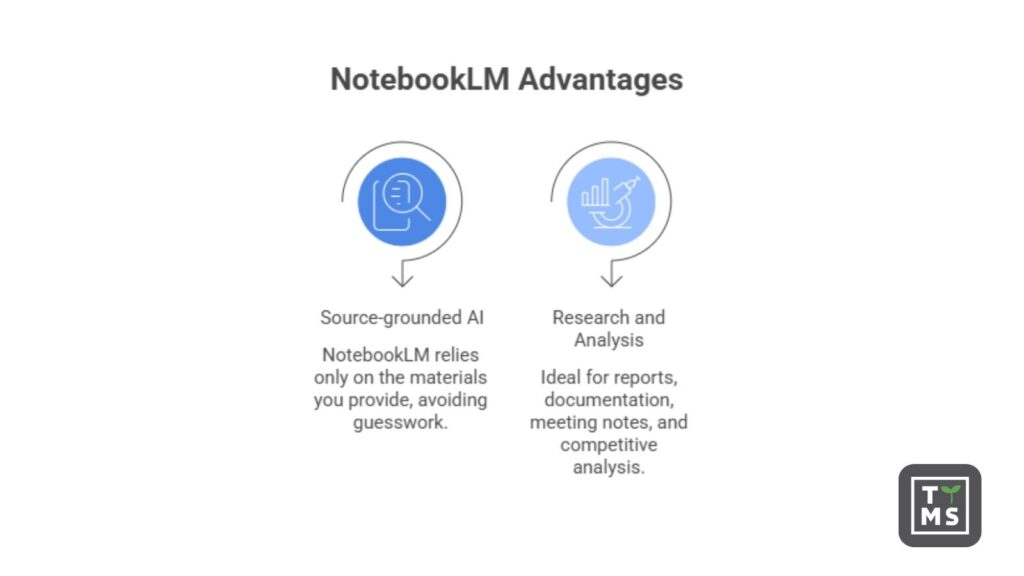
NotebookLM stands out primarily because it works on materials provided by the user. You can add PDF files or other text-based content as well as website URLs, and the system uses them as context to generate answers. It also supports audio and video materials – it analyzes the content of recordings and takes them into account in the generated results.
An interesting solution is audio summaries. The tool creates short, accessible recordings that allow users to become familiar with the content without having to read it. A major advantage is also the way information is presented – answers are anchored in specific source fragments, which increases their credibility and makes verification easier.
| Feature | What it does | Use case |
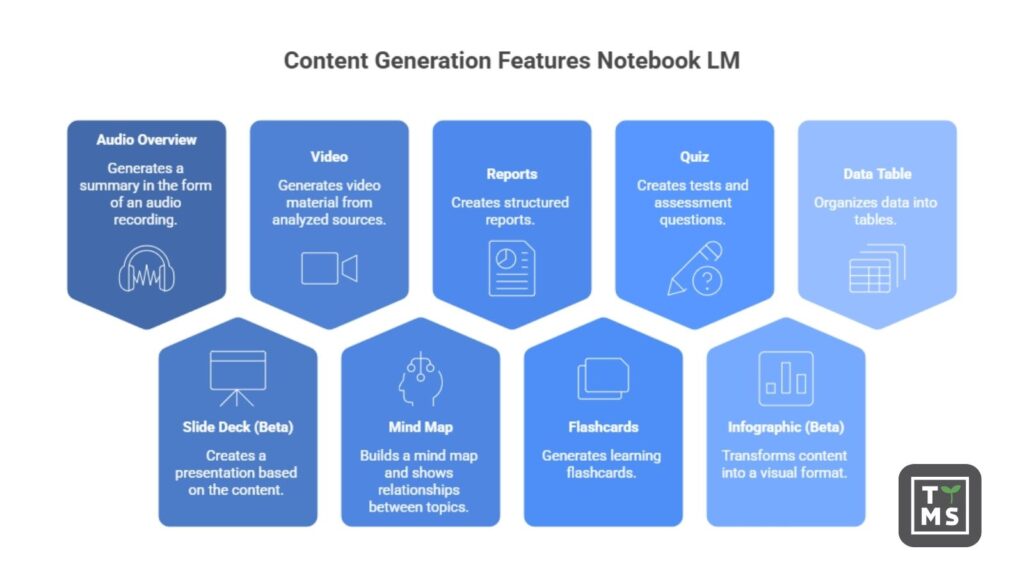
| Audio Overview | Generates an audio summary | Fast knowledge absorption, creating “podcasts” from materials |
| Slide Deck (Beta) | Creates a presentation based on content | Preparing slides for training sessions, meetings, and workshops |
| Video | Generates video material from analyzed sources | Creating simple training materials and summaries |
| Mind Map | Builds a mind map and shows relationships between topics | Better understanding of structure and relationships within knowledge |
| Reports | Creates structured reports | Analysis, summaries, and knowledge documentation |
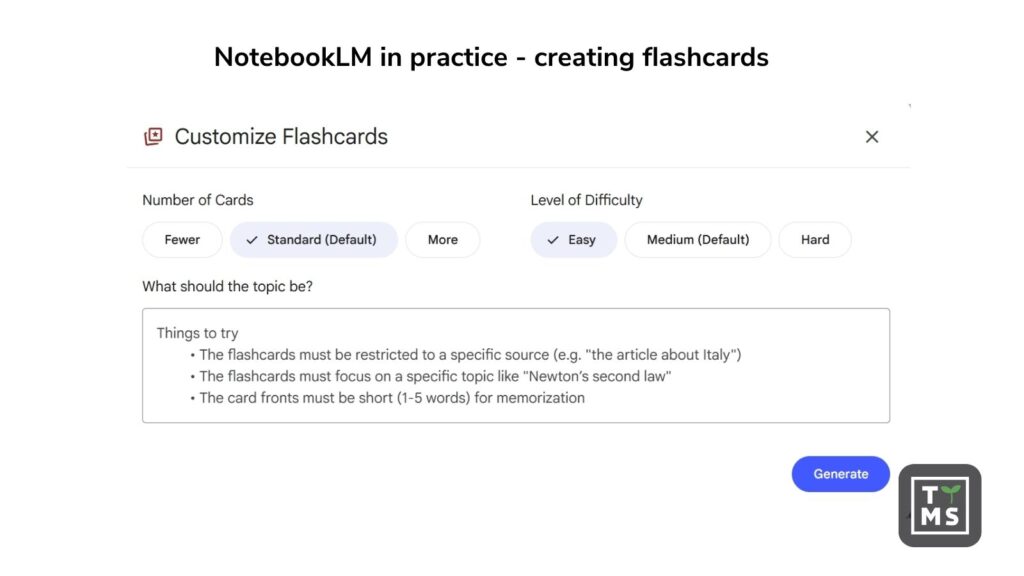
| Flashcards | Generates flashcards for learning | Revision, memorizing concepts, step-by-step learning |
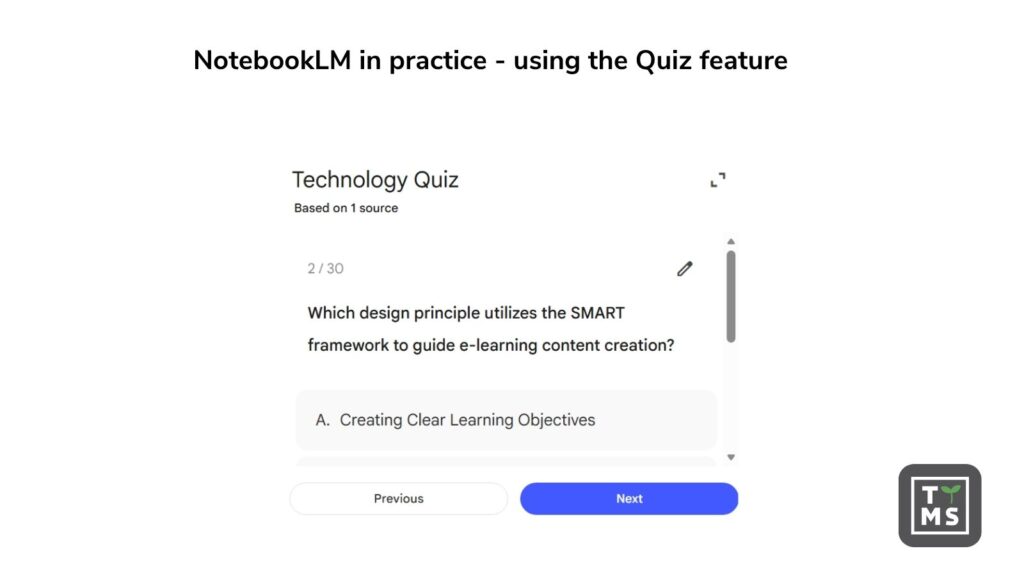
| Quiz | Creates tests and review questions | Knowledge verification after training or self-learning |
| Infographic (Beta) | Transforms content into a visual form | Simplifying complex information and presenting data |
| Data Table | Organizes data into tables | Analysis, comparisons, and work with larger sets of information |
In practice, organizational features also prove useful. The system can prepare outlines, content summaries, or task lists, which supports working with larger sets of information. Additionally, it allows the simultaneous use of multiple files within a single environment, making it easier to connect different threads and relationships.
4. How to use AI in L&D – practical applications of NotebookLM
After analyzing the key features, one might get the impression that this is an AI application for training. In a very simplified sense – it may seem so. But that is not the full picture.
This tool is not a classic course builder or training platform. Its role is different. It focuses on working with knowledge, not on building ready-made training programs.
Only when we look at specific use cases do we see that it addresses several key challenges faced by training departments – but it does so in a completely different way than typical e-learning tools.
4.1 Dynamic knowledge bases
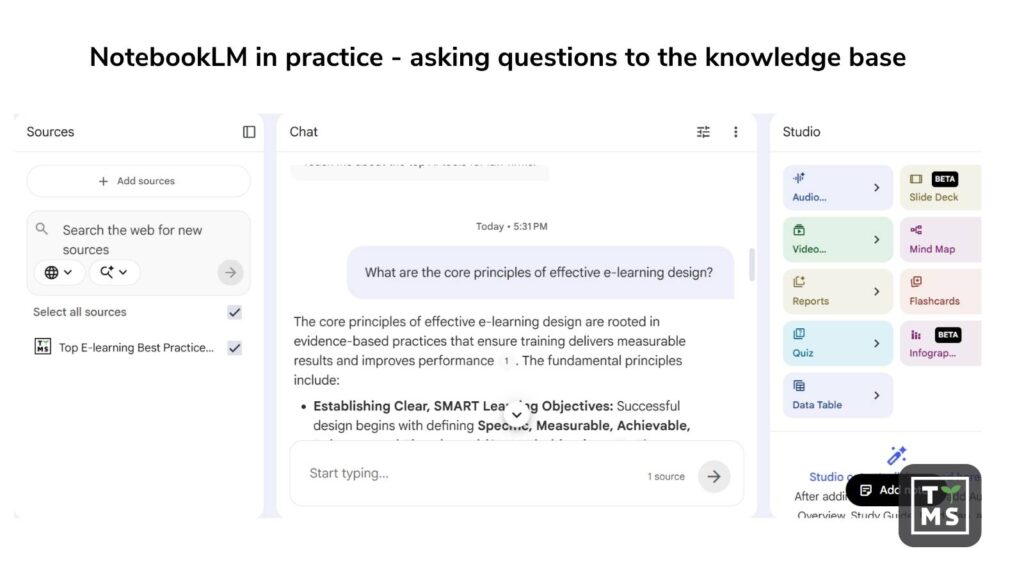
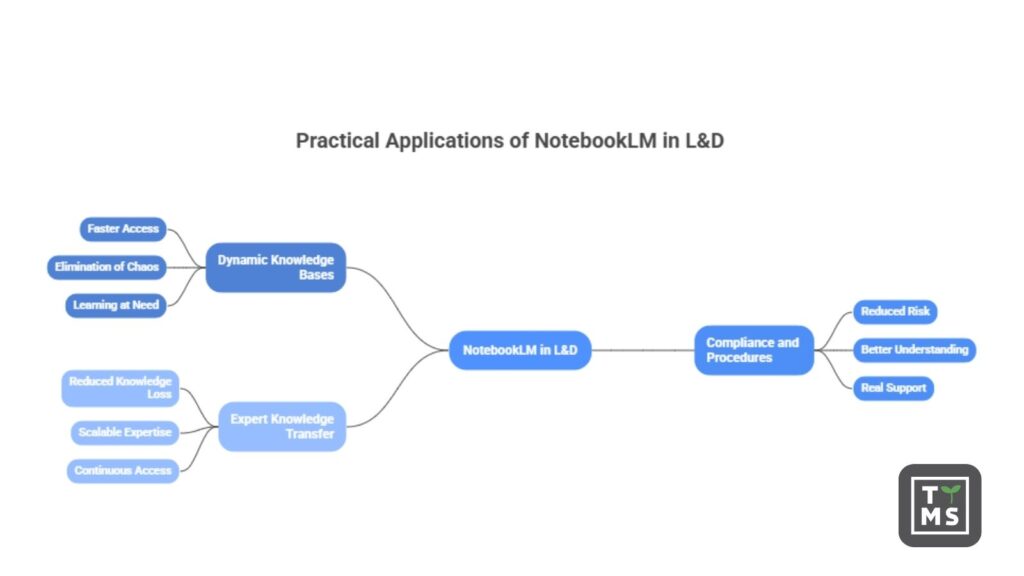
One of the most important applications is the creation of dynamic knowledge bases. NotebookLM analyzes an organization’s documents and answers user questions based on them. This means that an employee no longer has to search through dozens of files or wonder where a specific piece of information is located.
In practice, this translates into:
- faster access to knowledge,
- elimination of information chaos,
- the ability to learn exactly at the moment of need.
A good example is onboarding. A new employee can simply ask a question, and the tool will provide an answer based on onboarding procedures and materials.
4.2 Compliance and procedures
Another important area is compliance. NotebookLM can analyze regulatory documentation and provide answers that are consistent with applicable regulations and internal guidelines.
For organizations, this means:
- lower risk of errors,
- better understanding of complex regulations,
- real support in highly regulated environments.
In practice, an employee can ask about a specific procedure, and the system will point to the appropriate guidelines without the need to manually browse documents.
4.3 Transfer of expert knowledge
Another application is the transfer of expert knowledge. NotebookLM can process materials created by experts – such as documents, notes, or correspondence – and turn them into an accessible source of knowledge for the entire organization.
The key benefits include:
- reducing knowledge loss when employees leave,
- the ability to scale expert knowledge,
- constant access to know-how regardless of expert availability.
For example, an organization can “store” an expert’s knowledge in the system, and other employees can later ask questions and benefit from their experience at any time.
As you can see, NotebookLM can be a very useful tool for training departments. It genuinely relieves L&D teams and helps save time. What’s more, it responds well to the key challenges of large organizations. It helps organize content and meet the demand for knowledge at a given moment.
However, this is not a solution without drawbacks. By solving some problems, it naturally creates others. These can be treated as “side effects,” but in practice, they can have serious consequences.
Questions arise about data security. About who uses the knowledge and how. About real control over the learning process. It also becomes harder to assess whether employees are actually developing competencies and to what extent this translates into business results and other organizational needs.
Added to this is the issue of scalability and progress monitoring. Without appropriate mechanisms, it is easy to lose control over these aspects, which can also lead to financial consequences.
5. Limitations of NotebookLM – why it is not a complete AI tool for training
Despite its great potential, NotebookLM does not replace employee training. When implementing the tool, it is worth remembering that it was created for a different purpose.
NotebookLM was designed by Google as an AI research assistant, whose key role is to support the thinking process, not to generate ready-made content. In practice, this means shifting the role of AI from a “creator” to an analytical partner – a system that helps organize information, understand relationships, and draw conclusions based on provided materials. NotebookLM works exclusively on user-supplied sources, which means it does not create content “out of nothing,” but instead supports conscious decision-making and a deeper understanding of the subject.
However, it is important to clearly state where NotebookLM’s capabilities end. The tool does not offer course structures or ready-made learning paths. It also does not provide user management, progress reporting, or certification mechanisms. And these are precisely the elements that are crucial in classic training systems.
As for limitations, the free version has specific caps – both on the number of sources that can be added and on daily interactions or generated audio and video materials. The Pro version significantly expands these limits, allowing work at a larger scale and more intensive use of the tool.
In practice, NotebookLM works best at the beginning of the training creation process. This is the stage of working with source knowledge: analyzing materials and organizing information. The tool can significantly accelerate research, training scope preparation, or building the initial content structure. However, this is largely where its role ends. In later stages, such as course design, building learning paths, or e-learning production, more specialized solutions are required.
6. Data security in NotebookLM
Data security in NotebookLM is one of the most frequently raised questions in organizations. The tool stores materials added to notebooks and protects them using standards applied in Google’s infrastructure, such as data encryption and access control linked to the user’s account. Access to files is primarily granted to their owner and to individuals with whom they are intentionally shared. At the same time, the data is not used to train public language models, but is used solely for work within a specific project. This does not change the fact that, from an organizational perspective, the way the tool is used is critically important. A lack of clearly defined rules, employee awareness, and control over what materials are uploaded to the system can lead to real risks related to data confidentiality.
According to official Google information:
- data from NotebookLM is not used to train general AI models (e.g. publicly available models)
- it is used locally in the context of your notebook to generate answers and summaries
However:
- may use the data in an aggregated and anonymized manner to improve services (in accordance with the privacy policy)
- in experimental or free versions, it is always worth checking the current terms (as they may change)
6.1 What should organizations be careful about?
The biggest risks do not stem from the technology itself, but from how it is used:
- uploading confidential documents without a security policy
- lack of control over who has access to notebooks
- using personal accounts instead of a corporate environment
- lack of employee awareness of where data goes
AI4Content – analyze documents with AI without compromising security. Your data stays with you. – AI Knowledge Management System for Business | TTMS
7. Summary – is NotebookLM the future of AI in L&D?
The short answer is: no.
NotebookLM is a very good tool for working with knowledge. It helps organize information, accelerates analysis, and facilitates access to content at the moment of need. In this respect, it genuinely supports L&D departments and addresses some of their challenges.
But this is only a fragment of a larger process.
It does not solve the problem of creating coherent training programs. It does not ensure learning scalability. It does not provide control over employee progress or the ability to manage the entire competency development process within an organization.
Therefore, it is not the future of AI in L&D. It is rather one piece of the puzzle.
To transform knowledge stored in documents into coherent, repeatable training programs for many employees, a tool is needed that enables standardization and scaling of this process – such a solution is AI4 E-learning.
FAQ
Can NotebookLM replace an LMS in an organization?
No, NotebookLM is not an LMS and does not offer training management, user management, or progress reporting features. It is a knowledge‑work tool, not a system for running training processes. It works best as a complement to an existing learning ecosystem.
Is NotebookLM suitable for compliance training?
It can help with better understanding procedures and regulations, but it does not replace formal training required by organizations or regulators.
Does NotebookLM work on company data?
Yes, the tool is based on documents provided by the user. Thanks to this, responses are contextual and grounded in the organization’s actual knowledge rather than general data from the internet.
How can NotebookLM be combined with the training creation process?
The best approach is to use NotebookLM as a stage for analysis and selection of sources, and then use tools such as AI 4 E‑learning to create finished courses. This model allows for a smooth transition from knowledge to scalable training.