

Home •Blog
TTMS Blog
TTMS experts about the IT world, the latest technologies and the solutions we implement.
Sort by topics
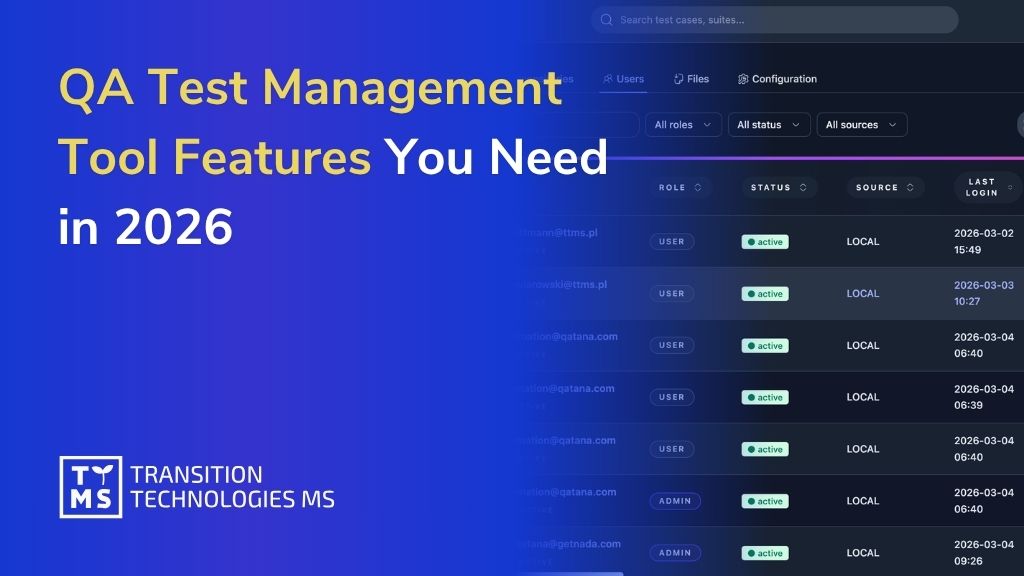
QA Test Management Tool Features You Need in 2026
Software delivery in 2026 moves faster than ever – but testing hasn’t always kept up. As products grow more complex and release cycles shorten, QA teams face increasing pressure to maintain quality without becoming a bottleneck. The result is often a mix of fragmented tools, growing regression suites, and too much manual effort spent on tasks that don’t scale. This is where modern QA test management tools make the difference. The right solution doesn’t just organize test cases – it reduces repetitive work, brings visibility across manual and automated testing, and integrates seamlessly into agile and DevOps workflows. In this article, we break down the QA test management tool features that matter in 2026 – the ones that help teams move faster, reduce overhead, and deliver reliable software at scale.
Read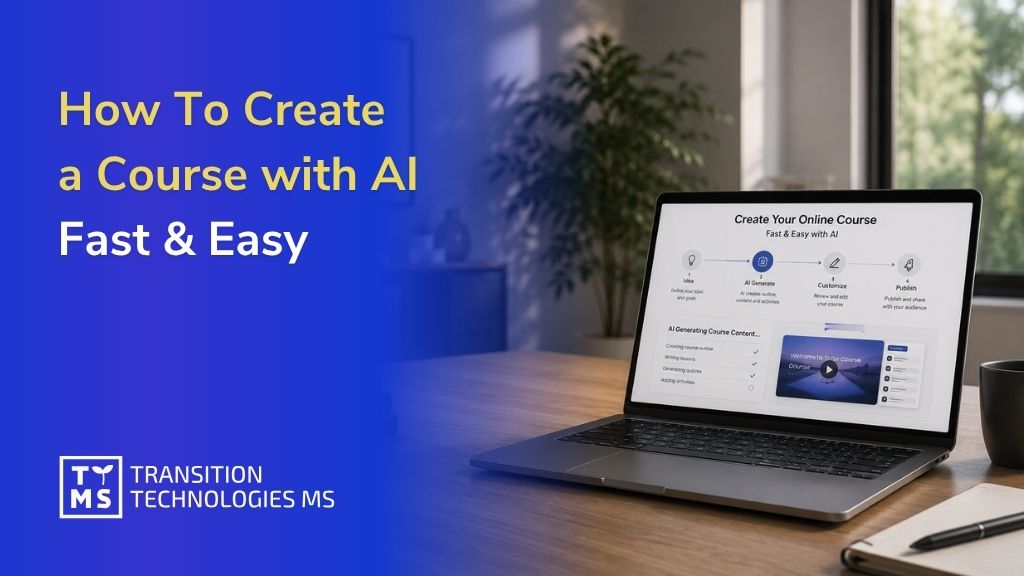
How To Create a Course with AI Fast & Easy in 2026
The biggest challenge in workplace learning is no longer producing training content. It is producing effective training content quickly. AI has dramatically reduced the time needed to create courses, but speed alone does not guarantee learning outcomes. Organizations must now balance efficiency with instructional quality. The AI in L&D market was valued at USD 9.3 billion in 2024 and is projected to reach nearly USD 97 billion by 2034, growing at a 26% CAGR. The Josh Bersin Company’s 2026 research reports that 74% of companies say they can’t keep pace with demand for new skills across their organizations. Training needs are outpacing traditional production methods, and AI is stepping in to close the gap. This guide covers how to create a course with AI, what tools to look for, where AI falls short, and how organizations in healthcare, energy, and corporate IT are already using these capabilities to build better training, faster. 1. What It Actually Means to Create a Course with AI Not all AI-powered course creation tools work in the same way. Before discussing their impact, it’s worth clarifying what “creating a course with AI” actually means in practic AI-assisted course creation means using artificial intelligence to handle the mechanical, time-consuming parts of instructional design: turning raw materials into structured content, generating learning objectives, drafting quiz questions, and organizing information into a logical learning flow. Handing the entire process to an algorithm and walking away is a different thing entirely, and it tends to end badly. AI is an accelerator rather than a substitute for expertise. It clears the path so your subject matter experts can focus on what they actually know, rather than spending hours reformatting slides or wrestling with an authoring tool. The expert still defines the goal, validates the content, and approves the final output. AI just dramatically shortens the distance between raw knowledge and a finished course. This distinction matters because the alternative framing, where AI “does it all,” sets organizations up for problems. Poorly reviewed AI output can contain inaccuracies, misaligned examples, or content that drifts from your compliance requirements. Human oversight is a design principle in any responsible AI course creation workflow, not something you bolt on afterward. Tools like AI4E-Learning, developed by TTMS, are built around this principle explicitly. The platform guides users step by step through the entire creation process, covering everything from defining training goals to exporting a SCORM package, while keeping the human in control at every decision point. It turns existing internal documents, PDFs, presentations, and even audio or video files into structured, goal-oriented training without requiring instructional design expertise to get started. That’s what modern AI course creation looks like in practice: guided, structured, and grounded in the organization’s own knowledge rather than generic content pulled from thin air. 2. What to Look for in a Free AI Course Creator Not all AI course builders are created equal – and free plans make those differences visible very quickly. Some tools let teams genuinely test AI-powered course creation, while others offer only a narrow preview designed to push users toward a paid upgrade. Before investing time in any platform, it is worth checking what the free version actually allows: content import, course structure, quizzes, branding, export options, LMS compatibility, and the level of human editing available. 2.1 Core Features That Matter The most important feature in any AI course builder is not speed. It is structure. A useful tool should generate a learning experience with clear objectives, logically sequenced lessons, and assessments that match the expected outcomes. If the output is only a wall of text divided into slides, it is not really a course. It is content packaging. For corporate training, several capabilities quickly become non-negotiable: Pedagogical structure – the course should be built around learning outcomes, not just source materials. SCORM export and LMS integration – without standard LMS connectivity, training is difficult to deploy, track, and manage at scale. Flexible content import – the tool should work with existing materials such as SOPs, policy documents, slide decks, videos, and onboarding files. Quiz and assessment generation – tests should be linked to learning objectives, with editable question types, difficulty levels, and passing thresholds. Editorial control – teams must be able to review, edit, reorder, and approve every element before publication. Accessibility and localization – mobile-friendly output, translation support, and accessibility standards are essential for global or distributed teams. This is where the difference between a simple AI content generator and a serious AI course authoring platform becomes clear. The first helps you produce material faster. The second helps you create training that can actually be used, measured, and trusted inside an organization. Capability Why it matters Pedagogical structure The course should be built around learning outcomes, not just source materials. SCORM export and LMS integration Enables organizations to deploy, track, and manage training at scale within existing learning ecosystems. Flexible content import Allows teams to reuse SOPs, policy documents, presentations, videos, and onboarding materials instead of creating content from scratch. Quiz and assessment generation Ensures knowledge checks are aligned with learning objectives and can be customized to meet training requirements. Editorial control Gives subject matter experts and training managers the ability to review, edit, reorder, and approve content before publication. Accessibility and localization Supports multilingual audiences through translation, mobile-friendly delivery, and compliance with accessibility standards. 2.2 Red Flags in Free Tools Free AI course builders can be useful for testing the concept, but there are a few warning signs that usually mean the tool will not support serious corporate training. The first is hidden feature gating. If LMS export, quiz customization, branding, or publishing options are blocked behind a paywall, the free version is closer to a demo than a real course builder. The second is generic content generation. Tools that create outlines without using your organization’s actual materials often produce courses that feel impersonal, vague, or disconnected from real procedures. In compliance, safety, or technical training, this is more than an inconvenience. It can lead to misleading or incomplete learning content. The third warning sign is limited tracking. Many free tools offer little or no analytics, completion records, or learner progress data. For organizations that need compliance documentation, engagement insights, or audit-ready training records, this quickly becomes a serious limitation. Finally, be careful with platforms that allow AI-generated content to be published without a review or approval step. In corporate learning, human oversight is not a bottleneck. It is part of quality control. 3. How to Create a Course with AI: Step-by-Step The workflow for building a course with AI is more structured than most people expect. You can’t just type a topic into a prompt and download a finished course five minutes later. The best results come from treating AI as a capable collaborator that needs clear direction. Step 1: Choose Your Topic and Define Your Audience Start before you open any AI tool. The most important decisions in course creation happen before a prompt is written or a file is uploaded. First, define the business problem the training is supposed to solve. Do you want to reduce errors in a support workflow? Onboard new employees to safety procedures? Help a distributed team understand a regulatory update? That answer shapes everything that follows: learning objectives, content depth, assessment criteria, examples, tone, and the level of detail learners actually need. Define your audience with similar specificity. A course for frontline warehouse staff requires different language, examples, and pacing than one for senior managers or IT professionals. AI tools work much better when given this context explicitly rather than asked to guess it. Step 2: Enter a Prompt or Upload Existing Content Once you’ve defined the goal and audience, bring your source materials into the tool. If your organization has existing documentation, this is where AI earns its efficiency gains most dramatically. With a platform like AI4E-Learning, you can upload internal materials in DOCX, PDF, PPTX, MP3, or MP4 format. The AI analyzes those files and uses them as the foundation for the training content, so your course is built on your organization’s actual knowledge rather than generic filler. Starting from scratch works too, provided you write a well-structured prompt that specifies the training topic, target audience, length, and business goal. The more precise you are at this stage, the less editing you’ll need later. You also set core parameters here: the training mode, the overall length (a short microlearning module versus a full onboarding course), and the interactivity level, meaning how many slides will include active learning tasks versus passive reading. Step 3: Review and Refine the AI-Generated Structure After the AI generates an initial structure, your job is to evaluate it critically rather than just accept it. Check whether the module sequence makes logical sense for a learner encountering this material for the first time. Confirm that the learning objectives match your original business goal. Look for anything that seems off-topic, overly generic, or misaligned with how your organization actually operates. AI tools suggest learning objectives in a logical order, but those suggestions are starting points. A well-designed platform lets you rearrange, rewrite, add to, or remove objectives before proceeding. This is the stage where your subject matter expert should be involved, if they haven’t been already. Step 4: Customize Lessons, Quizzes, and Assessments With the structure confirmed, go deeper into the content itself. Edit slide text to match your organization’s terminology, tone, and accuracy standards. Replace generic examples with real scenarios your learners will recognize. This is also where you configure assessments. A good AI course builder should let you generate quiz questions automatically, aligned to specific learning objectives, and then modify, add, or remove questions before finalizing. Setting passing thresholds, determining whether the quiz is required for completion, and deciding whether to allow retakes are all decisions that stay with you. For compliance-heavy environments, such as safety training or healthcare protocols, this human review step is especially critical. AI-generated quiz questions can be a strong starting point, but they require validation against the actual regulatory or procedural standard they’re meant to assess. Step 5: Add Media and Interactive Elements A course built entirely from text slides will hold attention for about ten minutes. Adding media and interactive elements changes the learning experience significantly. Depending on the tool, you may be able to embed videos, images, diagrams, and knowledge-check interactions directly in the authoring environment. Adjusting the interactivity level during setup determines how many slides include active learner tasks, but at this stage you can fine-tune that mix module by module. The Hitachi Energy “10 Life-Saving Rules” safety training illustrates this well. Hitachi Energy needed to standardize critical safety behaviors across a global workforce, with existing rules spread across internal documentation in multiple formats. TTMS used AI4E-Learning to transform that source material into a structured, multimedia-rich course, with scenario-based interactions built around each life-saving rule. A consistent, visually engaging program was deployed across regions, replacing what had previously required significant manual authoring work for each localized version. In high-stakes environments like this, the visual and interactive design isn’t cosmetic; it directly supports whether safety behaviors transfer to the workplace. Step 6: Publish, Share, or Export Your Course Once the content has been reviewed, edited, and approved, the final step is deployment. For organizations using a corporate LMS, export the course as a SCORM-compliant package and upload it to your existing platform. SCORM compliance ensures that completion data, quiz scores, and time-on-task are tracked automatically and reported back to your LMS dashboard. If your organization needs courses in multiple languages, an authoring tool with built-in translation support lets you localize content for global teams without rebuilding the course from scratch for each language. This is particularly valuable for multinational organizations that need consistent training standards across regions. 4. What AI Can (and Can’t) Do in Course Creation Using AI responsibly starts with understanding what it is good at – and where human expertise is still essential. AI is particularly strong at structure. It can take unorganized materials and turn them into a logical learning sequence. It can generate a first draft of explanatory content, propose learning objectives linked to a defined goal, and create initial assessment questions aligned with those objectives. It can also produce variations quickly, adapt the tone for different learner groups, and identify structural gaps that a human expert may miss when working with familiar material. Where AI falls short is specificity. It doesn’t know the particular regulatory environment your organization operates in, the informal knowledge your most experienced employees carry, or the real-world scenarios that actually trip people up on the job. It can produce content that sounds accurate while missing the practical detail that makes training actually change behavior. Hallucination in domain-specific contexts is a documented and quantified concern. In clinical settings, a 2025 Nature study using a structured safety workflow found a 1.47% hallucination rate and a 3.45% omission rate, even under tightly controlled conditions. In legal research, the numbers are significantly higher: a Stanford HAI finding reported by MIT Sloan EdTech identified hallucination rates of 58 to 82% on general legal queries, and even retrieval-augmented legal AI tools still hallucinated more than 17% of the time in specialized tasks. These figures reflect different task types and grounding levels, but the consistent pattern is clear: AI-generated content in regulated domains requires line-by-line expert review before deployment. TTMS’s work building e-learning for healthcare reflects this directly; training aligned to clinical practice, patient safety, and compliance standards requires SME validation that no AI tool can provide on its own. Use AI for the parts of course creation where speed and structure add the most value: drafting, organizing, and building starting materials. Keep human experts accountable for accuracy, compliance, and the judgment calls that only experience can supply. 5. Free vs. Paid AI Course Builders: When to Upgrade For many teams, a free AI course builder is a perfectly reasonable starting point. If you’re exploring whether AI-assisted creation works for your use case, running a pilot program, or building a low-stakes internal resource, free tools can get you there. When to upgrade really comes down to organizational scale, risk tolerance, and what “good enough” actually means for your training outcomes. 5.1 What You Can Accomplish for Free Most free tiers allow you to generate a basic course structure, add some customization, and publish or share the result. For small teams, one-off training needs, or exploratory projects, this is often sufficient. You can test whether your subject matter experts are comfortable with the workflow, validate whether AI-generated content aligns with your standards, and get a sense of how much editing the output requires before it’s usable. Free tools also work reasonably well for asynchronous, informal learning that doesn’t require compliance tracking, certification, or LMS integration. 5.2 How AI4E-Learning Compares to Other AI Course Builders Several capable AI course builders compete in this space. Mindsmith, Learning Studio AI, and Shiken AI are among the most discussed in 2025. Each has genuine strengths: Mindsmith excels at AI-driven scenario authoring; Learning Studio AI enables rapid one-click course generation with SCORM export; Shiken AI focuses on gamified, assessment-centric experiences. What these tools share, however, is a positioning as content generation utilities rather than enterprise compliance platforms. None prominently offers validated governance workflows, data residency controls, multi-step review processes, or audit trails required in regulated industries such as pharma, healthcare, or financial services. AI4E-Learning is built for a different tier of requirement. For organizations that need to maintain data sovereignty over proprietary content, demonstrate SCORM conformance, manage content approval at scale, and integrate training records with enterprise LMS reporting, the distinction matters considerably. Which platform can sustain a compliant, auditable training program over time is a more meaningful question than which tool generates the cleanest first draft. 5.3 Features That Justify Upgrading Free AI course builders are useful for testing ideas, but the limitations become visible when training needs to move into production. The first upgrade trigger is usually SCORM export and LMS integration. If you need to track who completed a course, when they finished it, and how they scored, the tool must connect with your learning infrastructure. The second is security and compliance. Once you upload proprietary content, internal procedures, or sensitive operational knowledge, data protection is no longer optional. Other limitations usually appear when teams start scaling: multiple course projects, consistent branding, team collaboration, learner analytics, and localization. Automatic translation can be especially valuable for organizations operating across countries and languages. For companies ready to move beyond pilots, AI4E-Learning from TTMS combines a guided authoring workflow with enterprise-ready features, including SCORM compliance, LMS integration, data security, multilingual support, and instructional design experience gained through real training projects. 6. Common Mistakes to Avoid When Building Courses with AI Even strong AI course creation tools can lead to weak training if the process is not designed properly. Most problems come from the same few mistakes. The first is treating AI output as a finished product. When teams publish generated content without review, the course may look complete but remain instructionally shallow. Typical signs include generic examples, vague learning objectives, and quiz questions that test recall instead of practical application. The solution is simple: include a structured review stage and involve subject matter experts before anything goes live. The second mistake is starting without clear learning goals. Asking an AI tool to “create a course about customer service” will produce a very different result than asking it to build a module that helps support agents resolve tier-one technical queries faster, using the organization’s existing troubleshooting documentation. The more specific the input, the more useful the output. The third mistake is neglecting governance. Many teams start using AI course builders informally, without clear rules on what content can be uploaded, who reviews the output, and what approval process applies before training is deployed. In compliance-heavy industries or organizations working with proprietary procedures, this creates real risk. Clear guidelines should be in place before AI course creation is scaled across the business. The Safety First case study from TTMS illustrates what structured governance looks like in practice. Safety-critical training requires a consistent standard delivered across all locations, with clear expectations for both managers and employees. That level of consistency doesn’t emerge from an unmanaged AI workflow; it requires careful design, expert review, and a deployment process that ensures every learner receives the same quality of instruction. Ignoring personalization is a missed opportunity that many organizations discover too late. AI makes it genuinely feasible to adapt scenarios, examples, and pacing for different roles or experience levels, but teams often use it to produce a single uniform course for all learners. Feeding role-specific context into your prompts, or building separate learning paths for different audience segments, significantly improves both engagement and knowledge transfer. Most AI course creation failures are not caused by the technology itself. They result from poor process design, unclear objectives, and insufficient oversight. Common mistake Why it matters Best practice Treating AI output as the final product Courses may appear complete but often contain generic examples, weak learning objectives, and superficial assessments. Include a structured review process and involve subject matter experts before publication. Starting without clear learning goals Broad prompts lead to generic content that may not address real business needs. Define specific business outcomes and learning objectives before generating content. Neglecting governance Unclear rules around content uploads, reviews, and approvals can create compliance and security risks. Establish governance policies and approval workflows before scaling AI adoption. Underestimating the need for consistency Safety, compliance, and operational training require standardized learning experiences across locations and teams. Use expert review and controlled deployment processes to maintain quality and consistency. Ignoring personalization opportunities A one-size-fits-all course often reduces engagement and knowledge retention. Adapt scenarios, examples, and learning paths to different roles, experience levels, and learner groups. 7. Work With TTMS to Build AI-Driven Training That Delivers Results AI course builders are becoming genuinely capable. Used well, they help organizations create more training, faster, and at a lower cost than traditional methods allow. But the tool is only part of the equation. At TTMS, we have been designing and implementing e-learning solutions across healthcare, energy, safety, and corporate IT for years. One pattern is clear: the best results come when capable AI tools are combined with deliberate instructional design, proper governance, and expert review at every stage. That is what turns a fast course draft into training that changes behavior, supports business goals, and can be trusted at organizational scale. FAQs About Creating a Course with AI Do I need technical skills to use an AI course builder? Not for the platforms designed with organizational adoption in mind. Modern AI course builders, including AI4E-Learning, are built so that HR professionals, training coordinators, and operational managers can create professional training without any background in instructional design or software development. The platform guides you through each stage, suggests learning objectives, and handles the technical formatting automatically. Where some technical awareness helps is in deployment: understanding how to export a SCORM package, upload it to your LMS, and configure completion settings. Most LMS platforms walk administrators through this process, and it rarely takes more than an hour to learn. Knowing your content and your audience well enough to review what the AI produces matters far more than software proficiency. Domain expertise is the skill that actually determines output quality. How long does it take to create a course with AI? The initial generation of a course structure can happen in minutes once your materials are uploaded and your parameters are set. A complete, ready-to-deploy module, including editing, review, media addition, and final approval, typically takes a few hours for straightforward topics with existing source materials. For more complex programs, particularly those involving compliance requirements, regulated industries, or multiple audience segments, plan for a longer cycle. The AI handles the mechanical work quickly, but expert review, SME validation, and stakeholder approval take the time they take. TTMS’s experience across sectors including enterprise safety training and healthcare consistently shows that the review and quality assurance phase is where the real value is added, and that phase should never be rushed. Compare this to traditional course development, where scripting, design, and authoring might take weeks before a first draft is ready. AI compresses the early stages dramatically, which means your experts spend more time on judgment and less time on formatting. Can AI course creators generate quizzes and assessments automatically? Yes, and it’s one of the stronger practical capabilities in current AI authoring tools. When the AI has a clear view of your learning objectives and source content, it can generate aligned quiz questions, including multiple-choice items with plausible distractors, scenario-based questions, and knowledge checks embedded at the lesson level. The critical caveat is alignment. Auto-generated questions should be reviewed to confirm they test the right skill or knowledge at the right level, not just surface-level recall of keywords from the content. For certification or compliance purposes, every question should be validated against the actual standard it’s meant to assess. AI4E-Learning includes an optional end-of-course quiz that you can configure during the setup phase, with full editorial control over questions before the course is published. Can I import existing materials into an AI course builder? Yes, and for most organizations this is the primary value driver. Starting from existing materials, whether that’s a procedural document, a slide deck from a live training session, a recorded interview with a subject matter expert, or a policy PDF, is dramatically more efficient than building from scratch. AI4E-Learning supports uploads in DOCX, PDF, PPTX, MP3, and MP4 formats. The AI analyzes the uploaded files and uses them as the foundation for the course structure, which means the content is grounded in your organization’s actual knowledge and terminology from the start. This is particularly important for organizations that want full control over their content and need training that reflects their specific processes rather than generic best practices. How is an AI course creator different from a traditional course builder? A traditional course builder is essentially a sophisticated content editor. It gives you templates, formatting tools, and an authoring environment, but every structural decision, learning objective, quiz question, and lesson flow is written manually by a human. The workflow is linear, front-loaded, and time-intensive. An AI course builder automates the drafting, structuring, and alignment stages. You define the goals and provide the source materials; the AI builds a structured course from that input. You then review, edit, and approve what the AI has produced. Human effort moves away from raw creation and toward curation and quality control. The practical difference in production speed is significant. The practical difference in output quality depends almost entirely on how seriously you take the review stage. AI generates fast; humans make sure it’s right.
Read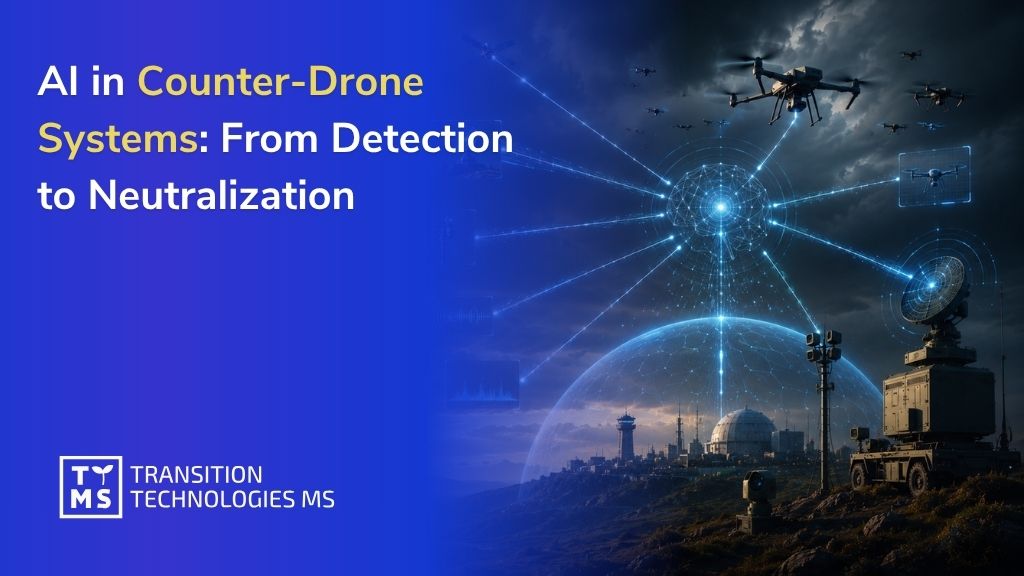
AI in Counter-Drone Systems: From Detection to Neutralization
1. From Detection to Decision: The Evolution of Counter-Drone Systems Counter-drone capability is no longer a niche air-defence add-on. It is becoming a core layer of force protection, base defence, manoeuvre support, and critical-infrastructure resilience. Recent policy from the U.S. Department of Defense treats the rapid proliferation of unmanned systems as a strategic problem, not merely a tactical one, and links the threat directly to growing autonomy, AI, networking, and mass availability. In practice, that means decision-makers should stop asking whether AI belongs in counter-UAS and start asking where in the kill chain it delivers measurable advantage without creating unacceptable legal, cyber, or operational risk. The strongest emerging design pattern is not “one better sensor” but a layered system-of-systems: radar for wide-area surveillance, RF/SIGINT for emissions-based early warning and attribution, EO/IR for recognition, acoustic sensing for close-range passive cueing, and AI-driven fusion to reduce false alarms, prioritize tracks, and compress operator workload. That architecture aligns with current Army sensor-integration efforts and reflects a broader shift toward. For organizations building counter-drone capabilities, the implication is clear: the defensible value lies not in a single model, but in open integration, common data models, edge-ready inference, secure middleware, and verification pipelines that connect sensors, C2 workflows, and effectors into a functioning whole. 2. The Problem AI Must Solve The problem statement is sharper than “detect the drone.” A defendable counter-drone AI stack must identify a small, low, slow, and often low-cost target in clutter; distinguish it from birds, friendly UAS, or civilian traffic; maintain track continuity under manoeuvre and intermittent observability; estimate intent and threat level; and support a lawful neutralization decision quickly enough to matter. The operational burden is compounded by the fact that many drones are cheap enough to be used in swarms or in repeated probing attacks, which puts enormous pressure on operator attention and on the cost-per-engagement equation. That is why current defence thinking places increased emphasis on machine-speed decision support, passive and active defences, and layered architectures that can scale from installation protection to mobile formations. Army C-UAS experimentation now explicitly frames the requirement around integrating best-of-breed sensors, reducing cognitive load, and speeding decisions from human tempo toward machine tempo, while still keeping commanders and operators responsible for force application. 3. Sensing Modalities and Multi-Sensor Fusion No single sensor closes the counter-drone problem. Recent reviews and programme evidence converge on the same point: radar, RF, EO/IR, acoustic, and passive sensing each solve different parts of detection, classification, and localization, and each fails under different conditions. Radar remains the backbone for all-weather surveillance and early track generation. EO/IR remains the strongest route to visual confirmation and forensic-quality evidence. RF and SIGINT layers can classify protocols, identify emitters, or exploit Remote ID and telemetry when they are present. Acoustic sensing adds a cheap passive layer at shorter range, especially in the last hundreds of metres. The result is a strong bias toward fused architectures rather than monolithic point solutions. The state of the art is moving from simple sensor “stacking” to explicit fusion at different levels. Pereira et al. (2024) compare pixel-level and decision-level EO/IR fusion around a YOLOv7-plus-ByteTrack pipeline. Arapoglou et al. (2025) describe hierarchical multi-sensor threat detection and decision-making. More recent anti-UAV work also divides fusion into early/data-level, feature-level, and late/decision-level approaches, with growing interest in hierarchical combinations that preserve robustness when one modality degrades. The practical lesson for procurement is straightforward: ask not only whether a vendor fuses sensors, but where fusion occurs, what timing assumptions it needs, how it degrades when one modality drops out, and how outputs are exposed to C2. 3.1 Sensor comparison Modality Indicative range Practical resolution and identification value Strengths Main limitations Typical cost and integration complexity Radar Roughly 2-5+ km for many small-UAS use cases Good range and velocity; some systems support micro-Doppler cues for class discrimination All-weather, day/night, wide-area search, fast track initiation Small RCS targets, clutter, multipath, false alarms without fusion Medium to high Acoustic Roughly 50-200 m in noisy settings; farther in quiet environments Good bearing with arrays; poor direct ranging unless fused Passive, low cost, useful for close-in cueing and redundancy Noise, wind, urban masking, limited reach Low to medium EO/IR Roughly 0.5-2+ km for practical recognition, optics-dependent Very high angular detail; strongest for confirmation and BDA Positive ID, visual evidence, day/night with thermal Weather, haze, camouflage, occlusion, weak native depth Medium RF detection and Remote ID exploitation Roughly 1-3+ km for common control and telemetry links; farther when Remote ID conditions are favorable Strong protocol and device discrimination; coarse geolocation unless multi-node Fast early warning when the target emits; low collateral burden Fails against RF-silent, autonomous, or fiber-linked drones Low to medium SIGINT and passive RF geolocation Highly emitter- and geometry-dependent; often km-scale LOS coverage Can support attribution, emitter characterization, and multi-node geolocation Valuable for intent inference and network-level picture Not all threats emit; requires timing, baselining, and spectrum expertise Medium to high The ranges above are indicative, not procurement specifications. They synthesize representative values from recent reviews and exemplar systems: NATO multistatic radar work reports drone-detection ranges up to 5 km, RF-based studies report strong performance past 2-3 km for emitting targets, EO/IR effectiveness is highly optics- and cueing-dependent, and acoustic systems can collapse to roughly 50-200 m in noisy environments even when they remain valuable as a passive confirmation layer. Cost and complexity are inferential, based on hardware, calibration, synchronization, and network-integration demands rather than a single official price baseline. 4. AI Models Across the Counter-Drone Workflow The model landscape is already specialized by function. CNN-style detectors and YOLO-family models still dominate real-time EO/IR detection because they fit strict latency budgets. Sequence models are increasingly used to suppress hard false positives such as birds or clutter trajectories. Akyon et al. (2022) show 3D CNN, LSTM, and transformer-style sequence classifiers for drone-vs-bird discrimination. Pereira et al. (2024) pair YOLOv7 with ByteTrack. CVPR Anti-UAV benchmark results in 2025 show that the most competitive trackers are still hybrid systems, blending learned detection with motion-aware association rather than relying on “pure AI” end-to-end pipelines. Fusion models are also maturing. Recent work spans multimodal transformers for radar-acoustic-video fusion, hierarchical visible/infrared fusion, RF open-set recognition models, and graph-based anomaly detection over flight telemetry. Dong et al. (2025) identify multimodal fusion, self-supervision, adversarially oriented benchmarks, and synthetic-data generation as the main frontier areas. Feng et al. (2025) push anomaly detection toward causality-enhanced graph neural networks, which is especially relevant for identifying abnormal flight behaviour, spoofing effects, or mission-profile deviations that a single image frame cannot reveal. MMAUD (2024) matters here because it provides a rare public benchmark with stereo vision, LiDAR, radar, audio arrays, and accurate ground truth for detection, classification, and trajectory estimation. In operational terms, the workflow is best thought of as four linked AI functions rather than one monolithic “autonomous” block: Detection and cueing: radar, RF, SIGINT, acoustic, or wide-FOV video flag candidate objects and hand them to higher-cost recognition models. Classification and identification: CNNs, spectrogram classifiers, sequence models, and multimodal transformers distinguish hostile drones from birds, friendly UAS, or benign aerial objects. Tracking and intent estimation: trackers such as ByteTrack, adaptive Kalman variants, and motion-association logic preserve continuity through occlusion, target loss, or erratic manoeuvre. Neutralization support: threat-ranking and policy engines recommend options such as monitoring, handoff, soft-kill, or hard-kill, but the decision should remain bounded by rules-of-engagement, legal review, airspace deconfliction, and system state confidence. 5. Edge AI, Cybersecurity, and Adversarial Robustness Edge deployment is where many promising demos fail. Recent studies on edge AI in defence systems point this out directly: counter-drone systems often need to run on mobile surveillance platforms at the edge, where compute, memory, power, and cooling are constrained. In military settings, those constraints sit on top of denied, degraded, intermittent, and low-bandwidth networking, so offloading everything to a remote cloud is often unrealistic. The right design response is not “bigger model, bigger GPU,” but model partitioning, selective inferencing, hardware-aware compression, graceful degradation, and a clear separation between edge-critical tasks and rear-echelon analytics. Cybersecurity has to cover the full AI-and-sensor lifecycle. The NIST 2025 adversarial machine-learning taxonomy explicitly frames attacks across model methods, lifecycle stages, attacker goals, and attacker knowledge. The DoD’s 2025 AI cybersecurity tailoring guide likewise argues that cyber risk management must be integrated from the start of the AI lifecycle, not bolted on after model training. For counter-drone systems, that means protecting sensor firmware, timing and PNT, RF ingest, message brokers, feature stores, model artifacts, signed updates, and effector interfaces as one attack surface. Operational robustness also has a policy dimension. NATO’s revised AI strategy and related certification work place lawfulness, responsibility, explainability, reliability, governability, and bias mitigation at the centre of defence AI. For counter-UAS, that translates into auditable operator displays, confidence-aware recommendations, known fallback modes, and the ability to disengage or revert when the system drifts outside validated operating conditions. In other words: a system that cannot explain why it recommends jamming or firing is not mature enough for serious deployment, regardless of benchmark accuracy. 6. C2 Integration and Rules of Engagement AI does not replace the C2 stack; it becomes a decision-support layer inside a broader C4ISR architecture. Current Army integration work is instructive here. Integrated Sensor Architecture is explicitly designed to let sensors from different manufacturers interoperate through common standards, reduce translation bottlenecks, and lower latency at the tactical edge. NGC2 (Next Generation Command and Control), in turn, is explicitly data-centric, cloud-native, and built around open architectures. This makes the DoD Directive 3000.09 especially relevant, as it requires appropriate levels of human judgment over the use of force, alongside rigorous legal review, testing, and cybersecurity safeguards. This matters acutely for electronic attack. A useful Polish-language reminder comes from the Polish Civil Aviation Authority’s GNSS interference seminar, which highlights how even anti-drone jamming incidents can produce wider aviation-side effects on navigation and surveillance environments. For system architects, that means soft-kill chains must be airspace-aware, spectrum-managed, geofenced, and fully logged. In business terms, buyers should prioritize traceable policy engines and authority management just as highly as raw sensor performance. 7. Testing, Validation, and Operational Lessons Testing has to move well beyond static accuracy scores. The Chief Digital and Artificial Intelligence Office test-and-evaluation frameworks emphasize lifecycle T&E and operational realism; their core message is that justified confidence comes from testing AI-enabled capabilities under the complexities of real use, not from isolated lab metrics alone. Standardized counter-drone evaluation work is pushing the same direction: detection, tracking, and identification should be measured separately, under different weather, background clutter, target classes, false-positive tolerances, and decision-latency constraints. Datasets and simulation are central because truly representative hostile-drone data are hard to collect. Public resources such as the Anti-UAV challenge, drone-vs-bird datasets, and MMAUD are increasingly important because they expose models to small-object, infrared, multimodal, and trajectory-estimation problems. But dataset work alone is insufficient. Teams need sim-to-real pipelines, red-teaming, replay environments, and cyber-range-style exercises that include spoofing, RF noise, degraded networks, operator overload, and sensor dropout. That is consistent both with NATO’s use of cyber range and simulation for realistic training and with current anti-UAV research trends toward synthetic data and adversarial benchmarking. Operational examples reinforce the point. NATO’s 2023 and 2024 counter-drone exercises have emphasized interoperability, while Ukrainian participation in the 2024 C-UAS TIE explicitly connected allied experimentation to battlefield lessons on drone autonomy and interoperability. The U.S. Army 2025 Project Flytrap 4.5 series tested detect-discriminate-defeat products against simulated drone threats in NATO airspace and framed the exercise as a coalition environment for passive and active sensors, defeat options, data flow, and interoperability. Separately, recent Army C5ISR work on FoCUS shows the value of modular, government-owned software that integrates multiple sensing modalities into a single platform, reduces cognitive load, and can be fielded across echelons. These are strong signals for buyers: insist on experimentation in realistic networks and coalition contexts, not just demo-day drone shots against a blue sky. 8. Conclusion: Integration Is the Real Advantage The future of counter-drone systems will not be decided by a single breakthrough model or sensor. It will be shaped by the ability to integrate detection, classification, tracking, and decision-making into a coherent, reliable, and secure system. Organizations that invest only in point solutions will face fragmentation, latency, and operational risk. Those that focus on integration, data consistency, and system-level design will gain a decisive advantage – not just in detection, but in actionable decision-making. For defence stakeholders, the key question is no longer whether AI works. It is whether it is deployed in a way that is interoperable, explainable, and operationally reliable. At Transition Technologies MS, we focus on building exactly these kinds of integrated, mission-ready systems – connecting sensors, AI models, and command layers into a unified operational environment. Learn more about our capabilities at TTMS Defence. What is adversarial machine learning and why does it matter in defence systems? Adversarial machine learning refers to techniques used to manipulate or deceive AI models by altering input data in subtle ways. In the context of counter-drone systems, this could mean tricking a detection model into misclassifying a drone as a harmless object or failing to detect it altogether. This is particularly important in defence because AI systems operate in contested environments where adversaries actively attempt to disrupt or exploit them. Standards and frameworks developed by organizations such as NIST emphasize that security must be considered across the entire AI lifecycle – from data collection and model training to deployment and updates. In practice, this means counter-drone systems must be designed to remain reliable even when inputs are noisy, incomplete, or intentionally manipulated. What does “edge deployment” mean in military AI systems? Edge deployment means running AI models directly on local devices – such as sensors, vehicles, or portable systems – rather than relying on centralized cloud infrastructure. This is critical in military environments where connectivity may be limited, unreliable, or intentionally disrupted. For counter-drone systems, edge AI allows real-time detection and response without depending on external networks. However, it also introduces constraints related to processing power, memory, and energy consumption. To address this, engineers use techniques such as model optimization, compression, and selective inference to ensure that AI systems remain both efficient and effective in field conditions. What are RF, SIGINT, EO/IR, and acoustic sensors in drone detection? These terms refer to different types of sensors used in counter-drone systems: RF (Radio Frequency) sensors detect communication signals between a drone and its operator. SIGINT (Signals Intelligence) expands on RF by analyzing and interpreting electronic signals for identification and attribution. EO/IR (Electro-Optical / Infrared) sensors use visual and thermal imaging to detect and identify objects. Acoustic sensors detect the sound signatures produced by drone motors and propellers. Each of these sensors has strengths and limitations. For example, RF detection works well when a drone is actively communicating, while EO/IR provides visual confirmation. Modern systems combine multiple sensor types to improve accuracy and reliability. What are YOLO models and pipelines like YOLOv7 + ByteTrack? YOLO (You Only Look Once) is a family of real-time object detection models widely used in computer vision. These models are designed to identify objects in images or video streams quickly, making them suitable for time-sensitive applications such as drone detection. A pipeline such as YOLOv7 combined with ByteTrack integrates detection and tracking. YOLOv7 identifies objects frame by frame, while ByteTrack maintains continuity by tracking those objects across multiple frames. This combination allows systems not only to detect a drone but also to follow its movement over time, which is essential for threat assessment and response. What is C4ISR / NGC2 and why is it important for counter-drone systems? C4ISR stands for Command, Control, Communications, Computers, Intelligence, Surveillance, and Reconnaissance. It refers to the integrated systems that collect data, process it, and support decision-making in military operations. NGC2 (Next Generation Command and Control) is a modern approach to C2 that emphasizes data-centric architectures, interoperability, and cloud-native design. It enables faster and more informed decision-making by connecting multiple data sources into a unified operational picture. In counter-drone systems, this integration is critical. Detection alone is not enough – data must be combined, interpreted, and translated into actionable decisions within a broader operational context. What is MMAUD and why are datasets important in counter-drone AI? MMAUD is an example of a multimodal dataset used in anti-drone research. It combines data from multiple sensor types, such as video, radar, and audio, to support the development and evaluation of detection and tracking models. Datasets like MMAUD are essential because they allow engineers to train and test AI systems under realistic conditions. However, collecting real-world data for hostile drone scenarios is difficult, which is why simulation and synthetic data are often used alongside real datasets. The quality and diversity of training data directly impact how well a system performs in real operational environments.
Read
Snowflake Summit 2026: 7 Trends Shaping the Future of Data & AI
What happens when ideas meet intelligence? That question opened the Snowflake Summit 2026 Platform Keynote – and it set the tone for the whole event. The answer was not just another set of product announcements, but a broader vision of how enterprise data, AI, automation, and governance are starting to work together. For years, companies have been trying to collect, organize, and analyze more data. Now the challenge is changing. It is no longer only about having access to information, but about making that information useful in the moment – so it can support decisions, trigger actions, automate processes, and help AI deliver measurable business value. That is why Snowflake Summit 2026 felt less like a traditional data platform update and more like a signal of where enterprise technology is heading. Organizations are moving beyond isolated analytics projects and AI experiments. They are building connected ecosystems where trusted data becomes the foundation for intelligent, AI-assisted operations. Here are seven trends that stood out and why they matter for organizations planning their next phase of digital transformation. 1. Agentic Enterprise Is Becoming a Real Business Strategy One of the most prominent themes at Snowflake Summit 2026 was the concept of the Agentic Enterprise. The idea is simple but transformative. Instead of using AI primarily as a chatbot or content-generation tool, organizations are beginning to deploy AI agents capable of understanding business context, accessing enterprise data, supporting decision-making, and even initiating actions within business processes. Traditional business intelligence systems help users find answers. Agentic systems go a step further by helping users complete tasks, automate workflows, and proactively identify opportunities or risks. This shift represents a move from passive analytics toward active, AI-assisted operations. For many organizations, the question is no longer whether AI can generate insights. The question is whether AI can become a practical participant in day-to-day business processes. 2. AI and Data Platforms Are Converging For years, AI initiatives and data platforms evolved along separate paths. Data teams focused on data warehouses, lakes, integration pipelines, and analytics. AI teams experimented with machine learning models, copilots, and automation tools. Increasingly, however, organizations are recognizing that these worlds cannot remain disconnected. The effectiveness of enterprise AI depends heavily on access to reliable, well-governed business data. As a result, businesses are looking for architectures that bring AI closer to the data rather than creating additional layers of complexity. This convergence helps reduce duplication, simplify governance, and accelerate the deployment of AI-powered solutions. Organizations that continue treating AI as a standalone capability may struggle with data quality issues, security concerns, and fragmented user experiences. 3. Governance Is Becoming a Competitive Advantage Governance has traditionally been viewed as a compliance requirement. In the era of enterprise AI, it is becoming a strategic differentiator. As organizations deploy more AI-powered solutions, new questions emerge: Which data can AI systems access? Who is responsible for AI-generated outputs? How can sensitive information be protected? How can decisions be audited and explained? These challenges become even more important when AI systems move beyond answering questions and begin participating in operational processes. Organizations that establish strong governance frameworks today will be better positioned to scale AI safely and responsibly. Those that delay may find that governance becomes a bottleneck rather than an enabler of innovation. The organizations that will gain the most value from AI are not necessarily those deploying the most models, but those establishing the governance frameworks needed to manage them responsibly at scale. This is precisely why standards such as ISO/IEC 42001 are becoming increasingly important. – Marcin Kraska, COO-Quality TTMS. 4. Personal AI Assistants Are Entering the Enterprise Consumer AI tools have familiarized millions of people with conversational interfaces. The next phase is bringing similar experiences into enterprise environments. Instead of navigating multiple applications, reports, dashboards, and documentation repositories, employees increasingly expect AI-powered assistants capable of understanding company-specific data and business processes. These assistants can help users locate information, generate summaries, analyze trends, answer operational questions, and support everyday decision-making. The long-term impact could be significant. Organizations may eventually reduce dependence on complex reporting interfaces and enable broader access to data through natural language interactions. 5. Real-Time Data Is Becoming Essential Many organizations still rely on batch processing and periodic reporting cycles. While this approach remains sufficient for some use cases, it is increasingly inadequate in environments where business conditions change rapidly. Whether monitoring customer behavior, managing supply chains, detecting fraud, optimizing production processes, or supporting dynamic pricing strategies, organizations need faster access to information. This growing demand is driving investments in streaming architectures, event-driven systems, and real-time analytics platforms. The competitive advantage increasingly belongs to organizations that can respond to events as they happen rather than after they appear in a report. 6. Semantic Layers Are Becoming Critical for Enterprise AI One of the biggest challenges in enterprise AI is not generating answers. It is understanding the meaning behind the data. Business terminology often differs across departments. Metrics may have multiple definitions. Customer classifications, operational KPIs, and financial indicators can vary depending on context. Without a shared understanding of these concepts, AI systems may produce inconsistent or misleading results. This is why semantic layers are attracting growing attention across the industry. A semantic layer provides business context by defining relationships, terminology, and rules that connect data to business meaning. For AI systems, this context can significantly improve accuracy and reliability. As organizations scale AI adoption, semantic layers are likely to become a foundational component of modern data architectures. 7. Interoperability Is Replacing Vendor Lock-In Modern enterprises rarely operate within a single technology ecosystem. Data is distributed across cloud platforms, SaaS applications, operational systems, partner networks, and external data sources. As a result, organizations increasingly prioritize interoperability over platform exclusivity. Open standards, API-driven architectures, data-sharing mechanisms, and cross-platform integrations are becoming essential elements of enterprise data strategies. The goal is no longer to centralize everything in one environment. Instead, businesses want the flexibility to connect systems, share information securely, and enable collaboration across organizational boundaries. This trend is particularly important as AI initiatives expand and require access to data from multiple sources. What These Trends Mean for Businesses? While specific technologies will continue to evolve, the broader direction is becoming increasingly clear. Organizations are moving toward environments where AI, data, governance, and automation are deeply interconnected. Success will depend not only on adopting new AI capabilities but also on building the foundations required to support them at scale. Many of these trends are already visible in enterprise transformation projects across industries. Companies are investing in modern data platforms, real-time analytics, AI-powered workflows, and stronger governance frameworks to prepare for the next generation of business operations. For business leaders, the opportunity is not simply to implement AI. It is to create an ecosystem where trusted data, intelligent automation, and human expertise work together to drive better decisions and measurable business outcomes. As enterprises continue moving toward more autonomous and AI-assisted ways of working, organizations that establish these foundations today will be better prepared for the future of Data & AI. Turning Data & AI Strategy into Business Value If your organization is exploring how to modernize its data architecture, improve analytics, or build AI-ready data foundations with Snowflake, TTMS can help you move from strategy to implementation. Learn more about our Snowflake services and see how we support companies in building scalable, secure, and future-ready data solutions. Contact us to discuss your data and AI goals with our experts. What is an agentic enterprise? An agentic enterprise is an organization that uses AI agents to support or automate business activities. Unlike traditional analytics tools that simply provide information, AI agents can understand context, interact with systems, and help execute tasks. The goal is to improve productivity, decision-making, and operational efficiency by making AI an active participant in business processes. Why is data governance becoming more important in the AI era? As AI gains access to larger volumes of enterprise data and takes on more responsibility within business processes, organizations need stronger controls over security, privacy, and compliance. Governance helps ensure that AI systems use data appropriately, produce trustworthy outputs, and operate within established policies and regulations. How does a semantic layer improve AI performance? A semantic layer adds business meaning to data by defining metrics, relationships, terminology, and rules. This helps AI systems understand organizational context and generate more accurate answers. Without a semantic layer, AI may misinterpret data or provide inconsistent results across departments. Why is real-time data important for modern organizations? Real-time data allows businesses to react immediately to operational events, customer behavior changes, market conditions, and emerging risks. This can improve decision-making, increase agility, and create competitive advantages in industries where timing is critical. What should companies focus on before scaling enterprise AI initiatives? Before expanding AI adoption, organizations should invest in data quality, governance, integration, security, and scalable architecture. Strong foundations make it easier to deploy AI solutions that are reliable, secure, and capable of delivering long-term business value.
Read
8 Steps of Training Content Development Process and How to Make it Efficiently
8 Steps of Training Content Development Process and How to Make it Efficiently Corporate training is a serious investment. Global spending on employee learning and development sits at an estimated $340 billion annually, yet a McKinsey Global Survey found that only 25% of respondents said their training programs measurably improved performance. That gap between spending and impact rarely comes from a lack of effort. It almost always comes from a broken or incomplete process. There is a big difference between having a good training idea and creating a program that actually helps people do their jobs better. That difference comes down to how the training is planned and developed. When the process is done right, training supports real business goals, learners see the value in what they are learning, and companies can clearly measure the results. When it is done poorly, employees often lose interest, skip the training, or quickly forget what they learned. Below, you’ll find the eight key stages of an effective training content development process. Whether you’re an L&D manager, instructional designer, HR professional, or business leader, this practical framework will help you create training that delivers real impact. What the Training Content Development Process Actually Involves The training content development process is a structured workflow for creating learning materials that solve a real performance problem. Writing content or building slides is just one small part of it. The full scope includes analysis, design decisions, actual content production, quality assurance, delivery, and evaluation, with each stage informing the next. The dominant framework underlying most modern training development is still ADDIE: Analyze, Design, Develop, Implement, Evaluate. What has changed over the past several years is how practitioners apply it. Rather than a rigid, linear sequence, today’s guidance from ATD and practitioner models like SAM (Successive Approximation Model) treats ADDIE as a flexible structure run in shorter, iterative cycles. You analyze and evaluate continuously, not just at the beginning and end of a project. Development happens in stages, with stakeholder feedback built in throughout rather than reserved for a final review. This iterative approach matters because it keeps training aligned with real-world needs as they evolve. It also reduces the risk of investing significant resources in content that misses the mark. A process that is both rigorous and adaptable is what separates organizations that see a return on their learning investment from those that do not. Phase 1: Conduct a Training Needs Analysis The training content development process begins long before anyone writes a word of content. It begins with understanding whether a training need actually exists, and what specifically that need is. Skipping this phase is one of the most common and costly mistakes in developing training materials, because it leads to content that addresses the wrong problem. Identify the Performance Gap A performance gap is the difference between where employees are performing today and where they need to be. Identifying it requires more than a hunch or a manager’s request. The most reliable approaches involve gathering data directly, through job observations, performance reviews, error logs, customer feedback, or structured surveys that compare current skills against required competencies. Be specific about what the gap looks like in practice. Instead of noting that “the sales team needs better communication skills,” define what observable behavior is missing. Are reps skipping discovery questions entirely? Are objections on a specific product line going unaddressed? The clearer the gap, the more targeted the training content can be. Define Your Target Audience Training that tries to serve everyone often serves no one well. Defining your target audience means going beyond job title to understand the demographics, prior knowledge, work context, and even the daily pressures your learners face. Creating learner personas at this stage pays dividends later, especially when you are making decisions about format, tone, language, and the kind of examples that will actually connect. A manufacturing technician working a shift rotation has very different learning constraints than a knowledge worker who spends most of the day at a desk. Both deserve training that respects those realities. Determine Whether Training Is the Right Solution Not every performance gap is a training problem. If employees know how to do something but do not do it, the issue may be motivation, unclear expectations, workflow friction, or inadequate tools, not a knowledge deficit. Training cannot fix a broken process or a lack of resources. Part of a sound needs analysis is ruling out non-training causes before committing to content development. This honest assessment protects both budget and credibility. Phase 2: Set Learning Objectives and Success Metrics Once you understand what problem you are solving and for whom, the next step is defining what success looks like. Clear learning objectives act as the backbone of everything that follows: the content structure, the format choices, the assessments, and the evaluation plan. Write Measurable Learning Objectives A learning objective describes what a learner will be able to do after the training, not what the training will cover. The distinction matters. “Understand data privacy regulations” is a topic, not an objective. “Correctly identify and report a data breach within the required 72-hour window” is an objective you can assess. Effective objectives follow the SMART framework: specific, measurable, achievable, relevant, and time-bound. They use action verbs that correspond to the level of performance required. Lower-order verbs like “define” or “list” suit foundational knowledge. Higher-order verbs like “apply,” “evaluate,” or “troubleshoot” signal that the training needs to build real capability, not just familiarity. Connect Objectives to Business Outcomes Learning objectives should trace back to a business outcome your stakeholders actually care about. If an objective does not connect to a measurable result like reduced error rates, faster onboarding, improved compliance scores, or increased customer satisfaction, it is worth questioning whether it belongs in the program at all. This connection also strengthens the case for training investment. The ATD 2025 State of the Industry indicates that organizations are increasingly evaluating learning by business-relevant measures including employee productivity improvement and the ability to meet organizational needs, not just course completion. Designing backward from these outcomes from the start puts your program on firmer ground. Phase 3: Choose the Right Training Format and Delivery Method With your objectives defined, you can make informed decisions about how the training will be delivered. Format selection is not just a preference question; it has a direct impact on whether learners achieve the intended outcomes. Different formats serve different types of learning, different audience constraints, and different organizational contexts. Common Training Content Formats There are many ways to build training content today. That is good news, because companies can choose the format that fits their team best. At the same time, having so many options can make the choice harder. The key is to know what each format is good for. eLearning and interactive modules are useful when people need to learn at different times and in different places. Employees can go through the material when it suits them, come back to it later, and learn at their own speed. This works well for topics that need to be shared with many people in the same way, such as onboarding, product knowledge, or compliance training. Training with an instructor, either in person or online, is still very useful when the topic is more difficult or needs more discussion. It gives people a chance to ask questions, talk through examples, and get feedback right away. This format works especially well when learners need to practice, understand a complex topic, or build skills that are easier to learn through conversation. Microlearning and video have grown significantly as a delivery strategy. Short, focused content supports higher completion rates and better knowledge transfer, particularly for just-in-time performance support and reinforcement. Job aids and reference materials occupy a different niche entirely: rather than asking learners to recall everything from a formal course, they put the right information in front of people exactly when they need it. Format-to-Objective Decision Matrix Format selection should be driven by what the objective actually requires, not by what is easiest to build or what was used last time. The table below maps objective type to recommended format as a starting reference. Use it as a decision anchor, then adjust for your specific audience constraints and production feasibility. Learning Objective Type Recommended Primary Format Best Use Case Key Constraint to Watch Knowledge recall or compliance awareness Microlearning / short eLearning Distributed teams, regulatory refreshers, onboarding basics No built-in practice opportunity; pair with a knowledge check Procedure or process execution Video walkthrough + job aid Step-by-step tasks, software how-tos, safety protocols Needs realistic context; generic demos lose relevance quickly Application and troubleshooting Scenario-based eLearning or simulation Complex workflows, technical support roles, clinical tasks High development cost; requires strong SME input upfront Judgment and decision-making VILT workshop or branching scenario High-stakes decisions, leadership, sales objection handling Difficult to scale; facilitator quality heavily influences outcome Behavioral change requiring coaching Blended: VILT + on-the-job practice Soft skills, culture change, management development Transfer depends on manager reinforcement after the course For knowledge-based objectives, the priority is accessibility and retrieval practice. For application-level objectives, formats must allow practice in realistic conditions. For judgment-oriented objectives, coaching and facilitated discussion produce outcomes that passive content delivery cannot match. And for any distributed or time-poor audience, a modular blended approach spreads the required practice over time without requiring everyone in the same place simultaneously. Phase 4: Plan and Structure Your Training Content Before any content creation begins in earnest, you need a solid plan. This phase translates your objectives and format decisions into a concrete structure that guides everything else. Skipping it leads to content that feels disjointed, covers more than it should, or lacks the logical flow that helps learners build understanding progressively. Build a Content Outline and Learning Flow A training content outline is more than a list of topics. It is a sequenced map of the learning experience, designed to manage cognitive load and build from what learners already know toward what they need to be able to do. Start from the desired behaviors and outcomes, then work backward to identify only the content that directly supports those outcomes. This prevents the common trap of “content dumping,” where training covers everything related to a topic rather than everything necessary for performance. Structure your outline into coherent chunks, each tied to one or two clear learning objectives. Order modules from foundational to complex, and build in explicit on-ramps for learners who may arrive with different levels of prior knowledge. An activity-first design approach works well here: map practice activities and real-world tasks first, then add only the minimum instructional content needed to support those activities. Decide on Scope: Custom vs. Off-the-Shelf Content The build-vs-buy question comes up in almost every content development project. Custom training content makes the most sense when the training involves proprietary processes, organization-specific behaviors, brand-specific language, or role-based scenarios that generic content simply cannot address. Off-the-shelf content earns its place for common, well-established topics: general compliance, cybersecurity awareness, standard professional skills, or regulatory subjects where accuracy and breadth matter more than organizational context. The ATD 2024 State of the Industry notes that outsourcing learning can bring benefits including “increased speed of development and implementation, geographic reach, and scalability,” alongside potential cost reductions. For rapidly changing content or small audience sizes, vendor-maintained libraries often outperform custom development from a pure economics standpoint. Plan for Assessment and Knowledge Checks Assessment planning belongs in this structural phase rather than as an afterthought after content is written. Decide early how learners will demonstrate that they have achieved each objective, because that decision shapes the entire learning flow. Effective assessment requires practice opportunities built into the content itself, not just a quiz tacked on at the end. Consider a range of formats: embedded knowledge checks, scenario-based decisions, practical exercises, or manager-observed demonstrations. Building assessment design into the plan from the start also sets up your measurement framework for Phase 8. Phase 5: Develop the Training Content With analysis done, objectives set, format selected, and structure planned, you arrive at the phase most people think of when they imagine developing training materials: actually creating the content. This is where instructional design principles, writing craft, and media decisions converge. Apply Core Instructional Design Principles Effective eLearning content design draws on a body of learning science refined over decades. Principles from Gagné’s events of instruction, Merrill’s first principles, and Mayer’s multimedia learning theory all converge on a common theme: learning happens when learners are actively engaged with well-structured content that connects to what they already know and gives them opportunities to apply new knowledge. The ADDIE model remains the backbone of structured content development, but today’s best practice runs it iteratively. Rather than completing each phase fully before moving to the next, experienced practitioners loop back frequently, testing and refining based on feedback. This agile approach reduces the risk of investing substantial effort in content that needs to be rebuilt after a late-stage review. Write for Clarity, Engagement, and Retention Content development is fundamentally a writing challenge before it is anything else. Materials written in plain, conversational language with concrete examples consistently outperform dense technical prose on comprehension and retention. Write to your learner persona, using the language and level of familiarity that matches who will actually read or watch the content. Storytelling is one of the most effective tools in training content development. Real-world scenarios that mirror the challenges your learners face every day make abstract concepts concrete and give learners a mental model they can use on the job. When you frame content around a familiar problem, learners are more likely to engage and more likely to transfer the learning to their actual work. Incorporate Visuals, Scenarios, and Interactivity Good visuals and interactive elements are not just there to make training look better. They help people understand and remember the content. Clear graphics can make difficult information easier to follow. Instead of reading a long explanation, learners can see how something works, how steps connect, or what matters most. This makes the material feel lighter and easier to process. Interactive elements also make a big difference. When learners have to make choices, answer questions, or work through real situations, they are more involved in the training. Scenarios are especially useful because they show how knowledge can be used in everyday work. They help people practice judgment, not just remember facts. This is why training should not only explain information. It should also give learners a chance to use it. What This Looks Like in Practice A practical way to use this process is to start by finding the real reason behind the training need. Sometimes the problem is not that employees lack general knowledge. It may be that they struggle with a few specific tasks, decisions, or procedures. When this is clear, the training can be much more focused. Instead of creating a long course from scratch, a team can build shorter learning materials around the exact moments where mistakes happen most often. Existing documents, policies, or internal materials can be used as a starting point. AI tools can help turn them into a first structure, suggest learning objectives, and organize the content into smaller modules. Then the training team can review the material, improve the wording, add realistic scenarios, and make sure everything fits the way people actually work. Before the training is shared more widely, it should be tested with a small group of learners. Their feedback can show what is clear, what is missing, and what needs to be improved. This approach makes the whole process faster and more practical. It also helps the team spend more time on the parts that matter most: useful scenarios, expert review, and training that supports real work. Build Assessments That Reinforce Learning Assessments built during content development should do more than measure: they should reinforce learning. Spacing knowledge checks across the content rather than grouping them at the end takes advantage of the well-documented “testing effect,” where retrieval practice strengthens memory more effectively than re-reading. Provide immediate, specific feedback so learners understand not just whether they answered correctly but why, and what the correct approach looks like. Phase 6: Review, Pilot, and Refine Content that looks excellent in development does not always perform as expected with real learners in a real context. The review and pilot phase exists to surface those gaps before they affect a full audience. Conduct SME and Stakeholder Reviews Subject matter experts and stakeholders bring perspectives that instructional designers and content writers cannot supply from the outside: domain knowledge, awareness of edge cases, and the organizational context that shapes whether content is truly credible and relevant. A structured SME review process, with clear review criteria and a defined feedback cycle, produces better results than open-ended requests for commentary. Ask reviewers to focus on accuracy and relevance rather than style. Define who has approval authority and what changes require a second review. Unmanaged SME review cycles are one of the most common causes of schedule delays in training content development, so building a clear process into your project plan protects both quality and timelines. Run a Pilot with a Sample Audience A pilot with a small group from the actual target audience reveals issues that no amount of internal review can catch: navigation confusion, pacing problems, scenarios that feel unrealistic, or content that assumes prior knowledge the learners do not have. Current instructional design best practice treats the pilot as part of the design cycle itself, not as a pre-launch formality. Early pilots routinely expose accessibility problems, cognitive load issues, and learner flow gaps that never show up in storyboards, and fixing them before full deployment costs a fraction of what post-launch rework does. Pilot feedback is only valuable if you act on it. Analyze what you hear systematically: which issues are isolated reactions versus patterns across multiple learners? Prioritize revisions that affect comprehension, navigation, or achievement of learning objectives, then document what changed and why. This documentation also supports the measurement work in Phase 8 by establishing a baseline of decisions made. Phase 7: Deploy and Distribute Training Content With content reviewed, refined, and ready, deployment is the bridge between what you have built and the learners who need it. The choices you make here about platform, access, and support directly affect whether learners actually complete the training and whether it reaches the right people at the right time. Deliver Through the Right Platform or LMS A learning management system is the most common infrastructure for delivering and tracking training content in organizational settings. The LMS market now exceeds $20 billion, showing how deeply embedded these platforms have become in enterprise learning operations. Platform choice should match the content and the audience. Microlearning and mobile content requires a platform optimized for short-session, on-demand access. Blended programs that combine VILT sessions with self-paced modules need scheduling and communication features. For organizations with distributed teams, ensuring the platform performs reliably across geographies and devices is a practical requirement, not just a technical detail. Support Learner Access and Completion Deploying training does not mean the work is done. Learners face real barriers to completion: scheduling conflicts, technical difficulties, unclear expectations from managers, and content that feels disconnected from their immediate priorities. Proactively addressing these barriers, through manager briefings that explain the purpose behind the training, clear completion timelines, accessible technical support, and follow-up reminders, meaningfully improves completion rates and engagement. Employee satisfaction with learning rose to 84% in 2025, up from 79% the year before, which suggests organizations are paying more attention to the quality of the learning experience, not just the mechanics of delivery. Phase 8: Measure Effectiveness and Iterate Without measurement, you can spend significant resources on training that changes nothing without ever knowing it. With it, you can demonstrate impact, identify what to improve, and build a stronger case for future investment. Key Metrics to Track After Launch The Kirkpatrick model remains the most widely used framework for evaluating training effectiveness. It organizes measurement across four levels: learner reaction, learning gained, behavioral change on the job, and business results. Each level answers a different question, and each requires different data. Start with what is most accessible: completion rates and learner satisfaction surveys give you quick signal on engagement and perceived relevance. Pre- and post-assessments measure knowledge or skill gain. Manager observations, workflow metrics, and performance data tell you whether behavior actually changed. And if the training was designed to address a specific business outcome, whether error rates, sales performance, customer satisfaction, or time-to-competency, tracking that metric before and after training provides the strongest evidence of impact. Many organizations invest time and resources in training, but far fewer take the next step and measure whether it actually works. As a result, it can be difficult to know if employees have improved their skills, changed their behavior, or applied what they learned in their daily work. Measuring training results does not have to be complicated. Even simple checks, such as learner feedback, knowledge assessments, performance indicators, or manager observations, can provide valuable insights. The important thing is to look beyond course completion rates and focus on whether the training is creating real improvements. Organizations that regularly evaluate the impact of their training are in a much better position to improve future programs, justify training investments, and show the value that learning brings to the business. Using Data to Improve Future Training Measurement data should feed back into the development process, not just sit in reports. Low assessment scores on a specific module suggest a content or design problem. High drop-off rates at a certain point in a course may indicate a pacing or engagement issue. Low behavior transfer despite strong assessment scores points to a gap between what the training teaches and what the job actually requires. Common Mistakes That Derail Training Content Development Even experienced teams fall into patterns that undermine otherwise well-designed training programs. The most consequential mistake is skipping or rushing the needs analysis. Without a clear picture of the actual performance gap, training content is built on assumptions that tend to be wrong in ways only visible after the program is deployed. Related to this is treating training as the default response to any performance problem, rather than investigating whether the root cause actually requires a learning solution. A second common mistake is writing learning objectives that describe activities rather than outcomes. When objectives focus on what the training will do rather than what learners will be able to do, the entire design is oriented around coverage rather than capability. This produces long, thorough courses that learners forget quickly because there was no clear performance target shaping the content or the practice. Underinvesting in review and pilot cycles creates expensive problems that could have been caught early. When teams skip structured SME reviews or pilot only with internal staff who already know the content, they miss the places where real learners get confused, disengage, or walk away with the wrong mental model. Finally, many organizations measure completion and satisfaction but stop there, never connecting the investment to the business outcome it was meant to support. That measurement gap makes it nearly impossible to improve training strategically over time. When to Build In-House vs. Partner with a Content Development Expert The decision to develop training content internally or work with external experts depends on what the training needs to achieve, what resources are available, and the strategic importance of getting it right. In-house development makes sense when your team has the instructional design expertise, time, and subject-matter access needed to build effectively. It also makes sense for content that is highly proprietary, culturally specific, or requires ongoing updates tied to rapidly changing internal processes. Partnering with content development specialists makes sense when the training is strategically important but your internal team lacks specialized expertise; when you need to scale content development faster than your team’s capacity allows; when the content requires capabilities like complex simulations, multilingual production, or accessibility compliance that are difficult to build internally; or when you want an outside perspective to strengthen a program that is not performing as expected. According to the ATD State of the Industry, approximately 47% of total direct learning and development expenditure already goes to external components, which suggests that hybrid approaches combining internal and external resources are the norm rather than the exception. The best decision is grounded in an honest assessment of what your internal team does well and where external expertise would add the most value. How To Make the Training Content Process Efficient with AI4E-Learning Every phase of the training content development process described in this guide takes time. Writing objectives, structuring outlines, developing content, running review cycles, and iterating based on data are all necessary activities, but they are also time-intensive. For organizations managing multiple training programs simultaneously, or trying to scale content development without scaling headcount proportionally, the bottlenecks are real and costly. This is the challenge that TTMS addresses directly with its AI4E-Learning tool, an AI eLearning authoring platform designed specifically for organizations that need to develop training content faster without sacrificing structure, quality, or compliance. AI4E-Learning is based on a simple idea: most companies already have the materials they need for training. They have process documents, product guides, policies, onboarding slides, or recorded presentations. The real challenge is turning all of this into a clear, structured course. AI4E-Learning helps with that. Users can upload materials in formats such as DOCX, PDF, PPTX, MP3, and MP4. The platform then analyzes the content and creates a course foundation, including: suggested business goals, learning objectives, a logical content order, an organized course structure. This gives teams a ready starting point instead of a blank page. What makes this approach different from generic AI content generators is that it mirrors the instructional design process described throughout this article. The platform guides users through each phase of course creation step by step: configuring the training mode, defining the business goal, setting learning objectives, choosing interactivity levels, and including assessment elements like end-of-course quizzes. The AI does not produce a finished course and hand it over. It creates a structured starting point that users can edit, reorder, approve, or override at every stage. The efficiency gains from AI-assisted authoring are well-documented. According to a Brandon Hall Group Gold Award case study of AI-assisted authoring, content creation that traditionally “took weeks and required multiple team members” can now be achieved “in a matter of hours.” A separate Brandon Hall Group and ELB Learning study on GenAI in eLearning development describes GenAI tools compressing “drafting processes from hours to minutes” for tasks such as text summarization, question generation, script editing, and voiceover creation. For an L&D team managing a full program calendar, those savings translate directly into capacity for higher-value work. AI4E-Learning supports key stages of training content development: Phase 2 – Learning objectives Suggests clear learning objectives based on business goals and uploaded materials. Phase 4 – Course structure Creates an initial course outline and logical content flow. Phase 5 – Content creation Generates slides and module sections from source materials, with adjustable interactivity. Phase 7 – LMS export Exports ready training packages in SCORM format. Phase 8 – Content updates Allows quick updates when rules, processes, or materials change. AI4E-Learning is also designed for enterprise use: Data security and compliance Helps protect sensitive internal materials used to create training content. Automatic translation Makes it easier to prepare training for multilingual teams. Easy access for different teams Can be used by HR, L&D, operations, and business teams without advanced technical skills. Expert control AI speeds up the work, but people still review, edit, and decide what is best for learners. Scalable content creation Helps teams create, update, and manage more training content without growing the team at the same pace. AI4E-Learning is useful for organizations that need to build compliance training, onboarding materials, or update large training libraries faster and more efficiently. 1. What are the key stages of the training content development process? The training content development process typically consists of eight main stages: training needs analysis, defining learning objectives, selecting the training format, planning the course structure, developing content, reviewing and testing the materials, deploying the training, and measuring its effectiveness. Each stage plays an important role in the overall success of the program. Skipping any of them can reduce the impact of the training. 2. How can you determine whether training is actually needed? Before creating any learning materials, it is important to conduct a training needs analysis. This helps identify whether the problem is caused by a lack of knowledge or skills, or by other factors such as inefficient processes, inadequate tools, or unclear expectations. A proper analysis helps organizations avoid investing time and resources in training that will not solve the real issue. 3. How do you choose the right training format? The best training format depends on the learning objectives and the needs of the audience. eLearning works well for delivering knowledge to large groups, instructor-led training is often more effective for complex topics, and microlearning is useful for sharing focused information in a short amount of time. The key is to match the format to the desired outcomes rather than choosing what is easiest to create. 4. How should training effectiveness be measured? Measuring training effectiveness should go beyond tracking course completion rates. Organizations should also evaluate assessment results, learner feedback, changes in employee behavior, and the impact on business performance. This broader approach provides a clearer picture of whether the training achieved its intended goals. 5. How can AI help speed up training content development? AI-powered tools can automate many of the time-consuming tasks involved in creating training programs. They can analyze source materials, suggest learning objectives, generate course structures, create content drafts, and simplify updates. This allows learning and development teams to spend more time improving training quality and learner experience instead of focusing on repetitive manual work.
Read
AI Impact on Software Development Roles in 2026: What It Means for Developers, Testers, and Analysts
Imagine a software developer who does not start the morning by writing code, but by assigning tasks to several AI agents. One analyzes requirements, another prepares tests, and a third proposes changes in the code. Not long ago, this sounded like a futuristic scenario. In 2026, it is becoming part of everyday work for many IT teams. The biggest gains today appear in repetitive and easy-to-verify tasks: standard code fragments, documentation, some testing activities, ticket summaries, and work on existing code. Decisions about architecture, risk, business meaning, and release quality still remain with people. This is the real AI impact on software development: AI is not simply replacing specialists, but changing what they spend their time on. From a business perspective, the most important shift is that AI is no longer only a tool for writing code faster. It increasingly supports the entire software development process: from requirements analysis and implementation to testing and quality decisions. The highest return on investment does not come from using AI everywhere, but from matching specific AI use cases with real team bottlenecks. This is where we can clearly see how AI changes software development processes: not by removing people from the process, but by taking over selected repetitive activities and supporting better decision-making. 1. AI Impact on Software Development in 2026: What Has Changed So Far? The key point is simple: in 2026, AI mostly accelerates the everyday work of IT teams, including coding, testing, documentation, and analysis. However, its greatest business value appears only when it improves the whole software delivery process, not just individual tasks. The biggest benefits of AI in the software development lifecycle are visible today in design, programming, testing, and documentation, rather than in planning and requirements analysis. Analyses of the impact of generative AI on software development show that organizations currently see the strongest benefits in implementation, testing, and documentation. It is much harder to achieve the same effect in project planning and requirements analysis, where domain knowledge and business context still play a crucial role. Developers increasingly define the goal, supervise AI activity, and verify the results. This is how agent-based tools such as Visual Studio agent mode and OpenAI Codex are positioned. The role of the engineer is shifting from writing every line of code manually toward designing environments, specifying intent, and building effective feedback loops. Testers are not disappearing. However, the nature of their work is changing. Less time is spent manually preparing test scenarios, while more attention goes to selecting the most important regression tests, maintaining links between requirements and tests, evaluating the quality of results, and deciding whether the system is ready for release. This is why tools that support the whole quality assurance process, not only test generation, are becoming increasingly important. AI can accelerate this process, but generating tests alone is not enough. Human control and strong quality management remain essential. Business and system analysts still remain responsible for the quality of requirements. They benefit significantly from AI-supported synthesis and context organization. AI can help summarize comments, expand descriptions, translate requirements, and search backlog items using natural language. However, generative AI in requirements analysis still carries the risk of incorrect answers, inconsistent results, and limited transparency. This is one of the clearest examples of how AI changes the IT job market: skills related to quality assessment, AI collaboration, and business context are becoming increasingly valuable. Organizations should not confuse the productivity of individuals with the effectiveness of the entire company. GitHub has shown in a controlled study that Copilot can help complete tasks faster and improve code quality. At the same time, according to DORA research on the effectiveness of software development and delivery processes, broader use of generative AI may reduce delivery stability when it increases the size of individual changes and puts more pressure on code review and quality assurance teams. In testing, the most business-relevant solutions are those that combine AI with quality control, links between requirements and tests, and process governance. One example is QATANA, a solution that supports AI-assisted test creation, intelligent regression test selection, hybrid manual and automated QA, and on-premise deployment. According to TTMS, this approach can reduce quality control time by up to 30%. 2. AI Impact on Software Development Jobs in 2026: How Developer, Tester, and Analyst Roles Are Changing The change is not that “AI writes code instead of people”; the change is that people now manage a growing amount of work performed by AI. In practice, this means moving from producing individual outputs to designing constraints, validating results, and measuring impact across the software delivery process. This is one of the most important aspects of AI in software engineering today. 2.1 Developers Become Operators of Intent and Verification Visual Studio agent mode works like a virtual programming partner. It can analyze existing code, propose and apply changes, run tests, and correct detected errors. GitHub Copilot cloud agent can first generate an implementation plan and then write code based on that plan. OpenAI Codex works in an isolated environment where it can analyze code, run tests, verify changes, and show the results of its work. As a result, the developer’s role is moving away from manually writing every fragment of code and toward defining the goal, evaluating the AI’s plan, reviewing proposed changes, and approving implementation. GitHub also reports that time saved with AI is often reinvested in system design, collaboration, and learning. This shows the practical impact of AI coding tools on software development: they can speed up work, but they also change what developers are expected to control and understand. 2.2 Testers Become Owners of Quality Signals, Not Only Authors of Test Cases On the one hand, more organizations are experimenting with AI for generating test cases, analyzing risk, and supporting application security. On the other hand, practical deployments of such solutions still require caution, because automatic test creation does not automatically mean better quality control. This is why skills such as selecting the most important regression tests, identifying gaps in test coverage, interpreting results, and connecting requirements, tests, and defects into one coherent process are becoming more important. The impact of AI development on software testing is therefore not limited to faster test generation. It also changes the role of testers in the overall quality process. QATANA, a TTMS solution supporting test creation with AI, provides intelligent regression test selection, integrations with tools such as Jira and Playwright, and on-premise deployment for environments that require stronger control. 2.3 Business and System Analysts Become Curators of Context and Requirement Quality Microsoft indicates that AI tools supporting requirements management can help assess, summarize, expand, organize, and translate requirements. Atlassian shows the capabilities of Rovo, which can search for tasks using natural language, summarize comments, improve descriptions, and build a backlog based on information from tools such as Confluence, Slack, and Microsoft Teams. At the same time, research shows that using generative AI in requirements analysis still involves the risk of incorrect answers, inconsistent results, and limited transparency. In practice, AI can significantly accelerate the analyst’s work, but responsibility for business meaning, completeness, and testability of requirements remains with people. This is another important part of the AI impact on software development roles: AI supports analysis, but it does not replace accountability. 3. Which Tasks Can AI Take Over, and Which Still Require Human Work? AI works best where the output can be relatively easy to verify, while people remain essential where responsibility, interpretation, and trade-offs between risk and value matter most. This distinction is more important today than the difference between a “good” and a “weak” model. It also shows how AI changes the work process in IT: less time is spent on routine execution, and more time is spent on evaluation, verification, and supervision. The tasks best suited for automation with AI are repetitive and easy to verify. These include preparing draft documentation, explaining existing code, generating test drafts and test data, summarizing tasks and comments, organizing requirements, and creating standard, repeatable code fragments. AI also works well when implementing changes that have clear acceptance criteria and can be verified with existing tests. However, some areas should remain under direct human control. These include setting business priorities, making architectural decisions, assessing compliance with requirements, resolving conflicting stakeholder expectations, deciding whether to release a new system version, and evaluating whether prepared tests actually cover the most important business risks. AI can support these activities by providing analysis and recommendations, but final responsibility should remain with people. This is supported both by DORA research on software development and delivery effectiveness and by analyses of AI in requirements management, which emphasize the need for human supervision and verification of AI-generated outputs. The central paradox is that AI can increase the efficiency of individual people while not necessarily improving the performance of the entire organization. GitHub has shown that code created with Copilot can be more functional, readable, and more often accepted during review. At the same time, according to DORA research, broader use of generative AI may be associated with lower process stability. This happens when faster code generation leads to larger individual changes, more pressure on code review, more work for QA teams, and more corrective actions. The practical conclusion is simple: individual developer productivity does not always mean real business ROI. This is why the impact of AI on software development productivity should be measured not only at the level of a single developer, but also at the level of the full delivery process. Checklist before launching an AI pilot: Is the task repetitive and time-consuming, while not being a key element of business advantage? Is there a clear way to verify the result, such as automated tests, a checklist, or clear acceptance criteria? Can changes be introduced gradually, in small scopes, without increasing project risk? Does the team have up-to-date documentation and an organized knowledge base that AI can use? If an error occurs, can the problem be detected quickly and the change rolled back? 4. Using AI in Software Development: Which Tools Deliver the Greatest Business Value? AI tools should not be selected based on trends or hype. They should be chosen according to the type of work being performed, the maturity of the development process, and security or compliance requirements. In 2026, this choice often determines whether AI creates measurable business value or simply accelerates the creation of new problems. This is another example of how AI changes IT and why organizations need a more strategic approach to adoption. Approach When to Choose It How It Changes Team Work What to Keep in Mind Code Assistant When you want faster coding, easier onboarding, support for learning a new programming language, or better understanding of existing code. Speeds up everyday developer work, but people still remain responsible for building and integrating the final solution. The biggest gains are usually visible at the individual level rather than across the entire software delivery process. Coding Agent When the project has reliable tests, strong documentation, and a mature development process, and the team wants to delegate more complex tasks to AI. Developers increasingly define objectives, evaluate AI-generated plans, review changes, and approve implementation. Without documentation, tests, and governance mechanisms, AI may generate changes faster than the organization can safely evaluate them. AI for Testing and Quality Management When QA teams struggle to keep up with the pace of change and need stronger control over testing, requirements, and quality processes. Testers spend less time preparing and organizing tests and more time evaluating risks, identifying quality gaps, and making release-readiness decisions. AI can accelerate test creation, but human judgment is still required to verify whether tests cover the right business risks. Requirements and Backlog Copilot When teams are overwhelmed by comments, tickets, and documentation, and maintaining a consistent backlog becomes difficult. Accelerates information analysis, requirement organization, and preparation of materials for developers and testers. Results depend heavily on the quality of source data and require careful human verification. Which organizations benefit the most from AI adoption in software development? The greatest gains are usually achieved by organizations with mature software delivery processes and a clear understanding of where AI can provide value. First, product-focused SaaS teams often benefit significantly because they have reliable tests, strong deployment practices, and clear metrics. Second, regulated organizations gain value from combining AI support with strong governance and quality controls. Third, teams maintaining legacy systems often see better results by starting with AI assistants and testing support before adopting fully autonomous agents. Finally, projects involving many stakeholders and rapidly changing requirements can benefit from AI-powered summarization, context management, and requirement organization. How to Match AI Solutions to Team Needs Choose a code assistant if you want to improve developer productivity without redesigning the entire process. This is often the fastest way of using AI in software development. Choose a coding agent when tasks are more complex but well-defined, and your project already has reliable documentation, testing, and review processes. Choose AI for testing and quality management when the bottleneck is no longer coding itself, but test preparation, regression testing, reporting, and quality decisions. Solutions such as QATANA are particularly useful in environments that require strong control, integrations, and secure deployment options. Choose a requirements copilot when inconsistent requirements, fragmented information, and excessive rework are the biggest sources of inefficiency. 5. Impact of AI on Software Development Lifecycle: How to Introduce AI Successfully The best AI initiatives start with clear policies, a limited pilot, and measurable objectives rather than a company-wide rollout. DORA research shows that organizations with clearly defined AI usage policies tend to achieve higher adoption rates. Similarly, vendors such as GitHub increasingly support phased deployment and monitoring of AI adoption across organizations. The impact of AI on software development lifecycle depends less on the technology itself and more on how it is introduced into existing processes. 90-Day AI Adoption Checklist Choose a high-value opportunity. Start with repetitive tasks, process bottlenecks, or activities that consume significant effort while delivering limited business value. Establish a baseline. Measure current delivery speed, deployment frequency, defect rates, and quality metrics before introducing AI. Create governance mechanisms before scaling. Define AI usage policies, data boundaries, review procedures, and documentation standards. Start with a small pilot. Focus on a single team or process and expand only after evaluating measurable outcomes. Invest in learning. Teams achieve better outcomes when they understand both the purpose and limitations of AI. Treat AI as part of a broader process. Especially in QA, AI should be connected to requirements, testing, defect management, and reporting rather than used as an isolated tool. 5.1 Common Mistakes and Best Practices Deploying AI agents in projects that are not ready for them. Without documentation, reliable tests, and consistent review practices, organizations struggle to evaluate AI-generated work safely. Measuring success by lines of code, prompts, or generated changes. More activity does not automatically mean more business value. The real measure is whether software is delivered faster, more reliably, and with fewer defects. Treating AI-generated requirements or tests as final deliverables. AI can accelerate preparation, but human validation remains essential. Best practices are essentially the opposite of these mistakes. Start with clearly defined tasks, adopt AI gradually, keep humans responsible for critical decisions, and evaluate outcomes across the entire delivery process. Organizations that follow this approach tend to achieve stronger long-term results. For testing in particular, it is often safer to select platforms that combine AI with quality management, traceability, and integrations rather than focusing solely on script generation. QATANA is one example of a solution designed around this broader approach. 6. Impact of AI on Software Development Careers and Teams: Key Takeaways for 2026 The organizations gaining the biggest advantage in 2026 are not the ones that simply use AI. They are the ones that successfully integrate AI into a well-designed software delivery process. Developers increasingly supervise AI-generated work rather than producing every line of code themselves. Testers focus more on quality signals and risk assessment. Analysts spend more time managing context, requirements, and decision quality. This shift illustrates the broader impact of AI on software development roles, the impact of AI on software development teams, and ultimately the impact of AI on software development careers. The most successful organizations are not replacing people with AI; they are redesigning how people and AI work together. The discussion about AI impact on software development jobs often focuses on whether positions will disappear. In reality, the evidence from 2026 suggests that most roles are evolving rather than vanishing. This is especially visible in the impact of AI on software development jobs 2026 conversation, where responsibilities are shifting toward supervision, quality assurance, and strategic decision-making. Organizations wondering what is the impact of AI on software development? should focus less on automation alone and more on how AI improves productivity, quality, collaboration, and decision-making throughout the software lifecycle. 7. Impact of AI Development on Software Testing: How QATANA Supports Modern QA Teams QATANA is a TTMS solution designed to support software testing and quality management with AI. It helps teams create initial test cases, intelligently select regression test suites, organize testing activities, and connect manual and automated testing within a single environment. QATANA is particularly valuable for organizations that need strong quality control, compliance support, and secure deployment options. By combining AI with test management, requirement traceability, and quality governance, it addresses many of the challenges discussed throughout this article. According to TTMS, organizations using QATANA can reduce quality control time by up to 30%. If you would like to explore how AI can improve your QA process, contact us and discuss your needs with our team. FAQ What is the impact of AI on software development? The impact of AI on software development is visible across the entire software development lifecycle. AI can accelerate coding, testing, documentation, requirements management, and quality assurance activities. However, the biggest value does not come from replacing people. Instead, it comes from helping teams make better decisions, reduce repetitive work, and improve delivery efficiency. Organizations that achieve the strongest results usually combine AI tools with mature development processes and clear governance practices. How is AI changing software development jobs in 2026? The impact of AI on software development jobs in 2026 is less about eliminating positions and more about changing responsibilities. Developers spend more time supervising AI-generated work. Testers focus on quality strategy rather than manual test creation. Analysts increasingly curate information, context, and requirements. While some repetitive activities are becoming automated, demand remains strong for professionals who can evaluate results, manage risks, and understand business needs. What is the impact of generative AI on software development productivity? Generative AI can significantly improve productivity by helping teams write code faster, generate documentation, create test cases, and summarize information. However, the impact of AI on software development productivity depends on how organizations measure success. Faster code generation does not automatically translate into better business outcomes if quality, stability, and maintainability decline. The most successful teams focus on both speed and delivery quality. How do AI agents affect software development teams? The impact of AI agents on software development in 2026 is becoming increasingly visible. AI agents can perform multi-step activities such as planning, coding, testing, and reporting. As a result, software development teams spend less time on execution and more time on supervision, validation, and decision-making. This creates new opportunities for efficiency but also increases the importance of governance, documentation, and quality controls. How does AI affect software testing? The impact of AI development on software testing goes far beyond generating test cases. AI can help prioritize regression testing, identify risk areas, organize testing activities, and improve traceability between requirements and tests. At the same time, organizations still need experienced QA professionals to validate results, interpret risks, and ensure that testing covers the right business scenarios. What is the future impact of AI on software development? The future impact of AI on software development will likely involve deeper integration of AI agents into everyday workflows. Teams may increasingly rely on AI for implementation, analysis, testing, and documentation tasks. However, human expertise will remain essential for architecture decisions, risk management, business priorities, and quality assurance. The future is likely to be defined by collaboration between people and AI rather than complete automation. How should organizations start using AI in software development? Organizations should begin with a limited pilot focused on a clear business problem. They should define success metrics, establish governance rules, and select a use case that is repetitive and easy to verify. Starting small allows teams to learn, measure outcomes, and build confidence before expanding AI adoption to larger parts of the software development lifecycle.
ReadRecommended articles
The world’s largest corporations have trusted us




























We hereby declare that Transition Technologies MS provides IT services on time, with high quality and in accordance with the signed agreement. We recommend TTMS as a trustworthy and reliable provider of Salesforce IT services.
TTMS has really helped us thorough the years in the field of configuration and management of protection relays with the use of various technologies. I do confirm, that the services provided by TTMS are implemented in a timely manner, in accordance with the agreement and duly.
Ready to take your business to the next level?
Let’s talk about how TTMS can help.

Monika Radomska
Sales Manager