

Home •Blog
TTMS Blog
TTMS experts about the IT world, the latest technologies and the solutions we implement.
Sort by topics
Will AI Replace Software Testers? How AI Is Changing QA
At another session in the TTMS Tech Talks series, we explored how artificial intelligence is changing the work of software testers. On October 20, 2026, Małgorzata Struzik, QA Engineer at TTMS, presented “Will AI Take Testers’ Jobs? Facts, Myths, and the Future of QA.” Małgorzata explored the tasks where AI can support testers and shared her experience of trying out one of the tools herself. Her presentation opened a discussion about the future of the profession, collaboration between testers and developers, and the skills needed to use AI in IT projects. Tech Talks – sharing knowledge at TTMS Tech Talks is a series of short internal sessions where TTMS employees share technical knowledge, project experience, and tools that help with everyday work. Each presentation ends with a Q&A session, creating space for discussion and the exchange of ideas. This helps us learn from one another and discover solutions used by other teams. 1. How does AI support testers’ everyday work? What does a software tester actually do? If you picture someone clicking buttons and checking whether an application works, you are seeing only part of the job. Before a quality assurance (QA) team begins testing, it needs to understand how the system should work, who will use it, and what consequences a defect could have. A tester decides what to check and how, looks for ambiguities in the requirements, and anticipates situations that could cause difficulties for users. When testers find a problem, they describe it so that a developer can reproduce it and identify its cause. Where can AI help with this work? It can suggest test cases: descriptions of what to check, which actions to perform, and what the expected outcome should be. It can also help write an automated test, analyze logs that record system events, or prepare test data. This support helps testers prepare the materials they need more quickly. Let’s take a closer look at suggested test cases. AI can quickly produce an organized set, with steps and an expected outcome for each case. It is easy to assume that the set is ready to use. However, a tester familiar with the application may notice that the company follows a different process or that a check for invalid input is missing. The tester then returns to the requirements, resolves the uncertainties, and revises AI’s suggestions. Our guide to AI in test automation explores how AI can support test creation, execution, and maintenance in greater detail. Tasks that take up a significant amount of the team’s time and produce results that can be reliably checked are a good starting point. 2. From requirements to test cases – AI in practice For the session, Małgorzata tried the process herself. She asked ChatGPT to prepare a detailed requirement describing how someone would use a website, then entered that description into the AI generator within a test management tool. She selected the tool from our list of the 10 best AI tools for testers. The tool quickly prepared the test cases. Małgorzata could read the suggestions as they were generated, and once saved, they formed an organized set. Each case was labeled as AI-generated. How did she assess the result? During the discussion, she explained that each suggested test still needs to be checked against the requirements: “A person will have to review each test case individually and check whether it matches the requirements, and that takes time too.” Małgorzata noted that this was a brief trial and that the requirements had not been developed in detail. Their description was created with ChatGPT’s help. In a real project, the first step would therefore be to check whether it reflects what the business and its users need from the application. If an important rule is missing, the generated tests may omit it too. They would then match the description while leaving some necessary checks uncovered. Małgorzata’s point about reviewing every suggestion raises a question: how much time can this approach save? To assess that, the team needs to account for preparing the description, generating the test cases, reading them, and making corrections. The total time can then be compared with the time needed to prepare a similar set without AI assistance. Time savings occur when the entire process takes less time and the resulting tests verify the requirements just as effectively. 3. Why can a passing test create a false sense of security? Automated tests created with AI assistance also need to be reviewed. Can an application pass all of them and still behave incorrectly? Małgorzata highlighted that possibility. If a test treats incorrect application behavior as correct, it will pass even though the feature is not working properly. A test suite may also leave out an important feature or business rule. The bread in the illustration presents a similar situation: it has a golden crust and a properly baked interior, so those checks would pass. However, it was supposed to be gluten-free, and wheat flour was used to make it. Checking its appearance and how well it was baked was not enough to confirm that it met the basic requirement. In software, a similar problem could involve a financial report that should be available only to authorized employees. AI prepares a test: the user clicks a button, and the report opens. The test passes. Everything looks fine until someone asks: what happens if an employee without permission clicks the same button? If nobody has checked that, it remains unclear whether the application properly protects access to the report. That is why a tester reviewing AI’s suggestions returns to the requirements and checks: whether each requirement has a corresponding test; whether the tests correctly describe how the application should behave; whether invalid data, missing permissions, and exceptional situations have been considered; whether testing covers the features whose failure would have the greatest impact on users and the business. Understanding how users work helps identify these gaps. A tester who knows who uses the report and what its data is used for can ask further questions and expand the test suite. This helps ensure that tests also cover what matters in everyday use of the application. 4. How might AI change the division of work between testers and developers? How might using AI affect the way a team divides its work? One participant suggested imagining two people, each able to both write code and test it. For one task, the first person implements a change while the second checks how it works. For the next, they switch roles, using AI for support. This approach would require learning on both sides. Testers would develop programming skills, while developers would gain a deeper understanding of testing techniques. A second person’s perspective would remain important for spotting defects or questioning the author’s assumptions. Whether this model would work would depend on the project, the team’s experience, and its software verification practices. Another idea emerged during the discussion: the team first prepares tests describing how the application should behave, and AI then generates code based on those tests. This puts the focus on the precision of the tests. If an important rule is missing, the generated software could pass every check and still fail to meet users’ needs. Both scenarios show why it helps for IT team members to understand one another’s responsibilities. Understanding code helps testers identify the cause of a defect, while knowledge of testing helps developers anticipate problems as they write a feature. We explore these changes further in our article on how AI is changing the work of developers, testers, and analysts in 2026. 5. How can you prepare a QA team to work with AI? Where should learning to work with AI begin? Toward the end of the session, participants expressed a need for practical training. They wanted to see how to use the tools, write prompts, and check the responses. They also suggested separate sessions on working with AI chat tools and using AI for programming, so that everyone could explore examples relevant to their responsibilities. Such training could focus on one specific task, such as preparing test cases together for a selected application feature. The team starts with an agreed requirement, provides it to AI, and then discusses the suggestions. This makes it possible to see what the tool included, what it missed, and how much work is needed to bring the tests to an acceptable standard. A task like this also provides an opportunity to establish a few ground rules: Which tools can we use? Employees should know which solutions have been approved for use in the project. What data can we share with them? Requirements, code, and documentation may contain confidential information. How that information is used must comply with company and client policies. Who reviews the output? Someone needs to assess the generated materials and decide whether they are suitable for further use. What do we check before approval? The team should agree on criteria such as alignment with requirements, correct expected outcomes, and coverage of important exceptional situations. The discussion also raised the question of responsibility for code created with AI assistance. Participants explained that, in their projects, the person approving a change is responsible for checking it, regardless of how it was created. Learning to use AI should therefore also include evaluating and correcting its suggestions. What does this mean for the future of testers? The session explored several scenarios, each prompting a discussion about the need to develop skills. AI can help prepare tests or analyze code. Using those outputs requires people who understand the application, can identify gaps, and know what further questions to ask. Małgorzata had already addressed this need to keep learning during the discussion about the profession’s future: “So we really need to be open to learning.” To learn more about using AI in software testing, explore QATANA – TTMS’s AI-supported software test management tool. Our team can discuss how this solution could be used in your project. FAQ What is the difference between quality assurance and software testing? Quality assurance (QA) covers the practices a team uses to prevent quality problems throughout software development. Software testing focuses on evaluating the product and identifying defects. QA can include reviewing requirements, agreeing on development standards, and improving how changes are checked before release. Testing provides evidence about how the software behaves under specific conditions. For a business, both matter: preventing misunderstandings early can reduce rework, while testing helps identify problems in the implemented solution. What is the difference between a test scenario and a test case? A test scenario describes a situation or activity that needs to be checked, such as a customer completing an online purchase. A test case gives more detailed instructions, including the starting conditions, input data, actions, and expected results. One scenario can require several test cases to cover different outcomes. For example, purchasing a product may involve a successful payment, a declined transaction, or an interruption during checkout. Teams should agree on these terms because naming conventions can differ between projects and tools. Can AI help with testing older software that has incomplete documentation? AI can help organize available information and suggest questions or initial test cases based on existing materials. These might include user guides, historical defect reports, support tickets, and existing tests. The main difficulty is establishing which behavior is actually correct. Older software may contain workarounds or defects that users have come to accept, and describing its current behavior can accidentally turn those problems into requirements. Business users and product owners should therefore help confirm the expected behavior. A useful starting point is one well-understood process whose rules can be checked before expanding the scope. What are flaky tests, and why do they matter when evaluating AI-generated tests? Flaky tests produce inconsistent results even when the software being tested has not changed. They can be affected by timing, shared test data, unstable environments, or dependencies on external services. Such failures create extra investigation work and make it harder to distinguish a product defect from a problem in the test itself. AI-generated test code can contain these weaknesses, so a single successful execution provides limited evidence of reliability. Teams should check whether tests behave consistently across repeated runs and investigate recurring failures. Otherwise, time saved during test creation can be consumed by maintaining unreliable tests. What should a company check before committing to an AI testing tool? A company should examine how easily it can retrieve and reuse its testing assets if it changes tools. Important questions include whether test cases, results, requirement links, and change history can be exported in a usable format. For generated automation, the team should establish whether the code can run and be maintained outside the vendor’s service. It should also identify features that depend on proprietary components or continued subscription access. A practical evaluation can include exporting a small sample and checking what another tool can actually read. This helps estimate the future effort of migration and protects the value of the team’s work.
Read
How to Use AI to Analyze RFPs and Tender Documents
AI can help your bid team extract requirements, deadlines, and eligibility criteria from the documentation, then compare them with information about your company’s capabilities. Each finding needs a source that allows you to verify it, along with a note of anything that still needs clarification. This overview helps the team assess whether to pursue the bid and who should be involved in preparing it. Before committing your team to preparing a bid, check whether the contract terms are acceptable to your company. A requirement to provide round-the-clock support, buried in an appendix, could change the entire cost calculation. AI can help identify such requirements during the initial review, so you know what your company will need to deliver and which terms to clarify before work on the bid begins. What information should AI find in the documentation? List the information you look for in every RFP: what needs to be delivered, which conditions must be met, and how much time remains to prepare the bid. Use this list to create a standard analysis template. For the next tender, your team will immediately know where to find the requirement they need to check. Scope of the initial RFP analysis Area What to include in the analysis How the team uses this information Scope of the contract Products or services, quantities, locations, contract lots, and additional options. Assess whether the contract fits the company’s offering and what resources delivery would require. Mandatory requirements Required specifications, experience, certifications, and documents demonstrating compliance. Identify requirements that must be confirmed as met before proceeding. Deadlines Dates for submitting questions, submitting the bid, and delivering the contract, including any specified times or events that trigger a deadline. Plan bid preparation and check the delivery team’s availability. Bid evaluation criteria Criteria, their weightings, and scoring methods, where specified in the documentation. Assess where the company can make its bid competitive. Contract terms Terms covering acceptance, payment, support, liability, and contractual penalties, where applicable. Refer specific provisions for operational, financial, or legal review. Required documents Forms, appendices, and declarations, along with when they must be submitted. Assign tasks and check whether the company has the required materials. The summary must clearly distinguish mandatory requirements from criteria that can earn additional points. Show the bid submission deadline and the contract delivery deadline separately. The decision-maker should be able to find this information without searching through the documentation again. How did TTMS use AI to analyze Takeda’s RFPs? Takeda’s Polish team reviewed extensive tender documents in which essential information was scattered across files and expressed in complex language. To streamline this work, TTMS developed a solution built on Salesforce CRM. AI helped identify key information and perform preliminary checks of whether the offering met the requirements specified in the RFPs. The system extracted details such as order volumes, delivery deadlines, and formal requirements. It prepared summaries and helped identify deviations from predefined parameters. The system also read scanned documents, processed multiple documents simultaneously, and highlighted relevant passages in the source material. Users could see the passage on which the system based its answer and check whether the conclusion was supported by the cited text. In this implementation, AI streamlined RFP analysis and reduced the time needed to complete it. We describe the project’s scope in our case study on integrating Salesforce with AI at Takeda. How should you organize AI-supported document analysis? Run your first test on RFPs your team knows well. This makes it easier to check whether AI has identified the requirements that matter to the bid decision and whether it has missed anything. AI-supported RFP analysis in five steps: Collect the current documentation for a single tender. Create a requirements list with source references. Compare the requirements with your company’s capabilities. Resolve outstanding questions and decide whether to bid. Update your findings when the documentation changes. 1. Collect the current documentation for a single tender Prepare the RFP together with its appendices, forms, and draft contract. For Polish public procurement procedures, include the specification of contract terms, known as SWZ, where applicable. Add any published clarifications and amendments relevant to the scope being analyzed. Record the source, publication date, and version of each file. Also identify the contract lot to which the document applies. The person responsible for preparing the bid should check that all materials have been collected and identify which provisions have been amended or supplemented in subsequent documents. A later file date alone does not establish which earlier provisions no longer apply. Check how the system reads scans and tables. Misreading a unit of measurement or assigning a value to the wrong column can change the meaning of a requirement. Microsoft identifies scan quality and text characteristics as factors affecting document recognition. Require a list of any files or pages the system could not process correctly. 2. Create a requirements list with source references Ask AI to organize the requirements in a table, with one requirement per row. Make sure important qualifications are preserved when the text is shortened. If a requirement applies to only one product or contract lot, the summary must make this clear. Include the following in the table: The requirement, including its specified value, unit of measurement, and any exceptions. Supporting documentation: the file name, version, section or page, and the passage supporting the finding. Scope of application, such as the contract lot or delivery stage. Review status and the person responsible for confirmation. If AI cannot find the information, it should flag the issue for review. A missing result does not mean the requirement is absent from the documentation. Where provisions conflict, the system should show both sources so a specialist can resolve the discrepancy. In solutions using retrieval-augmented generation (RAG), the model receives relevant excerpts retrieved from the documentation and uses them to formulate its answer. This approach allows answers to be linked to their sources. To assess completeness, however, you also need to check whether the analysis covered all relevant documents and provisions. 3. Compare the requirements with your company’s capabilities For the second part of the analysis, prepare approved internal materials: product data sheets, service descriptions, references, or certificates. Share only the data needed for the RFP in question. Information about team availability or delivery capacity can change. Assign someone to confirm that it is current. Every AI assessment of whether the company meets a requirement should include a reference to supporting documentation. A general description of capabilities may not be sufficient to demonstrate compliance with a specific condition. Assign each item a status: confirmed, discrepancy, missing information, or specialist review required. The person who checks the cited evidence confirms whether the requirement is met. If the RFP requires round-the-clock support but the service description specifies support on business days, flag the difference. The delivery manager will assess whether the company can extend its coverage and how this would affect the cost. The AI analysis should identify the discrepancy. The person responsible for delivering the service approves any decision to extend its scope. 4. Resolve outstanding questions and decide whether to bid Use the discrepancies to create a list of issues to resolve. Separate questions for the contracting organization from internal matters, such as specialist availability, acceptance of payment terms, or the ability to provide a required document. Assign a deadline and an owner to each issue. AI can help draft a question based on an unclear provision. The person responsible for the bid should check the question’s wording and relevance, then determine how and when to submit it. Refer questions about the meaning of contractual obligations to a lawyer. Before deciding whether to bid, prepare a brief overview of which requirements the company meets, what obstacles remain, and how much work preparing the bid will require. Authorized individuals determine pricing, margins, and the acceptable level of risk. Keep a record of the decision’s rationale and the version of the documentation the team reviewed. 5. Update your findings when the documentation changes Return to the requirements list whenever you receive a new appendix or clarification. Have it compared with the previous findings and identify which items require renewed approval. Keep a change history so the team can see why the assessment of a particular requirement changed. A change in support coverage may require an updated cost calculation. A new experience requirement may mean checking references again. Also confirm whether any deadlines have changed. If the system needs to retrieve new documents automatically, include integration with the publication source and monitoring of that integration in the implementation scope. Which solution should you choose for RFP analysis? Consider what your team will do with the completed analysis. If the bid manager needs a report to support document review, you can start the pilot with a document analysis tool. If findings need to be linked to sales opportunities and used to assign tasks, include CRM integration. AI4Content is a TTMS tool for analyzing documents and preparing structured summaries using configurable templates. To use AI4Content for RFP analysis, adapt the report template and check how the tool reads your team’s documents, particularly scans and complex tables. The CRM option allows you to link the analysis to the relevant opportunity and customer information, as in the Takeda project described above. Through its AI integration with Salesforce services, TTMS tailors the solution to the client’s process and data sources. Define during project planning which results will be saved in the CRM, which tasks should be created, and how changes will be approved. For both options, assess document recognition quality, access to sources, handling of successive document versions, and the ability to verify results. Access requirements should also cover generated reports. Someone analyzing a public RFP does not necessarily need access to all internal cost calculations and references. Before sharing documents, agree with IT and the person responsible for security on where the documents will be processed, how long they will be retained, and how the AI service provider may use the data. Account for the confidentiality of customer documentation and the internal materials used for comparison. How can you assess whether AI reduces your bid team’s workload? Measure how much time the team spends preparing an analysis that is ready for approval. Include collecting files, using the tool, checking sources, and making corrections. Record time spent waiting for other departments separately. This will show how much time goes into the analysis itself and how much into obtaining the necessary confirmations. For the pilot, select completed tenders for which the team will prepare a reference requirements list. Include documentation containing tables, scans, and subsequent amendments. Set aside some cases for the final evaluation so you can also test the solution on materials that were not used to refine it. Compare three elements: Completeness: Which important requirements were identified, and which were missed? Correctness: Do the specifications, deadlines, and cited sources match the documentation? Work required: How long did it take to produce a result accepted by a specialist? Distinguish critical errors from minor corrections. Missing an eligibility requirement should carry more weight in the evaluation than awkward wording in a summary. Agree on acceptance criteria with the people responsible for bids before the pilot begins. Put TTMS’s RFP analysis experience to work for your team At TTMS, we implement AI in processes where business decisions depend on accurate document analysis. For Takeda’s Polish subsidiary, we developed a solution that supports RFP analysis and integrates with Salesforce. We can draw on this experience when designing improvements for your team. TTMS has certified management systems for AI under ISO/IEC 42001, information security under ISO/IEC 27001, and quality under ISO 9001. We were the first company in Poland to obtain accredited ISO/IEC 42001 certification. When working with tender documents, these standards are relevant to risk management, information protection, and oversight of the solution. Show us how you currently assess RFPs and which tasks take the most time. Together, we will define the pilot’s scope, evaluation criteria, and required integrations. Let’s discuss AI-supported RFP analysis and identify where we can reduce your team’s workload. How does AI help analyze tender documents? AI can extract requirements, deadlines, and specifications from documents, prepare summaries, and help compare them with company information. Useful results should include sources and flag issues that need clarification. The people responsible for the bid verify the findings and decide whether to participate in the tender. What AI tools can be used to analyze RFPs? You can use a document analysis tool such as AI4Content or a solution integrated with your CRM. TTMS implemented AI-supported RFP analysis within Salesforce for Takeda. Base your choice on document formats, how the findings need to be verified, and where the team will use the results. Do you need to train your own AI model to analyze tender documents? Many solutions can use an existing model supplied with relevant excerpts from the documentation, for example through retrieval-augmented generation (RAG). This means using the model rather than training it on company documents. Assess the need for additional training based on specific tasks and test results. Can AI analyze scanned tender documents? Yes, provided the solution supports reading scanned documents. However, the quality of the results depends on the document and the content recognition technology used. During the pilot, pay particular attention to tables, units of measurement, fine print, and footnotes. Any content read incorrectly should be flagged for manual review. Can AI independently decide whether a company should bid? In the process described here, AI prepares information to support the decision. An authorized person approves participation after reviewing the requirements, delivery capabilities, and commercial terms. Define who confirms each finding and which unresolved issues must be addressed before work on the bid can begin.
Read
AI for Software Development in 2027: How to Choose Tools for Your Team
Before purchasing an AI coding tool, define the improvements you expect from its adoption. Your evaluation should reflect your goal: reducing the time needed to prepare changes, improving testing or making an existing system easier to work with. In every case, account for the time needed to review and refine the output so that it meets the team’s requirements. How to choose AI tools for your development team in 5 steps: Define the tasks your team will use AI for. Check the rules governing tools’ access to code. Select two or three tools to compare. Run a pilot under comparable conditions. Assess the cost of accepted changes. Below, we explain how to follow these steps as you prepare your team for 2027. Which AI coding tools should you consider for 2027? We have compared GitHub Copilot, Cursor, Claude Code, OpenAI Codex, JetBrains Junie and Gemini CLI. We selected them to illustrate different ways of working: assistance in the editor, task execution within a repository and interaction through the terminal. A repository stores code and its change history, while a terminal lets developers run tools using commands. Our comparison draws on information in the vendors’ documentation. For each tool, we identify a use case and a task that will help you assess its suitability for your project. AI coding tools: use cases and tasks for a pilot Tool When to include it in your comparison What to check in your project GitHub Copilot When code suggestions, issue management and change reviews within GitHub are important. Follow a small change from issue analysis to preparing a pull request. Check the quality of the output and how organisational policies apply in the selected mode. Cursor When the team wants an agent that searches the project, edits files and runs commands. Assign a change involving several related files. Assess adherence to project conventions and the time needed for review. Claude Code When developers want to carry out multi-step tasks using code, the terminal and the team’s existing tools. Assign a bug fix that requires analysing several modules and running tests. Record how often a developer needs to intervene. OpenAI Codex When repository work involves analysis, planning changes, editing files and running development tools. Check how the task is completed in the configured environment. Assess the correctness of the change, test results and control over permitted actions. JetBrains Junie When the team uses a JetBrains IDE supported by Junie and wants to plan and carry out tasks with an agent’s assistance. Assign a change that includes tests and check which project information the agent receives. Verify support for the IDE version your team uses. Gemini CLI When the team prefers an agent powered by Gemini models, running in a terminal on the developer’s computer or in Google Cloud Shell. Complete a development task using your chosen authentication method. Check the applicable usage limits, billing terms and data processing policies. Many products support several ways of working. During the pilot, record the tool name, model, operating mode and configuration. An agent running in the cloud may have different access to libraries, documentation and services from one running on a developer’s computer. Account for these differences when comparing results. How do you match AI tools to your development team’s tasks? Start by identifying a specific activity you want to improve. Translate the broad goal of adopting AI in IT into a task with measurable results: preparing tests for an existing module, updating an integration or reducing the time needed to investigate a reported bug. Working with an existing system: check whether the tool can locate the relevant code and explain dependencies. Ask for references to files so that you can verify its answer. Implementing repetitive changes: assess adherence to existing project patterns, error handling and the scope of modifications. A useful task might involve adding a field to an existing workflow, including validation. Creating tests: check whether the generated test detects a known bug and reflects business requirements. Also verify that it covers the relevant scenarios and rests on sound assumptions. Modernising code: compare the system’s behaviour before and after the change. Account for the library versions in use and compatibility requirements for other components. Start with tasks that have clearly defined expected outcomes and verification methods. Where documentation is incomplete, use the pilot to establish how much time the team spends supplying AI with the missing context. How do you assess code protection and AI agent permissions? Before giving a tool access to your company’s repository, define the requirements its configuration must meet. These include the scope of shared data, where it is processed, how long it is retained and the available controls. For client projects, also check the agreed rules for using external services. Check data flows for the feature you use Cursor’s documentation distinguishes between requests sent to models and cloud agent operations, which require storing a copy of the repository. This shows why the assessment should cover the specific feature and selected model. Check separately whether data is used to train models, how long it is retained and where it is processed. Even when an application runs on an employee’s computer, check where the information supplied to the model is sent. The location of the interface and the location of data processing are two separate aspects of the assessment. Verify how security controls work in practice GitHub documents limitations to Copilot’s content exclusion feature, including the lack of support in the Edit and Agent modes specified in its documentation. Any assurance that AI cannot access a particular directory therefore needs to be verified in the exact client and mode your team will use. For tools that run commands, also check environment isolation, network access and approval requirements. These controls are described in the documentation for Codex and Claude Code. During the pilot, use files containing sample data to test restrictions without exposing real passwords, access keys or other confidential information. Treat mandatory requirements as conditions for proceeding with the evaluation. If a particular setup does not comply with project policies, consider another configuration or product before comparing productivity. How do you compare AI tools using pilot results? Once you have checked data and access requirements, you can compare the shortlisted tools’ effectiveness. In the matrix below, we assign the greatest weight to code correctness and the effort required to review and approve it. Adjust the weights to your project’s priorities before starting the pilot so that every tool is assessed on the same basis. Suggested evaluation matrix for your team’s AI tools Criterion Weight Data needed for the assessment Correctness and quality of changes 35% Compliance with acceptance criteria, defects identified and the extent of required corrections. Total team effort 25% Time spent preparing the task, implementing the change, reviewing, verifying and making corrections. Project fit 20% Ability to work with the project’s languages, dependencies, documentation and testing tools. Cost predictability 10% Actual usage, the cost of unsuccessful attempts, usage limits and spending controls. Ease of use and learning time 10% Time needed to use the tool independently, difficulties encountered and support required. Score each criterion on a scale of 0–5, defining what each score means in advance. To calculate the overall result, divide each criterion’s score by 5, multiply it by its weight expressed in points and add the results. The maximum overall score is 100 points. For example, a score of 4/5 for a criterion weighted at 35% contributes 28 points. If data is missing, mark the criterion as unassessed and gather the necessary information before calculating the result. Include a brief justification and examples of changes with your assessment. A common scale makes discussions between developers, the technical lead and the budget owner easier. Also set minimum quality requirements. If critical errors recur in a tool’s output, investigate their causes before adoption, regardless of its overall score. How do you measure costs and productivity when using AI for software development? Include licences, model usage fees, configuration, training and team time in your budget. Particularly with agents that perform multiple steps, measure the cost of the entire task, including attempts that do not produce an accepted change. Cost per accepted task = total human labour and tool costs allocated to a group of tasks ÷ number of accepted tasks in that group. Compare tasks of similar complexity and with comparable quality requirements. Show adoption costs separately. When assessing cost-effectiveness over a longer period, specify how many months you spread these costs across. Example: what does faster code preparation deliver? Suppose preparing and implementing a change takes 100 minutes, or 60 minutes with AI assistance. Add the time spent on review, verification and corrections to the comparison. This allows you to calculate the time saved across the entire task. Example of team effort required to complete the same task Stage Without an AI tool With an AI tool Preparation and implementation 100 minutes 60 minutes Review, verification and corrections 40 minutes 65 minutes Total effort 140 minutes 125 minutes In this example, preparation and implementation take 40% less time. Total effort falls by 15 minutes, or approximately 10.7%. A financial calculation should also account for the cost of the tool and the labour rates of those involved. Measure the elapsed time from starting work to acceptance separately, as this also includes waiting for a review or for the environment to become available. Research helps explain why measuring results in your own team matters. The 2025 DORA report highlights the role of work organisation in getting value from AI. In METR’s early-2025 experiment, experienced open-source developers took 19% longer to complete the tasks studied when using AI. The finding applied to a particular group and the tools available at the time. In its February 2026 update, METR described participant and task selection issues that made it difficult to reliably estimate the impact of newer tools. These findings should not be translated directly into projected savings for a specific team in 2027. How do you run a pilot of AI tools within your team? Divide the pilot into four stages: preparing the comparison, configuring the tools, completing tasks and evaluating results. The schedule below spreads these stages across four weeks. Adjust the time allocated to each stage to suit the number of tasks, release cycle and project quality requirements. Week 1: select tasks and establish a baseline Gather data from recently completed, similar work. Select several task types: fixing a bug, adding a small feature, preparing a regression test and modifying an existing integration. Prepare acceptance criteria and tests to verify the results. Record the effort previously required and how defects are counted. Week 2: configure the tools and prepare users Narrow the shortlist to two or three tools. Define permitted repositories, permissions, models and spending limits. Provide users with training of a similar scope and access to the same project information. Include learning time in adoption costs and begin measuring routine work once training is complete. Week 3: carry out comparable tasks Assign similar tasks to different working approaches, using random allocation where possible or a predetermined rotation. Account for developers’ experience and familiarity with the project. Having the same person repeat an identical task may give them an advantage because they remember the solution. Also record unsuccessful attempts and instances where a developer takes over from the agent. Week 4: compare quality, time and costs Analyse results separately for each task type. Report the median alongside the mean and the most costly cases. Check whether reviews and testing can keep pace with the number of proposed changes. Base the decision to expand adoption on results that recur across multiple tasks. After the first releases, add defects discovered during use to the assessment. Conclude the pilot with a clearly scoped decision: adopt the tool for selected tasks, extend the trial or choose another solution. Assign responsibility for configuration, set a reassessment date and define the conditions for increasing the number of users. How do you connect AI tool selection with software delivery quality? Your plan for 2027 should also account for the work of those who review and accept AI-generated changes. If the pilot shows that preparing regression tests, analysing requirements or organising testing accounts for a substantial share of the effort, include these areas in the next stage of improvements. We explore the broader context in our article on how AI is changing the work of developers, testers and analysts. At TTMS, we also develop QATANA, an AI-assisted test management tool. It supports drafting test cases, selecting regression test suites, organising manual testing and analysing automated test results. Consider this support when your process analysis identifies a need to improve the testing team’s workflow. If you are planning to use AI in software development, talk to us about your team’s use cases and requirements. We can start with a single process and work together to define the expected outcome and how to measure it. FAQ: selecting and adopting AI tools for a development team Should a company choose one AI tool for all developers? A common standard can simplify administration, support and cost control. However, it is worth checking whether teams use similar technologies and have comparable needs. A company maintaining different systems can establish a shortlist of approved tools and define their intended uses. Each exception to this list should have a designated person responsible, a justification and a review date. This approach helps the company retain control over tool selection while accommodating the requirements of individual projects. How should you introduce junior developers to AI coding tools? Access to the tool should be combined with guidance from a more experienced colleague. Junior developers should be able to explain their chosen solution, identify its limitations and independently verify that it works correctly. Reviewing an AI-generated change before running tests is a useful exercise. A mentor can ask them to identify assumptions that the AI has not verified and describe how the solution handles invalid input. When evaluating adoption, account for mentoring time and the developer’s growing ability to work independently. How should you agree on AI use with an external development team? Agree on the permitted tools, models and working methods, along with the materials that may be shared with them. Specify who administers accounts, manages usage and billing, and reviews changes. The external team should follow the same acceptance criteria as your internal developers. Also define the procedures for switching tool providers or ending the engagement. Ensure that the agreed scope of AI use complies with the contract and project policies, particularly where tools will process client-owned code. How can you reduce your team’s dependence on a single AI provider? Keep code, tests, architecture documentation and acceptance criteria in systems controlled by your organisation. Agent instructions should be version-controlled alongside the project, with general principles kept separate from product-specific settings. Before purchasing a tool, check how to export the data you need and revoke its access to company resources. Retain the task set used during the pilot, as it will make evaluating an alternative easier. Also account for the cost of retraining the team and migrating the configuration. When should you reassess your chosen AI coding tool? Reassess the tool after a significant change to the model, operating mode, data processing policies or billing structure. Changes to the project’s technology stack or recurring problems with output quality are further reasons for a review. The retained task set allows you to run a focused comparison using the new configuration. Match the scope of the review to the extent of the change and the criticality of the system. The person responsible for the tool should document the findings and the decision to continue using it or revert to the previous settings, where that option is available.
Read
Best Practices for Adobe Experience Manager Implementation
AEM implementation best practices for architecture, deployment, asset governance and author adoption. Plan your Adobe Experience Manager project with TTMS.
Read
AI in GxP Environments: From Pilot to Validated Deployment
Misclassifying a document can cause an important record to be filed in the wrong place within a system. In the pharmaceutical industry, such an error has implications for data integrity and the handling of regulated documentation. This was one of the examples discussed during the “Deploying AI in the GxP World” webinar, illustrating how many decisions need to be made before artificial intelligence can support day-to-day work in a GxP environment. On 13 October 2026, we attended the “Deploying AI in the GxP World” webinar, organised by ISPE Poland together with ProductLife Group (PLG). Naomi Ofili and Gabrièle Piaton from PLG spoke at the event. They discussed the risk assessment, validation and safeguards needed to move from an AI pilot to a deployment whose operation can be documented and assessed during an inspection. The webinar formed part of a series linked to the AI in Pharma 2026 conference. 1. What is GxP, and how does it affect AI deployment in pharma? GxP is an umbrella term for good practices covering areas such as medicinal product manufacturing, clinical trials and pharmacovigilance. One of the webinar’s central messages was that assessing an AI application should begin with its intended use and impact on a specific process. The same model can support tasks with very different implications for product quality, patient safety and documentation. The speakers illustrated this through translation. Translating internal correspondence and translating product information submitted to regulatory authorities require separate assessments. The same applies to literature analysis: the requirements depend on whether the search supports market monitoring or the identification of information about medicine safety. How the AI output is subsequently used also matters. Text, classifications or metadata may become part of regulated documentation. The assessment should therefore consider the solution’s role in the process, its impact on GxP records and the consequences of an error. The speakers recommended carrying out this analysis when developing the project’s business case, so that the validation scope, resources and costs can be identified early. 2. AI validation needs to be planned across the operational lifecycle Validation provides documented evidence that a system is fit for its intended use. The webinar repeatedly returned to the question of how to demonstrate this suitability for AI. The speakers referred to the risk-based approach described in GAMP 5 and to guidance on artificial intelligence. The materials cited included the ISPE GAMP Guide: Artificial Intelligence, published in 2025, which addresses AI-enabled systems in GxP areas. Another reference was the European Medicines Agency’s reflection paper on AI in the medicinal product lifecycle. The practical questions concerned data and evaluation criteria. Do the test examples reflect real documents and products? Was the test dataset independent of the data used to tune the solution? Which results will we consider acceptable, and did we define these criteria before testing began? The approach presented also covered limiting outputs unsupported by source material, assessing behavioural stability, monitoring performance, handling invalid inputs and detecting bias. Testing before release was combined with controls during operation and assessment of the impact of model changes. Reference collections of test cases developed with subject matter experts, described during the presentation as golden sets, can help. Revisiting the same cases across successive versions of a solution makes it possible to check whether a change has reduced performance on tasks that matter to the organisation. We explore practical ways to support testing and quality documentation in our comparison of AI QA tools for pharma. 3. Human oversight extends beyond approving an output Naomi Ofili distinguished between two levels of human involvement. The first is human-in-the-loop: a stage in the process at which an expert approves, edits or rejects an AI output. The second is oversight across the solution’s entire lifecycle, including monitoring, preventing uncritical acceptance of automated outputs and the ability to stop the system. In the workflow described, the AI output underwent automated checks before being reviewed by a designated expert. Information about the sources, instructions given to the model, its version and the approval was retained. This record made it possible to reconstruct the conditions under which the output was produced and identify who approved its use. The expert also helped define acceptance criteria and develop test cases. Their knowledge therefore informed the solution’s design and the way its quality was assessed. For a company planning a deployment, this means assigning responsibilities and allocating time for expert involvement from the outset. 4. What did the examples of literature monitoring, translation and data migration show? The speakers illustrated these principles with three examples from projects carried out by the PLG team. Each highlighted different requirements for assessing AI outputs and their subsequent use. 4.1. Literature monitoring for pharmacovigilance In the first example, AI supported the review of scientific publications for pharmacovigilance. The system proposed a category for each article and a rationale, both of which were reviewed by an expert. Gabrièle Piaton emphasised that a particularly challenging step was translating the specialists’ assessment method into a structured decision tree. This example showed the importance of documenting expert knowledge and classification criteria before automating a task. 4.2. Translation of regulated documentation The second example concerned AI-assisted translation reviewed by a human against quality criteria tailored to the risk associated with the document. The process also included reconstructing the formatting to facilitate the translators’ subsequent work. Assessment of the solution therefore covered content quality, the review process and the document’s suitability for further use. 4.3. Data migration and document classification In the third example, AI supported document classification, metadata extraction and mapping data to the target system’s structure. The speakers highlighted the difficulty of distinguishing between similar document classes and the consequences of misclassification. They stressed the need to trace data provenance, transformations and approvals, as well as to perform quantitative and qualitative verification before migrated data are put into use. 5. Hosting and costs should be considered before the pilot A separate part of the webinar focused on solution architecture. The speakers suggested deciding before the pilot where data would be processed, what information would be recorded in logs and whether the model version could be controlled. Their criteria for selecting an environment included confidentiality, data-processing location, update arrangements, the ability to reconstruct system activity and the cost of switching suppliers. The discussion also covered selecting models for individual tasks. Smaller, specialised models can help reduce costs if they meet the defined quality requirements. The proposed economic assessment focused on the cost of completing a task and obtaining the expected result. The speakers also highlighted the possibility of reusing components for information retrieval, testing, monitoring and output approval. We discuss the division of responsibilities between a pharmaceutical company and its supplier, along with update controls, in more detail in our article on SaaS validation in pharma and GxP requirements. 6. What helps move an AI pilot into day-to-day operation? Towards the end of the session, the speakers highlighted collaboration between technical teams, subject matter experts and the customer around a jointly agreed backlog. They also stressed the importance of appointing a business owner responsible for adoption of the solution and measurement of its outcomes. The experiences presented suggested a sequence of activities: defining the intended use and responsibilities, assessing risk, designing controls, building and validating the solution, and then maintaining it. Decisions about data quality, human oversight and change management affect every stage. For companies preparing a deployment, this means resolving several questions before the pilot: what task will AI perform, who will approve its outputs, how will their quality be assessed, and what will happen if the model or data source changes? The answers help teams plan the technical work, validation requirements and ongoing maintenance. 7. How does TTMS support deployments in pharmaceutical environments? Translating these decisions into requirements, tests and documentation requires collaboration between people who understand the business process, technology and quality assurance. At TTMS, we combine software development and maintenance for the pharmaceutical industry with TTMS Quality’s expertise in computerised system validation. Our validation services cover validation planning, requirements specification and review, test development and execution, results assessment and reporting. We use a risk-based approach and GAMP 5 guidance. The scope of work is tailored to the system’s intended use and the requirements of the specific process. If you are planning to use AI in a pharmaceutical process or preparing to take a pilot further, talk to our specialists about your solution’s requirements, risks and validation scope. Can an AI pilot in pharma start with synthetic data? Yes, synthetic data can help test an initial concept without using actual patient data or confidential documentation. However, they should reflect the structure, diversity and challenges of the intended application. Overly simple examples can give a misleading impression of the solution’s quality. It is worth including missing information, errors and ambiguous cases. The results of such a pilot are insufficient to demonstrate that the system is suitable for a real GxP process. Further assessment requires representative test data, agreed acceptance criteria and controls proportionate to risk. What should you do when AI and an expert assess the same document differently? The discrepancy should be reviewed according to an established procedure. The source document, AI output, solution version and the expert’s assessment and rationale should be retained. The cause may be a model error, ambiguous content or evaluation criteria that are too broad. Such cases help determine whether instructions, classification rules or tests need to change. An expert’s correction should not automatically trigger an update to a model used in a regulated process. Any change should be assessed, tested and approved, while retaining an independent dataset for quality evaluation. How should employees be prepared to use AI in pharmaceutical processes? Training should address the specific task, data and scope of the user’s responsibilities. Employees need to know what information they may submit to the system, how to check outputs and when to raise concerns. Exercises involving incorrect, incomplete or seemingly convincing responses are useful. They help assess whether users can verify an output rather than accept it uncritically. Instructions for handling failures or periods when the solution is unavailable are also helpful. Team preparation should include an assessment of practical skills, and training should be updated when the system or procedures change.
Read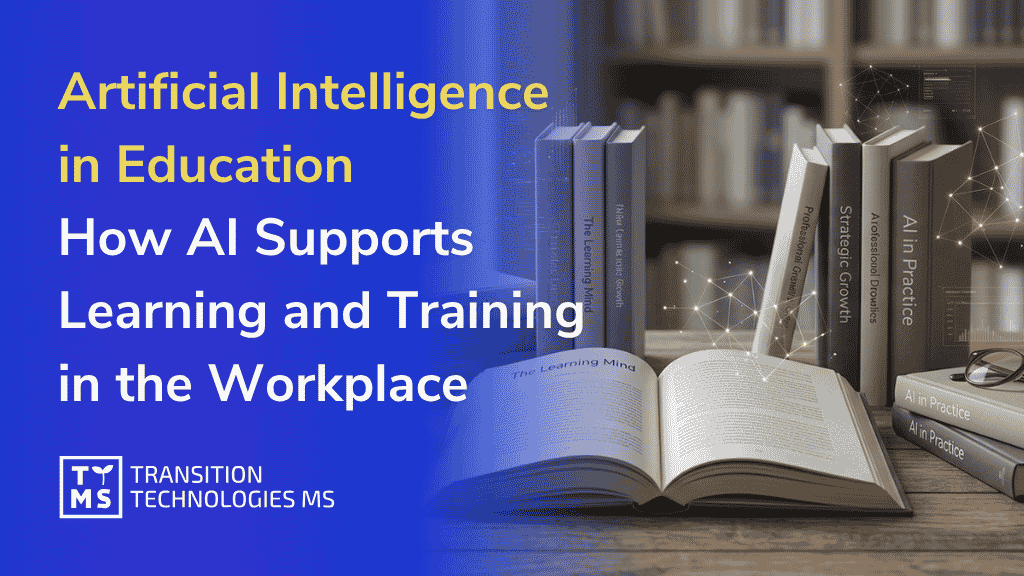
Artificial Intelligence in Education: How AI Supports Learning and Training in the Workplace
Corporate L&D departments face a major challenge: how to develop effective training faster while maintaining high course quality. Artificial intelligence in education and training can significantly accelerate this process by generating course drafts from source documents. AI prepares the first draft, while subject matter experts review and refine the generated materials. This can reduce course development time from weeks to hours. How generative AI in education transforms corporate training E-learning courses have often been developed as one-off projects. Teams gathered materials, wrote a script and built the module, but the content could soon become outdated after publication. Artificial intelligence in learning supports a more continuous approach: an AI tool prepares the first draft, and a subject matter expert reviews, updates and approves the content. For L&D departments, this means a shorter path from identifying a business need to delivering a training programme and fewer hours spent on repetitive course development tasks. These two contexts must be distinguished. In schools and universities, AI supports the teacher and the student (as discussed in our article on AI in higher education). In corporate learning, AI helps reduce the time needed to develop employee training and supports consistent quality across different languages and cultural contexts. Organisations planning to use AI more widely usually start by defining their objectives and assessing the data available to them. If you want to learn more, visit our page on AI solutions for business. AI in education: benefits for course development time and costs Much of the cost of developing an e-learning course comes from gathering expert input, structuring the content and creating exercises. Artificial intelligence in training can shorten this stage by using source materials in DOC, PDF or PPT formats to generate a structured first draft of the course, complete with exercises and versions in different languages. AI4E-learning is an AI-powered tool for creating e-learning courses from source documents. It generates a structured draft that a subject matter expert can review and refine before exporting the approved course as a SCORM-compliant package for use in an existing LMS. Every element remains editable, giving the expert control over the course’s scope, factual accuracy and final content. This can significantly shorten course development time and help L&D teams deliver training sooner. With less time spent on repetitive production tasks, experts can focus on reviewing factual accuracy, refining the content and keeping it up to date. We have gathered practical examples of how to do this in our material on building effective e-learning with AI. AI-powered learning: personalised and adaptive learning paths The same content does not work equally well for every employee. Someone new to a role may need the basics, while a more experienced colleague may be ready for advanced topics. AI can help adapt the pace of learning, level of difficulty and feedback to each employee’s existing knowledge and progress. The AI Center team at the University of Szczecin identifies personalised learning as one of the main benefits of AI in education. In a corporate setting, this can help employees develop the required skills and knowledge more quickly, while reducing the risk of training being too basic or too demanding for some team members. Personalisation also requires careful design. Making learning easier does not necessarily help employees retain what they have learnt, as we discuss in the next section. Our company blog article on e-learning trends explores how corporate learning is evolving. What science says: AI, cognitive load and knowledge retention Faster course development and personalised learning are key benefits of AI. But does easier access to ready-made answers actually help people learn and retain information? Research suggests that this is not always the case. A study by a team of researchers from Carnegie Mellon University and Microsoft Research, led by Hao-Ping Lee (CHI 2025 conference), involved 319 knowledge workers. It turned out that individuals who trusted AI-generated answers more reported less engagement in critical thinking. Similar correlations were observed by Michael Gerlich, a professor at the SBS Swiss Business School, who surveyed 666 people in 2025. More frequent use of AI was associated with a greater tendency to offload cognitive effort onto technology. Both studies indicate a correlation, but they do not prove that AI causes a decline in these skills. Even more interesting conclusions come from an experiment by Bastani and colleagues, published in PNAS in 2025. Students using GPT-4 achieved better results during exercises, but when their access to AI was removed, their performance was worse than the control group. The problem was significantly reduced when the tool guided students through tasks using hints instead of providing ready-made solutions. What does this mean for companies designing training? AI should help employees understand the material, but it should not do the thinking for them. That is why it is worth using knowledge checks, practical exercises and tasks that require recalling previously learned information. This approach supports long-term retention and skill development. We also apply this principle in AI4E-learning, combining AI-generated content with exercises and expert review to create courses that engage learners and help them apply what they have learnt at work. AI is changing education: the role of subject matter experts In AI4E-learning, subject matter experts remain responsible for the quality of the final course. AI generates the initial draft and automates repetitive tasks, while an expert checks factual accuracy, adapts the content to the organisation’s context and approves the final version. This is the human-in-the-loop approach in practice. Control over data is equally important. In this configuration, AI4E-learning uses Azure OpenAI. Data processing and access controls depend on the client’s infrastructure and configuration settings. Responsible use of AI in training therefore requires appropriate technical safeguards alongside expert review of the generated content. This division of roles is visible in specific tasks: Task What AI does What humans decide Course structure proposes the layout of modules and learning objectives approves the scope and sequence Content and exercises generates the first draft from source materials verifies factual accuracy Language versions creates translations and variants approves terminology and context Data operates within the client tenant decides on access and data scope AI applications in learning: a practical example A training project for one of our clients’ helpdesk teams shows how AI can support corporate learning in practice. A traditional presentation was replaced with an interactive course in which employees completed exercises and received feedback tailored to their mistakes. The result was faster, more consistent onboarding for new employees and fewer questions directed to experienced colleagues. The course was developed using the company’s existing materials, and a subject matter expert reviewed each section before publication. We deliver projects like this as part of our e-learning services. AI in online learning: a corporate training case study Using AI in corporate training involves several risks, including inaccurate AI-generated content, inadequate protection of personal data and barriers to accessing training. These risks can be reduced through expert review, appropriate data security measures and regular monitoring of tool performance. Legal requirements must also be considered. The EU AI Act (Regulation 2024/1689) classifies certain AI systems used in education and vocational training as high-risk, including those used to evaluate learning outcomes or determine access to education. The requirements that apply to an AI tool in corporate e-learning depend on its intended purpose and use. Before implementation, we therefore assess what the AI system will be used for, what data it will process and which decisions require human oversight. This helps us identify applicable regulatory obligations and plan appropriate security measures and content review procedures. We discuss these ethical considerations in more detail in our company blog article on AI ethics in education. The future of AI in education: making corporate learning effective Artificial intelligence can significantly streamline corporate training development, particularly when used in tools designed specifically for e-learning. AI4E-learning, for example, helps structure courses, automate repetitive tasks and create exercises. A subject matter expert remains responsible for factual accuracy and the quality of the final course. Using general-purpose language models in training requires careful content review and oversight of the learning process. AI can generate inaccurate information, and access to ready-made answers does not necessarily help employees retain knowledge or develop skills. A well-designed training programme should therefore encourage employees to solve problems independently and apply what they have learnt in practical situations. Where to start? Choose one repetitive training process, define the rules for expert content verification and check whether employees can independently apply the acquired knowledge. If you are planning to use AI in corporate training, contact our specialists. During a free consultation, we will discuss your needs and the possibilities of implementing AI4E-learning in your organisation. TTMS Malaysia is a Registered Training Provider with HRD Corp, so Malaysian employers can fund TTMS training from their HRD Corp levy. FAQ – Frequently asked questions How is AI changing education and corporate training? AI can be used to create courses faster, personalise learning paths, generate exercises and feedback, and translate content into multiple languages. The final result is always verified by an expert or trainer. Will AI replace trainers or teachers? No. AI supports the trainer by taking over repetitive work and personalising learning, while decisions regarding scope, quality and context remain in human hands. How does generative AI in education speed up course creation? Tools such as AI4E-learning generate a structured course draft from source materials. A subject matter expert reviews and refines the content before the approved course is exported as a SCORM-compliant package. This can significantly reduce development time, while expert review remains essential to ensuring quality. What are the risks of artificial intelligence in learning? The main risks include inaccurate AI-generated content, inadequate protection of personal data and barriers to accessing training. Certain AI systems used in education may also be subject to high-risk requirements under the EU AI Act, depending on their intended purpose and use. These risks can be reduced through expert review, appropriate controls over data access and processing, and assessment of applicable legal requirements. Does using AI impair knowledge retention? The studies discussed above suggest that relying on AI-generated answers may reduce engagement in critical thinking and affect performance when AI support is removed. The findings vary by study design and context. Training should therefore include tasks that require learners to recall information and solve problems independently, alongside expert review of the course content.
ReadThe world’s largest corporations have trusted us




























We hereby declare that Transition Technologies MS provides IT services on time, with high quality and in accordance with the signed agreement. We recommend TTMS as a trustworthy and reliable provider of Salesforce IT services.
TTMS has really helped us thorough the years in the field of configuration and management of protection relays with the use of various technologies. I do confirm, that the services provided by TTMS are implemented in a timely manner, in accordance with the agreement and duly.
Ready to take your business to the next level?
Let’s talk about how TTMS can help.

Michał Trojanowski
Managing Director TTMS Software UK Ltd.