

Home •Blog
TTMS Blog
TTMS experts about the IT world, the latest technologies and the solutions we implement.
Sort by topics
Will AI Replace Software Testers? How AI Is Changing QA
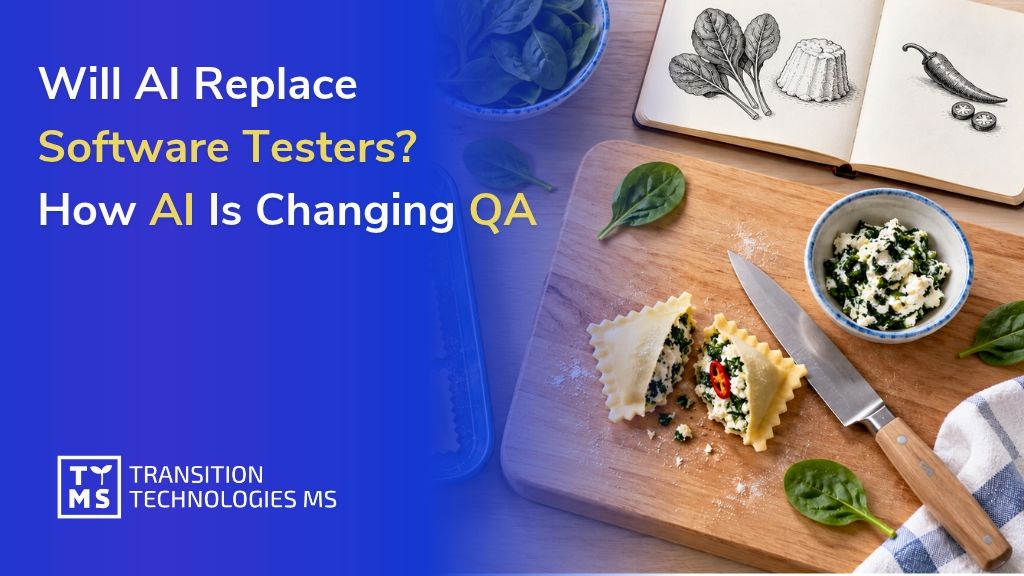
At another session in the TTMS Tech Talks series, we explored how artificial intelligence is changing the work of software testers. On October 20, 2026, Małgorzata Struzik, QA Engineer at TTMS, presented “Will AI Take Testers’ Jobs? Facts, Myths, and the Future of QA.” Małgorzata explored the tasks where AI can support testers and shared her experience of trying out one of the tools herself. Her presentation opened a discussion about the future of the profession, collaboration between testers and developers, and the skills needed to use AI in IT projects. Tech Talks – sharing knowledge at TTMS Tech Talks is a series of short internal sessions where TTMS employees share technical knowledge, project experience, and tools that help with everyday work. Each presentation ends with a Q&A session, creating space for discussion and the exchange of ideas. This helps us learn from one another and discover solutions used by other teams. 1. How does AI support testers’ everyday work? What does a software tester actually do? If you picture someone clicking buttons and checking whether an application works, you are seeing only part of the job. Before a quality assurance (QA) team begins testing, it needs to understand how the system should work, who will use it, and what consequences a defect could have. A tester decides what to check and how, looks for ambiguities in the requirements, and anticipates situations that could cause difficulties for users. When testers find a problem, they describe it so that a developer can reproduce it and identify its cause. Where can AI help with this work? It can suggest test cases: descriptions of what to check, which actions to perform, and what the expected outcome should be. It can also help write an automated test, analyze logs that record system events, or prepare test data. This support helps testers prepare the materials they need more quickly. Let’s take a closer look at suggested test cases. AI can quickly produce an organized set, with steps and an expected outcome for each case. It is easy to assume that the set is ready to use. However, a tester familiar with the application may notice that the company follows a different process or that a check for invalid input is missing. The tester then returns to the requirements, resolves the uncertainties, and revises AI’s suggestions. Our guide to AI in test automation explores how AI can support test creation, execution, and maintenance in greater detail. Tasks that take up a significant amount of the team’s time and produce results that can be reliably checked are a good starting point. 2. From requirements to test cases – AI in practice For the session, Małgorzata tried the process herself. She asked ChatGPT to prepare a detailed requirement describing how someone would use a website, then entered that description into the AI generator within a test management tool. She selected the tool from our list of the 10 best AI tools for testers. The tool quickly prepared the test cases. Małgorzata could read the suggestions as they were generated, and once saved, they formed an organized set. Each case was labeled as AI-generated. How did she assess the result? During the discussion, she explained that each suggested test still needs to be checked against the requirements: “A person will have to review each test case individually and check whether it matches the requirements, and that takes time too.” Małgorzata noted that this was a brief trial and that the requirements had not been developed in detail. Their description was created with ChatGPT’s help. In a real project, the first step would therefore be to check whether it reflects what the business and its users need from the application. If an important rule is missing, the generated tests may omit it too. They would then match the description while leaving some necessary checks uncovered. Małgorzata’s point about reviewing every suggestion raises a question: how much time can this approach save? To assess that, the team needs to account for preparing the description, generating the test cases, reading them, and making corrections. The total time can then be compared with the time needed to prepare a similar set without AI assistance. Time savings occur when the entire process takes less time and the resulting tests verify the requirements just as effectively. 3. Why can a passing test create a false sense of security? Automated tests created with AI assistance also need to be reviewed. Can an application pass all of them and still behave incorrectly? Małgorzata highlighted that possibility. If a test treats incorrect application behavior as correct, it will pass even though the feature is not working properly. A test suite may also leave out an important feature or business rule. The bread in the illustration presents a similar situation: it has a golden crust and a properly baked interior, so those checks would pass. However, it was supposed to be gluten-free, and wheat flour was used to make it. Checking its appearance and how well it was baked was not enough to confirm that it met the basic requirement. In software, a similar problem could involve a financial report that should be available only to authorized employees. AI prepares a test: the user clicks a button, and the report opens. The test passes. Everything looks fine until someone asks: what happens if an employee without permission clicks the same button? If nobody has checked that, it remains unclear whether the application properly protects access to the report. That is why a tester reviewing AI’s suggestions returns to the requirements and checks: whether each requirement has a corresponding test; whether the tests correctly describe how the application should behave; whether invalid data, missing permissions, and exceptional situations have been considered; whether testing covers the features whose failure would have the greatest impact on users and the business. Understanding how users work helps identify these gaps. A tester who knows who uses the report and what its data is used for can ask further questions and expand the test suite. This helps ensure that tests also cover what matters in everyday use of the application. 4. How might AI change the division of work between testers and developers? How might using AI affect the way a team divides its work? One participant suggested imagining two people, each able to both write code and test it. For one task, the first person implements a change while the second checks how it works. For the next, they switch roles, using AI for support. This approach would require learning on both sides. Testers would develop programming skills, while developers would gain a deeper understanding of testing techniques. A second person’s perspective would remain important for spotting defects or questioning the author’s assumptions. Whether this model would work would depend on the project, the team’s experience, and its software verification practices. Another idea emerged during the discussion: the team first prepares tests describing how the application should behave, and AI then generates code based on those tests. This puts the focus on the precision of the tests. If an important rule is missing, the generated software could pass every check and still fail to meet users’ needs. Both scenarios show why it helps for IT team members to understand one another’s responsibilities. Understanding code helps testers identify the cause of a defect, while knowledge of testing helps developers anticipate problems as they write a feature. We explore these changes further in our article on how AI is changing the work of developers, testers, and analysts in 2026. 5. How can you prepare a QA team to work with AI? Where should learning to work with AI begin? Toward the end of the session, participants expressed a need for practical training. They wanted to see how to use the tools, write prompts, and check the responses. They also suggested separate sessions on working with AI chat tools and using AI for programming, so that everyone could explore examples relevant to their responsibilities. Such training could focus on one specific task, such as preparing test cases together for a selected application feature. The team starts with an agreed requirement, provides it to AI, and then discusses the suggestions. This makes it possible to see what the tool included, what it missed, and how much work is needed to bring the tests to an acceptable standard. A task like this also provides an opportunity to establish a few ground rules: Which tools can we use? Employees should know which solutions have been approved for use in the project. What data can we share with them? Requirements, code, and documentation may contain confidential information. How that information is used must comply with company and client policies. Who reviews the output? Someone needs to assess the generated materials and decide whether they are suitable for further use. What do we check before approval? The team should agree on criteria such as alignment with requirements, correct expected outcomes, and coverage of important exceptional situations. The discussion also raised the question of responsibility for code created with AI assistance. Participants explained that, in their projects, the person approving a change is responsible for checking it, regardless of how it was created. Learning to use AI should therefore also include evaluating and correcting its suggestions. What does this mean for the future of testers? The session explored several scenarios, each prompting a discussion about the need to develop skills. AI can help prepare tests or analyze code. Using those outputs requires people who understand the application, can identify gaps, and know what further questions to ask. Małgorzata had already addressed this need to keep learning during the discussion about the profession’s future: “So we really need to be open to learning.” To learn more about using AI in software testing, explore QATANA – TTMS’s AI-supported software test management tool. Our team can discuss how this solution could be used in your project. FAQ What is the difference between quality assurance and software testing? Quality assurance (QA) covers the practices a team uses to prevent quality problems throughout software development. Software testing focuses on evaluating the product and identifying defects. QA can include reviewing requirements, agreeing on development standards, and improving how changes are checked before release. Testing provides evidence about how the software behaves under specific conditions. For a business, both matter: preventing misunderstandings early can reduce rework, while testing helps identify problems in the implemented solution. What is the difference between a test scenario and a test case? A test scenario describes a situation or activity that needs to be checked, such as a customer completing an online purchase. A test case gives more detailed instructions, including the starting conditions, input data, actions, and expected results. One scenario can require several test cases to cover different outcomes. For example, purchasing a product may involve a successful payment, a declined transaction, or an interruption during checkout. Teams should agree on these terms because naming conventions can differ between projects and tools. Can AI help with testing older software that has incomplete documentation? AI can help organize available information and suggest questions or initial test cases based on existing materials. These might include user guides, historical defect reports, support tickets, and existing tests. The main difficulty is establishing which behavior is actually correct. Older software may contain workarounds or defects that users have come to accept, and describing its current behavior can accidentally turn those problems into requirements. Business users and product owners should therefore help confirm the expected behavior. A useful starting point is one well-understood process whose rules can be checked before expanding the scope. What are flaky tests, and why do they matter when evaluating AI-generated tests? Flaky tests produce inconsistent results even when the software being tested has not changed. They can be affected by timing, shared test data, unstable environments, or dependencies on external services. Such failures create extra investigation work and make it harder to distinguish a product defect from a problem in the test itself. AI-generated test code can contain these weaknesses, so a single successful execution provides limited evidence of reliability. Teams should check whether tests behave consistently across repeated runs and investigate recurring failures. Otherwise, time saved during test creation can be consumed by maintaining unreliable tests. What should a company check before committing to an AI testing tool? A company should examine how easily it can retrieve and reuse its testing assets if it changes tools. Important questions include whether test cases, results, requirement links, and change history can be exported in a usable format. For generated automation, the team should establish whether the code can run and be maintained outside the vendor’s service. It should also identify features that depend on proprietary components or continued subscription access. A practical evaluation can include exporting a small sample and checking what another tool can actually read. This helps estimate the future effort of migration and protects the value of the team’s work.
Read
How to Use AI to Analyze RFPs and Tender Documents
AI can help your bid team extract requirements, deadlines, and eligibility criteria from the documentation, then compare them with information about your company’s capabilities. Each finding needs a source that allows you to verify it, along with a note of anything that still needs clarification. This overview helps the team assess whether to pursue the bid and who should be involved in preparing it. Before committing your team to preparing a bid, check whether the contract terms are acceptable to your company. A requirement to provide round-the-clock support, buried in an appendix, could change the entire cost calculation. AI can help identify such requirements during the initial review, so you know what your company will need to deliver and which terms to clarify before work on the bid begins. What information should AI find in the documentation? List the information you look for in every RFP: what needs to be delivered, which conditions must be met, and how much time remains to prepare the bid. Use this list to create a standard analysis template. For the next tender, your team will immediately know where to find the requirement they need to check. Scope of the initial RFP analysis Area What to include in the analysis How the team uses this information Scope of the contract Products or services, quantities, locations, contract lots, and additional options. Assess whether the contract fits the company’s offering and what resources delivery would require. Mandatory requirements Required specifications, experience, certifications, and documents demonstrating compliance. Identify requirements that must be confirmed as met before proceeding. Deadlines Dates for submitting questions, submitting the bid, and delivering the contract, including any specified times or events that trigger a deadline. Plan bid preparation and check the delivery team’s availability. Bid evaluation criteria Criteria, their weightings, and scoring methods, where specified in the documentation. Assess where the company can make its bid competitive. Contract terms Terms covering acceptance, payment, support, liability, and contractual penalties, where applicable. Refer specific provisions for operational, financial, or legal review. Required documents Forms, appendices, and declarations, along with when they must be submitted. Assign tasks and check whether the company has the required materials. The summary must clearly distinguish mandatory requirements from criteria that can earn additional points. Show the bid submission deadline and the contract delivery deadline separately. The decision-maker should be able to find this information without searching through the documentation again. How did TTMS use AI to analyze Takeda’s RFPs? Takeda’s Polish team reviewed extensive tender documents in which essential information was scattered across files and expressed in complex language. To streamline this work, TTMS developed a solution built on Salesforce CRM. AI helped identify key information and perform preliminary checks of whether the offering met the requirements specified in the RFPs. The system extracted details such as order volumes, delivery deadlines, and formal requirements. It prepared summaries and helped identify deviations from predefined parameters. The system also read scanned documents, processed multiple documents simultaneously, and highlighted relevant passages in the source material. Users could see the passage on which the system based its answer and check whether the conclusion was supported by the cited text. In this implementation, AI streamlined RFP analysis and reduced the time needed to complete it. We describe the project’s scope in our case study on integrating Salesforce with AI at Takeda. How should you organize AI-supported document analysis? Run your first test on RFPs your team knows well. This makes it easier to check whether AI has identified the requirements that matter to the bid decision and whether it has missed anything. AI-supported RFP analysis in five steps: Collect the current documentation for a single tender. Create a requirements list with source references. Compare the requirements with your company’s capabilities. Resolve outstanding questions and decide whether to bid. Update your findings when the documentation changes. 1. Collect the current documentation for a single tender Prepare the RFP together with its appendices, forms, and draft contract. For Polish public procurement procedures, include the specification of contract terms, known as SWZ, where applicable. Add any published clarifications and amendments relevant to the scope being analyzed. Record the source, publication date, and version of each file. Also identify the contract lot to which the document applies. The person responsible for preparing the bid should check that all materials have been collected and identify which provisions have been amended or supplemented in subsequent documents. A later file date alone does not establish which earlier provisions no longer apply. Check how the system reads scans and tables. Misreading a unit of measurement or assigning a value to the wrong column can change the meaning of a requirement. Microsoft identifies scan quality and text characteristics as factors affecting document recognition. Require a list of any files or pages the system could not process correctly. 2. Create a requirements list with source references Ask AI to organize the requirements in a table, with one requirement per row. Make sure important qualifications are preserved when the text is shortened. If a requirement applies to only one product or contract lot, the summary must make this clear. Include the following in the table: The requirement, including its specified value, unit of measurement, and any exceptions. Supporting documentation: the file name, version, section or page, and the passage supporting the finding. Scope of application, such as the contract lot or delivery stage. Review status and the person responsible for confirmation. If AI cannot find the information, it should flag the issue for review. A missing result does not mean the requirement is absent from the documentation. Where provisions conflict, the system should show both sources so a specialist can resolve the discrepancy. In solutions using retrieval-augmented generation (RAG), the model receives relevant excerpts retrieved from the documentation and uses them to formulate its answer. This approach allows answers to be linked to their sources. To assess completeness, however, you also need to check whether the analysis covered all relevant documents and provisions. 3. Compare the requirements with your company’s capabilities For the second part of the analysis, prepare approved internal materials: product data sheets, service descriptions, references, or certificates. Share only the data needed for the RFP in question. Information about team availability or delivery capacity can change. Assign someone to confirm that it is current. Every AI assessment of whether the company meets a requirement should include a reference to supporting documentation. A general description of capabilities may not be sufficient to demonstrate compliance with a specific condition. Assign each item a status: confirmed, discrepancy, missing information, or specialist review required. The person who checks the cited evidence confirms whether the requirement is met. If the RFP requires round-the-clock support but the service description specifies support on business days, flag the difference. The delivery manager will assess whether the company can extend its coverage and how this would affect the cost. The AI analysis should identify the discrepancy. The person responsible for delivering the service approves any decision to extend its scope. 4. Resolve outstanding questions and decide whether to bid Use the discrepancies to create a list of issues to resolve. Separate questions for the contracting organization from internal matters, such as specialist availability, acceptance of payment terms, or the ability to provide a required document. Assign a deadline and an owner to each issue. AI can help draft a question based on an unclear provision. The person responsible for the bid should check the question’s wording and relevance, then determine how and when to submit it. Refer questions about the meaning of contractual obligations to a lawyer. Before deciding whether to bid, prepare a brief overview of which requirements the company meets, what obstacles remain, and how much work preparing the bid will require. Authorized individuals determine pricing, margins, and the acceptable level of risk. Keep a record of the decision’s rationale and the version of the documentation the team reviewed. 5. Update your findings when the documentation changes Return to the requirements list whenever you receive a new appendix or clarification. Have it compared with the previous findings and identify which items require renewed approval. Keep a change history so the team can see why the assessment of a particular requirement changed. A change in support coverage may require an updated cost calculation. A new experience requirement may mean checking references again. Also confirm whether any deadlines have changed. If the system needs to retrieve new documents automatically, include integration with the publication source and monitoring of that integration in the implementation scope. Which solution should you choose for RFP analysis? Consider what your team will do with the completed analysis. If the bid manager needs a report to support document review, you can start the pilot with a document analysis tool. If findings need to be linked to sales opportunities and used to assign tasks, include CRM integration. AI4Content is a TTMS tool for analyzing documents and preparing structured summaries using configurable templates. To use AI4Content for RFP analysis, adapt the report template and check how the tool reads your team’s documents, particularly scans and complex tables. The CRM option allows you to link the analysis to the relevant opportunity and customer information, as in the Takeda project described above. Through its AI integration with Salesforce services, TTMS tailors the solution to the client’s process and data sources. Define during project planning which results will be saved in the CRM, which tasks should be created, and how changes will be approved. For both options, assess document recognition quality, access to sources, handling of successive document versions, and the ability to verify results. Access requirements should also cover generated reports. Someone analyzing a public RFP does not necessarily need access to all internal cost calculations and references. Before sharing documents, agree with IT and the person responsible for security on where the documents will be processed, how long they will be retained, and how the AI service provider may use the data. Account for the confidentiality of customer documentation and the internal materials used for comparison. How can you assess whether AI reduces your bid team’s workload? Measure how much time the team spends preparing an analysis that is ready for approval. Include collecting files, using the tool, checking sources, and making corrections. Record time spent waiting for other departments separately. This will show how much time goes into the analysis itself and how much into obtaining the necessary confirmations. For the pilot, select completed tenders for which the team will prepare a reference requirements list. Include documentation containing tables, scans, and subsequent amendments. Set aside some cases for the final evaluation so you can also test the solution on materials that were not used to refine it. Compare three elements: Completeness: Which important requirements were identified, and which were missed? Correctness: Do the specifications, deadlines, and cited sources match the documentation? Work required: How long did it take to produce a result accepted by a specialist? Distinguish critical errors from minor corrections. Missing an eligibility requirement should carry more weight in the evaluation than awkward wording in a summary. Agree on acceptance criteria with the people responsible for bids before the pilot begins. Put TTMS’s RFP analysis experience to work for your team At TTMS, we implement AI in processes where business decisions depend on accurate document analysis. For Takeda’s Polish subsidiary, we developed a solution that supports RFP analysis and integrates with Salesforce. We can draw on this experience when designing improvements for your team. TTMS has certified management systems for AI under ISO/IEC 42001, information security under ISO/IEC 27001, and quality under ISO 9001. We were the first company in Poland to obtain accredited ISO/IEC 42001 certification. When working with tender documents, these standards are relevant to risk management, information protection, and oversight of the solution. Show us how you currently assess RFPs and which tasks take the most time. Together, we will define the pilot’s scope, evaluation criteria, and required integrations. Let’s discuss AI-supported RFP analysis and identify where we can reduce your team’s workload. How does AI help analyze tender documents? AI can extract requirements, deadlines, and specifications from documents, prepare summaries, and help compare them with company information. Useful results should include sources and flag issues that need clarification. The people responsible for the bid verify the findings and decide whether to participate in the tender. What AI tools can be used to analyze RFPs? You can use a document analysis tool such as AI4Content or a solution integrated with your CRM. TTMS implemented AI-supported RFP analysis within Salesforce for Takeda. Base your choice on document formats, how the findings need to be verified, and where the team will use the results. Do you need to train your own AI model to analyze tender documents? Many solutions can use an existing model supplied with relevant excerpts from the documentation, for example through retrieval-augmented generation (RAG). This means using the model rather than training it on company documents. Assess the need for additional training based on specific tasks and test results. Can AI analyze scanned tender documents? Yes, provided the solution supports reading scanned documents. However, the quality of the results depends on the document and the content recognition technology used. During the pilot, pay particular attention to tables, units of measurement, fine print, and footnotes. Any content read incorrectly should be flagged for manual review. Can AI independently decide whether a company should bid? In the process described here, AI prepares information to support the decision. An authorized person approves participation after reviewing the requirements, delivery capabilities, and commercial terms. Define who confirms each finding and which unresolved issues must be addressed before work on the bid can begin.
Read
Best Practices for Adobe Experience Manager Implementation
AEM implementation best practices for architecture, deployment, asset governance and author adoption. Plan your Adobe Experience Manager project with TTMS.
Read
AI in GxP Environments: From Pilot to Validated Deployment
Misclassifying a document can cause an important record to be filed in the wrong place within a system. In the pharmaceutical industry, such an error has implications for data integrity and the handling of regulated documentation. This was one of the examples discussed during the “Deploying AI in the GxP World” webinar, illustrating how many decisions need to be made before artificial intelligence can support day-to-day work in a GxP environment. On 13 October 2026, we attended the “Deploying AI in the GxP World” webinar, organised by ISPE Poland together with ProductLife Group (PLG). Naomi Ofili and Gabrièle Piaton from PLG spoke at the event. They discussed the risk assessment, validation and safeguards needed to move from an AI pilot to a deployment whose operation can be documented and assessed during an inspection. The webinar formed part of a series linked to the AI in Pharma 2026 conference. 1. What is GxP, and how does it affect AI deployment in pharma? GxP is an umbrella term for good practices covering areas such as medicinal product manufacturing, clinical trials and pharmacovigilance. One of the webinar’s central messages was that assessing an AI application should begin with its intended use and impact on a specific process. The same model can support tasks with very different implications for product quality, patient safety and documentation. The speakers illustrated this through translation. Translating internal correspondence and translating product information submitted to regulatory authorities require separate assessments. The same applies to literature analysis: the requirements depend on whether the search supports market monitoring or the identification of information about medicine safety. How the AI output is subsequently used also matters. Text, classifications or metadata may become part of regulated documentation. The assessment should therefore consider the solution’s role in the process, its impact on GxP records and the consequences of an error. The speakers recommended carrying out this analysis when developing the project’s business case, so that the validation scope, resources and costs can be identified early. 2. AI validation needs to be planned across the operational lifecycle Validation provides documented evidence that a system is fit for its intended use. The webinar repeatedly returned to the question of how to demonstrate this suitability for AI. The speakers referred to the risk-based approach described in GAMP 5 and to guidance on artificial intelligence. The materials cited included the ISPE GAMP Guide: Artificial Intelligence, published in 2025, which addresses AI-enabled systems in GxP areas. Another reference was the European Medicines Agency’s reflection paper on AI in the medicinal product lifecycle. The practical questions concerned data and evaluation criteria. Do the test examples reflect real documents and products? Was the test dataset independent of the data used to tune the solution? Which results will we consider acceptable, and did we define these criteria before testing began? The approach presented also covered limiting outputs unsupported by source material, assessing behavioural stability, monitoring performance, handling invalid inputs and detecting bias. Testing before release was combined with controls during operation and assessment of the impact of model changes. Reference collections of test cases developed with subject matter experts, described during the presentation as golden sets, can help. Revisiting the same cases across successive versions of a solution makes it possible to check whether a change has reduced performance on tasks that matter to the organisation. We explore practical ways to support testing and quality documentation in our comparison of AI QA tools for pharma. 3. Human oversight extends beyond approving an output Naomi Ofili distinguished between two levels of human involvement. The first is human-in-the-loop: a stage in the process at which an expert approves, edits or rejects an AI output. The second is oversight across the solution’s entire lifecycle, including monitoring, preventing uncritical acceptance of automated outputs and the ability to stop the system. In the workflow described, the AI output underwent automated checks before being reviewed by a designated expert. Information about the sources, instructions given to the model, its version and the approval was retained. This record made it possible to reconstruct the conditions under which the output was produced and identify who approved its use. The expert also helped define acceptance criteria and develop test cases. Their knowledge therefore informed the solution’s design and the way its quality was assessed. For a company planning a deployment, this means assigning responsibilities and allocating time for expert involvement from the outset. 4. What did the examples of literature monitoring, translation and data migration show? The speakers illustrated these principles with three examples from projects carried out by the PLG team. Each highlighted different requirements for assessing AI outputs and their subsequent use. 4.1. Literature monitoring for pharmacovigilance In the first example, AI supported the review of scientific publications for pharmacovigilance. The system proposed a category for each article and a rationale, both of which were reviewed by an expert. Gabrièle Piaton emphasised that a particularly challenging step was translating the specialists’ assessment method into a structured decision tree. This example showed the importance of documenting expert knowledge and classification criteria before automating a task. 4.2. Translation of regulated documentation The second example concerned AI-assisted translation reviewed by a human against quality criteria tailored to the risk associated with the document. The process also included reconstructing the formatting to facilitate the translators’ subsequent work. Assessment of the solution therefore covered content quality, the review process and the document’s suitability for further use. 4.3. Data migration and document classification In the third example, AI supported document classification, metadata extraction and mapping data to the target system’s structure. The speakers highlighted the difficulty of distinguishing between similar document classes and the consequences of misclassification. They stressed the need to trace data provenance, transformations and approvals, as well as to perform quantitative and qualitative verification before migrated data are put into use. 5. Hosting and costs should be considered before the pilot A separate part of the webinar focused on solution architecture. The speakers suggested deciding before the pilot where data would be processed, what information would be recorded in logs and whether the model version could be controlled. Their criteria for selecting an environment included confidentiality, data-processing location, update arrangements, the ability to reconstruct system activity and the cost of switching suppliers. The discussion also covered selecting models for individual tasks. Smaller, specialised models can help reduce costs if they meet the defined quality requirements. The proposed economic assessment focused on the cost of completing a task and obtaining the expected result. The speakers also highlighted the possibility of reusing components for information retrieval, testing, monitoring and output approval. We discuss the division of responsibilities between a pharmaceutical company and its supplier, along with update controls, in more detail in our article on SaaS validation in pharma and GxP requirements. 6. What helps move an AI pilot into day-to-day operation? Towards the end of the session, the speakers highlighted collaboration between technical teams, subject matter experts and the customer around a jointly agreed backlog. They also stressed the importance of appointing a business owner responsible for adoption of the solution and measurement of its outcomes. The experiences presented suggested a sequence of activities: defining the intended use and responsibilities, assessing risk, designing controls, building and validating the solution, and then maintaining it. Decisions about data quality, human oversight and change management affect every stage. For companies preparing a deployment, this means resolving several questions before the pilot: what task will AI perform, who will approve its outputs, how will their quality be assessed, and what will happen if the model or data source changes? The answers help teams plan the technical work, validation requirements and ongoing maintenance. 7. How does TTMS support deployments in pharmaceutical environments? Translating these decisions into requirements, tests and documentation requires collaboration between people who understand the business process, technology and quality assurance. At TTMS, we combine software development and maintenance for the pharmaceutical industry with TTMS Quality’s expertise in computerised system validation. Our validation services cover validation planning, requirements specification and review, test development and execution, results assessment and reporting. We use a risk-based approach and GAMP 5 guidance. The scope of work is tailored to the system’s intended use and the requirements of the specific process. If you are planning to use AI in a pharmaceutical process or preparing to take a pilot further, talk to our specialists about your solution’s requirements, risks and validation scope. Can an AI pilot in pharma start with synthetic data? Yes, synthetic data can help test an initial concept without using actual patient data or confidential documentation. However, they should reflect the structure, diversity and challenges of the intended application. Overly simple examples can give a misleading impression of the solution’s quality. It is worth including missing information, errors and ambiguous cases. The results of such a pilot are insufficient to demonstrate that the system is suitable for a real GxP process. Further assessment requires representative test data, agreed acceptance criteria and controls proportionate to risk. What should you do when AI and an expert assess the same document differently? The discrepancy should be reviewed according to an established procedure. The source document, AI output, solution version and the expert’s assessment and rationale should be retained. The cause may be a model error, ambiguous content or evaluation criteria that are too broad. Such cases help determine whether instructions, classification rules or tests need to change. An expert’s correction should not automatically trigger an update to a model used in a regulated process. Any change should be assessed, tested and approved, while retaining an independent dataset for quality evaluation. How should employees be prepared to use AI in pharmaceutical processes? Training should address the specific task, data and scope of the user’s responsibilities. Employees need to know what information they may submit to the system, how to check outputs and when to raise concerns. Exercises involving incorrect, incomplete or seemingly convincing responses are useful. They help assess whether users can verify an output rather than accept it uncritically. Instructions for handling failures or periods when the solution is unavailable are also helpful. Team preparation should include an assessment of practical skills, and training should be updated when the system or procedures change.
Read
Artificial Intelligence in Education: How AI Supports Learning and Training in the Workplace
Corporate L&D departments face a major challenge: how to develop effective training faster while maintaining high course quality. Artificial intelligence in education and training can significantly accelerate this process by generating course drafts from source documents. AI prepares the first draft, while subject matter experts review and refine the generated materials. This can reduce course development time from weeks to hours. How generative AI in education transforms corporate training E-learning courses have often been developed as one-off projects. Teams gathered materials, wrote a script and built the module, but the content could soon become outdated after publication. Artificial intelligence in learning supports a more continuous approach: an AI tool prepares the first draft, and a subject matter expert reviews, updates and approves the content. For L&D departments, this means a shorter path from identifying a business need to delivering a training programme and fewer hours spent on repetitive course development tasks. These two contexts must be distinguished. In schools and universities, AI supports the teacher and the student (as discussed in our article on AI in higher education). In corporate learning, AI helps reduce the time needed to develop employee training and supports consistent quality across different languages and cultural contexts. Organisations planning to use AI more widely usually start by defining their objectives and assessing the data available to them. If you want to learn more, visit our page on AI solutions for business. AI in education: benefits for course development time and costs Much of the cost of developing an e-learning course comes from gathering expert input, structuring the content and creating exercises. Artificial intelligence in training can shorten this stage by using source materials in DOC, PDF or PPT formats to generate a structured first draft of the course, complete with exercises and versions in different languages. AI4E-learning is an AI-powered tool for creating e-learning courses from source documents. It generates a structured draft that a subject matter expert can review and refine before exporting the approved course as a SCORM-compliant package for use in an existing LMS. Every element remains editable, giving the expert control over the course’s scope, factual accuracy and final content. This can significantly shorten course development time and help L&D teams deliver training sooner. With less time spent on repetitive production tasks, experts can focus on reviewing factual accuracy, refining the content and keeping it up to date. We have gathered practical examples of how to do this in our material on building effective e-learning with AI. AI-powered learning: personalised and adaptive learning paths The same content does not work equally well for every employee. Someone new to a role may need the basics, while a more experienced colleague may be ready for advanced topics. AI can help adapt the pace of learning, level of difficulty and feedback to each employee’s existing knowledge and progress. The AI Center team at the University of Szczecin identifies personalised learning as one of the main benefits of AI in education. In a corporate setting, this can help employees develop the required skills and knowledge more quickly, while reducing the risk of training being too basic or too demanding for some team members. Personalisation also requires careful design. Making learning easier does not necessarily help employees retain what they have learnt, as we discuss in the next section. Our company blog article on e-learning trends explores how corporate learning is evolving. What science says: AI, cognitive load and knowledge retention Faster course development and personalised learning are key benefits of AI. But does easier access to ready-made answers actually help people learn and retain information? Research suggests that this is not always the case. A study by a team of researchers from Carnegie Mellon University and Microsoft Research, led by Hao-Ping Lee (CHI 2025 conference), involved 319 knowledge workers. It turned out that individuals who trusted AI-generated answers more reported less engagement in critical thinking. Similar correlations were observed by Michael Gerlich, a professor at the SBS Swiss Business School, who surveyed 666 people in 2025. More frequent use of AI was associated with a greater tendency to offload cognitive effort onto technology. Both studies indicate a correlation, but they do not prove that AI causes a decline in these skills. Even more interesting conclusions come from an experiment by Bastani and colleagues, published in PNAS in 2025. Students using GPT-4 achieved better results during exercises, but when their access to AI was removed, their performance was worse than the control group. The problem was significantly reduced when the tool guided students through tasks using hints instead of providing ready-made solutions. What does this mean for companies designing training? AI should help employees understand the material, but it should not do the thinking for them. That is why it is worth using knowledge checks, practical exercises and tasks that require recalling previously learned information. This approach supports long-term retention and skill development. We also apply this principle in AI4E-learning, combining AI-generated content with exercises and expert review to create courses that engage learners and help them apply what they have learnt at work. AI is changing education: the role of subject matter experts In AI4E-learning, subject matter experts remain responsible for the quality of the final course. AI generates the initial draft and automates repetitive tasks, while an expert checks factual accuracy, adapts the content to the organisation’s context and approves the final version. This is the human-in-the-loop approach in practice. Control over data is equally important. In this configuration, AI4E-learning uses Azure OpenAI. Data processing and access controls depend on the client’s infrastructure and configuration settings. Responsible use of AI in training therefore requires appropriate technical safeguards alongside expert review of the generated content. This division of roles is visible in specific tasks: Task What AI does What humans decide Course structure proposes the layout of modules and learning objectives approves the scope and sequence Content and exercises generates the first draft from source materials verifies factual accuracy Language versions creates translations and variants approves terminology and context Data operates within the client tenant decides on access and data scope AI applications in learning: a practical example A training project for one of our clients’ helpdesk teams shows how AI can support corporate learning in practice. A traditional presentation was replaced with an interactive course in which employees completed exercises and received feedback tailored to their mistakes. The result was faster, more consistent onboarding for new employees and fewer questions directed to experienced colleagues. The course was developed using the company’s existing materials, and a subject matter expert reviewed each section before publication. We deliver projects like this as part of our e-learning services. AI in online learning: a corporate training case study Using AI in corporate training involves several risks, including inaccurate AI-generated content, inadequate protection of personal data and barriers to accessing training. These risks can be reduced through expert review, appropriate data security measures and regular monitoring of tool performance. Legal requirements must also be considered. The EU AI Act (Regulation 2024/1689) classifies certain AI systems used in education and vocational training as high-risk, including those used to evaluate learning outcomes or determine access to education. The requirements that apply to an AI tool in corporate e-learning depend on its intended purpose and use. Before implementation, we therefore assess what the AI system will be used for, what data it will process and which decisions require human oversight. This helps us identify applicable regulatory obligations and plan appropriate security measures and content review procedures. We discuss these ethical considerations in more detail in our company blog article on AI ethics in education. The future of AI in education: making corporate learning effective Artificial intelligence can significantly streamline corporate training development, particularly when used in tools designed specifically for e-learning. AI4E-learning, for example, helps structure courses, automate repetitive tasks and create exercises. A subject matter expert remains responsible for factual accuracy and the quality of the final course. Using general-purpose language models in training requires careful content review and oversight of the learning process. AI can generate inaccurate information, and access to ready-made answers does not necessarily help employees retain knowledge or develop skills. A well-designed training programme should therefore encourage employees to solve problems independently and apply what they have learnt in practical situations. Where to start? Choose one repetitive training process, define the rules for expert content verification and check whether employees can independently apply the acquired knowledge. If you are planning to use AI in corporate training, contact our specialists. During a free consultation, we will discuss your needs and the possibilities of implementing AI4E-learning in your organisation. TTMS Malaysia is a Registered Training Provider with HRD Corp, so Malaysian employers can fund TTMS training from their HRD Corp levy. FAQ – Frequently asked questions How is AI changing education and corporate training? AI can be used to create courses faster, personalise learning paths, generate exercises and feedback, and translate content into multiple languages. The final result is always verified by an expert or trainer. Will AI replace trainers or teachers? No. AI supports the trainer by taking over repetitive work and personalising learning, while decisions regarding scope, quality and context remain in human hands. How does generative AI in education speed up course creation? Tools such as AI4E-learning generate a structured course draft from source materials. A subject matter expert reviews and refines the content before the approved course is exported as a SCORM-compliant package. This can significantly reduce development time, while expert review remains essential to ensuring quality. What are the risks of artificial intelligence in learning? The main risks include inaccurate AI-generated content, inadequate protection of personal data and barriers to accessing training. Certain AI systems used in education may also be subject to high-risk requirements under the EU AI Act, depending on their intended purpose and use. These risks can be reduced through expert review, appropriate controls over data access and processing, and assessment of applicable legal requirements. Does using AI impair knowledge retention? The studies discussed above suggest that relying on AI-generated answers may reduce engagement in critical thinking and affect performance when AI support is removed. The findings vary by study design and context. Training should therefore include tasks that require learners to recall information and solve problems independently, alongside expert review of the course content.
Read
Case study: How we improved a RAG chatbot for exam candidates
How can you help customers find a specific answer in hundreds of pages of documentation? An education company we work with planned to give its customers access to a chatbot that could answer questions about exam procedures. Before making the tool more widely available, the quality of its answers needed to improve. The TTMS team refined how the chatbot used the documents, increasing answer accuracy from around 70% to around 98% in an internal test. We prepared this case study using an internal presentation and project information shared by Jakub Kraśniewski, Senior AI Developer at TTMS. About the client: an education company supporting exam candidates Our client operates in the education sector and supports people preparing for a certification exam. Candidates need information at different stages, including registration, exam procedures, receiving results and appealing a grade. The company provided this information in PDF documents totalling several hundred pages, mainly in English. Finding the right answer therefore required customers to search through extensive materials themselves. The chatbot was intended to help them handle exam-related matters and reduce the support team’s workload. The challenge: improve answers before releasing the chatbot to customers Candidates needed to be able to describe their situation in their own words and receive clear guidance within around 4–5 seconds. Answers also needed to be complete. If a procedure applied only under certain conditions, the chatbot needed to explain them. TTMS was responsible for improving information retrieval in the existing solution, which had been built using CrewAI, a framework for developing AI agent-based systems. The chatbot used RAG (Retrieval-Augmented Generation) to generate answers from retrieved passages in the client’s documentation. Our analysis showed that the text chunks supplied to the model were too large, making them harder to match to a question. Text extraction from multi-column PDFs caused another problem: content from adjacent columns was being mixed together. Improving the chatbot therefore required examining what information the model received and whether it preserved the meaning of the source document. Solution and implementation: answers with the necessary context We changed how the documentation was divided into chunks, preserving the connections between sentences, paragraphs and pages. When the system found a sentence relevant to a question, it could also retrieve the surrounding paragraph or the entire page. This gave the model the information needed to explain a rule along with the conditions under which it applied. This approach allowed us to use the client’s existing materials and retain classic RAG. According to Jakub, the additional storage and processing costs were acceptable for this volume of documentation. We evaluated the changes using an internal set of questions covering the full scope of the materials. We also included real user questions collected anonymously during an earlier prototype launch. This helped us assess answers to questions phrased in the way customers actually asked them. We explain the technical approach in our article “RAG for chatbots using CrewAI – notes from a TTMS Tech Talk”. Results: around 98% answer accuracy in an internal test According to the data shared by Jakub Kraśniewski, answer accuracy increased from around 70% to around 98%, an improvement of approximately 28 percentage points. The solution also maintained a fast response time. This result applies to the internal test set prepared for the project. It confirmed the improvement in answer quality and helped prepare the tool for the next stage: release to a subset of customers. The actual reduction in the support team’s workload had not yet been assessed. What comes next? Evaluating the chatbot in everyday candidate support After completing internal testing, the company planned to make the chatbot available to a subset of customers. This stage will help establish whether candidates receive enough assistance to resolve their enquiries and need to contact a support adviser less often. The assessment will draw on chatbot usage data and support enquiries. Let’s talk about a chatbot for your company Would you like to make company documentation easier for customers or employees to use? Or do you already have a chatbot whose answers need improvement? Talk to the TTMS team. We will review your materials and users’ needs to recommend a solution that fits your business. Where should you start with a customer service chatbot project? Start by reviewing support enquiries to identify the questions customers ask repeatedly. Issues for which the company has clear, documented answers are good candidates for the initial scope. Next, define who the chatbot should help and what users should be able to accomplish through a conversation. This makes it easier to set the scope of a pilot and decide how to assess its results. Involve customer service staff early, as they understand common misunderstandings and situations that require an individual decision. A scope prepared this way gives the implementation team a concrete starting point. Can you improve an existing chatbot without rebuilding it from scratch? In many cases, individual components of an existing solution can be improved, although the extent of the changes requires an initial assessment. The team should review examples of incorrect answers and identify where the problem occurs. The cause may lie in document preparation, information retrieval or how the model uses the retrieved content. The limitations of the current platform and access to its configuration also matter. Before deciding to rebuild, it is worth comparing the effects of selected changes using the same set of questions. This helps establish whether further development of the existing tool is justified. What determines the cost of implementing a chatbot that uses company documents? The cost depends partly on the condition of the source materials, the integrations required and the tool’s operating requirements. Documents with complex layouts or inconsistent content may need more preparation. Connecting the chatbot to company systems is a separate task, particularly when access to information depends on user permissions. The budget should also cover testing, support after launch and knowledge base updates. Ongoing costs depend on conversation volumes, the models selected and how questions are processed. An estimate should therefore distinguish between the cost of building the solution and the expected cost of maintaining it. How do you plan a customer chatbot pilot? A pilot should cover a clearly defined range of enquiries and a group of users whose questions will help assess the tool’s usefulness. Before launch, agree on the criteria for expanding access, including expected answer quality, acceptable response times and how errors will be handled. Users must be able to report a problem and contact support. During the pilot, the team should review conversations in line with the organisation’s data protection rules and collect customer feedback. It is important to check whether answers help users resolve their enquiries, including when questions are imprecise. The results help determine what needs to improve before the chatbot reaches a wider audience. How can you assess whether a chatbot actually reduces customer support workload? Use data from before the chatbot’s launch as a baseline: enquiry volumes for selected topics, handling times and how often customers make repeat contact. After implementation, compare the same measures while accounting for seasonality and changes in customer numbers. A user who does not contact an adviser after speaking to the chatbot has not necessarily resolved their issue, so customer feedback also matters. Support may receive fewer straightforward questions, leaving complex cases to account for a larger share of its work. In that situation, the average handling time per enquiry can rise even as the team’s overall workload falls. Considering these measures together provides a more reliable assessment of the business impact.
ReadThe world’s largest corporations have trusted us




























We hereby declare that Transition Technologies MS provides IT services on time, with high quality and in accordance with the signed agreement. We recommend TTMS as a trustworthy and reliable provider of Salesforce IT services.
TTMS has really helped us thorough the years in the field of configuration and management of protection relays with the use of various technologies. I do confirm, that the services provided by TTMS are implemented in a timely manner, in accordance with the agreement and duly.
Ready to take your business to the next level?
Let’s talk about how TTMS can help.

Sunshine Ang Sen Shuen
Sales Manager