What is a company actually buying when it orders Microsoft 365? “Email and Office” has not been a complete answer for years. The decision now touches devices, sign-ins, data protection, meetings, cloud work and, increasingly, Copilot. Not every employee needs all of it.
The easiest mistakes happen between plans that look almost the same to the person using them. Word opens, Outlook is there and files save to the cloud. The difference tends to surface later, when IT needs to configure a laptop remotely, enforce an access rule or respond to a threat. At that point, the cheaper license may no longer be the cheaper option. Whatever is missing still has to be provided somehow.
The July 1 changes add another complication in 2026. Microsoft raised US list prices for selected Business, Enterprise and Frontline plans and changed the feature set of some packages. Versions with Teams and without Teams are still available, so comparing product names alone does not get a buyer very far. Renewal timing, billing currency, tax and partner terms also affect the quote. The figure in the price list is a starting point, not the final invoice.
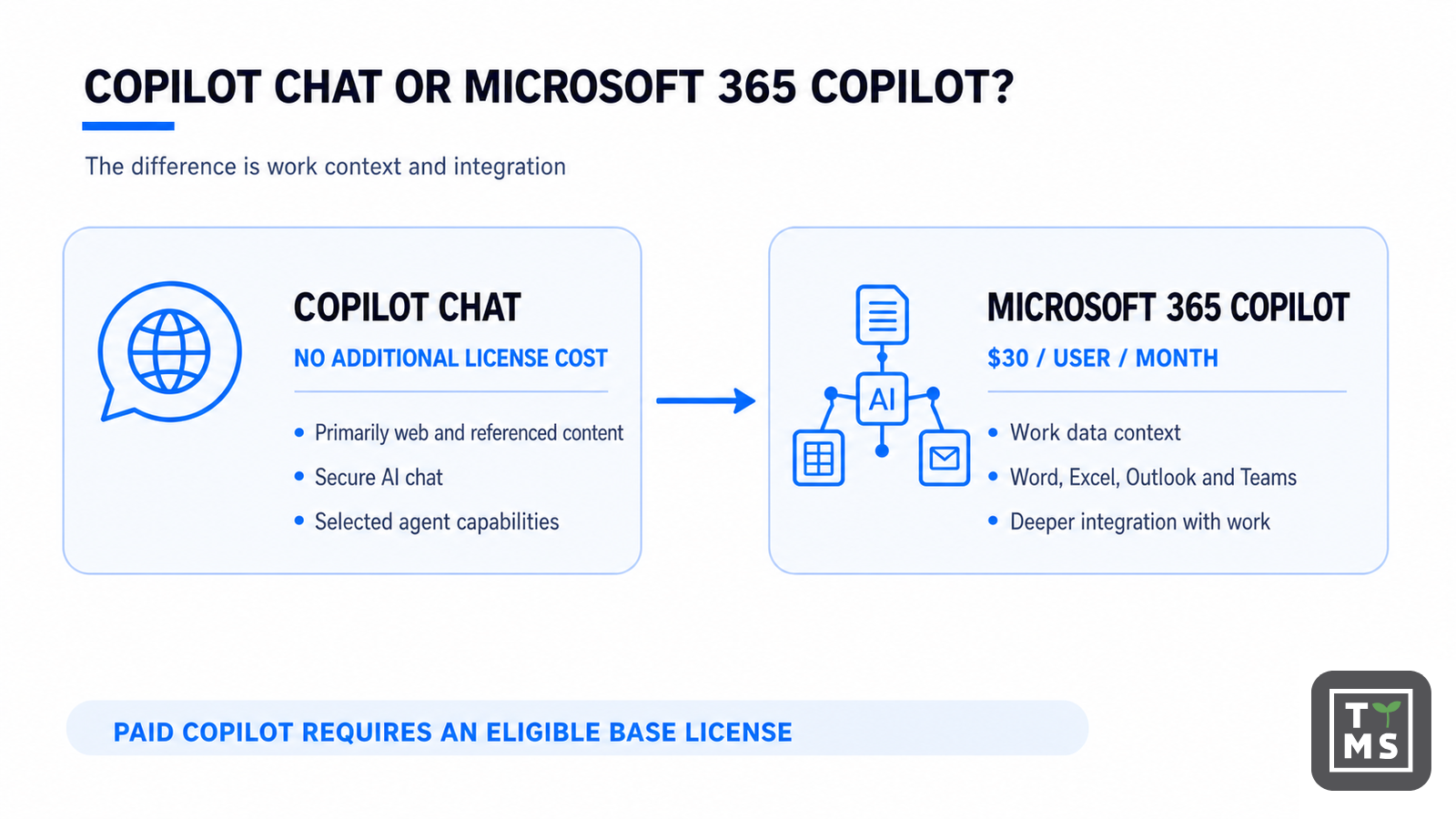
Copilot has a similar naming problem. Copilot Chat may be available at no additional charge to users with eligible subscriptions, while Microsoft 365 Copilot is a separate paid license that needs an eligible base plan. Buying Copilot does not tidy up company data or permissions. It works with what is already in the organization’s environment – including the gaps and mistakes.
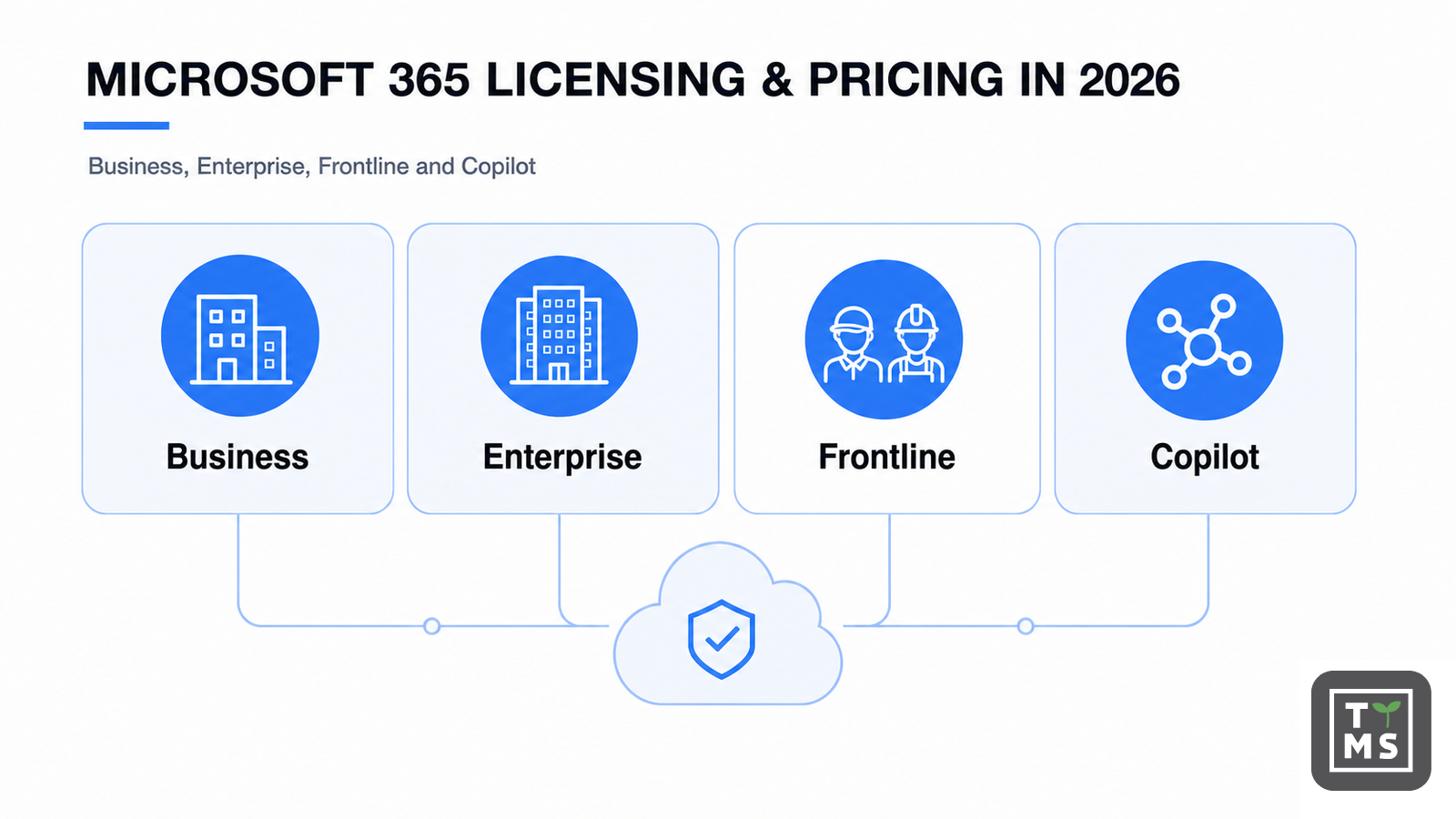
This guide looks at the Business, Enterprise and Frontline families, along with Apps for Business, Office 365 E1 and both Copilot options. Instead of searching for one plan that suits everybody, we ask what makes sense for each role. A browser-only employee, an administrator and a frontline worker on a shared device do not need the same license. A practical licensing model starts with those differences and builds from there.
This guide uses US commercial list prices before tax. Currency, local market adjustments, partner discounts, agreement type, billing schedule and promotions can change the final amount.
Microsoft 365 licensing in one minute
If you need a quick answer, use these five rules:
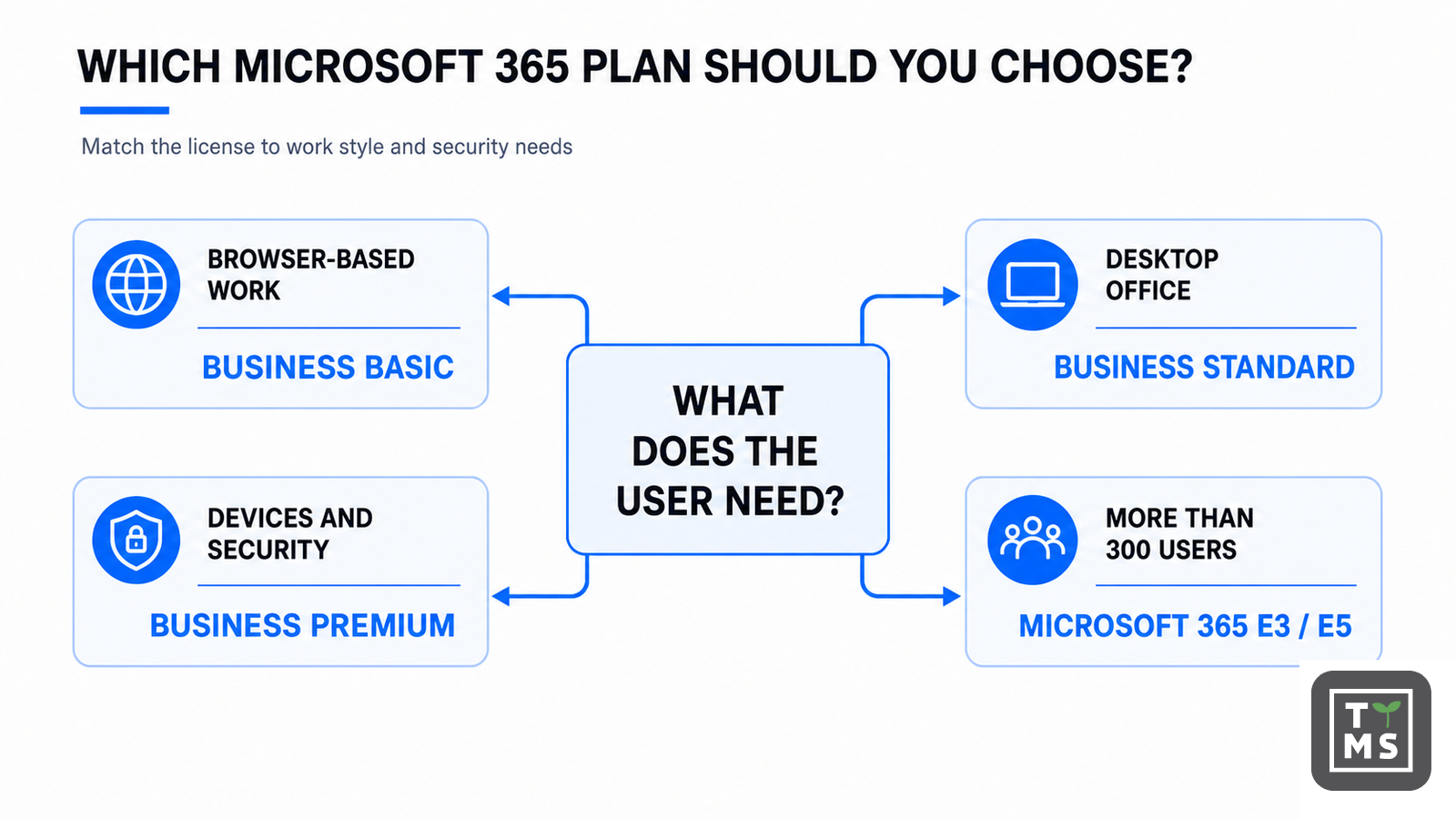
- Choose Business Basic when users need business email, cloud collaboration and web/mobile apps, but not locally installed Office desktop apps.
- Choose Business Standard when desktop Word, Excel, PowerPoint and Outlook matter, but advanced device and threat protection will be handled elsewhere.
- Choose Business Premium when an organization of up to 300 users wants productivity plus Microsoft Intune, Microsoft Entra ID P1 and Microsoft Defender for Business in one suite.
- Move to Enterprise when the 300-seat Business limit, advanced compliance, enterprise security, Windows Enterprise rights or organization-wide scale requires it. Microsoft 365 E3 is the broad foundation; E5 adds the deepest security, identity, compliance and analytics capabilities.
- Use F1/F3 for genuine frontline roles and Copilot Chat as the broad AI baseline. Assign paid Copilot to selected people with repeatable, information-heavy work.
What changed in Microsoft 365 pricing in 2026?
Microsoft’s new commercial US list prices took effect on July 1, 2026. Existing customers stay on their contracted price until renewal. Packaging additions began rolling out in summer 2026, so a tenant may receive a feature after the price effective date; Microsoft provides notice through the Message Center.
| Plan | With Teams: USD/user/month | Without Teams: USD/user/month | 2026 position |
| Business Basic | $7.00 | $5.40 | Cloud-first SMB suite; price increased |
| Business Standard | $14.00 | $10.79 | Desktop apps for SMB; price increased |
| Business Premium | $22.00 | $18.79 | Security-led SMB suite; price unchanged |
| Apps for Business | $10.00 | Not applicable | Desktop apps and OneDrive; price increased |
| Office 365 E1 | $10.00 | $6.79 | Cloud productivity; price unchanged |
| Office 365 E3 | $26.00 | $17.45 | Productivity suite; not the same as Microsoft 365 E3 |
| Office 365 E5 | $41.00 | $32.45 | Productivity, compliance, voice and analytics |
| Microsoft 365 E3 | $39.00 | $30.45 | Productivity + Windows + identity/device management |
| Microsoft 365 E5 | $60.00 | $51.45 | Advanced security, compliance and analytics |
| Microsoft 365 F1 | $3.00 | $2.50 | Light frontline experience |
| Microsoft 365 F3 | $10.00 | $8.93 | Managed frontline productivity |
Pricing note: These are Microsoft’s commercial US list prices effective July 1, 2026, before tax, shown as monthly equivalents for annual subscriptions. Availability, currency, billing options and promotions vary. “Without Teams” is a different SKU—not a discount that can simply be switched on later without checking commercial terms. Standalone Teams may need to be purchased separately.
The 2026 packaging update also adds value to selected plans. Business Basic and Standard receive a larger email allowance, time-of-click URL protection, Copilot Chat enhancements and analytics. Microsoft 365 E3 receives Defender for Office 365 Plan 1 and additional Intune capabilities. Microsoft 365 E5 receives further advanced Intune features and Security Copilot-related value. Rollout timing should always be confirmed in the tenant.
How Microsoft 365 product names fit together
The names matter because “Office 365” and “Microsoft 365” are not interchangeable. Office 365 E1/E3/E5 focuses on productivity and cloud services. Microsoft 365 E3/E5 includes the Office 365 layer and adds Windows Enterprise plus broader identity, device management and security rights. There is no mainstream commercial “Microsoft 365 E1” equivalent in this comparison; the cloud-productivity plan is Office 365 E1.
| Family | Designed for | User ceiling | Typical role |
| Microsoft 365 Business | Small and midsize organizations | 300 Business-family users per tenant | Information workers and SMB operations |
| Office 365 Enterprise | Enterprise cloud productivity | No Business-family 300-seat ceiling | Users needing mail, collaboration and Office services |
| Microsoft 365 Enterprise | Integrated productivity, Windows, identity, security and compliance | Enterprise scale | Managed knowledge workers |
| Microsoft 365 Frontline | Workers whose primary role is service, operations or production | Enterprise scale; eligibility rules apply | Retail, factory, warehouse, field and shift workers |
| Microsoft 365 Copilot | AI layer on an eligible base license | SKU-dependent; Copilot Business up to 300 | Selected high-value knowledge workflows |
Microsoft 365 Business plans compared
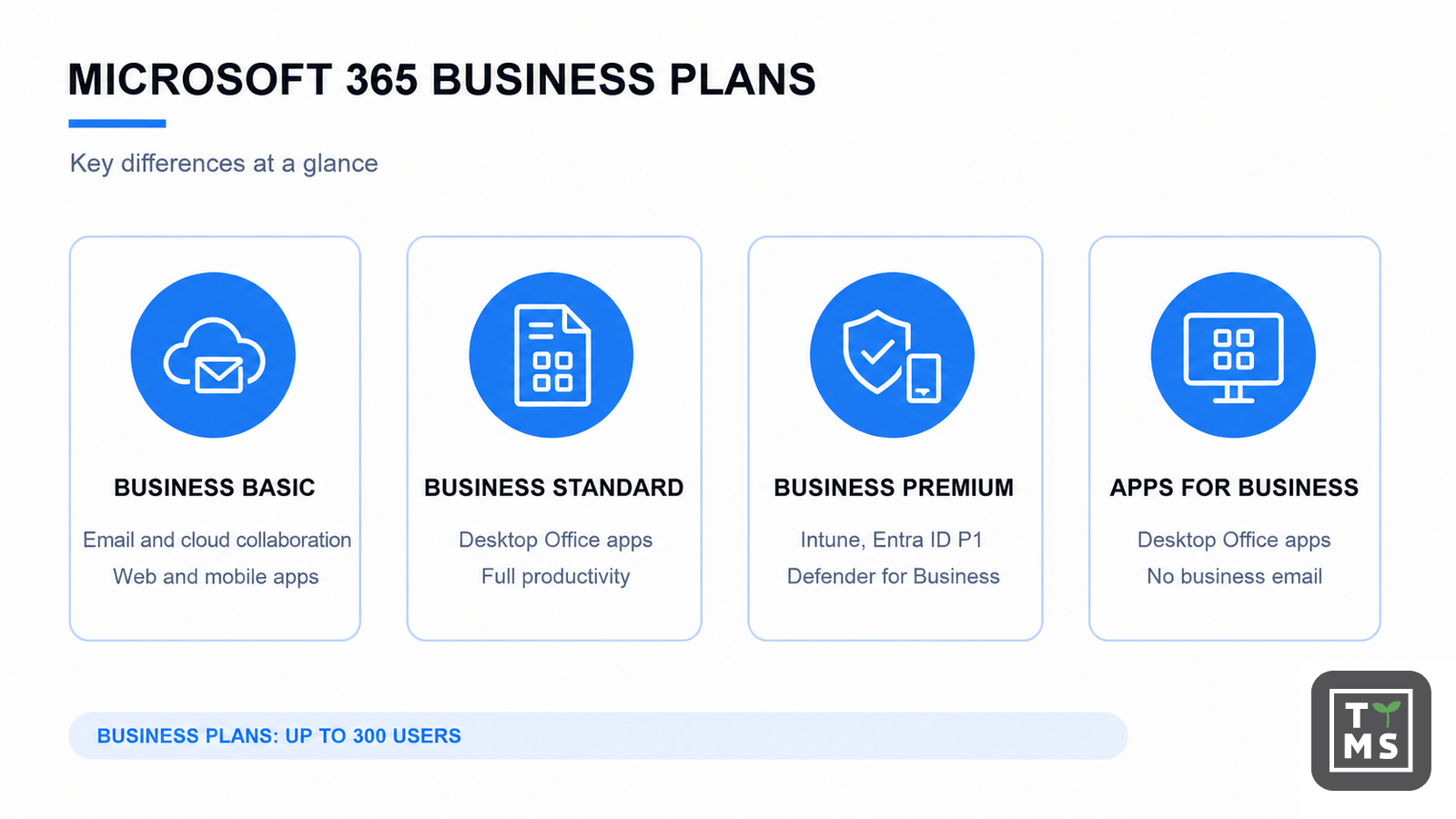
All Business base plans are designed for organizations with up to 300 provisioned users across the Business family. They can be mixed—for example, Premium for managed employees, Standard for lower-risk office roles and Basic for browser-first users—provided each person receives the services required for their work.
| Plan | Core productivity | Security and management | Best fit / main limitation |
| Business Basic | $7. Web/mobile Word, Excel, PowerPoint and Outlook; business email; OneDrive; SharePoint; Teams in the with-Teams SKU. | Foundational controls; no Intune or Defender for Business. 2026 adds URL protection. | Browser-first users. No desktop Office apps; 300-user family limit. |
| Business Standard | $14. Everything in Basic plus desktop Office apps and broader collaboration tools. | Foundational controls; no integrated advanced device/threat suite. | Typical office worker. Strong productivity, but security stack may require separate tools. |
| Business Premium | $22. Desktop, web and mobile apps, email and collaboration. | Intune, Entra ID P1, Defender for Business and information protection capabilities. | Security-conscious SMB. Best all-round suite up to 300 users. |
| Apps for Business | $10. Desktop Office apps plus 1 TB OneDrive per user. | App deployment controls, but not a full email/collaboration/security suite. | Users who already have email/collaboration elsewhere. No Exchange Online mailbox or full suite. |
Microsoft 365 Business Basic
Business Basic is the lowest-cost complete Business suite in this guide. It provides a professional Exchange Online email service, OneDrive and SharePoint collaboration, and web/mobile versions of Word, Excel, PowerPoint and Outlook. The with-Teams SKU adds Teams meetings, chat and collaboration. It is a good fit for start-ups, contractors and browser-first employees who do not need locally installed Office applications.
The limitation is not merely that Word runs in a browser. Basic does not include the integrated device management and endpoint threat protection found in Business Premium. Organizations using unmanaged laptops, handling sensitive client data or operating under customer security requirements should calculate the cost of separate controls before choosing Basic for everyone. Recommended size: usually 1–100 cloud-first users, although the formal Business-family ceiling is 300.
Microsoft 365 Business Standard
Business Standard is the natural productivity plan for employees who create documents and spreadsheets all day. It adds desktop versions of Word, Excel, PowerPoint and Outlook to the services in Basic, while keeping the familiar Exchange, OneDrive and SharePoint foundation. It is often the best functional fit for a 20–50 person office where endpoint security is already provided by another managed platform.
Its weakness appears when buyers assume that “Microsoft 365” automatically means full Microsoft security. Standard does not deliver the same Intune, Entra ID P1 and Defender for Business package as Premium. If conditional access, centrally managed mobile devices, endpoint detection and response, or automated investigation are requirements, Premium can be cheaper and simpler than assembling separate products. Recommended size: 5–300 users with a defined external security/management approach.
Microsoft 365 Business Premium
Business Premium combines the productivity experience of Standard with the controls many small organizations now need by default. Microsoft Intune manages corporate and mobile devices; Microsoft Entra ID P1 supports conditional access; Microsoft Defender for Business adds endpoint protection, detection and response; and information-protection capabilities help reduce accidental data exposure.
Premium is usually the strongest default for a security-first SMB, professional-services firm, healthcare supplier or company pursuing cyber-insurance and customer assurance requirements. It is not identical to Microsoft 365 E5 and does not remove the need for configuration, monitoring and governance. Its commercial boundary is the 300-user Business-family limit. Recommended size: 20–300 users, or smaller companies with high data or device risk.
Microsoft 365 Apps for Business
Apps for Business is not “Business Standard without meetings.” It is an app-focused subscription: desktop Office applications and OneDrive, without an Exchange Online business mailbox or the complete collaboration and security stack. It can be economical when email and meetings are supplied by another platform, or for a specialist user who needs Office locally but does not need the rest of the Microsoft 365 suite.
The plan becomes poor value when separate email, Teams, identity and security licenses are added one by one. Buyers should also remember the 300-user Business-family ceiling and verify Copilot eligibility for the exact SKU. Recommended size: selected roles in organizations up to 300 users, not a universal default.
Business Standard vs Business Premium
| Decision point | Business Standard | Business Premium |
| Desktop Office apps | Included | Included |
| Exchange, OneDrive, SharePoint | Included | Included |
| Microsoft Intune | Not included | Included |
| Microsoft Entra ID P1 / conditional access | Not included as the suite entitlement | Included |
| Defender for Business | Not included | Included |
| Best choice when | Security and device management are provided elsewhere | Microsoft should provide the integrated SMB security stack |
| 2026 US list price with Teams | $14 | $22 |
The $8 monthly gap equals $96 per user per year. The right question is therefore not “Is Premium 57% more expensive?” but “Can we provide equivalent identity, device and endpoint controls for less than $96 per user per year—including administration?”
Business plans vs Enterprise plans
Business plans are not inferior versions of Enterprise in every respect. Business Premium can be a very capable security package for a 200-person company. Enterprise becomes necessary when the organization exceeds the 300-seat Business limit, needs enterprise Windows rights, requires deeper Purview, Defender or Entra capabilities, or wants a licensing framework designed for complex global operations.
| Choose Business when… | Choose Enterprise when… |
| The tenant will remain at or below 300 Business users. | The organization will exceed the 300-user Business-family ceiling. |
| Business Premium covers the required identity, device and endpoint controls. | E3/E5 security, compliance, Windows or governance rights are required. |
| Procurement and operations benefit from a compact SMB suite. | Role-based licensing, enterprise agreements and global administration are central. |
| Advanced eDiscovery, risk-based identity and enterprise analytics are not core requirements. | Advanced Purview, Entra ID P2, Defender suite or Power BI capabilities justify E5. |
Enterprise plans: Office 365 E1, Microsoft 365 E3 and E5
This section intentionally compares the plans buyers most often place on the same shortlist. Office 365 E1 is a cloud-productivity plan. Microsoft 365 E3 and E5 are broader suites. If a seller quotes Office 365 E3 or E5 instead, check whether Windows Enterprise, Intune and the wider identity/security stack are included—the product name changes the entitlement.
Office 365 E1
Office 365 E1 provides enterprise email, SharePoint, OneDrive and web/mobile Office experiences, with Teams in the applicable SKU. It does not include the full desktop Office client. E1 suits browser-first enterprise users, selected contractors or light information workers when Windows, device management and endpoint protection are licensed separately. At $10 with Teams, it is inexpensive, but it can create a fragmented stack if the missing controls are later added individually.
Microsoft 365 E3
Microsoft 365 E3 is the enterprise foundation for managed knowledge workers. It combines desktop, web and mobile productivity apps with Exchange, SharePoint and OneDrive, then adds Windows Enterprise, Microsoft Intune, Microsoft Entra ID P1 and core security and compliance capabilities. Summer 2026 packaging additions include Defender for Office 365 Plan 1 and additional Intune tools, increasing its value for security and IT operations.
E3 is a good fit for large organizations that require consistent device and identity management but do not need the full E5 control set for every user. It is also a common base license for the $30 enterprise Copilot add-on. Recommended size: enterprise-scale tenants and organizations approaching or exceeding the Business ceiling.
Microsoft 365 E5
Microsoft 365 E5 builds on E3 with advanced identity, security, compliance, analytics and voice capabilities. Important areas include Microsoft Entra ID P2 features such as risk-based access and Privileged Identity Management, the broader Microsoft Defender suite, advanced Microsoft Purview capabilities, Power BI Pro and Teams Phone Standard in applicable offerings. Some telephony services, calling plans and deployment costs remain separate.
E5 is most valuable where advanced controls replace multiple standalone products or address explicit regulatory and risk requirements. It is rarely necessary for every employee simply because the company is large. Many enterprises use E5 for administrators, executives, legal/compliance and high-risk roles while keeping E3 as the standard. Recommended size: regulated, security-mature or analytically intensive enterprises with a clear control map.
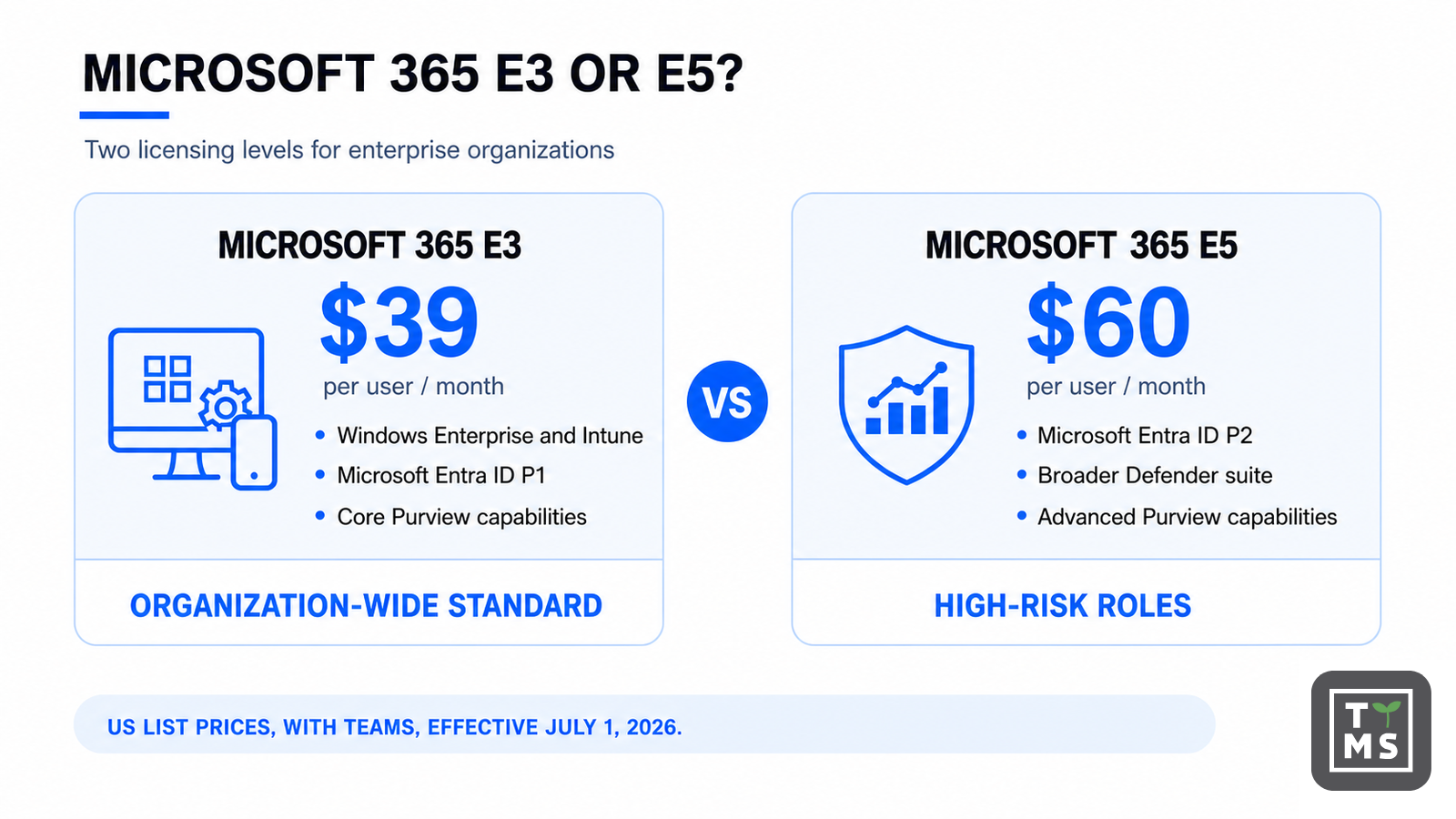
Microsoft 365 E3 vs E5
| Capability area | Microsoft 365 E3 | Microsoft 365 E5 |
| 2026 US list price with Teams | $39 | $60 |
| Desktop apps and core cloud services | Included | Included |
| Windows Enterprise, Intune, Entra ID P1 | Included | Included |
| Advanced risk-based identity / PIM | Limited compared with E5 | Entra ID P2 capabilities |
| Threat protection | Strong foundation; expanded in 2026 | Broader Defender suite and advanced controls |
| Compliance | Core information protection, audit and governance | Advanced Purview, eDiscovery, audit and risk capabilities |
| Analytics / voice | Not the full E5 bundle | Power BI Pro and Teams Phone Standard in applicable suite |
| Best use | Managed enterprise default | High-risk, regulated and advanced-control roles |
The $21 monthly difference is $252 per user per year. A defensible E5 business case maps each required control to an E5 entitlement, identifies tools that can be retired, and assigns E5 only to the users whose work or risk needs it.
Microsoft 365 Frontline: F1 vs F3
Frontline licenses are intended for people whose primary work is customer service, manufacturing, logistics, field operations or shift-based activity—not as a low-cost substitute for information-worker licenses. Microsoft applies eligibility and device-use conditions, so role design should be documented before procurement.
| Plan | What it is designed to provide | Main limitations / decision |
| Microsoft 365 F1 — $3 | Light frontline communication, identity and access, web/mobile experiences and core security/management services. Entra ID P1 and Intune are part of the frontline foundation. | No full desktop Office suite. Mailbox and service functionality are limited; validate the exact frontline workflow and Exchange entitlement. |
| Microsoft 365 F3 — $10 | Broader frontline productivity, Windows and management rights, web/mobile apps and stronger support for shared/managed devices. | Still not an E3 information-worker license and does not include full desktop Office apps. Confirm storage, mailbox, device and app requirements. |
Choose F1 for communication-led roles with very light creation needs. Choose F3 when workers use managed shared devices, need broader apps and workflow capabilities, or require Windows and device-management rights. Use E3/Business plans for employees who regularly create complex documents, use desktop Office or need a full information-worker mailbox and storage profile.
Microsoft 365 Apps vs a full suite
| Need | Apps for Business | Business Standard | Microsoft 365 E3 |
| Desktop Word, Excel, PowerPoint, Outlook | Yes | Yes | Yes |
| Business email mailbox | No | Yes | Yes |
| SharePoint and full collaboration suite | No / limited to included app services | Yes | Yes |
| Integrated device and identity management | No | No | Yes |
| Windows Enterprise rights | No | No | Yes |
| User ceiling | 300 Business-family users | 300 Business-family users | Enterprise scale |
| Best fit | Office apps alongside another platform | Complete SMB productivity | Managed enterprise workforce |
Security and compliance matrix
“Included” does not mean “configured.” Every plan still needs secure defaults, role ownership, monitoring, retention decisions and user training. The matrix is a buying-level view, not a substitute for Microsoft’s detailed service descriptions and licensing terms.
| Plan | Identity / access | Device / endpoint | Threat protection | Compliance / governance |
| Business Basic / Standard | Foundational identity and MFA | No integrated Intune entitlement | Built-in service protection; 2026 URL protection | Core Microsoft 365 controls |
| Business Premium | Entra ID P1; conditional access | Intune + Defender for Business | SMB endpoint detection/response and protection | SMB information-protection capabilities |
| Office 365 E1 | Cloud identity foundation | Not a broad device-management suite | Foundational service protection | Core cloud compliance |
| Microsoft 365 E3 | Entra ID P1 | Intune + Windows Enterprise | Enterprise foundation; Defender for Office P1 added in 2026 | Core Purview, audit and information protection |
| Microsoft 365 E5 | Entra ID P2 / advanced identity | Advanced enterprise management capabilities | Broader Defender suite | Advanced Purview, eDiscovery, audit and risk |
| Microsoft 365 F1/F3 | Entra ID P1 | Intune; F3 supports broader frontline device use | Frontline foundation; add-ons may be needed | Role-appropriate baseline; validate regulation needs |
Microsoft 365 Copilot licensing in 2026
Copilot licensing has three distinct layers: Copilot Chat included with eligible subscriptions; a paid Microsoft 365 Copilot license that adds work-grounded and in-app experiences; and the eligible Microsoft 365 base license beneath it. Confusing these layers is the most common cause of an inaccurate budget.
| AI option | 2026 price / eligibility | What it does | Best use |
| Microsoft 365 Copilot Chat | No additional license cost with eligible Microsoft 365 subscriptions. Agent consumption may be metered. | Secure AI chat, primarily web-grounded; can work with referenced/uploaded content and selected agents. | Broad baseline for occasional AI use. |
| Microsoft 365 Copilot Business | $21 list; 2026 promotional price may be $18. Eligible Business plans; up to 300 users. | Work-grounded Copilot in Microsoft 365 apps, using data the user can access through Microsoft Graph and Work IQ. | SMBs with selected high-value knowledge workers. |
| Microsoft 365 Copilot (enterprise) | $30 per user/month, annual commitment. Requires an eligible base plan. | Paid work-grounded Copilot across Word, Excel, PowerPoint, Outlook, Teams and other supported experiences. | Enterprise, Office 365 and Frontline base-license environments. |
| Business plan with Copilot | July 2026 US list: Standard with Copilot $23.50; Premium with Copilot $32. Annual/annual and up to 300 users. | Base Business suite and Copilot in one SKU. | Often cheaper than buying the base plan and Copilot Business separately. |
| Microsoft 365 E7 | $99 with Teams / $90.45 without Teams. | M365 E5 plus Microsoft 365 Copilot, Agent 365 and Entra Suite. | Enterprises that need the broader bundle—not merely Copilot. |
Copilot Chat vs paid Microsoft 365 Copilot
| Capability | Copilot Chat | Paid Microsoft 365 Copilot |
| Additional per-user license | No, with eligible subscription | Yes, unless included in a bundle |
| Default grounding | Primarily web and user-provided context | Work data plus web, subject to permissions |
| Microsoft Graph / Work IQ context | Limited compared with paid offer | Core part of the work-grounded experience |
| In-app assistance | Selected chat/agent experiences | Deeper Word, Excel, PowerPoint, Outlook and Teams integration |
| Agents | Available; tenant-data use may be consumption-metered | Broader included agent value; metering can still apply to some scenarios |
| Best rollout role | All eligible users as a controlled baseline | Selected users with measurable knowledge-work use cases |
Copilot does not receive unrestricted access to a tenant. Microsoft states that it can use only information the signed-in user is authorized to access, and prompts, responses and Microsoft Graph data are not used to train the foundation models. That protection makes permission hygiene more—not less—important. An overshared SharePoint site remains overshared; Copilot can make existing access easier to exercise.
How to calculate the total cost
A reliable budget has four lines: the base Microsoft 365 license, the Copilot license or bundle, the billing/term effect, and implementation. Implementation includes tenant assessment, permission cleanup, device onboarding, migration, training, adoption management and support. Those services are not Microsoft license fees, but omitting them produces a misleading business case.
| Scenario | Monthly list calculation | Annual list total |
| 50 users: Business Premium | 50 × $22 | $13,200 |
| 50 users: Business Premium with Copilot | 50 × $32 | $19,200 |
| 100 users: Business Standard + separate Copilot Business | 100 × ($14 + $21) | $42,000 |
| 100 users: Business Standard with Copilot bundle | 100 × $23.50 | $28,200 |
| 500 users: Microsoft 365 E3 | 500 × $39 | $234,000 |
| 500 E3 users; Copilot for 100 selected users | (500 × $39) + (100 × $30) | $270,000 |
| 500 E3 users; Copilot for everyone | 500 × ($39 + $30) | $414,000 |
The 100-user example shows why SKU comparison matters: the permanent Business Standard with Copilot bundle can be materially cheaper than two separate licenses. Promotions and bundles change, however, so every quote should state the exact SKU, commitment, payment schedule, promotion end date and renewal price.
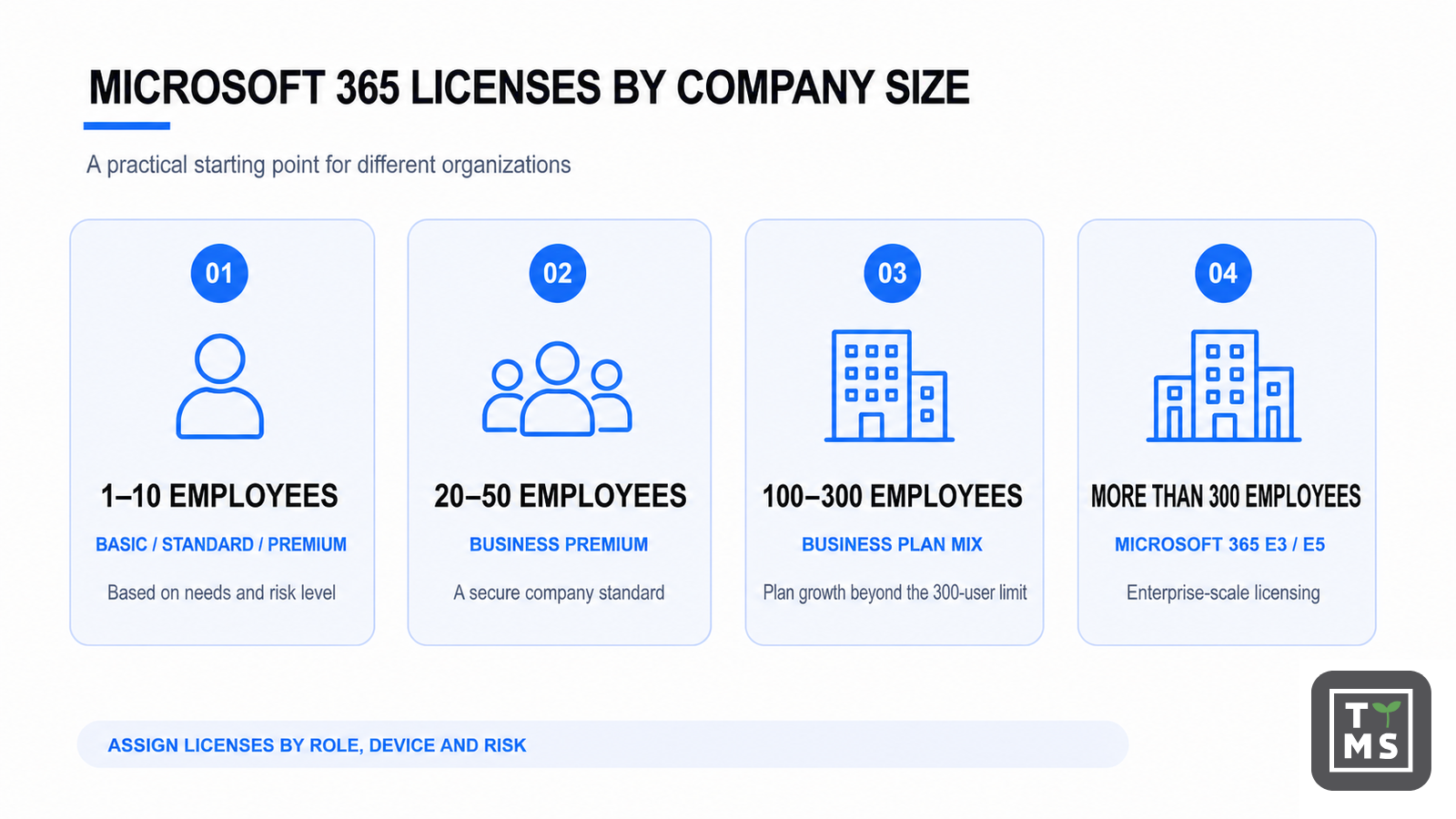
Which license is best by company size?
| Organization / workforce | Recommended starting point | Why / what to validate |
| Micro business: 1–10 | Basic for browser-first roles; Standard for desktop users; Premium if devices/data are high risk. | Avoid buying one plan for everyone by habit. Check whether separate security products erase Basic/Standard savings. |
| Small company: 20–50 | Business Premium as a security-led default; mix Standard or Basic for justified lower-risk roles. | Strong balance of productivity and integrated controls. Compare Copilot bundle for selected users. |
| Midsize: 100–300 | Business Premium or role-based Business mix; plan the path beyond 300 early. | Govern tenant growth and avoid a rushed enterprise migration at user 301. |
| Enterprise: 300+ | Microsoft 365 E3 default; E5 for mapped advanced-control roles; F1/F3 for true frontline workers. | Use role/risk segmentation and enterprise procurement. |
| Regulated organization | E3 plus required add-ons or E5 for roles subject to advanced compliance, identity and investigation needs. | Map regulation to controls; regulation alone does not automatically require E5 for everyone. |
| Security-first SMB | Business Premium. | Intune, Entra ID P1 and Defender for Business create a coherent baseline. |
Six practical licensing scenarios
1. A seven-person consultancy
Five consultants need desktop Office and two contractors work in the browser. Use Business Standard for the consultants and Business Basic for the contractors if devices are already managed and protected. If client requirements demand conditional access and managed endpoints, Business Premium may be the simpler standard. Add Copilot only to consultants who repeatedly draft proposals, summarize meetings or analyze client material.
2. A 35-person professional-services firm
Business Premium is usually the strongest baseline because confidential client data, remote laptops and cyber-insurance controls make identity and device management central. Compare Business Premium with Copilot for partners, sales and delivery leads against separate Copilot Business seats. Keep Copilot Chat available to eligible non-licensed employees.
3. A 220-person growing company
A role-based Business mix can remain cost-effective: Premium for managed employees, Standard for specific low-risk desktop roles and Basic for browser-only accounts. Track the tenant’s Business-family count and design the move to E3 before growth crosses 300. A 20–40 user Copilot pilot is safer than a company-wide purchase.
4. A 2,000-person enterprise
Use E3 as the managed knowledge-worker foundation, E5 for administrators, legal, security, executives and regulated roles, and F1/F3 for properly eligible frontline workers. Add enterprise Copilot only to roles with repeatable work-grounded use cases, then review Microsoft’s usage report and reassign inactive seats.
5. A regulated financial or healthcare organization
Start from the control requirements: identity risk, privileged access, information classification, retention, audit, eDiscovery, insider risk, endpoint coverage and incident response. E5 may consolidate necessary controls, but assigning it universally without a control-to-license map wastes budget. Copilot readiness must include permissions, sensitivity labels, retention and high-risk repositories.
6. A factory with shared frontline devices
F3 is often the practical foundation for supervisors and workers using managed shared devices and digital workflows; F1 may suit communication-led roles. Information workers in finance, engineering or management should remain on E3 or appropriate Business plans. Do not use frontline SKUs solely because they cost less—the worker and device scenario must satisfy licensing rules.
Can Microsoft 365 licenses be mixed?
Yes. A tenant can combine Business plans, Enterprise plans, Frontline plans and paid Copilot assignments, subject to eligibility and commercial terms. Mixing works best when every role has a written service profile: desktop apps, mailbox, storage, meeting needs, device type, identity risk, information sensitivity and AI use case. It works badly when procurement chooses exceptions without governance, leaving IT to discover missing services later.
Review dependencies before changing a license. Removing a suite can remove access to a mailbox, desktop activation, Windows rights, Intune policies or compliance capabilities. Data retention and service behavior should be validated before reassignment—not after a user reports that an app stopped working.
A practical selection and rollout process
- Inventory users and devices: Group people by real work patterns, not department names. Separate knowledge workers, browser-first users, contractors, frontline workers, privileged admins and regulated roles.
- Define mandatory controls: List identity, device, endpoint, data protection, retention, audit, eDiscovery and residency requirements. Map each control to a license entitlement and configuration owner.
- Compare complete stacks: Compare the suite price with all necessary add-ons, third-party tools and administration. A cheaper base plan is not cheaper if it creates three extra contracts.
- Check Teams and billing variants: Confirm with-Teams or no-Teams SKU, annual versus monthly commitment, payment schedule, currency, tax, promotion expiry and renewal price.
- Pilot Copilot by workflow: Choose three to five measurable workflows such as meeting follow-up, proposal drafting, inbox triage, report synthesis or recurring analysis.
- Measure and reassign: Track active users, repeat use, adoption by app, task time, quality and rework. Reassign licenses that remain inactive after support and training.
Common licensing mistakes to avoid
- Comparing Office 365 E3 with Microsoft 365 E3 as if the names described the same entitlement.
- Buying Business Standard and later discovering that conditional access, Intune and endpoint detection were expected.
- Using F1/F3 as generic discount licenses for users who are not genuine frontline workers.
- Treating a no-Teams price as interchangeable with the with-Teams SKU without checking the meeting and collaboration requirement.
- Multiplying the Copilot price by headcount without adding the eligible base license—or without checking a cheaper bundle.
- Assuming Copilot fixes poor permissions. It follows the access the user already has.
- Using a temporary promotion as the long-term renewal run rate.
- Licensing the entire tenant before measuring a small, role-based pilot.
TTMS: a trusted Microsoft 365 partner
Microsoft 365 licensing is easiest to optimize when commercial choices, technical design, security and adoption are treated as one program. TTMS supports organizations across the Microsoft 365 lifecycle: environment assessment, migration, license rationalization, security preparation, employee training, Teams solutions and process automation with Power Automate and Power Apps.
An experienced partner adds value before the order is placed. TTMS can help map user roles to Business, Enterprise and Frontline plans; compare bundles with add-ons; identify licensing gaps; assess data and permission readiness for Copilot; and build a phased rollout with measurable outcomes. This reduces both overspending and the operational risk of choosing a plan that looks right on a price list but does not cover the organization’s controls.
If you want to review your current license mix, plan a migration or prepare a Microsoft 365 Copilot pilot, talk to the TTMS Microsoft 365 team about the next practical step for your organization.
Sources and verification note
Pricing and licensing were checked against official Microsoft sources on August 6, 2026. Microsoft can change products, promotions and local prices. Detailed service availability also contains footnotes and technical conditions, so the final SKU and entitlement should be verified in the Microsoft 365 admin center, product terms or a current partner quote. This guide is commercial and technical guidance, not legal advice.
- Microsoft 365 pricing and packaging updates effective July 1, 2026
- Microsoft 365 pricing and packaging update FAQ
- Microsoft 365 and Office 365 plan options
- Microsoft 365 platform service description
- Business plan comparison reference
- Enterprise plan comparison reference
- Frontline F1 and F3 comparison
- Microsoft Entra service description
- Microsoft 365 Copilot plans and pricing
- Microsoft 365 Copilot license options
- Microsoft 365 Copilot architecture and permissions
- Microsoft 365 Copilot usage report
- TTMS Microsoft 365 services
Frequently Asked Questions About Microsoft 365 Licensing and Copilot
What is the cheapest Microsoft 365 license for a business?
Among the complete Business suites in this guide, Business Basic is the lowest-cost at $7 per user per month with Teams in the July 2026 US list price. Apps for Business costs $10 but does not include a business mailbox or the full collaboration suite. The cheapest suitable plan depends on whether the user needs desktop apps, email, device management and security—not price alone.
What is the difference between Microsoft 365 Business Premium and Microsoft 365 E3?
Business Premium is a strong integrated productivity and security suite for organizations with up to 300 Business users. Microsoft 365 E3 is an enterprise-scale suite with Windows Enterprise, Intune, Entra ID P1 and broader enterprise rights and governance. E3 is not automatically “more secure” in every practical configuration; the choice depends on scale, entitlements and required controls.
Is Microsoft 365 Copilot included in Microsoft 365?
Copilot Chat is included at no additional license cost with eligible Microsoft 365 subscriptions. Full work-grounded Microsoft 365 Copilot normally requires a paid add-on, unless it is included in a bundle such as Business Standard with Copilot, Business Premium with Copilot or Microsoft 365 E7.
Which Microsoft 365 plan is best for a 50-person company?
Business Premium is often the best security-led default because it combines desktop apps, email, collaboration, Intune, Entra ID P1 and Defender for Business. A company with mature third-party device and endpoint security may prefer a mix of Standard and Basic. The correct answer follows the control and device requirements.
Can a company mix Microsoft 365 licenses?
Yes. Organizations commonly mix Basic, Standard, Premium, Enterprise and Frontline plans and assign paid Copilot only to selected users. Each user must have the services and rights required for their role, and dependencies should be checked before a license is removed or changed.
When should a company move from Business to Enterprise licensing?
Plan the move when the tenant approaches the 300-user Business-family ceiling or when Windows Enterprise, advanced compliance, identity, security, procurement or global-management needs exceed the Business suite. Do not wait until user 301 to design the transition.
Does Microsoft 365 Business Basic include desktop Word and Excel?
No. It includes web and mobile versions. Choose Business Standard or Premium when users need locally installed desktop Office applications.
What is the difference between Office 365 E1 and Microsoft 365 E3?
Office 365 E1 is primarily a cloud-productivity suite with web/mobile apps and no full desktop Office client. Microsoft 365 E3 combines desktop productivity with Windows Enterprise, Intune, Entra ID P1 and broader security and compliance capabilities. They are different product families, not adjacent tiers of the same bundle.
Is Microsoft 365 E5 worth the extra cost over E3?
E5 is worth it when its advanced identity, Defender, Purview, analytics or voice capabilities replace other products or meet explicit risk and regulatory requirements. Many organizations assign E5 only to selected high-risk roles and use E3 as the wider default.
What is the difference between Microsoft 365 F1 and F3?
F1 is a lighter frontline license for communication-led roles. F3 supports broader frontline productivity, Windows and managed-device scenarios. Neither should be treated as a discount E3 license, and both require validation of frontline eligibility and service limitations.
Can Microsoft 365 Apps for Business replace Business Standard?
Only if the user does not need Exchange Online business email or the full Microsoft 365 collaboration suite. Apps for Business is best when desktop Office and OneDrive are needed alongside another email/collaboration platform.
How much does paid Microsoft 365 Copilot cost?
The enterprise Microsoft 365 Copilot add-on is $30 per user per month with an annual commitment. Copilot Business lists at $21 and has had an $18 promotional price in 2026. Permanent Business bundles listed in July 2026 include Business Standard with Copilot at $23.50 and Business Premium with Copilot at $32. Verify current local pricing and renewal terms.
What is the difference between Copilot Chat and paid Microsoft 365 Copilot?
Copilot Chat is primarily a secure web-grounded chat experience included with eligible subscriptions. Paid Copilot adds work grounding and deeper integration in Microsoft 365 apps, using information the signed-in user is permitted to access through Microsoft Graph and Work IQ.
Does every employee need a paid Copilot license?
No. Copilot Chat can serve as the broad baseline, while paid seats go to roles with repeatable writing, meeting, analysis or information-search workflows. A phased pilot and license reassignment process usually produces a better return than tenant-wide licensing.
Does Copilot use company data to train foundation models?
Microsoft states that prompts, responses and organizational data accessed through Microsoft Graph are not used to train the foundation models used by Microsoft 365 Copilot. Copilot still follows existing user permissions, so overshared data and weak governance must be addressed.
Are annual Microsoft 365 subscriptions cheaper than monthly subscriptions?
Annual commitments are usually priced more favorably than flexible month-to-month terms, but payment monthly and commitment monthly are not the same thing. Ask for the term, payment frequency, cancellation conditions and renewal price on every quote.