

TTMS Blog
TTMS experts about the IT world, the latest technologies and the solutions we implement.
Posts by: Marcin Kapuściński
Is Advertising in ChatGPT Worth It? Costs and Early Advertiser Experiences
Ads in ChatGPT give businesses a new way to reach potential customers. They can appear when users compare products, plan trips, or look for solutions to business problems. Early advertisers are already exploring whether these ads attract customers and increase sales. Their experiences offer insights into how much to spend on ChatGPT ads and when to include them in a marketing budget. In this article, we: examine campaign results shared by early advertisers; explain what ChatGPT ads look like and which campaign settings are available; compare costs and targeting with Google Ads and other channels; show how to measure performance and determine whether ChatGPT ads can be profitable for your business. What do ads in ChatGPT look like? A standard ad appears as a separate, labeled placement below a ChatGPT response. It includes the advertiser’s name, logo, headline, short description, image, and a link to a landing page. It may look like a product or service card relevant to the topic the user is exploring. For example, a user asks ChatGPT to help them choose an application for creating training courses. They describe their company’s size, the languages the courses need to support, and how frequently the content needs updating. An ad for a relevant application may appear below the response. Advertisers can describe situations in which their product would be useful, while the system decides whether to display the ad. According to OpenAI, ads do not influence ChatGPT’s responses. Businesses pay for an advertising placement, which does not buy a recommendation from the AI. An ad unit can contain one or more images. OpenAI is also testing multi-image ads displayed while users wait for an image to be generated. Example ad card with its elements explained. Image from OpenAI’s documentation. Product ads and chats with an AI brand representative Online retailers can upload a file containing product information and use it to create ads. These ads can include images, product names, prices, and promotional offers. Uploading a catalog supports paid advertising; it does not guarantee that ChatGPT will recommend those products in its responses. OpenAI is also testing a format called Sponsored Agents. It lets users move from an ad into a chat with an AI brand representative and ask questions about the company’s offering. The feature is in an early testing phase and available only to selected advertisers. Before including it in your first campaign, check whether your account has access. How much traffic does ChatGPT send to websites? When planning to advertise in ChatGPT, it helps to understand how small a share of website visits currently comes from the tool. In an Ahrefs analysis covering more than 115,000 websites, ChatGPT accounted for 0.34% of all visits in September 2026, compared with 23.96% for Google and 1.13% for Bing. That amounts to roughly three to four visits from ChatGPT per 1,000 website visits. These figures reflect the websites in the sample and use all visits, including paid traffic, as the denominator. The share attributable to each source can vary by industry. ChatGPT’s popularity has yet to translate into a comparable volume of visits to business websites. That matters when considering its potential to generate sales at scale. These figures do not establish how effective ads will be: their ability to acquire customers needs to be assessed through paid campaign results. What have early advertisers learned? Four examples We found early reports from businesses and agencies that have shared their ChatGPT advertising results. Some disclosed only part of their spending and sales data, but their experiences offer insights into what worked and where they encountered difficulties. These individual examples provide limited evidence of what a typical business in any given industry can expect. 1. Hostinger: nearly $70,000 spent, with profitability still unclear Hostinger spent nearly $70,000 on a ChatGPT advertising trial lasting several weeks. Hüseyin Ograk, who leads the company’s paid advertising team, shared several observations on LinkedIn. The cost per 1,000 impressions exceeded $65, and users clicked ads less frequently than in Google Search. Some visitors showed interest in the offering, while other visits brought no noticeable business benefits. Ads explaining how the product could address a specific need performed best. The landing page also mattered: it needed to address the same need as the ad. General messaging and links to a broad range of offerings produced weaker results. Was the campaign profitable? The published data does not provide a definitive answer. Ograk noted, however, that some visitors purchased later or returned to buy additional products. Assessing the value of those customers requires tracking their purchases beyond the campaign itself. 2. SE Ranking: 1,263 clicks, but too few sign-ups to continue advertising SE Ranking, a provider of tools that help improve website visibility in search engines, ended its trial because it generated few sign-ups. Over roughly two weeks, its ads received more than 97,000 impressions and 1,263 clicks. The click-through rate, or CTR—the percentage of impressions that resulted in a click—was 1.30%. The company ran three campaigns across the United States, Canada, Australia, and New Zealand. The authors suspect that the ads failed to reach the right audience. SEO professionals may use ad-free ChatGPT plans such as Plus, Pro, or Business. This is the company’s hypothesis rather than an established explanation for the weak results. The timing of the trial also matters. In June, SE Ranking set click bids manually, and the system had no sign-up data to use for campaign optimization. Advertisers now have a broader range of campaign capabilities. 3. Opascope: approximately $60,000 in spend and $89,000 in revenue Opascope disclosed results from 15 days of advertising for one client. Approximately $60,000 in ad spend generated $89,000 in attributed revenue. The average cost per click was $1.72, and the conversion rate was 2.35%. The agency reported a return on ad spend, or ROAS, of 1.49. This means that each dollar spent on advertising generated $1.49 in attributed revenue. Assessing profitability also requires margin data: that revenue must cover the cost of the product or service and other expenses. The selection of campaigns included in the report also matters. Opascope presented campaigns whose budgets had been increased after promising initial results. The figures therefore did not cover every trial. Results varied considerably from day to day, with daily ROAS ranging from approximately 0.2 to 2.9. The client’s name and profit margin were not disclosed. 4. InterTeam Marketing: a 60% lower cost per lead than Google Ads InterTeam Marketing shared more encouraging experiences from campaigns for three clients offering subscription-based business software. According to the agency, the ads generated more than 150 leads considered valuable by sales teams. The average cost per click was approximately $5, while the cost per lead was about 60% lower than in Google Ads. What did the campaigns promote? Among other things, e-books and webinars relevant to people looking for solutions to specific problems. The agency also sought to reach users comparing vendors or looking for an alternative to their existing software. Ads directed them to landing pages addressing those same topics. This is an encouraging result for B2B businesses, although a full assessment requires information about what happened to those leads. The agency did not disclose the number of signed contracts or each client’s full budget. It also did not explain its lead qualification criteria in detail. The value of advertising depends on the qualified leads and sales it generates. Other businesses’ results can help inform your own campaign, but they need to be considered alongside your offering, customers, and margins. How much do ChatGPT ads cost, and how do they compare with Google Ads? What does the advertiser pay for? When creating a campaign, you choose what you want to achieve: ad impressions, website visits, or specific actions such as purchases. The system adjusts ad delivery to support your chosen goal. Charges are based on clicks or impressions. ChatGPT Ads campaign goals and billing models Goal Billing model What does the system aim to increase? Views CPM: payment per 1,000 impressions Ad visibility Clicks CPC: payment per valid click Website traffic Conversions oCPC or oCPM: payment for clicks or impressions, depending on the available option A selected action, such as a purchase or form submission With the “Conversions” goal, the system optimizes ad delivery to increase the likelihood of a purchase, sign-up, or form submission. You pay for clicks or impressions. Before launching the campaign, set up tracking for your chosen action so the system receives data on ad performance. How much should you budget for your first ChatGPT campaign? According to OpenAI’s documentation, the minimum daily budget is $25 for accounts billed in USD or €15 for accounts billed in EUR. Plan your campaign budget around the number of leads or purchases you want to generate and how much you can afford to pay for each. Your daily budget sets your average daily spending. With a $25 daily budget, the system can spend up to $50 on a single day and less on other days. If the budget remains unchanged, total spending from Sunday through Saturday will not exceed $175. You can also set a lifetime budget to control spending over the full campaign period. Include ad creation, landing page development, and measurement tools in your budget. If an agency or independent specialist manages the campaign, factor in their fees as well. For smaller campaigns, preparation and management can account for a substantial share of the total cost. How much does a website visit from a ChatGPT ad cost? For manual bidding, OpenAI suggests starting with a maximum cost-per-click bid of $3–$5. This sets the amount you are willing to pay for a click. Your actual cost depends on factors including the ad’s relevance to the user’s needs and competing advertisers’ bids. You can find it in your campaign results. Search advertising costs provide a useful reference point. WordStream and LocaliQ analyzed 13,474 US campaigns run in Google Ads and Microsoft Ads between April 2025 and March 2026. The results show what advertisers paid in that market. The reported figures are medians: half the results were lower and half were higher. Compare these benchmarks with your own campaign costs or forecasts for your industry and target market. Advertising costs: what the different figures mean Data source Figure How should you interpret it? OpenAI: manual CPC bidding $3–$5 Recommended starting bid limit, rather than an average cost per click WordStream/LocaliQ: Google and Microsoft Search CPC: $5.42; CPL: $66.69 Benchmarks from a study of US campaigns The same report: business services CPC: $5.87 Benchmark for one broad industry category Sources: OpenAI documentation and the WordStream/LocaliQ report. To assess whether ChatGPT advertising costs less than Google advertising, compare campaigns promoting similar offerings in the same country. Measure the same outcome in both, such as submitting a service inquiry form. When evaluating new customer acquisition, analyze campaigns targeting existing customers and searches for your company name separately. The cost per lead also depends on how many website visitors submit an inquiry. For illustration, suppose each ad click costs $10 and two out of every 100 visitors complete the form. You would spend $1,000 on 100 clicks and receive two inquiries, costing $500 each. If a click costs $15 but five out of every 100 visitors complete the form, you would spend $1,500 and receive five inquiries. Each would then cost $300. How do you set up an advertising campaign in ChatGPT? Start by creating an Ads Manager account, entering your business details, adding a payment method, and completing the required verification. The campaign builder then guides you through choosing your goal, budget, and audience settings. Within each campaign, you create ad groups, for example, for different products or customer needs. Each group contains ads with a headline, description, image, and link to a relevant landing page. OpenAI reviews ads for compliance with its advertising policies before they begin running. Core settings in ChatGPT Ads Manager Level Settings Practical use Campaign Goal, budget, dates, locations, and supported platforms Separating countries, products, or business goals Ad group Topic, context hints, and bidding strategy Addressing distinct needs, such as choosing a product or switching vendors Ad Headline, description, image, and landing page URL Testing different messages addressing the same customer need Source: OpenAI’s campaign setup guide. How do you explain who your product is for and when it is useful? In your ad group settings, you can add context hints to help the system match your ads to users’ needs. These describe what your product does, who it helps, and when someone might use it. For a training authoring application, context hints might include: “An application for businesses creating employee onboarding courses from their own documents.” “Creating and updating multilingual courses when company procedures change.” “Creating courses that can be published in a company’s learning management system (LMS).” Provide specific information that accurately reflects the application’s capabilities. The system uses these hints when selecting ads to display. Adding a hint does not guarantee that your ad will appear alongside a particular question or reach someone with a specific job title. If you promote several use cases, create a separate ad group for each. Each group should direct users to a landing page explaining how the product addresses that particular need. Where can your ads appear, and who can you reach? You select the country where you want your ads to run. Depending on the market, you may also be able to choose a region, city, or ZIP code. For new campaigns created from product catalogs, location targeting is currently limited to the country level. You can also choose whether ads appear in the iOS app, the Android app, or a desktop browser. Some new accounts initially allow advertising only in the country where the business is registered. Access to additional markets requires meeting further conditions. In markets that support this feature, you can upload your own list of customers or prospects. You can use it to show ads to those people, exclude them from campaigns, or adjust bids to reach them. To target this audience, the system must match at least 25,000 people on your list to ChatGPT users. A database containing 25,000 contacts may therefore be too small. Ad personalization remains unavailable in the European Economic Area and Switzerland. OpenAI recommends avoiding custom audience lists in campaigns targeting these markets. When planning campaigns in these regions, focus on location and matching your ads to the user’s topic and needs. How do you control where ads appear and set bids? The Negative Phrases feature allows selected advertisers to specify phrases associated with topics where they want to avoid showing ads. Check your account for availability and details. For bidding, you can use the Maximize results strategy. The system automatically adjusts bids to generate as many clicks or conversions as possible within your budget, depending on the campaign goal. This option may be enabled by default in some new ad groups. Before launching, check whether you are setting bids manually or letting the system adjust them. With automated bidding, regularly monitor your cost per website visit, lead, and sale. These costs can change throughout the campaign. ChatGPT, Google, Meta, or LinkedIn: which advertising channel should you choose? The choice depends on who you want to reach and when they are likely to be interested in your offer. In ChatGPT, an ad can appear while someone is looking for a solution or comparing products. Google lets you reach people entering specific search queries, while LinkedIn makes it easier to select audiences by job title or company. Channel How do you select your audience? When should you consider it? ChatGPT Ads Based on the topic and needs described by the user, information about your offering, and location When a purchase involves understanding a product, comparing options, or finding a solution that meets specific requirements Google Search Using keywords, match settings, locations, and exclusions When customers are already searching for a product, service, or solution to a specific problem Meta Ads Using factors such as location, interests, behaviors, and custom audiences, depending on campaign settings When an image, video, or product demonstration could interest people browsing Facebook and Instagram LinkedIn Ads Using factors such as job title, company, industry, and professional experience When your offering targets people in specific roles at particular types of organizations One important difference between Google and ChatGPT is how much you can learn about what triggered an ad. In Google, the search terms report shows some of the queries that led to your ads appearing. You can use this information to exclude irrelevant searches. In ChatGPT, advertisers cannot see users’ questions or conversations. You therefore assess audience relevance primarily through website activity and the inquiries people submit. Both platforms use AI to match ads to users. Google is expanding these capabilities through tools such as AI Max, which uses information from keywords, ads, and landing pages. It also offers bidding strategies based on a target cost per conversion or return on ad spend. In ChatGPT, the available settings depend on your campaign goal and billing method. When comparing results, account for how each campaign is configured and managed. Ads in Google’s AI Overviews are a separate consideration. In supported markets, ads from Search, Shopping, and Performance Max campaigns can appear in these responses. However, Google does not provide a separate report for their performance. This makes it difficult to compare the effectiveness of ads appearing exclusively within the two companies’ AI experiences. How do you measure ChatGPT ad performance? 1. Decide which outcomes you want to measure For an online store, focus primarily on paid orders. Account for margins and returns when assessing their value. For a business selling services to other companies, track inquiries, meetings, and signed contracts separately. An e-book download can serve as an early sign of interest. Agree with your sales team on what makes an inquiry valuable. Does it come from the type of company you serve? Does it concern a need your offering addresses? Is the person involved in choosing a vendor? Apply the same criteria to leads generated through ChatGPT, Google, and LinkedIn. This lets you compare the cost of acquiring similar prospects across channels. 2. Tag your links to identify visits from ads Add UTM parameters to your ad links. These short tags allow analytics tools such as Google Analytics 4 to identify the traffic source, campaign, and specific ad version. Use a consistent naming convention for campaigns and ads. This makes results easier to compare and prevents data for the same campaign from being split across several similar names. Before launching, open a tagged link and submit a test inquiry through your form. Check that your analytics tool records the correct traffic source and campaign name. Make sure this information is also saved with the inquiry in your customer relationship management system. These tags help distinguish paid ad traffic from visits through links in ChatGPT responses. They also help identify which ads generate inquiries and purchases. 3. Check that purchases and inquiries are being recorded To assess campaign performance, you need to know what people do after clicking an ad. OpenAI Pixel, a piece of code installed on your website, collects this information. It can record actions such as purchases, sign-ups, and form submissions. You can also send data directly from your business systems through the Conversions API. Ask the person responsible for your website or analytics to handle the implementation. They should ensure that actions are correctly attributed to ads and that the same purchase cannot be counted twice. It is also important to preserve the oppref parameter, a click identifier added to the page URL. Redirects should not remove it. Data collection and transmission must also account for appropriate user notices and required consent. Before launching the campaign, place a test order or submit a form. Check that the action is recorded, the amount and currency are correct, and reopening the confirmation page does not record another purchase. OpenAI also offers a beta integration between Ads Manager and Google Analytics 4 to help compare results across the two tools. Access requires contacting your account representative. You can track visits from UTM-tagged links in GA4 independently of this integration. 4. Understand what the reported results include Ads Manager shows impressions, clicks, conversions, and spending. You can also check the average cost per click and per thousand impressions. Results are available at the campaign, ad group, and individual ad levels, and you can export them to a CSV file. Reporting is delayed. Clicks and impressions typically update about every 15 minutes, costs may take 7–8 hours to appear, and conversions may take 24–48 hours. Results from the most recent hours may therefore be incomplete. The time between an ad click and a purchase or inquiry also matters. In the reporting settings, you choose whether to include actions taken within 7, 14, or 30 days after a click. Separately, you can enable reporting for conversions that occur within one day after an ad impression, even without a click. This is part of attribution: the rules used to credit ads with results. For example, a customer might see an ad in ChatGPT, later find the company through Google, and then make a purchase. Both systems could claim credit for that purchase. Confirm order counts and revenue in your store or sales system. When comparing channels, use the same evaluation period and rules for counting results. 5. Calculate customer acquisition costs and profitability Compare campaign spending with inquiry and sales data. Check how many leads met your criteria and how many became customers. What do you want to measure? How do you calculate it? Cost per lead, or CPL Divide ad spend by the number of leads generated Cost per qualified lead Divide ad spend by the number of leads meeting your agreed sales criteria Full customer acquisition cost Divide the marketing and sales costs associated with the campaign by the number of new customers acquired Revenue generated per dollar of ad spend, or ROAS Divide revenue attributed to ads by ad spend Profitability depends on how much revenue remains after covering costs. Suppose that $100 in revenue leaves $40 after paying for the product, order fulfillment, payment processing, and returns. If acquiring that order costs $40, the entire remaining amount goes toward advertising. This corresponds to a ROAS of 2.5: every $40 spent on ads generates $100 in revenue. To make a profit, the campaign must also cover ad creation, campaign management, and the share of business overhead allocated to those sales. For subscription sales, include subsequent customer payments and the cost of serving those customers. Base your calculations on actual data about how long customers continue using the service. Also check how many months it takes to recover the money spent acquiring them. In B2B, revisit the results after the campaign ends to include contracts signed following longer negotiations. How do you plan your first ChatGPT campaign? Decide what you want to learn, how much you can spend, and what results would justify continuing. Keep the initial campaign focused so its performance is easier to assess. Choose one offering and one market. Decide whether you want purchases, product demo bookings, or sales inquiries. Check ad availability in your target market and the policies that apply to your industry. Build a landing page that expands on the ad. If you are promoting an application that helps update training courses, show how that feature works. Visitors should be able to find the information they need and understand how to book a demo or contact your company. Test your measurement setup. Check link tags, purchase or form tracking, and the recording of lead sources. Agree with sales on which inquiries will count as qualified leads. Set your budget and an acceptable cost per lead. If you can pay $200 for a qualified inquiry and want to generate 20, your starting ad budget would be $4,000. The campaign will show whether that cost is achievable. Budget separately for preparation and management. Explore several product use cases. Prepare two or three ad groups, each addressing a different customer need. Match the ad copy and landing pages to each one. Choose the number of variations to suit your budget so each can collect enough data to assess its performance. Set a review date and conditions for pausing the campaign. Account for the time customers need to make a decision. Monitor spending and lead quality throughout the campaign. Pause it if tracking fails or spending reaches your agreed limit without delivering the expected results. Compare performance with other campaigns. If you use Google Ads, compare the cost of acquiring similar leads and customers. Include the value of sales and the work required to handle inquiries. With a larger budget, you can also assess how much additional sales your ads generate. This requires a carefully designed test: run the campaign for some comparable audiences or markets and leave others as a control group. Comparing their results helps estimate how many purchases the advertising generated. Is advertising in ChatGPT worth it? The strongest case for ChatGPT advertising is for businesses whose customers compare products against specific requirements. Hostinger’s and InterTeam’s experiences suggest that these situations offer better opportunities to generate qualified inquiries and purchases. Advertisers need to show exactly what their product can do. General brand promotion or ads covering an entire product range may make less effective use of this opportunity. The early results also reveal the limits of the channel’s promise. Users may describe their needs in detail while still gathering information. SE Ranking generated more than 1,200 clicks but very few sign-ups. A detailed description of someone’s needs helps match an ad, but that person may still be a long way from buying. ChatGPT deserves consideration as an additional source of customers, particularly for products that involve comparison and explanation. The available reports offer little basis for moving budget away from profitable Google campaigns. A lower cost per inquiry at one company and ad-attributed revenue at another provide limited evidence for judging ChatGPT a more profitable sales channel. Talk to us about using AI in your business At TTMS, we help businesses implement AI solutions and integrate them with their existing systems. We were the first company in Poland to obtain accredited certification for an artificial intelligence management system compliant with ISO/IEC 42001. If you want to use AI in marketing, organize your data, or improve how your team works, talk to TTMS experts about your business needs. What are ChatGPT ads? ChatGPT ads are paid placements displayed alongside answers to users’ questions. They can feature products or services related to the topic a user is exploring. Ads are labeled as sponsored and include a link to the advertiser’s website. How can I advertise my business in ChatGPT? You can create a campaign in OpenAI’s Ads Manager. After setting up and verifying your account, you add a payment method, choose your campaign goal and budget, and create your ads. You can also describe the customer needs your offering addresses to help the system match your ads to relevant questions. How much does advertising in ChatGPT cost? Costs depend on your billing model, competition, and how relevant your ads are to users’ needs. You can pay for clicks or impressions. Minimum daily budgets vary by account currency, so check the requirements for your account before planning a campaign. Include ad creation, landing page development, and campaign management in your total budget. Does paying for ads make ChatGPT recommend my business? According to OpenAI, advertising does not influence ChatGPT’s answers. Ads appear as separate, clearly labeled placements. To support your business’s visibility in answers, make reliable information about your products and services available online. Advertising spend does not guarantee recommendations. Are ChatGPT ads more effective than Google Ads? Early campaign results vary. Some advertisers report a lower cost per lead than Google Ads, while others received few inquiries despite generating many clicks. Compare campaigns promoting similar offerings in the same market. Focus on the cost of acquiring qualified leads and paying customers, along with the sales those campaigns generate.
Read
How Will Vibe Coding and AI Agents Change App Development in 2027?
AI is changing how apps are built. It helps write code, check how it works, and fix bugs. More tasks can now be assigned to AI agents simply by describing the desired outcome. How far will this go in 2027? Will anyone be able to create their own apps? And what will that mean for businesses and developers? We explore examples from 2026 and explain three terms that are becoming increasingly common: vibe coding, agentic engineering, and agentic architecture. Three trends stand out: moving faster from an idea to the first working version of an app, assigning a growing share of development work to AI agents, adding AI features that help users with everyday tasks. A single project can bring all three together: test an idea with a prototype, use agents to develop the app, and give users an assistant that searches internal documents, for example. In 2027, we may see more projects combining these approaches, alongside questions about app quality, the cost of using AI, and responsibility for maintenance. A few definitions help make sense of these changes: Vibe coding – you tell AI what kind of app you want to build, try out the result, and request changes. This lets you build software without examining its code in detail. Agentic coding – you give an agent a task, such as adding a registration form. The agent can review project files, plan changes, write code, and run tests. Agentic engineering – the team decides how to work with agents: which tasks to assign, what information to provide, and how to check the results. People make the technical decisions and remain responsible for the app’s quality. Agentic architecture – agents operate within the finished app. For example, an agent handling a customer request might check records in a business system, find similar cases, and draft a response. AI-generated illustration. Agents can help build an app and also carry out tasks within the finished product. These are two separate uses. A booking system built with agents may run without AI once deployed. Meanwhile, an app with a customer service agent may be developed largely by programmers writing the code themselves. AI solution building is a broader term. It covers the journey from identifying where AI can help to launching and maintaining a working tool. Along the way, the team needs to select a model, prepare data, connect the app to business systems, and check how it works. It is a general term for building tools that use AI. Coding agents can support development, while the finished app might use document search, content analysis, or an agent that carries out tasks for users. 1. Vibe Coding Will Shorten the Path from Idea to Working App One advantage of vibe coding is the ability to test an idea before commissioning an app. Someone familiar with the team’s work can use AI to create a simple request form, data dashboard, or task-planning tool. The people who will use the app can test the prototype right away and suggest changes. A working app is easier to assess than a written description of an idea. Even the first tests can reveal oversights: a form asks for information the customer does not have, or requests sit waiting for approval from an absent employee. This is also an opportunity to check with IT which connections to existing business systems are needed. The idea can then be refined before the company commits a larger budget to development. Real-World Example: FlashNews – an App Built by a Nontechnical Creator Anyone looking for inspiration to build an app without knowing how to code should take a look at Dan Kempe’s story. With a background in design and marketing, Kempe used AI to create FlashNews – an iPhone app that displays articles one word at a time in a fixed position on the screen. Readers can adjust the pace, choose topics they are interested in, and save articles for later. Kempe used Claude to refine the idea and prepare detailed instructions for Replit Agent. The agent built the app from those instructions, while Kempe tested successive versions on his phone, identified bugs, and requested changes to the design and features. After testing through Apple TestFlight, the app launched on the App Store. Kempe continued developing it after launch, adding options to paste article links, increase the word display speed, and switch between light and dark themes. FlashNews shows how a nontechnical creator can turn a specific idea into a publicly available app, then continue improving it based on user feedback. 2. Requirements Will Become Working Instructions for AI The more work we assign to AI, the more clearly we need to describe what we want to build. Suppose a company needs an app that lets customers report equipment problems and allows the service team to assign cases to technicians and share repair updates. The idea alone is only a starting point. The team also needs to decide what information customers should provide, who handles each case, and when it can be marked as complete. These decisions can be collected in a document that guides the AI agent through development and gives the team a basis for checking the finished app. This approach is known as spec-driven development – building software from written requirements. Tools such as GitHub Spec Kit support this process. In April 2026, Thoughtworks described how teams used it to prepare instructions for agents. Alongside feature descriptions, teams provided coding standards and information about the app’s structure. This helped agents make changes that fit the existing software. The approach may become more common in 2027, making clear, up-to-date instructions increasingly valuable. If a company changes its customer service procedures but gives an agent an outdated description, the resulting app may follow the old rules. Requirements therefore need to evolve with the project. AI-generated illustration. 3. Teams Will Assign Complete Development Tasks to Agents More Often An AI agent can already be asked to fix a bug or add a feature. It can review project files, plan changes, write code, and run tests. This opens the door to a different division of work: the developer defines the task, provides the necessary information, and reviews the proposed change. In 2027, knowing how to guide this work may become an increasingly valuable skill. The team needs to define what the agent can change and which conditions the finished feature must meet. It also checks whether the proposed fix resolves the problem without breaking other parts of the app. This is agentic engineering – organizing software development around work carried out by AI agents. Agents also need a suitable working environment, with access to files and tools, ways to check the code, and a record of progress so they can resume after an interruption. Building this working environment is known as harness engineering. Real-World Example: RV Tech Automates Failure Analysis and Test Creation At RV Tech, a company developing automotive technology, reporting a vehicle issue in Slack triggers an agent called Devin. It retrieves logs – records of system activity – analyzes the problem, and prepares a report for engineers. Cognition described the process in an article published on May 11, 2026. Agents also help create tests using previously prepared instructions. According to Cognition, RV Tech produced 10–15 tests a day this way, compared with 1–2 when working manually. That figure alone does not establish test quality or time savings across the team. The example does, however, show a specific division of work: the agent prepares an analysis or tests, and engineers review the results. 4. Agents Will Become Part of Business Apps We have already discussed agents that help build software. They can also operate within the finished app and carry out tasks for its users. An employee or customer describes what they need, and the agent checks the relevant information and uses the available tools. Designing an app like this includes deciding which requests the agent can handle and when it should hand them over to a person. Consider an app for reporting equipment faults. A customer describes the problem, and the agent looks for similar faults and checks the repair history. If information is missing, it asks the customer to complete the report. It can then suggest next steps or gather the details a technician needs to investigate. The company determines which data the agent can access and which actions it can take. This is how agentic architecture works. Some parts of the app follow fixed rules, such as checking customer permissions. The agent chooses its next steps based on the request and the information it finds. To do this, it needs connections to business systems and a way to resume interrupted work. Real-World Example: Rakuten Connects Agents to Everyday Work Tools Rakuten uses agents built on Claude Managed Agents across product development, sales, marketing, and finance teams. They are connected to Slack, Microsoft Teams, and an internal task management system. The agents retain information between tasks, while the company selects models based on their effectiveness and operating costs. Yusuke Kaji, who leads business AI initiatives at Rakuten, also stresses the need for people to check the results. Rakuten’s example shows how employees can access agents through tools they already use. How Should Tasks Be Divided Between Agents? Designers also need to decide whether to assign a task to one agent or several. In an article published on October 22, 2026, Anthropic describes deployments where bringing more of the work into a single agent improved results and reduced waiting times. Separate agents can be useful for tasks that run in parallel or require an independent review. In 2027, decisions like these may become a more common part of business app development. Alongside screens and features, teams will need to plan agents’ tasks, their connections to other systems, and employees’ involvement. That division of work should be tested in practice and simplified when additional agents bring no benefit. 5. Tests Will Cover Entire Tasks Carried Out by AI When an AI agent gains access to business tools, it may change the wrong data or report that a task is complete when it is not. Testing therefore needs to cover the full path from a user’s request to the actual result in the system. In a service appointment app, for example, this means checking that a rescheduled visit appears with the correct date both in the technician’s calendar and in the customer’s message. Teams also need to test what happens when something goes wrong, such as no appointments being available or a connection dropping. Does the agent explain the problem and ask for help, or announce success anyway? These tests need to be repeated, especially after changes to the model or its instructions. They should also confirm that the agent stays within its permissions and waits for employee approval where required. In 2027, assessing an AI app may increasingly mean checking whether its agent completes the whole task correctly, including when it encounters difficulties. AI-generated illustration. 6. AI Will Become Part of Existing Business Systems Businesses already have software for managing orders, billing, and production. Over the years, they have adapted it to their needs and connected it to other tools. This is the environment where AI needs to find its place. Many changes in 2027 may therefore involve gradually extending systems that already work. Building a new app offers the most freedom. Teams can plan how to work with agents, prepare instructions, and decide which features should use AI from the outset. With an older system, they first need to understand how it works and what it depends on. Even a small change can affect other apps that use the same data. Adding one useful feature can be a good starting point. In a customer service system, an agent could gather the customer’s contact history and draft a response for an employee to approve. This lets the business assess its usefulness in everyday work before assigning it more tasks. Meanwhile, the IT team can use agents to analyze the code and prepare changes to the same app. The pace also depends on the consequences of an error. In a simple tool where a mistake would not disrupt the business, it is easier to try a change and assess its effects. Changes to billing or production control systems need thorough testing and a way to restore the previous version. The extent of AI adoption will also depend on how safely it can be integrated into everyday business operations. 7. More Work Will Go into Reviewing and Refining AI Output Code can be generated faster than a team can review it. As agents take on larger tasks, the ability to assess their proposals becomes more valuable. Does the change solve the problem? Does it fit the rest of the app? Will someone be able to modify it a few months from now? In 2027, developers may spend a greater share of their time understanding, checking, and refining code prepared by AI. Getting an app to run does not mean the team understands how it is built. If features keep being added without anyone understanding why the agent chose a particular approach, finding the cause of a bug or assessing the impact of the next change becomes harder. Code reviews and records of key decisions therefore remain necessary when working with AI. How the team checks the code also affects the savings a business actually achieves. A fix generated in minutes may take hours to test and revise, so it is worth calculating the full cost of deploying and maintaining it. That calculation needs to include both AI tool fees and the time the team spends reviewing changes, testing, and fixing problems. A small pilot can show what this looks like within your own team. Compare similar tasks completed with and without AI, accounting for time spent, the quality of the results, and the revisions needed. This makes it easier to decide which tasks to assign to agents and how much oversight they require. Discover Where AI Can Improve Your Business Want to handle requests faster, find information in company documents more easily, or reduce repetitive tasks? The TTMS team can help assess your idea, plan the implementation, and connect the new tool to your business systems. TTMS holds ISO/IEC 42001 certification for its AI management system, confirming a structured approach to managing AI and its associated risks. Talk to TTMS about implementing AI in your business → FAQ Can you build an app without knowing how to code? Yes. AI can help you build a simple app by letting you describe its features and request changes. More expertise is needed when making it available to users, connecting it to business systems, and protecting data. A working prototype is a good starting point, but it needs to be checked before deployment. What is the difference between vibe coding and agentic engineering? With vibe coding, users describe what they need and judge successive versions of an app mainly by how they work. Agentic engineering involves planning tasks for agents, preparing instructions, testing, and reviewing code. It helps teams manage the quality of software developed with AI. Does an app built by AI agents need to use AI? No. Agents can build a standard booking system or request form that runs without AI once deployed. Adding an agent to the finished app is a separate decision—for example, to find information or help users complete tasks. Will AI agents replace developers in 2027? Agents are likely to take on larger tasks, but the impact on employment is difficult to predict. Teams will still need people who understand the system, can assess the code, and can resolve problems after deployment. The main shift explored in this article is how teams divide their work. Is building apps with AI cheaper? It can be, if faster code generation reduces the time needed for the whole project. Savings shrink when the output requires extensive revisions or lengthy reviews. The calculation needs to include the team’s time, AI tools, testing, and ongoing maintenance. Does adding an AI agent require rebuilding a business system? Not always. You can start with a single feature, such as searching internal documentation, and connect it to an existing app. The scope of the changes depends on the available integrations, data quality, and permissions the agent needs. Where should a team start with AI-assisted app development? Start with a task whose outcome is easy to assess. Measure how long it takes today, then compare that with AI-assisted work, including review and revisions. A pilot like this provides a basis for deciding whether to use agents more widely.
Read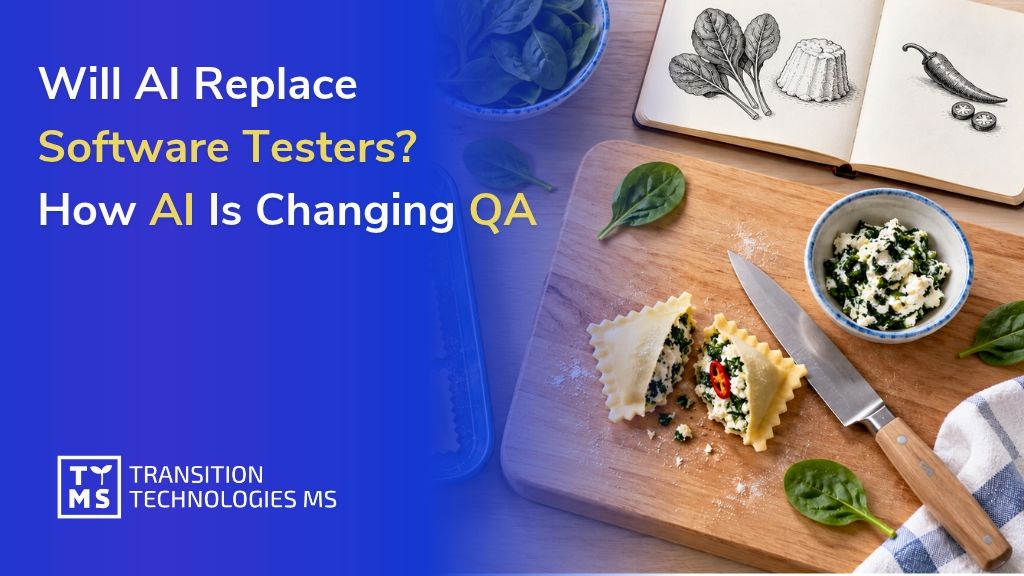
Will AI Replace Software Testers? How AI Is Changing QA
At another session in the TTMS Tech Talks series, we explored how artificial intelligence is changing the work of software testers. On October 20, 2026, Małgorzata Struzik, QA Engineer at TTMS, presented “Will AI Take Testers’ Jobs? Facts, Myths, and the Future of QA.” Małgorzata explored the tasks where AI can support testers and shared her experience of trying out one of the tools herself. Her presentation opened a discussion about the future of the profession, collaboration between testers and developers, and the skills needed to use AI in IT projects. Tech Talks – sharing knowledge at TTMS Tech Talks is a series of short internal sessions where TTMS employees share technical knowledge, project experience, and tools that help with everyday work. Each presentation ends with a Q&A session, creating space for discussion and the exchange of ideas. This helps us learn from one another and discover solutions used by other teams. 1. How does AI support testers’ everyday work? What does a software tester actually do? If you picture someone clicking buttons and checking whether an application works, you are seeing only part of the job. Before a quality assurance (QA) team begins testing, it needs to understand how the system should work, who will use it, and what consequences a defect could have. A tester decides what to check and how, looks for ambiguities in the requirements, and anticipates situations that could cause difficulties for users. When testers find a problem, they describe it so that a developer can reproduce it and identify its cause. Where can AI help with this work? It can suggest test cases: descriptions of what to check, which actions to perform, and what the expected outcome should be. It can also help write an automated test, analyze logs that record system events, or prepare test data. This support helps testers prepare the materials they need more quickly. Let’s take a closer look at suggested test cases. AI can quickly produce an organized set, with steps and an expected outcome for each case. It is easy to assume that the set is ready to use. However, a tester familiar with the application may notice that the company follows a different process or that a check for invalid input is missing. The tester then returns to the requirements, resolves the uncertainties, and revises AI’s suggestions. Our guide to AI in test automation explores how AI can support test creation, execution, and maintenance in greater detail. Tasks that take up a significant amount of the team’s time and produce results that can be reliably checked are a good starting point. 2. From requirements to test cases – AI in practice For the session, Małgorzata tried the process herself. She asked ChatGPT to prepare a detailed requirement describing how someone would use a website, then entered that description into the AI generator within a test management tool. She selected the tool from our list of the 10 best AI tools for testers. The tool quickly prepared the test cases. Małgorzata could read the suggestions as they were generated, and once saved, they formed an organized set. Each case was labeled as AI-generated. How did she assess the result? During the discussion, she explained that each suggested test still needs to be checked against the requirements: “A person will have to review each test case individually and check whether it matches the requirements, and that takes time too.” Małgorzata noted that this was a brief trial and that the requirements had not been developed in detail. Their description was created with ChatGPT’s help. In a real project, the first step would therefore be to check whether it reflects what the business and its users need from the application. If an important rule is missing, the generated tests may omit it too. They would then match the description while leaving some necessary checks uncovered. Małgorzata’s point about reviewing every suggestion raises a question: how much time can this approach save? To assess that, the team needs to account for preparing the description, generating the test cases, reading them, and making corrections. The total time can then be compared with the time needed to prepare a similar set without AI assistance. Time savings occur when the entire process takes less time and the resulting tests verify the requirements just as effectively. 3. Why can a passing test create a false sense of security? Automated tests created with AI assistance also need to be reviewed. Can an application pass all of them and still behave incorrectly? Małgorzata highlighted that possibility. If a test treats incorrect application behavior as correct, it will pass even though the feature is not working properly. A test suite may also leave out an important feature or business rule. The bread in the illustration presents a similar situation: it has a golden crust and a properly baked interior, so those checks would pass. However, it was supposed to be gluten-free, and wheat flour was used to make it. Checking its appearance and how well it was baked was not enough to confirm that it met the basic requirement. In software, a similar problem could involve a financial report that should be available only to authorized employees. AI prepares a test: the user clicks a button, and the report opens. The test passes. Everything looks fine until someone asks: what happens if an employee without permission clicks the same button? If nobody has checked that, it remains unclear whether the application properly protects access to the report. That is why a tester reviewing AI’s suggestions returns to the requirements and checks: whether each requirement has a corresponding test; whether the tests correctly describe how the application should behave; whether invalid data, missing permissions, and exceptional situations have been considered; whether testing covers the features whose failure would have the greatest impact on users and the business. Understanding how users work helps identify these gaps. A tester who knows who uses the report and what its data is used for can ask further questions and expand the test suite. This helps ensure that tests also cover what matters in everyday use of the application. 4. How might AI change the division of work between testers and developers? How might using AI affect the way a team divides its work? One participant suggested imagining two people, each able to both write code and test it. For one task, the first person implements a change while the second checks how it works. For the next, they switch roles, using AI for support. This approach would require learning on both sides. Testers would develop programming skills, while developers would gain a deeper understanding of testing techniques. A second person’s perspective would remain important for spotting defects or questioning the author’s assumptions. Whether this model would work would depend on the project, the team’s experience, and its software verification practices. Another idea emerged during the discussion: the team first prepares tests describing how the application should behave, and AI then generates code based on those tests. This puts the focus on the precision of the tests. If an important rule is missing, the generated software could pass every check and still fail to meet users’ needs. Both scenarios show why it helps for IT team members to understand one another’s responsibilities. Understanding code helps testers identify the cause of a defect, while knowledge of testing helps developers anticipate problems as they write a feature. We explore these changes further in our article on how AI is changing the work of developers, testers, and analysts in 2026. 5. How can you prepare a QA team to work with AI? Where should learning to work with AI begin? Toward the end of the session, participants expressed a need for practical training. They wanted to see how to use the tools, write prompts, and check the responses. They also suggested separate sessions on working with AI chat tools and using AI for programming, so that everyone could explore examples relevant to their responsibilities. Such training could focus on one specific task, such as preparing test cases together for a selected application feature. The team starts with an agreed requirement, provides it to AI, and then discusses the suggestions. This makes it possible to see what the tool included, what it missed, and how much work is needed to bring the tests to an acceptable standard. A task like this also provides an opportunity to establish a few ground rules: Which tools can we use? Employees should know which solutions have been approved for use in the project. What data can we share with them? Requirements, code, and documentation may contain confidential information. How that information is used must comply with company and client policies. Who reviews the output? Someone needs to assess the generated materials and decide whether they are suitable for further use. What do we check before approval? The team should agree on criteria such as alignment with requirements, correct expected outcomes, and coverage of important exceptional situations. The discussion also raised the question of responsibility for code created with AI assistance. Participants explained that, in their projects, the person approving a change is responsible for checking it, regardless of how it was created. Learning to use AI should therefore also include evaluating and correcting its suggestions. What does this mean for the future of testers? The session explored several scenarios, each prompting a discussion about the need to develop skills. AI can help prepare tests or analyze code. Using those outputs requires people who understand the application, can identify gaps, and know what further questions to ask. Małgorzata had already addressed this need to keep learning during the discussion about the profession’s future: “So we really need to be open to learning.” To learn more about using AI in software testing, explore QATANA – TTMS’s AI-supported software test management tool. Our team can discuss how this solution could be used in your project. FAQ What is the difference between quality assurance and software testing? Quality assurance (QA) covers the practices a team uses to prevent quality problems throughout software development. Software testing focuses on evaluating the product and identifying defects. QA can include reviewing requirements, agreeing on development standards, and improving how changes are checked before release. Testing provides evidence about how the software behaves under specific conditions. For a business, both matter: preventing misunderstandings early can reduce rework, while testing helps identify problems in the implemented solution. What is the difference between a test scenario and a test case? A test scenario describes a situation or activity that needs to be checked, such as a customer completing an online purchase. A test case gives more detailed instructions, including the starting conditions, input data, actions, and expected results. One scenario can require several test cases to cover different outcomes. For example, purchasing a product may involve a successful payment, a declined transaction, or an interruption during checkout. Teams should agree on these terms because naming conventions can differ between projects and tools. Can AI help with testing older software that has incomplete documentation? AI can help organize available information and suggest questions or initial test cases based on existing materials. These might include user guides, historical defect reports, support tickets, and existing tests. The main difficulty is establishing which behavior is actually correct. Older software may contain workarounds or defects that users have come to accept, and describing its current behavior can accidentally turn those problems into requirements. Business users and product owners should therefore help confirm the expected behavior. A useful starting point is one well-understood process whose rules can be checked before expanding the scope. What are flaky tests, and why do they matter when evaluating AI-generated tests? Flaky tests produce inconsistent results even when the software being tested has not changed. They can be affected by timing, shared test data, unstable environments, or dependencies on external services. Such failures create extra investigation work and make it harder to distinguish a product defect from a problem in the test itself. AI-generated test code can contain these weaknesses, so a single successful execution provides limited evidence of reliability. Teams should check whether tests behave consistently across repeated runs and investigate recurring failures. Otherwise, time saved during test creation can be consumed by maintaining unreliable tests. What should a company check before committing to an AI testing tool? A company should examine how easily it can retrieve and reuse its testing assets if it changes tools. Important questions include whether test cases, results, requirement links, and change history can be exported in a usable format. For generated automation, the team should establish whether the code can run and be maintained outside the vendor’s service. It should also identify features that depend on proprietary components or continued subscription access. A practical evaluation can include exporting a small sample and checking what another tool can actually read. This helps estimate the future effort of migration and protects the value of the team’s work.
Read
How to Use AI to Analyze RFPs and Tender Documents
AI can help your bid team extract requirements, deadlines, and eligibility criteria from the documentation, then compare them with information about your company’s capabilities. Each finding needs a source that allows you to verify it, along with a note of anything that still needs clarification. This overview helps the team assess whether to pursue the bid and who should be involved in preparing it. Before committing your team to preparing a bid, check whether the contract terms are acceptable to your company. A requirement to provide round-the-clock support, buried in an appendix, could change the entire cost calculation. AI can help identify such requirements during the initial review, so you know what your company will need to deliver and which terms to clarify before work on the bid begins. What information should AI find in the documentation? List the information you look for in every RFP: what needs to be delivered, which conditions must be met, and how much time remains to prepare the bid. Use this list to create a standard analysis template. For the next tender, your team will immediately know where to find the requirement they need to check. Scope of the initial RFP analysis Area What to include in the analysis How the team uses this information Scope of the contract Products or services, quantities, locations, contract lots, and additional options. Assess whether the contract fits the company’s offering and what resources delivery would require. Mandatory requirements Required specifications, experience, certifications, and documents demonstrating compliance. Identify requirements that must be confirmed as met before proceeding. Deadlines Dates for submitting questions, submitting the bid, and delivering the contract, including any specified times or events that trigger a deadline. Plan bid preparation and check the delivery team’s availability. Bid evaluation criteria Criteria, their weightings, and scoring methods, where specified in the documentation. Assess where the company can make its bid competitive. Contract terms Terms covering acceptance, payment, support, liability, and contractual penalties, where applicable. Refer specific provisions for operational, financial, or legal review. Required documents Forms, appendices, and declarations, along with when they must be submitted. Assign tasks and check whether the company has the required materials. The summary must clearly distinguish mandatory requirements from criteria that can earn additional points. Show the bid submission deadline and the contract delivery deadline separately. The decision-maker should be able to find this information without searching through the documentation again. How did TTMS use AI to analyze Takeda’s RFPs? Takeda’s Polish team reviewed extensive tender documents in which essential information was scattered across files and expressed in complex language. To streamline this work, TTMS developed a solution built on Salesforce CRM. AI helped identify key information and perform preliminary checks of whether the offering met the requirements specified in the RFPs. The system extracted details such as order volumes, delivery deadlines, and formal requirements. It prepared summaries and helped identify deviations from predefined parameters. The system also read scanned documents, processed multiple documents simultaneously, and highlighted relevant passages in the source material. Users could see the passage on which the system based its answer and check whether the conclusion was supported by the cited text. In this implementation, AI streamlined RFP analysis and reduced the time needed to complete it. We describe the project’s scope in our case study on integrating Salesforce with AI at Takeda. How should you organize AI-supported document analysis? Run your first test on RFPs your team knows well. This makes it easier to check whether AI has identified the requirements that matter to the bid decision and whether it has missed anything. AI-supported RFP analysis in five steps: Collect the current documentation for a single tender. Create a requirements list with source references. Compare the requirements with your company’s capabilities. Resolve outstanding questions and decide whether to bid. Update your findings when the documentation changes. 1. Collect the current documentation for a single tender Prepare the RFP together with its appendices, forms, and draft contract. For Polish public procurement procedures, include the specification of contract terms, known as SWZ, where applicable. Add any published clarifications and amendments relevant to the scope being analyzed. Record the source, publication date, and version of each file. Also identify the contract lot to which the document applies. The person responsible for preparing the bid should check that all materials have been collected and identify which provisions have been amended or supplemented in subsequent documents. A later file date alone does not establish which earlier provisions no longer apply. Check how the system reads scans and tables. Misreading a unit of measurement or assigning a value to the wrong column can change the meaning of a requirement. Microsoft identifies scan quality and text characteristics as factors affecting document recognition. Require a list of any files or pages the system could not process correctly. 2. Create a requirements list with source references Ask AI to organize the requirements in a table, with one requirement per row. Make sure important qualifications are preserved when the text is shortened. If a requirement applies to only one product or contract lot, the summary must make this clear. Include the following in the table: The requirement, including its specified value, unit of measurement, and any exceptions. Supporting documentation: the file name, version, section or page, and the passage supporting the finding. Scope of application, such as the contract lot or delivery stage. Review status and the person responsible for confirmation. If AI cannot find the information, it should flag the issue for review. A missing result does not mean the requirement is absent from the documentation. Where provisions conflict, the system should show both sources so a specialist can resolve the discrepancy. In solutions using retrieval-augmented generation (RAG), the model receives relevant excerpts retrieved from the documentation and uses them to formulate its answer. This approach allows answers to be linked to their sources. To assess completeness, however, you also need to check whether the analysis covered all relevant documents and provisions. 3. Compare the requirements with your company’s capabilities For the second part of the analysis, prepare approved internal materials: product data sheets, service descriptions, references, or certificates. Share only the data needed for the RFP in question. Information about team availability or delivery capacity can change. Assign someone to confirm that it is current. Every AI assessment of whether the company meets a requirement should include a reference to supporting documentation. A general description of capabilities may not be sufficient to demonstrate compliance with a specific condition. Assign each item a status: confirmed, discrepancy, missing information, or specialist review required. The person who checks the cited evidence confirms whether the requirement is met. If the RFP requires round-the-clock support but the service description specifies support on business days, flag the difference. The delivery manager will assess whether the company can extend its coverage and how this would affect the cost. The AI analysis should identify the discrepancy. The person responsible for delivering the service approves any decision to extend its scope. 4. Resolve outstanding questions and decide whether to bid Use the discrepancies to create a list of issues to resolve. Separate questions for the contracting organization from internal matters, such as specialist availability, acceptance of payment terms, or the ability to provide a required document. Assign a deadline and an owner to each issue. AI can help draft a question based on an unclear provision. The person responsible for the bid should check the question’s wording and relevance, then determine how and when to submit it. Refer questions about the meaning of contractual obligations to a lawyer. Before deciding whether to bid, prepare a brief overview of which requirements the company meets, what obstacles remain, and how much work preparing the bid will require. Authorized individuals determine pricing, margins, and the acceptable level of risk. Keep a record of the decision’s rationale and the version of the documentation the team reviewed. 5. Update your findings when the documentation changes Return to the requirements list whenever you receive a new appendix or clarification. Have it compared with the previous findings and identify which items require renewed approval. Keep a change history so the team can see why the assessment of a particular requirement changed. A change in support coverage may require an updated cost calculation. A new experience requirement may mean checking references again. Also confirm whether any deadlines have changed. If the system needs to retrieve new documents automatically, include integration with the publication source and monitoring of that integration in the implementation scope. Which solution should you choose for RFP analysis? Consider what your team will do with the completed analysis. If the bid manager needs a report to support document review, you can start the pilot with a document analysis tool. If findings need to be linked to sales opportunities and used to assign tasks, include CRM integration. AI4Content is a TTMS tool for analyzing documents and preparing structured summaries using configurable templates. To use AI4Content for RFP analysis, adapt the report template and check how the tool reads your team’s documents, particularly scans and complex tables. The CRM option allows you to link the analysis to the relevant opportunity and customer information, as in the Takeda project described above. Through its AI integration with Salesforce services, TTMS tailors the solution to the client’s process and data sources. Define during project planning which results will be saved in the CRM, which tasks should be created, and how changes will be approved. For both options, assess document recognition quality, access to sources, handling of successive document versions, and the ability to verify results. Access requirements should also cover generated reports. Someone analyzing a public RFP does not necessarily need access to all internal cost calculations and references. Before sharing documents, agree with IT and the person responsible for security on where the documents will be processed, how long they will be retained, and how the AI service provider may use the data. Account for the confidentiality of customer documentation and the internal materials used for comparison. How can you assess whether AI reduces your bid team’s workload? Measure how much time the team spends preparing an analysis that is ready for approval. Include collecting files, using the tool, checking sources, and making corrections. Record time spent waiting for other departments separately. This will show how much time goes into the analysis itself and how much into obtaining the necessary confirmations. For the pilot, select completed tenders for which the team will prepare a reference requirements list. Include documentation containing tables, scans, and subsequent amendments. Set aside some cases for the final evaluation so you can also test the solution on materials that were not used to refine it. Compare three elements: Completeness: Which important requirements were identified, and which were missed? Correctness: Do the specifications, deadlines, and cited sources match the documentation? Work required: How long did it take to produce a result accepted by a specialist? Distinguish critical errors from minor corrections. Missing an eligibility requirement should carry more weight in the evaluation than awkward wording in a summary. Agree on acceptance criteria with the people responsible for bids before the pilot begins. Put TTMS’s RFP analysis experience to work for your team At TTMS, we implement AI in processes where business decisions depend on accurate document analysis. For Takeda’s Polish subsidiary, we developed a solution that supports RFP analysis and integrates with Salesforce. We can draw on this experience when designing improvements for your team. TTMS has certified management systems for AI under ISO/IEC 42001, information security under ISO/IEC 27001, and quality under ISO 9001. We were the first company in Poland to obtain accredited ISO/IEC 42001 certification. When working with tender documents, these standards are relevant to risk management, information protection, and oversight of the solution. Show us how you currently assess RFPs and which tasks take the most time. Together, we will define the pilot’s scope, evaluation criteria, and required integrations. Let’s discuss AI-supported RFP analysis and identify where we can reduce your team’s workload. How does AI help analyze tender documents? AI can extract requirements, deadlines, and specifications from documents, prepare summaries, and help compare them with company information. Useful results should include sources and flag issues that need clarification. The people responsible for the bid verify the findings and decide whether to participate in the tender. What AI tools can be used to analyze RFPs? You can use a document analysis tool such as AI4Content or a solution integrated with your CRM. TTMS implemented AI-supported RFP analysis within Salesforce for Takeda. Base your choice on document formats, how the findings need to be verified, and where the team will use the results. Do you need to train your own AI model to analyze tender documents? Many solutions can use an existing model supplied with relevant excerpts from the documentation, for example through retrieval-augmented generation (RAG). This means using the model rather than training it on company documents. Assess the need for additional training based on specific tasks and test results. Can AI analyze scanned tender documents? Yes, provided the solution supports reading scanned documents. However, the quality of the results depends on the document and the content recognition technology used. During the pilot, pay particular attention to tables, units of measurement, fine print, and footnotes. Any content read incorrectly should be flagged for manual review. Can AI independently decide whether a company should bid? In the process described here, AI prepares information to support the decision. An authorized person approves participation after reviewing the requirements, delivery capabilities, and commercial terms. Define who confirms each finding and which unresolved issues must be addressed before work on the bid can begin.
Read
AI for Software Development in 2027: How to Choose Tools for Your Team
Before purchasing an AI coding tool, define the improvements you expect from its adoption. Your evaluation should reflect your goal: reducing the time needed to prepare changes, improving testing or making an existing system easier to work with. In every case, account for the time needed to review and refine the output so that it meets the team’s requirements. How to choose AI tools for your development team in 5 steps: Define the tasks your team will use AI for. Check the rules governing tools’ access to code. Select two or three tools to compare. Run a pilot under comparable conditions. Assess the cost of accepted changes. Below, we explain how to follow these steps as you prepare your team for 2027. Which AI coding tools should you consider for 2027? We have compared GitHub Copilot, Cursor, Claude Code, OpenAI Codex, JetBrains Junie and Gemini CLI. We selected them to illustrate different ways of working: assistance in the editor, task execution within a repository and interaction through the terminal. A repository stores code and its change history, while a terminal lets developers run tools using commands. Our comparison draws on information in the vendors’ documentation. For each tool, we identify a use case and a task that will help you assess its suitability for your project. AI coding tools: use cases and tasks for a pilot Tool When to include it in your comparison What to check in your project GitHub Copilot When code suggestions, issue management and change reviews within GitHub are important. Follow a small change from issue analysis to preparing a pull request. Check the quality of the output and how organisational policies apply in the selected mode. Cursor When the team wants an agent that searches the project, edits files and runs commands. Assign a change involving several related files. Assess adherence to project conventions and the time needed for review. Claude Code When developers want to carry out multi-step tasks using code, the terminal and the team’s existing tools. Assign a bug fix that requires analysing several modules and running tests. Record how often a developer needs to intervene. OpenAI Codex When repository work involves analysis, planning changes, editing files and running development tools. Check how the task is completed in the configured environment. Assess the correctness of the change, test results and control over permitted actions. JetBrains Junie When the team uses a JetBrains IDE supported by Junie and wants to plan and carry out tasks with an agent’s assistance. Assign a change that includes tests and check which project information the agent receives. Verify support for the IDE version your team uses. Gemini CLI When the team prefers an agent powered by Gemini models, running in a terminal on the developer’s computer or in Google Cloud Shell. Complete a development task using your chosen authentication method. Check the applicable usage limits, billing terms and data processing policies. Many products support several ways of working. During the pilot, record the tool name, model, operating mode and configuration. An agent running in the cloud may have different access to libraries, documentation and services from one running on a developer’s computer. Account for these differences when comparing results. How do you match AI tools to your development team’s tasks? Start by identifying a specific activity you want to improve. Translate the broad goal of adopting AI in IT into a task with measurable results: preparing tests for an existing module, updating an integration or reducing the time needed to investigate a reported bug. Working with an existing system: check whether the tool can locate the relevant code and explain dependencies. Ask for references to files so that you can verify its answer. Implementing repetitive changes: assess adherence to existing project patterns, error handling and the scope of modifications. A useful task might involve adding a field to an existing workflow, including validation. Creating tests: check whether the generated test detects a known bug and reflects business requirements. Also verify that it covers the relevant scenarios and rests on sound assumptions. Modernising code: compare the system’s behaviour before and after the change. Account for the library versions in use and compatibility requirements for other components. Start with tasks that have clearly defined expected outcomes and verification methods. Where documentation is incomplete, use the pilot to establish how much time the team spends supplying AI with the missing context. How do you assess code protection and AI agent permissions? Before giving a tool access to your company’s repository, define the requirements its configuration must meet. These include the scope of shared data, where it is processed, how long it is retained and the available controls. For client projects, also check the agreed rules for using external services. Check data flows for the feature you use Cursor’s documentation distinguishes between requests sent to models and cloud agent operations, which require storing a copy of the repository. This shows why the assessment should cover the specific feature and selected model. Check separately whether data is used to train models, how long it is retained and where it is processed. Even when an application runs on an employee’s computer, check where the information supplied to the model is sent. The location of the interface and the location of data processing are two separate aspects of the assessment. Verify how security controls work in practice GitHub documents limitations to Copilot’s content exclusion feature, including the lack of support in the Edit and Agent modes specified in its documentation. Any assurance that AI cannot access a particular directory therefore needs to be verified in the exact client and mode your team will use. For tools that run commands, also check environment isolation, network access and approval requirements. These controls are described in the documentation for Codex and Claude Code. During the pilot, use files containing sample data to test restrictions without exposing real passwords, access keys or other confidential information. Treat mandatory requirements as conditions for proceeding with the evaluation. If a particular setup does not comply with project policies, consider another configuration or product before comparing productivity. How do you compare AI tools using pilot results? Once you have checked data and access requirements, you can compare the shortlisted tools’ effectiveness. In the matrix below, we assign the greatest weight to code correctness and the effort required to review and approve it. Adjust the weights to your project’s priorities before starting the pilot so that every tool is assessed on the same basis. Suggested evaluation matrix for your team’s AI tools Criterion Weight Data needed for the assessment Correctness and quality of changes 35% Compliance with acceptance criteria, defects identified and the extent of required corrections. Total team effort 25% Time spent preparing the task, implementing the change, reviewing, verifying and making corrections. Project fit 20% Ability to work with the project’s languages, dependencies, documentation and testing tools. Cost predictability 10% Actual usage, the cost of unsuccessful attempts, usage limits and spending controls. Ease of use and learning time 10% Time needed to use the tool independently, difficulties encountered and support required. Score each criterion on a scale of 0–5, defining what each score means in advance. To calculate the overall result, divide each criterion’s score by 5, multiply it by its weight expressed in points and add the results. The maximum overall score is 100 points. For example, a score of 4/5 for a criterion weighted at 35% contributes 28 points. If data is missing, mark the criterion as unassessed and gather the necessary information before calculating the result. Include a brief justification and examples of changes with your assessment. A common scale makes discussions between developers, the technical lead and the budget owner easier. Also set minimum quality requirements. If critical errors recur in a tool’s output, investigate their causes before adoption, regardless of its overall score. How do you measure costs and productivity when using AI for software development? Include licences, model usage fees, configuration, training and team time in your budget. Particularly with agents that perform multiple steps, measure the cost of the entire task, including attempts that do not produce an accepted change. Cost per accepted task = total human labour and tool costs allocated to a group of tasks ÷ number of accepted tasks in that group. Compare tasks of similar complexity and with comparable quality requirements. Show adoption costs separately. When assessing cost-effectiveness over a longer period, specify how many months you spread these costs across. Example: what does faster code preparation deliver? Suppose preparing and implementing a change takes 100 minutes, or 60 minutes with AI assistance. Add the time spent on review, verification and corrections to the comparison. This allows you to calculate the time saved across the entire task. Example of team effort required to complete the same task Stage Without an AI tool With an AI tool Preparation and implementation 100 minutes 60 minutes Review, verification and corrections 40 minutes 65 minutes Total effort 140 minutes 125 minutes In this example, preparation and implementation take 40% less time. Total effort falls by 15 minutes, or approximately 10.7%. A financial calculation should also account for the cost of the tool and the labour rates of those involved. Measure the elapsed time from starting work to acceptance separately, as this also includes waiting for a review or for the environment to become available. Research helps explain why measuring results in your own team matters. The 2025 DORA report highlights the role of work organisation in getting value from AI. In METR’s early-2025 experiment, experienced open-source developers took 19% longer to complete the tasks studied when using AI. The finding applied to a particular group and the tools available at the time. In its February 2026 update, METR described participant and task selection issues that made it difficult to reliably estimate the impact of newer tools. These findings should not be translated directly into projected savings for a specific team in 2027. How do you run a pilot of AI tools within your team? Divide the pilot into four stages: preparing the comparison, configuring the tools, completing tasks and evaluating results. The schedule below spreads these stages across four weeks. Adjust the time allocated to each stage to suit the number of tasks, release cycle and project quality requirements. Week 1: select tasks and establish a baseline Gather data from recently completed, similar work. Select several task types: fixing a bug, adding a small feature, preparing a regression test and modifying an existing integration. Prepare acceptance criteria and tests to verify the results. Record the effort previously required and how defects are counted. Week 2: configure the tools and prepare users Narrow the shortlist to two or three tools. Define permitted repositories, permissions, models and spending limits. Provide users with training of a similar scope and access to the same project information. Include learning time in adoption costs and begin measuring routine work once training is complete. Week 3: carry out comparable tasks Assign similar tasks to different working approaches, using random allocation where possible or a predetermined rotation. Account for developers’ experience and familiarity with the project. Having the same person repeat an identical task may give them an advantage because they remember the solution. Also record unsuccessful attempts and instances where a developer takes over from the agent. Week 4: compare quality, time and costs Analyse results separately for each task type. Report the median alongside the mean and the most costly cases. Check whether reviews and testing can keep pace with the number of proposed changes. Base the decision to expand adoption on results that recur across multiple tasks. After the first releases, add defects discovered during use to the assessment. Conclude the pilot with a clearly scoped decision: adopt the tool for selected tasks, extend the trial or choose another solution. Assign responsibility for configuration, set a reassessment date and define the conditions for increasing the number of users. How do you connect AI tool selection with software delivery quality? Your plan for 2027 should also account for the work of those who review and accept AI-generated changes. If the pilot shows that preparing regression tests, analysing requirements or organising testing accounts for a substantial share of the effort, include these areas in the next stage of improvements. We explore the broader context in our article on how AI is changing the work of developers, testers and analysts. At TTMS, we also develop QATANA, an AI-assisted test management tool. It supports drafting test cases, selecting regression test suites, organising manual testing and analysing automated test results. Consider this support when your process analysis identifies a need to improve the testing team’s workflow. If you are planning to use AI in software development, talk to us about your team’s use cases and requirements. We can start with a single process and work together to define the expected outcome and how to measure it. FAQ: selecting and adopting AI tools for a development team Should a company choose one AI tool for all developers? A common standard can simplify administration, support and cost control. However, it is worth checking whether teams use similar technologies and have comparable needs. A company maintaining different systems can establish a shortlist of approved tools and define their intended uses. Each exception to this list should have a designated person responsible, a justification and a review date. This approach helps the company retain control over tool selection while accommodating the requirements of individual projects. How should you introduce junior developers to AI coding tools? Access to the tool should be combined with guidance from a more experienced colleague. Junior developers should be able to explain their chosen solution, identify its limitations and independently verify that it works correctly. Reviewing an AI-generated change before running tests is a useful exercise. A mentor can ask them to identify assumptions that the AI has not verified and describe how the solution handles invalid input. When evaluating adoption, account for mentoring time and the developer’s growing ability to work independently. How should you agree on AI use with an external development team? Agree on the permitted tools, models and working methods, along with the materials that may be shared with them. Specify who administers accounts, manages usage and billing, and reviews changes. The external team should follow the same acceptance criteria as your internal developers. Also define the procedures for switching tool providers or ending the engagement. Ensure that the agreed scope of AI use complies with the contract and project policies, particularly where tools will process client-owned code. How can you reduce your team’s dependence on a single AI provider? Keep code, tests, architecture documentation and acceptance criteria in systems controlled by your organisation. Agent instructions should be version-controlled alongside the project, with general principles kept separate from product-specific settings. Before purchasing a tool, check how to export the data you need and revoke its access to company resources. Retain the task set used during the pilot, as it will make evaluating an alternative easier. Also account for the cost of retraining the team and migrating the configuration. When should you reassess your chosen AI coding tool? Reassess the tool after a significant change to the model, operating mode, data processing policies or billing structure. Changes to the project’s technology stack or recurring problems with output quality are further reasons for a review. The retained task set allows you to run a focused comparison using the new configuration. Match the scope of the review to the extent of the change and the criticality of the system. The person responsible for the tool should document the findings and the decision to continue using it or revert to the previous settings, where that option is available.
Read
AI in GxP Environments: From Pilot to Validated Deployment
Misclassifying a document can cause an important record to be filed in the wrong place within a system. In the pharmaceutical industry, such an error has implications for data integrity and the handling of regulated documentation. This was one of the examples discussed during the “Deploying AI in the GxP World” webinar, illustrating how many decisions need to be made before artificial intelligence can support day-to-day work in a GxP environment. On 13 October 2026, we attended the “Deploying AI in the GxP World” webinar, organised by ISPE Poland together with ProductLife Group (PLG). Naomi Ofili and Gabrièle Piaton from PLG spoke at the event. They discussed the risk assessment, validation and safeguards needed to move from an AI pilot to a deployment whose operation can be documented and assessed during an inspection. The webinar formed part of a series linked to the AI in Pharma 2026 conference. 1. What is GxP, and how does it affect AI deployment in pharma? GxP is an umbrella term for good practices covering areas such as medicinal product manufacturing, clinical trials and pharmacovigilance. One of the webinar’s central messages was that assessing an AI application should begin with its intended use and impact on a specific process. The same model can support tasks with very different implications for product quality, patient safety and documentation. The speakers illustrated this through translation. Translating internal correspondence and translating product information submitted to regulatory authorities require separate assessments. The same applies to literature analysis: the requirements depend on whether the search supports market monitoring or the identification of information about medicine safety. How the AI output is subsequently used also matters. Text, classifications or metadata may become part of regulated documentation. The assessment should therefore consider the solution’s role in the process, its impact on GxP records and the consequences of an error. The speakers recommended carrying out this analysis when developing the project’s business case, so that the validation scope, resources and costs can be identified early. 2. AI validation needs to be planned across the operational lifecycle Validation provides documented evidence that a system is fit for its intended use. The webinar repeatedly returned to the question of how to demonstrate this suitability for AI. The speakers referred to the risk-based approach described in GAMP 5 and to guidance on artificial intelligence. The materials cited included the ISPE GAMP Guide: Artificial Intelligence, published in 2025, which addresses AI-enabled systems in GxP areas. Another reference was the European Medicines Agency’s reflection paper on AI in the medicinal product lifecycle. The practical questions concerned data and evaluation criteria. Do the test examples reflect real documents and products? Was the test dataset independent of the data used to tune the solution? Which results will we consider acceptable, and did we define these criteria before testing began? The approach presented also covered limiting outputs unsupported by source material, assessing behavioural stability, monitoring performance, handling invalid inputs and detecting bias. Testing before release was combined with controls during operation and assessment of the impact of model changes. Reference collections of test cases developed with subject matter experts, described during the presentation as golden sets, can help. Revisiting the same cases across successive versions of a solution makes it possible to check whether a change has reduced performance on tasks that matter to the organisation. We explore practical ways to support testing and quality documentation in our comparison of AI QA tools for pharma. 3. Human oversight extends beyond approving an output Naomi Ofili distinguished between two levels of human involvement. The first is human-in-the-loop: a stage in the process at which an expert approves, edits or rejects an AI output. The second is oversight across the solution’s entire lifecycle, including monitoring, preventing uncritical acceptance of automated outputs and the ability to stop the system. In the workflow described, the AI output underwent automated checks before being reviewed by a designated expert. Information about the sources, instructions given to the model, its version and the approval was retained. This record made it possible to reconstruct the conditions under which the output was produced and identify who approved its use. The expert also helped define acceptance criteria and develop test cases. Their knowledge therefore informed the solution’s design and the way its quality was assessed. For a company planning a deployment, this means assigning responsibilities and allocating time for expert involvement from the outset. 4. What did the examples of literature monitoring, translation and data migration show? The speakers illustrated these principles with three examples from projects carried out by the PLG team. Each highlighted different requirements for assessing AI outputs and their subsequent use. 4.1. Literature monitoring for pharmacovigilance In the first example, AI supported the review of scientific publications for pharmacovigilance. The system proposed a category for each article and a rationale, both of which were reviewed by an expert. Gabrièle Piaton emphasised that a particularly challenging step was translating the specialists’ assessment method into a structured decision tree. This example showed the importance of documenting expert knowledge and classification criteria before automating a task. 4.2. Translation of regulated documentation The second example concerned AI-assisted translation reviewed by a human against quality criteria tailored to the risk associated with the document. The process also included reconstructing the formatting to facilitate the translators’ subsequent work. Assessment of the solution therefore covered content quality, the review process and the document’s suitability for further use. 4.3. Data migration and document classification In the third example, AI supported document classification, metadata extraction and mapping data to the target system’s structure. The speakers highlighted the difficulty of distinguishing between similar document classes and the consequences of misclassification. They stressed the need to trace data provenance, transformations and approvals, as well as to perform quantitative and qualitative verification before migrated data are put into use. 5. Hosting and costs should be considered before the pilot A separate part of the webinar focused on solution architecture. The speakers suggested deciding before the pilot where data would be processed, what information would be recorded in logs and whether the model version could be controlled. Their criteria for selecting an environment included confidentiality, data-processing location, update arrangements, the ability to reconstruct system activity and the cost of switching suppliers. The discussion also covered selecting models for individual tasks. Smaller, specialised models can help reduce costs if they meet the defined quality requirements. The proposed economic assessment focused on the cost of completing a task and obtaining the expected result. The speakers also highlighted the possibility of reusing components for information retrieval, testing, monitoring and output approval. We discuss the division of responsibilities between a pharmaceutical company and its supplier, along with update controls, in more detail in our article on SaaS validation in pharma and GxP requirements. 6. What helps move an AI pilot into day-to-day operation? Towards the end of the session, the speakers highlighted collaboration between technical teams, subject matter experts and the customer around a jointly agreed backlog. They also stressed the importance of appointing a business owner responsible for adoption of the solution and measurement of its outcomes. The experiences presented suggested a sequence of activities: defining the intended use and responsibilities, assessing risk, designing controls, building and validating the solution, and then maintaining it. Decisions about data quality, human oversight and change management affect every stage. For companies preparing a deployment, this means resolving several questions before the pilot: what task will AI perform, who will approve its outputs, how will their quality be assessed, and what will happen if the model or data source changes? The answers help teams plan the technical work, validation requirements and ongoing maintenance. 7. How does TTMS support deployments in pharmaceutical environments? Translating these decisions into requirements, tests and documentation requires collaboration between people who understand the business process, technology and quality assurance. At TTMS, we combine software development and maintenance for the pharmaceutical industry with TTMS Quality’s expertise in computerised system validation. Our validation services cover validation planning, requirements specification and review, test development and execution, results assessment and reporting. We use a risk-based approach and GAMP 5 guidance. The scope of work is tailored to the system’s intended use and the requirements of the specific process. If you are planning to use AI in a pharmaceutical process or preparing to take a pilot further, talk to our specialists about your solution’s requirements, risks and validation scope. Can an AI pilot in pharma start with synthetic data? Yes, synthetic data can help test an initial concept without using actual patient data or confidential documentation. However, they should reflect the structure, diversity and challenges of the intended application. Overly simple examples can give a misleading impression of the solution’s quality. It is worth including missing information, errors and ambiguous cases. The results of such a pilot are insufficient to demonstrate that the system is suitable for a real GxP process. Further assessment requires representative test data, agreed acceptance criteria and controls proportionate to risk. What should you do when AI and an expert assess the same document differently? The discrepancy should be reviewed according to an established procedure. The source document, AI output, solution version and the expert’s assessment and rationale should be retained. The cause may be a model error, ambiguous content or evaluation criteria that are too broad. Such cases help determine whether instructions, classification rules or tests need to change. An expert’s correction should not automatically trigger an update to a model used in a regulated process. Any change should be assessed, tested and approved, while retaining an independent dataset for quality evaluation. How should employees be prepared to use AI in pharmaceutical processes? Training should address the specific task, data and scope of the user’s responsibilities. Employees need to know what information they may submit to the system, how to check outputs and when to raise concerns. Exercises involving incorrect, incomplete or seemingly convincing responses are useful. They help assess whether users can verify an output rather than accept it uncritically. Instructions for handling failures or periods when the solution is unavailable are also helpful. Team preparation should include an assessment of practical skills, and training should be updated when the system or procedures change.
Read