

Home •Blog
TTMS Blog
TTMS experts about the IT world, the latest technologies and the solutions we implement.
Sort by topics
Search results for the term: “TEAMS”
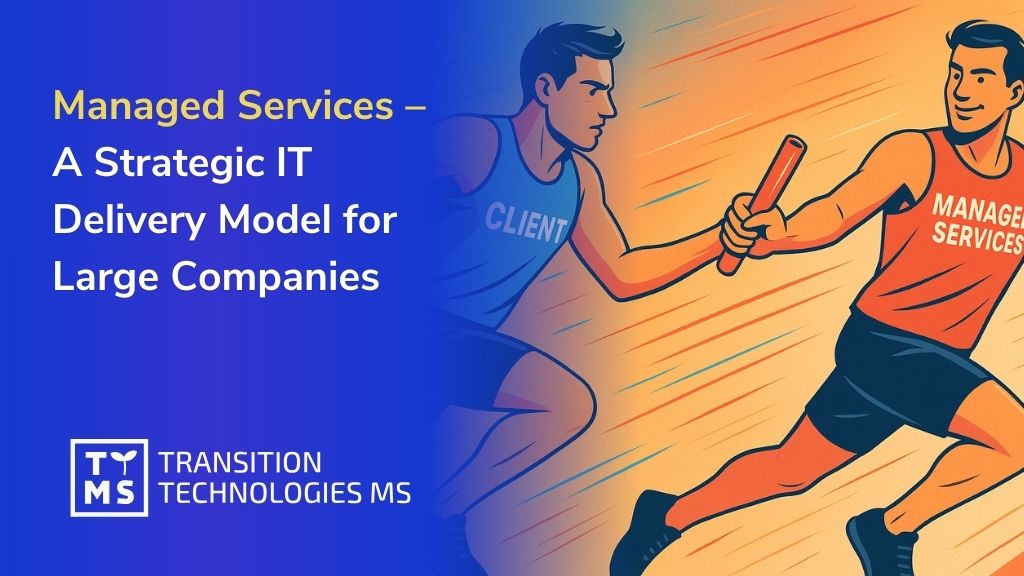
Managed Services – A Strategic IT Delivery Model for Large Companies
In today’s fast-paced business environment, large enterprises need IT solutions that are not only cost-effective but also reliable and scalable in the long run. One model of IT outsourcing that fulfills these needs is the Managed Services model. Under a Managed Services arrangement, a company partners with an IT provider to take over full responsibility for a defined set of IT services or operations, usually on an ongoing basis with clear Service Level Agreements (SLAs). This is more than just contracting tech talent – it’s about entrusting an external team to manage and deliver an entire IT function (from system analysis and development to maintenance and support) as a strategic long-term partner. Managed Services is often considered “the most technologically advanced form of IT outsourcing services” and is increasingly preferred by the world’s largest corporations for its ability to ensure stability and continuous improvement in IT delivery. What is the Managed Services Model in IT? In a Managed Services model, the service provider takes full ownership of an IT area on behalf of the client. This means the provider supplies a dedicated team (or teams) of specialists and manages the day-to-day operations, maintenance, and enhancements of the systems or processes in scope. Unlike one-off projects or simple staff augmentation, the provider is accountable for end-to-end outcomes – they monitor performance, proactively address issues, and guarantee certain results as defined by the contract (for example, system uptime, response times, or delivery of new features). The client, in turn, benefits from hands-off management of that IT function, focusing instead on core business activities while the Managed Services partner handles the technical work. Key characteristics of Managed Services: Long-term engagement: Managed Services are typically structured as multi-year contracts or ongoing engagements, rather than short-term assignments. The provider becomes a long-term partner who deeply understands the client’s systems and business goals. This fosters a relationship built on consistent service and continuous improvement over time. Defined scope and SLAs: Both parties agree on the scope of services (e.g. managing a cloud infrastructure, supporting an enterprise application, running an outsourced operations center) and specific performance metrics or Service Levels. The provider is then responsible for meeting those targets (such as 99.9% uptime or resolving support tickets within X hours), ensuring a predictable quality of service. Provider-managed team: Unlike models where the client manages day-to-day tasks, in Managed Services the vendor handles team leadership, processes, and delivery. The external team might work remotely or on-site, but they operate under the provider’s management structure and best practices. The client receives updates and reports, but doesn’t need to micromanage the technicians. Comprehensive services: A Managed Services contract often spans a range of activities – from initial analysis and design to ongoing support and maintenance. For instance, the provider might not only develop a software platform, but also maintain it, apply updates, monitor its performance 24/7, and support end-users. In many cases, the provider also handles things like capacity planning, security patching, and continual optimizations as part of the service. Flexible and scalable delivery: While the engagement is long-term, Managed Services can scale resources up or down as needed. If the client’s needs grow, the provider can add more specialists or introduce new skill sets quickly; if needs decrease, the team can be optimized accordingly. This is done under the umbrella of the service agreement, without the client having to recruit or lay off staff. In essence, Managed Services is about outsourcing an outcome rather than just people. The provider commits to delivering a functioning service or system, and it’s up to them to ensure they have the right people, processes, and tools to meet that commitment. Benefits of Managed Services for Large Enterprises For large companies, choosing a Managed Services model can offer numerous strategic benefits. By entrusting critical IT operations to a specialist partner, enterprises can achieve greater continuity and efficiency in their IT delivery. Below are some of the key advantages of Managed Services and how they address the needs of enterprise IT environments: Long-Term Reliability and Partnership: Managed Services engender a stable, long-term working relationship. The provider’s deep familiarity with the client’s IT landscape and business processes means fewer surprises and more reliability over time. Knowledge retention is higher because the same partner has been managing the system for years. For example, TTMS’s managed services engagements often turn into multi-year partnerships – in one case, a global energy management company has collaborated with TTMS since 2010, relying on a dedicated team to continuously develop and support its critical software ecosystem. Such longevity translates into reliability; the client can count on consistent service and trust that the provider will support future needs as well. Operational Continuity and Risk Mitigation: With Managed Services, enterprises gain 24/7 operational coverage and robust risk management for their IT systems. The provider is responsible for keeping the lights on at all times, often with proactive monitoring and a standby support team to quickly resolve any issues before they impact the business. This ensures high availability of systems and minimal downtime. Moreover, the provider handles personnel risks like staff turnover – if an engineer leaves, it’s the provider’s duty to replace and train a new one without disrupting the service. For the client, this means business continuity is assured. One TTMS specialization is providing such continuity: backed by the resources of a large IT group, TTMS can smoothly manage attrition and knowledge transfer so that service is never interrupted. In short, the Managed Services partner absorbs the operational risks, allowing the enterprise to run without worrying about IT breakdowns or staffing gaps. Cost Control and Predictability: Managed Services can be financially advantageous through better cost predictability and optimization. Typically, the engagement is billed as a steady monthly fee or as per an agreed budget, which makes IT costs more predictable compared to ad-hoc projects. Enterprises avoid large upfront investments and can often convert fixed costs into variable costs. Additionally, providers leverage economies of scale and efficient processes to reduce the overall cost of ownership. Importantly, clients pay for outcomes rather than hours – if the provider can accomplish the work with fewer resources or automate tasks, those efficiency gains benefit the client. The Managed Services model also helps prevent the hidden costs of downtime or failures by actively maintaining systems. Over time, many clients see cost savings from optimized operations and not having to expand their internal IT headcount for these functions. The flexibility of scaling the service up or down to match real needs (and budget) further ensures cost-effectiveness. Scalability and Flexibility: A key benefit of Managed Services is the ease of scaling. As a large enterprise grows or enters new markets, its IT needs can spike accordingly – more users to support, more data to manage, new features required, etc. With a Managed Services partner, scaling up is straightforward: you simply renegotiate the service scope and the provider will add more specialists or teams to handle the increased workload. Conversely, if certain operations become less intensive, the provider can scale down the team, avoiding unnecessary cost. This elasticity is particularly valuable for large organizations that may go through dynamic changes (mergers, acquisitions, seasonal peaks, etc.). The Managed Services model, especially with a provider like TTMS that has a broad talent pool, allows enterprises to quickly adjust capacity without the delays of hiring or the pain of layoffs. In short, you get “fast scaling-up [or down], with a ready supply of qualified experts” to meet your current demands. This flexibility extends to technology as well – need to adopt a new tech stack or tool? Your managed service partner can introduce the right experts or training to do so. Access to Specialized Skills and Innovation: When partnering via Managed Services, enterprises gain ongoing access to a wide range of specialized IT skills that might be scarce or expensive to maintain in-house. The provider brings in a team with diverse expertise – for example, cloud architects, security experts, database administrators, and more – all under one service umbrella. This means the enterprise can tap into this expertise whenever needed without having to hire each role internally. Moreover, a good Managed Services provider will keep innovating and improving the service, bringing in industry best practices and new solutions to benefit the client. They often have experience across multiple clients and industries, which allows them to introduce fresh ideas and avoid stagnation. For instance, TTMS leverages its broad experience with world-leading companies to continuously optimize its services; the company’s long-term engagements have shown that quality and competence improvements by the provider directly translate into better IT outcomes for the client. In practice, this might mean the Managed Services team suggests a performance optimization, implements an automation tool, or ensures the systems are always using up-to-date, secure technology – all as part of their service. The client gains the benefit of these innovations without having to chase them independently. In summary, Managed Services provide a steady, scalable, and expert-driven IT delivery capability. Large enterprises choose this model to ensure their IT operations are in safe hands for the long haul – with predictable costs, assured performance, and the agility to evolve as the business grows. When to Use Managed Services: Ideal Scenarios Managed Services is a powerful model, but it shines the most in particular scenarios and needs. Large companies should consider a Managed Services approach in situations where long-term support and strategic value outweigh the need for short-term flexibility. Here are some common situations where Managed Services is most effective: Ongoing Platform Support and Maintenance: If your organization has a critical software platform or enterprise application that requires continuous support, regular updates, and user assistance, a Managed Service is often the best fit. Rather than treating each update or issue as a separate project, you can establish a dedicated team to own the platform’s health and improvements over time. This is ideal for systems that have to run 24/7 (such as e-commerce sites, banking systems, or internal tools used daily by thousands of employees) where you cannot afford downtime. For example, a pharmaceutical company’s vendor management system initially built in 2008 was later handed over to TTMS under a Managed Services arrangement; TTMS took over the system’s ongoing maintenance in 2018 and continued to enhance its capabilities. Such a transition ensured the platform stayed up-to-date and performant without burdening the client’s own staff. If you have a similar long-lived application that is core to your operations, a Managed Service can provide steady maintenance, user support, and incremental development as needed. Complex, Multi-Year IT Programs: Large-scale IT initiatives – like digital transformation programs, global system rollouts, or large application ecosystems – often span many years and phases. In these cases, maintaining continuity is crucial. A Managed Services model can supply a stable core team throughout the program’s life. Even as projects within the program evolve, the provider maintains context and knowledge accumulated from phase to phase. This avoids the “restart” costs of constantly onboarding new vendors or teams. For instance, in the energy sector, a leading energy management enterprise engaged TTMS as a nearshore partner to develop and maintain a suite of applications from 2010 onward. Over time, separate applications were consolidated into a unified platform, and TTMS provided around 60 specialists to support this evolution – handling development, maintenance, and innovations as an integrated service. Such continuity over a multi-year program ensured that the software ecosystem kept improving without interruption as the client’s strategy evolved. Operations Centers and 24/7 Support Needs: If your business requires an outsourced operations center, network monitoring center, or a 24/7 helpdesk, the Managed Services model is an excellent choice. These scenarios demand constant vigilance and a team working in shifts to cover all hours – something that’s hard and costly to maintain internally. A Managed Services provider can set up a dedicated Operations Center with round-the-clock staff to monitor your infrastructure, respond to incidents, and support users at any time of day. Because the provider manages scheduling, training, and scaling of that team, you get continuous service without the HR headaches. This is particularly useful for industries like finance, telecom, or online services, where downtime outside “business hours” is not an option. Under a managed contract, the provider will ensure that night or weekend support is built into the agreement, giving you peace of mind that experts are always on call. In essence, whenever you need “always-on” IT support or monitoring, managed services can deliver a turnkey team to handle it. Need for Strict Service Levels and Compliance: There are situations where not meeting an IT performance target can have serious consequences (financial penalties, customer churn, regulatory issues). Examples include meeting a certain transaction processing time in banking, or ensuring quick recovery from any outage in healthcare systems. In such cases, the accountability and structure of Managed Services are very valuable. You can formalize strict SLAs (e.g., incident response times, resolution times, security compliance levels) in the contract, and the provider is contractually bound to meet them. Providers that specialize in managed IT services often have mature processes (ITIL practices, etc.) and certified quality standards to consistently hit these targets. If your enterprise operates in a highly regulated or mission-critical environment, using a Managed Services partner can actually improve your compliance and reliability posture, since the provider’s entire delivery framework is tuned to meet predefined standards. The managed team will handle audits, documentation, and continuity plans as part of their service, which can be a huge relief for your internal compliance officers. Situations Lacking Internal Expertise or Resources: Perhaps your company is adopting a new technology (say, a move to the cloud, or implementing a sophisticated ERP module) and you don’t have the in-house experts to manage it long term. Or maybe your IT team is stretched thin and cannot take on the support of another system. These are prime opportunities to bring in a Managed Services provider. Instead of attempting a big internal hiring and training effort, you can outsource the whole function to specialists who already know what to do. Managed Services is effective here because it’s not just a one-time consulting engagement – it ensures that after initial implementation, the experts remain in place to run and optimize the solution continuously. This was the case for a certain global company that needed a new Salesforce ecosystem managed: they opted for TTMS’s Managed Services, which provided “full management of their Salesforce platform, including user support and system optimization, so the company didn’t need an in-house Salesforce team”. In general, whenever your organization faces an IT need that is important but outside your core competencies, Managed Services can fill that gap effectively and sustainably. In summary, Managed Services work best for IT functions that are ongoing, critical to business performance, and prone to change or growth over time. If you foresee that an area of IT will require continuous attention and evolution, that’s a strong sign that a Managed Service model could be the right approach. On the other hand, for very short-term projects or extremely well-defined one-off tasks, a simpler outsourcing model might suffice. The value of Managed Services grows the more you need strategic, ongoing collaboration rather than a quick fix. How Managed Services Differs from Time & Material or Staff Augmentation It’s important to distinguish Managed Services from other popular IT outsourcing models like Time & Material (T&M) contracts or Staff Augmentation (also known as “Body Leasing”). All three models involve external IT providers, but the responsibilities, control, and risk distribution are very different in each: Managed Services vs. Time & Material: In a Time & Material model, the client pays for the actual hours and materials the provider uses on a project. It’s a flexible, often short-term engagement where the client typically still guides what needs to be done, and the scope can evolve as needed. Control and direction generally remain with the client in T&M – the provider supplies people and expertise to do tasks under the client’s oversight. In contrast, Managed Services shifts more responsibility to the provider. The provider is not just billing hours; they are bound to deliver a result or maintain a service over time. The scope in Managed Services is defined in terms of outcomes (e.g., keep System X running smoothly and updated), and it’s the provider’s job to figure out how to allocate and manage resources to meet that goal. You can think of T&M as pay-as-you-go development or support, whereas Managed Services is all-inclusive maintenance of an IT capability. For example, if developing a new feature were a T&M project, the client might prioritize features and accept or reject work in sprints; but if that software is under Managed Services, the provider’s team might independently schedule improvements, perform maintenance, and only report back periodically on progress and KPIs. Risk and accountability are also different: in T&M, if something takes longer, the client generally pays more; in Managed Services, the provider often eats the cost of overruns (unless out of scope) because they’ve committed to an outcome or fixed fee. T&M is great for flexibility and evolving projects, while Managed Services is great for assured continuity and meeting established service benchmarks. Managed Services vs. Staff Augmentation: Staff augmentation is essentially hiring external IT personnel to extend your internal team. In that model, if you need, say, five extra developers or a UX designer for a period of time, an outsourcing company provides those individuals, but you integrate them into your own projects and manage them directly. The augmented staff follow your processes, use your tools, and take day-to-day direction from your managers, just as if they were your employees (except payroll and HR are handled by the vendor). The key difference with Managed Services is the management aspect: in Managed Services, the provider supplies an outcome, not individual people. You don’t tell the managed service team members what to do each day – their own team lead (employed by the provider) handles that. As TTMS’s CEO describes, in managed IT services “not only experts and their work are delivered, but the service provider is responsible for the entire development of teams and projects”. This means the provider builds and nurtures the team, plans the work, and ensures delivery – a scope far beyond staff augmentation. Another difference is scope of work: staff aug typically fills specific skill gaps on projects you control, whereas managed services covers a whole function or system (often encompassing multiple roles). From a client’s perspective, staff augmentation gives you extra hands (but your responsibility doesn’t lessen), while managed services gives you a fully managed solution. If an augmented staff member goes on leave, that’s for you to handle; if a managed service team member leaves, the provider will replace them behind the scenes and keep the service on track without troubling you. Staff augmentation is often easier for short-term or uncertain needs, but it won’t provide the strategic guidance or full accountability that a Managed Service does. In summary, choosing between these models comes down to what you want to manage yourself versus outsource. If you simply need additional capacity and want to stay in control, staff augmentation or T&M might suffice. But if you want an entire outcome managed for you – with the provider taking charge of talent management, quality control, and delivery – then Managed Services is the distinct choice. It offers a higher level of service wherein the provider acts as an ongoing stakeholder in your success, not just a contractor. That’s why many large enterprises engage in all three models for different needs: for instance, using staff augmentation to temporarily fill a role, T&M for an exploratory pilot project, and Managed Services for established products or infrastructure that require dependable, long-term oversight. TTMS Case Studies: Managed Services in Action To illustrate the Managed Services model, here are a couple of real-life examples of projects delivered by TTMS under long-term service arrangements. These cases demonstrate how Managed Services work in practice and the tangible benefits they provide to large organizations: Energy Sector – 13+ Year Ongoing Development & Support Partnership: One of TTMS’s flagship Managed Services engagements is with a global leader in energy management and automation (a Fortune 500 company in the electrical industry). Initially, this client sought a nearshore development partner back in 2010 to help build several applications for configuring protective relay devices. What started as a project-based collaboration soon transitioned into a fully managed service as the client decided to consolidate multiple tools into a single integrated platform. TTMS took on the responsibility not only to develop the unified application but also to maintain and continuously improve it thereafter. Currently, TTMS provides around 60 specialists across four agile teams to this client, delivering ongoing development, maintenance, and technical support for the entire software ecosystem. The engagement operates under defined service terms, ensuring the client’s platform is always up-to-date, secure, and aligned with evolving business needs. The results have been impressive: the consolidation led to major efficiency gains and cost savings for the client, and TTMS has become a trusted long-term partner in the client’s digital transformation journey. Over 13 years of successful collaboration, this Managed Services model has guaranteed operational continuity for the client’s critical systems and provided the scalability to tackle new projects on demand (the TTMS teams have delivered multiple major software projects for the client over the years, all under the managed umbrella). This case shows how a well-executed Managed Service can evolve into a strategic partnership — the client can rely on TTMS as an extension of their own IT department, delivering value continuously rather than in one-off spurts. Healthcare Sector – Outsourced Platform Maintenance and Enhancement: In the healthcare industry, TTMS has a Managed Services success story with a client that operates a global IT services center for a pharmaceutical company. This client had a custom Contractor and Vendor Management System developed in-house in 2008 to handle the complex process of managing external IT vendors and contractors across many countries. By 2018, the system had become critical but also needed new features and more rigorous support to meet evolving compliance demands. The client made a strategic decision to outsource the platform’s management to TTMS under a Managed Services contract. TTMS stepped in as the dedicated service provider, taking over full responsibility for the application. This included setting up a permanent team to understand the old codebase, start modernizing the platform, provide user support, and ensure all regulatory compliance features (like tax and legal requirements in various regions) were up to date. The Managed Services team delivered continuous improvements to the system – indeed, after TTMS took charge, the platform’s capabilities were further enhanced beyond what it originally offeredttms.com. Importantly, the client no longer needed to allocate their own developers to this tool; TTMS handled all enhancements, bug fixes, and maintenance as an ongoing service. This arrangement freed the client’s internal team to focus on new strategic projects while TTMS ensured the vendor management operations ran smoothly. The outcome has been very positive: the platform remains robust and compliant with international standards, and the client enjoys peace of mind knowing that a skilled partner is always watching over this critical system. This is a great example of how Managed Services can take an existing, business-critical platform and provide it a new life, with sustained support and improvements delivered year after year. (These are just two examples; TTMS’s portfolio includes many similar long-term engagements in different domains – from running outsourced support centers for global enterprises, to managing entire Salesforce ecosystems as a service. In each case, the common theme is a lasting partnership that delivers continuous value. Most TTMS case studies ultimately tell a story of ongoing cooperation, which is the essence of the Managed Services approach.) Conclusion: Leverage Managed Services for Long-Term IT Success For large companies looking to achieve strategic IT objectives at scale, the Managed Services model offers a proven pathway. By embracing Managed Services, enterprises secure not just a vendor, but a strategic partner dedicated to keeping their IT operations running optimally and evolving to meet future challenges. The benefits – from long-term reliability and operational continuity to flexible scaling and access to specialized expertise – directly address the complexities of enterprise IT environments. Unlike short-term contracts, a Managed Service builds a foundation of trust and deep collaboration. As seen in TTMS’s real-world cases, this model can lead to decades-long partnerships where the provider essentially becomes an extension of the client’s organization. When comparing cooperation models, it’s clear that Managed Services occupies a special place for initiatives where sustained performance and continuous improvement are non-negotiable. It differs from Time & Material or staff augmentation by delivering outcomes, not just effort. For companies that want to focus on their core business while ensuring their IT backbone is expertly managed, this model is often the ideal choice. It allows you to offload the complexity of day-to-day IT operations to a partner like TTMS who has the processes, people, and experience to handle it efficiently and proactively. Now is the time to consider Managed Services as part of your IT strategy. If your organization is seeking long-term stability, better cost control, and the agility to scale IT operations seamlessly, partnering with a Managed Services provider can be a game-changer. TTMS has been supporting the world’s largest corporations in this model for years, building a track record of success through reliability, innovation, and a partnership approach. We invite you to explore what this could mean for your business. Contact TTMS to discuss how a Managed Services partnership can be tailored to your needs and to start a conversation about driving your IT operations to new heights of efficiency and performance. Let’s talk about creating a Managed Services solution that powers your long-term success. What is the difference between Managed Services and traditional IT outsourcing? Traditional IT outsourcing typically means hiring external professionals to perform tasks under the client’s supervision – for example, through staff augmentation or Time & Material models. In contrast, Managed Services shift the responsibility for delivering results to the service provider. The provider not only supplies the experts but also manages them, oversees the workflows, and ensures that agreed outcomes are met. This model is about outsourcing an entire function with measurable service levels, rather than just supplementing internal capacity. When should a company consider using the Managed Services model? The Managed Services model is ideal when your business needs long-term, stable support for critical IT systems or operations. It’s particularly effective for managing enterprise platforms, supporting legacy systems, maintaining high availability environments, or delivering 24/7 helpdesk services. Companies should consider this model when internal teams are stretched, when they need guaranteed performance levels, or when they want to focus on core business functions while a trusted partner ensures the IT backbone remains operational and optimized. What are the main business benefits of Managed Services for large enterprises? Large organizations can achieve multiple strategic benefits through Managed Services. These include improved operational continuity, reduced IT risk, better cost predictability, and ongoing access to a broad range of specialized skills. Instead of handling recruitment, training, or service management internally, enterprises can rely on a provider to take full ownership of delivery. Managed Services contracts are also built for continuous improvement, enabling innovation and process optimization over time – something that one-off projects or staff augmentation cannot guarantee. Does the Managed Services model allow for flexible scaling of IT resources? Yes, flexibility and scalability are among the biggest strengths of the Managed Services model. The provider can increase or reduce the size and composition of the team based on your current business needs – without the delays and costs associated with hiring or downsizing internal staff. This is especially valuable during growth phases, seasonal peaks, or digital transformations. Additionally, the provider can quickly bring in experts with new skill sets if a technology change occurs, ensuring your IT capabilities evolve seamlessly. What does a typical Managed Services contract include? A Managed Services contract outlines the scope of work (such as platform maintenance, application development, or 24/7 monitoring), key performance indicators (like uptime percentages or response times), and pricing structure (often a fixed monthly fee or scalable model). It also defines roles, responsibilities, and escalation procedures. These contracts ensure accountability, reduce uncertainty, and provide transparency, allowing enterprises to trust that the provider will deliver consistent service without the need for constant oversight or micromanagement.
Read
AI in Digital Transformation Strategy 2025: 6 Key Trends for Large Companies
First, some statistics… Digital transformation is gaining momentum – in 2025, as many as 94% of organizations are conducting various types of digital initiatives. Artificial intelligence (AI) is increasingly at the center of these activities. Over three-quarters of companies already use AI in at least one area of their operations, and 83% of enterprises consider AI to be a strategic priority. AI is not a futuristic curiosity, but a key factor of competitive advantage. What AI trends should be included in the strategy of organizations planning development after 2025? Below we present the most important of them, especially important for leaders of digital transformation in large companies. Global AI software revenues are growing exponentially, signaling massive business investment in AI. The rapid growth of the AI market is accompanied by a rapidly growing number of implementations in companies – according to McKinsey research, 78% of organizations use AI in at least one business function. For management, this means that AI must be included in long-term strategies to stay ahead of the competition. More and more leaders are recognizing this fact – almost half declare that AI is already fully integrated into the strategic plans of their business. A strategic approach to AI, based on current trends, is therefore becoming a condition for successful digital transformation after 2025. 1. Process automation (hyperautomation) Business process automation using AI is one of the pillars of digital transformation. In the era of striving for operational excellence, companies reach for the so-called hyperautomation – combining many technologies (AI, machine learning, RPA) to automate everything possible. According to Gartner, hyperautomation is a priority for 90% of large enterprises, which shows how important it has become to streamline processes using AI. Both routine back-office tasks (e.g. document processing, reporting) and customer interactions (chatbots, voicebots) can be automated. For example, AI algorithms can analyze documents and extract data from them in a matter of seconds – something that used to take employees hours to do manually. RPA systems combined with AI can independently handle financial, HR, and logistics processes, learning from data and improving their operation over time. 70% of organizations indicate simplifying workflow and eliminating manual activities as a top priority in their digital strategy, and AI fits perfectly into these goals. What’s more, it is estimated that by 2026, 30% of enterprises will automate more than half of their network processes (up from <10% in 2023) – proof that the scale of automation is growing rapidly. Companies investing in AI-driven automation note tangible benefits: reduced operating costs, faster task execution, and relieving employees of tedious duties (allowing them to focus on creative tasks). As a result, digital transformation accelerated by automation is becoming a fact, giving organizations greater agility and productivity. 2. Predictive analytics and data-driven decision making Predictive analytics is another key area that should be part of every large company’s AI strategy. By using machine learning to analyze historical data, organizations can predict future trends, events, and demand with unprecedented accuracy. Instead of relying solely on reports describing the past, companies using predictive analytics can predict, for example, an increase in product demand, the risk of customer churn, or a production machine failure before it happens. This type of AI in business translates into better decisions—proactive, based on data, not intuition. The market for predictive analytics solutions is growing rapidly (around 21% per year) and is expected to almost double in value from USD 9.5 billion in 2022 to around USD 17 billion in 2025. No wonder – companies implementing predictive AI models are seeing significant benefits. In one study, 64% of companies indicated improved efficiency and productivity as the main advantage of using predictive analytics. For example, retail chains using AI to forecast demand can better manage inventory (avoiding shortages and surpluses), while banks that predict which customers may have difficulty repaying their loans are able to take remedial action earlier. Predictive analytics is used in every industry – from industry (maintenance of traffic based on predicting machine failures), through logistics (optimization of the supply chain based on forecasts), to marketing (predicting customer behavior and personalizing the offer). For management, this means the ability to make better decisions faster. AI solutions for business in the area of prediction are therefore becoming an essential element of the strategy of companies that want to be data-driven and stay ahead of market changes instead of just reacting to them. 3. AI integration with CRM/ERP systems Another trend shaping AI 2025 is the penetration of AI into key business systems, such as CRM (customer relationship management) and ERP (enterprise resource planning). Instead of treating AI as a separate experiment on the sidelines, leaders are focusing on integrating AI with existing platforms—so that machine intelligence supports sales, customer service, finance, and operations processes within existing tools. Business software vendors are recognizing this need and are increasingly offering built-in AI modules. Microsoft, for example, has introduced GPT-4-based Dynamics 365 Copilot into its ERP/CRM system, and SAP is developing the AI assistant “Joule” in its business applications. The benefits of such integration are enormous. In AI-powered CRM systems, salespeople receive suggestions on which lead is the most promising (AI scoring), which products to recommend to the customer, and even ready-made drafts of offer emails generated by the language model. AI support also means automatic logging of customer interactions or analysis of the sentiment of the customer’s statements (are they satisfied or irritated?). In turn, in ERP systems, AI helps to optimize the supply chain (better demand and inventory level forecasts), detect financial anomalies, improve production planning or automatically compare supplier offers. According to analyses, more than half of companies have already implemented AI-enhanced CRM systems – what’s more, these companies are 83% more likely to exceed their sales goals thanks to better use of customer data. This shows the real impact of AI on the core of the business. Integrating AI with CRM/ERP systems often requires a professional approach – identifying the right points where AI will add the most value, adapting models to company data and ensuring smooth cooperation of the new “intelligence” with existing processes. An example of a successful implementation is a project where TTMS introduced an AI system integrated with Salesforce CRM, automatically analyzing requests for proposals (RFP) and assessing key criteria. This solution significantly improved the bidding process – AI accelerated decision-making and allocation of resources needed to prepare the offer. This is real proof that well-integrated AI can relieve employees (here: the sales department) from time-consuming document analyses and allows them to focus on building relationships with the customer. Similar AI implementations are becoming a part of an increasing number of companies – they integrate, for example, AI-based chatbots with customer service systems, machine learning modules with inventory management systems or AI in finance, connecting with ERP to automatically classify expenses. As a result, an AI strategy should closely intertwine AI with a company’s core IT infrastructure, so that AI permeates end-to-end processes rather than operating in isolation from them. 4. Generative AI – from ChatGPT to custom models Generative AI has gained a lot of publicity in 2023-2024 thanks to models like GPT-4 (ChatGPT), DALL-E and other systems capable of creating new content – texts, images, code – at a level close to human. For large companies, generative AI opens up completely new possibilities, which is why it should become an important element of the strategy for the coming years. The applications are very wide: automation of creating marketing content, generating personalized offers for customers, creating chatbots that can conduct natural dialogue, supporting R&D departments (e.g. generating and testing new product concepts), and even assistance in programming (an “artificial programmer” suggesting code). Today, 71% of organizations declare regular use of generative AI in at least one area of activity (up from 65% at the beginning of 2024). This means that generative models have very quickly moved from the phase of curiosity to practical implementations in business. For leaders of digital transformation, generative AI is a double challenge: on the one hand, a huge opportunity for innovation, and on the other – the need for caution and ethics (more on that in a moment). Trends indicate that in the coming years, companies will build their own generative models specialized in their domain (e.g. a model that will generate a financial report based on company data or an assistant to handle internal corporate knowledge). GenAI-as-a-Service solutions are already being created in the cloud, which allow models to be trained on their own data while ensuring confidentiality. Generative AI is also changing the rules of the game in the area of customer service – a new generation chatbot can solve much more complex customer problems, while connecting to the company’s internal systems. Another important trend is the use of generative AI in work tools – for example, GPT-based assistants appear in office suites, facilitating the creation of summaries, presentations and analyses. This affects employee efficiency, in a way “doubling” human resources: PwC predicts that the use of AI agents can give an effect equivalent to doubling the size of the team thanks to the automation of routine tasks. An example of the use of generative AI in a large company can be the TTMS case study from the automotive industry, where a PoC was developed using Azure OpenAI (GPT-4) to automatically process vehicle parameter queries and calculate discounts. Such an intelligent application is able to generate an optimal price offer in a few seconds based on the description of the car configuration – something that previously required manual analysis of price lists and discount tables. This shows that generative AI can support sales and pricing in real time, increasing the pace of business operations. In summary, generative AI is a trend that large companies cannot ignore. The AI strategy for 2025+ should include pilot implementations of generative tools where they can bring the fastest return (e.g. content marketing, customer service, developer support). At the same time, it is necessary to take care of the framework for managing such models – from quality control of generated content to protection against the generation of unwanted data. Those who learn to use generative AI effectively in their business first will gain an innovator’s advantage and significantly accelerate their digital transformation. 5. AI Ethics and Responsibility The integration of AI into business strategy on a large scale requires an equally large attention to ethical issues and responsible AI development. The more algorithms decide on important matters (e.g. granting credit, medical diagnosis, CV selection of candidates), the louder the questions are asked: does AI make fair and non-exclusive decisions? Is it transparent and explainable? Is customer data adequately protected? Leaders of large companies must ensure that AI operates in accordance with ethical principles, otherwise they expose the organization to legal (upcoming regulations, such as the EU AI Act), reputational and business risks. The concept of Responsible AI is gaining in importance – a set of practices and principles that are supposed to ensure that the developed models are free from undesirable biases, and their operation is transparent and compliant with regulations. The ROI from AI depends on the adoption of the principles of Responsible AI – PwC experts note. In other words, investments in AI will bring full benefits only if customers and partners trust these systems. Meanwhile, there is a lot to be done here – although 75% of executives consider AI ethical issues to be very important, at the same time only 40% of customers and citizens trust companies to use AI responsibly. We see a clear gap between intentions and social perception. Organizations must fill this gap through specific actions: creating AI codes of ethics, establishing algorithm oversight committees, training on unconscious data biases, implementing AI Governance principles and monitoring models in terms of their decisions. Fortunately, the trend is positive – awareness of the problems is growing. As many as 90% of companies admitted that they had encountered an ethical “slip” of AI in their operations (e.g. biased indications of the recruitment system), which encourages the development of better practices. Awareness of specific issues has increased: for example, 78% of managers are already aware of the importance of AI explainability (compared to 32% a year earlier). The AI strategy for 2025 and beyond should therefore include the AI ethics by design component – from the outset, implementations should be planned so that they are transparent, fair and legal. This also applies to the use of data: AI should not violate privacy or information security principles. Companies that choose responsible AI will not only minimize risk, but will also gain an advantage – they will build greater customer trust, and their brand will be distinguished by credibility. All this translates into a long-term AI strategy consistent with business values and sustainable development. 6. Scalability of AI implementations across the organization The last but absolutely crucial trend (and challenge) is scaling AI solutions across the entire organization. Many large companies have successful AI pilot implementations behind them – prototypes of models or limited rollouts, e.g. in one department. However, for AI to truly change business, it cannot remain an isolated experiment. The AI strategy should include a plan to move from PoC (proof of concept) to production use on a large scale, in all places where the technology brings value. And this can be a problem – as IDC research shows, as many as 88% of AI projects get stuck at the pilot stage and do not go into production on a company-wide scale. In other words, statistically only 4 out of 33 AI initiatives manage to successfully develop globally. The reasons can be various: lack of clear business goals for the project, insufficient data or infrastructure quality, difficulties in integrating the solution with existing systems, as well as a shortage of talent (lack of MLOps, data science experts). In 2025, large organizations are therefore focusing on AI scalability and maintenance. Concepts such as MLOps (Machine Learning Operations) are gaining popularity – they mean a set of practices and tools that allow you to manage the life cycle of models (from prototype, through testing, to implementation and monitoring) similarly to software management. IT leaders realize that the right resources are needed: cloud AI platforms that will allow for a rapid increase in computing power for model training, repositories of functions and models for reuse in various projects, mechanisms for automatic scaling of AI applications as the number of users or data grows. Companies that have managed to build such an “AI factory” note a much higher return on investment – they achieve the scale effect: if one model saves PLN 1 million, then implementing similar models in 10 areas will already give PLN 10 million in benefits. McKinsey research confirms that AI implementation leaders use AI in an average of 3 business functions, while the rest are limited to single applications. In practice, this means that these companies are able to replicate successes – for example, an AI model tested in the sales department can be more easily adapted later in the after-sales service department, etc. Scalability also means changing the organizational culture – for AI to permeate the company, employees must be trained and convinced to work with AI, cross-departmental teams should jointly implement projects (business + IT + analysts), and the board should actively patronize AI initiatives. As McKinsey points out, the CEO’s involvement in overseeing AI projects strongly correlates with achieving a higher AI impact on the company’s results. In other words, scaling AI is a strategic task, not just a technical one – it requires vision, investment, and coordination across the entire organization. The strategy for 2025+ should therefore include: a plan for building infrastructure and competencies for scaling AI, selecting appropriate platforms (e.g. tools for automating model implementations), establishing success metrics (KPIs) for AI projects and a process for evaluating them before expansion. Companies that do this will turn individual AI implementations into a lasting advantage – AI will become part of their organizational “DNA”, not just an add-on. As a result, digital transformation will be driven at all levels by AI solutions for business – from operations, through analytics, to customer interactions. Ready for AI Strategy 2025? The future of large organizations will undoubtedly be shaped by the above AI trends: from widespread process automation, through predictive data approach, AI integration in systems, generative innovation, to the emphasis on ethics and scaling solutions. Each of these elements should be reflected in your AI strategy for the coming years. Putting them into practice will allow you to streamline the digital transformation of your business and maintain a competitive advantage in the world after 2025. Contact us – TTMS experts will help you translate these trends into specific actions. Together we will develop an effective AI strategy for your company and implement AI tailored to its needs. With the support of an experienced partner, you will maximize the potential of artificial intelligence, ensuring your organization’s growth and innovation in the digital era. What is hyperautomation and how does it differ from traditional automation? Hyperautomation is an advanced approach to process automation that combines technologies such as AI, machine learning, robotic process automation (RPA), and intelligent workflows to automate as many business processes as possible. Unlike traditional automation, which typically focuses on repetitive tasks, hyperautomation integrates multiple systems and data sources to optimize entire end-to-end processes, allowing for continuous improvement and greater scalability. What exactly is generative AI and how can businesses use it? Generative AI refers to AI models capable of creating new content — such as text, images, or code — based on training data. Examples include ChatGPT and DALL·E. Businesses use generative AI to automate content creation, personalize customer communication, support product development, and assist software engineering. It enables faster innovation and improves efficiency across marketing, sales, and customer support functions. What does MLOps mean and why is it important? MLOps, short for Machine Learning Operations, is a set of practices that aims to streamline the development, deployment, monitoring, and management of machine learning models. Similar to DevOps in software engineering, MLOps ensures that AI models are continuously integrated, tested, and updated in a scalable and secure way. It is essential for organizations that want to move from pilot AI projects to large-scale, production-ready implementations across departments. Why is explainability in AI so important? Explainability in AI refers to the ability to understand how and why an AI system made a specific decision. This is crucial in regulated industries like finance or healthcare, where transparency and accountability are required. Explainable AI builds trust among users and stakeholders and helps ensure that models are fair, reliable, and compliant with ethical and legal standards. What are the risks of implementing AI, and how can they be mitigated? AI implementation comes with risks such as data bias, lack of transparency, data privacy concerns, and unintended consequences in decision-making. These risks can be mitigated through responsible AI practices — including clear governance frameworks, continuous monitoring, ethical guidelines, and user education. Involving multidisciplinary teams and ensuring human oversight are also key strategies to maintain control over AI-driven processes.
Read
AI to Create Training Materials – Transform your Learning Fast and accurate
AI is the silent hero of HR and L&D departments— it builds training programs, tracks progress, recommends what people should focus on next, and even figures out how to keep them motivated. All without complaining about endless meetings or the lack of coffee in the break room. These days, when every minute matters and scalability is the name of the game (right alongside “synergy,” of course), getting a grip on AI tools isn’t just a competitive edge — it’s survival. 1. AI-Powered Training Tools – A Look at the Most Interesting Applications Let’s start at the beginning. It’s hard to ignore the fact that artificial intelligence in employee training and development—though often described as revolutionary—is, at its core, simply a response to the growing demands of modern business. This statement, repeated like a mantra in many corporations, might sound cliché, but today it’s more true than ever. Choosing the right tools for employee and corporate training is no longer just about cost optimization. It’s a response to the shift in how we work—a shift we’ve all experienced. After the COVID-19 pandemic, remote and hybrid work models stopped being emergency measures and became standard options—or even perks for many. It’s no surprise, then, that training has also entered a new era. When working remotely, we spend long hours in front of computer screens—writing reports, attending meetings, and handling daily responsibilities, depending on the industry. This extended screen time makes it increasingly difficult to maintain focus for long stretches. So it won’t come as a shock when I say: it’s much easier to stay engaged during a strategic game than while watching yet another “talking head” on a video call. E-learning and cognitive science experts have known this for decades. Back in the 1960s, the first known e-learning system—PLATO (Programmed Logic for Automated Teaching Operations)—was created at the University of Illinois. While the technology at the time was limited, PLATO did what mattered most: it enabled learning across various subjects with interactive elements between students and instructors via forums, tests, and chats. Today, both academia and the business world can’t imagine training without e-learning. And now, artificial intelligence is stepping in—reshaping the rules and setting new directions for education and skill development with remarkable momentum. 1.1 Competency Analysis Systems Competency analysis systems are specialized tools—often integrated with LMS (Learning Management Systems) or HRM (Human Resource Management) platforms—that allow companies to assess employees’ knowledge and skill levels, identify competency gaps, and design effective development actions such as training, mentoring, talent redeployment, or career path planning. At the organizational level, it becomes crucial not only to monitor current employee knowledge, but also to anticipate risks and potential competency losses that could threaten operational continuity, service quality, or innovation. These systems also enable competency mapping, providing a broader, more strategic view of knowledge and skills across the company. With real-time insights, organizations can pinpoint where competencies are lacking, in surplus, or unevenly distributed—whether at the individual, team, departmental, or even geographic level. 1.2 AI Learning Assistants and Chatbots AI-powered learning assistants and chatbots are intelligent tools that support the learning process in a modern, interactive way. Their main role is to guide users through training, answer questions, assist with quizzes, and keep learners motivated. Available 24/7, they allow employees to access support anytime—without needing to contact a live trainer. An educational chatbot can accompany learners from day one—for example, during onboarding—delivering personalized content tailored to each individual’s progress and needs. It can simulate real-life scenarios (such as customer or auditor conversations), send reminders about incomplete modules, ask review questions, and explain complex concepts in simple terms. In industries like pharmaceuticals, such a chatbot can play a key role in onboarding employees who work with specialized machinery—explaining calibration procedures, reminding users of GxP protocols, or helping them prepare for certifications. Crucially, these AI assistants learn in real time—analyzing user responses and behaviors to continuously refine and personalize the content. It’s not just convenient—it’s also highly effective, significantly accelerating the learning process and reducing training costs. 1.3 The Interactive Training Manual – A New Standard in Corporate Learning Traditional training materials in PDFs or slide decks are quickly becoming a thing of the past. More and more companies are turning to interactive AI e-learning manuals that actively engage employees, improve content retention, and allow for progress tracking. Powered by e-learning AI, these intelligent manuals can automatically adapt content to the user’s skill level, introduce dynamic quizzes, and provide personalized learning paths that evolve with each user’s progress. This approach not only increases engagement but also transforms traditional training into a continuous, data-driven learning experience. An interactive training manual can, for example, guide an employee step by step through every stage of working with a specific machine—from preparing the workstation, to starting up, to properly shutting down the production cycle. In such a scenario, the manual might include the following components: Visual – A 360° virtual tour of the workstation, allowing users to explore the environment, device layout, and critical elements that require special attention (e.g., safety systems, control panels). Simulative – Interactive simulations where users click through machine components to learn how to start and stop operations, recognize alarms, and respond to emergency situations. Repetitive/Practice – Interactive checklists for verifying machine readiness before operation. Assessment-based – Quizzes featuring scenario-based and multimedia questions to test understanding and decision-making. With AI integration, these manuals represent a significant step forward in efficiency, engagement, and safety in corporate training. 2. AI Course Builders – Smart Tools for Rapid Training Creation AI course builders are intelligent platforms designed to streamline and automate the creation of training content. The user simply enters a topic or provides basic information, and the system – powered by artificial intelligence in e-learning – generates the course structure, lesson content, quizzes, summaries, and even visuals and videos. This is a breakthrough for HR teams, trainers, and educators who can now develop valuable courses in a fraction of the time without having to manually craft every component. With the help of AI in e-learning, it’s also easy to translate materials into multiple languages, personalize content for diverse learners, and instantly update courses as procedures or regulations evolve. Modern e-learning AI solutions dramatically reduce the time needed to design training programs while keeping them engaging, relevant, and perfectly aligned with learners’ needs. In this way, AI for e-learning empowers organizations to scale learning initiatives efficiently, making AI e-learning a cornerstone of next-generation corporate education. 3. How to Create Training Materials with AI? 3.1 Define the Training Goal and Target Audience Before designing a course using artificial intelligence, it’s essential to clearly define its business objective and the characteristics of the target audience. What competencies need to be developed? What challenges is the organization facing? What learning outcomes are expected? An onboarding program for a new production worker will look very different from an advanced leadership path for a mid-level manager. A well-defined goal helps guide the following steps—especially tool selection and content generation. 3.2 Choose AI-Based Tools Once you know the type of course and who it’s for, you can begin selecting the right technologies to support its development. The market offers a range of AI tools for generating educational content, creating interactive quizzes, using avatars for video production, and LMS platforms with personalization and data analytics features. The tools you choose should reflect your specific needs—whether it’s fast deployment, multilingual support, or maximum learner engagement. Increasingly, AI training platforms offer all-in-one solutions that combine several of these capabilities in a single environment. 3.3 Design the Course Structure with AI At this stage, AI can play a key role in building a logical, engaging course structure. All it takes is inputting the topic and basic objectives, and the AI tool will suggest a module breakdown, key topics, sample exercises, and knowledge-check questions. This initial draft serves as a foundation for further customization to fit organizational needs. 3.4 Generate Learning Content Once the structure is in place, you can move on to content creation. AI tools can assist with writing lesson summaries, quizzes, checklists, translations, and supplemental materials. For multimedia, AI-generated avatars or animations can help create professional video content without the need for a production studio. However, it’s important to review all AI-generated content for accuracy—AI may not always reflect the nuances of a specific industry, organizational culture, or regulatory standards. 3.5 Implement the Course in an LMS The finished materials should be integrated into your chosen Learning Management System (LMS). Here, you define learning paths, set completion criteria, manage content access, and configure how materials are presented. Modern AI-supported LMS platforms offer features like automated progress tracking, personalized content suggestions, reminders, and adaptive learning experiences. A well-configured LMS is essential for a user-friendly and effective learning journey. 3.6 Pilot Testing and Optimization Before full rollout, it’s recommended to test the course with a representative user group. This allows you to identify inconsistencies, assess content difficulty, and gather early feedback. AI can support this phase by analyzing user behavior—highlighting sections where participants struggle or skip content. Insights gained here are crucial for final course optimization. 3.7 Continuous Improvement Through Data Once the course is live, ongoing monitoring and updates are key. AI tools can help identify users who are struggling, predict dropout risks, and measure the effectiveness of each module. This enables real-time improvements and helps maintain high engagement levels. Rather than a static product, the course becomes a dynamic, evolving tool that continuously supports skill development across the organization. 4. AI for Course Creation. Can AI-Generated Courses Replace Human Trainers? AI-generated courses are making an increasingly bold entrance into the world of education and training, sparking both excitement and concern. A common question arises: can their quality match that of materials developed by experienced human trainers? While AI lacks human intuition and real-world experience, its capabilities are undeniably impressive—especially when it comes to speed and scalability. In just minutes, it can generate a complete course: from structure and educational content to quizzes, animations, and AI-voiced videos. What’s more, this content can be instantly translated into multiple languages, updated to reflect new regulations, or tailored to each learner’s skill level. However, it’s important to recognize the limitations. AI doesn’t understand the specific context of a company, lacks personal experiences, and often misses the deeper industry nuances. The content it generates can feel generic, lacking the depth or authentic engagement that skilled trainers bring to the table. AI also falls short when it comes to interpreting cultural subtleties or reading participants’ emotions—an essential skill when working with groups. The quality of output also heavily depends on the input: vague prompts will likely result in poorly aligned or superficial courses. That said, the future clearly points toward human-machine collaboration. Hybrid models are gaining popularity—where AI handles the foundational content, and trainers provide context, lead workshops, moderate discussions, and engage learners in real time. AI won’t replace great trainers—but it can significantly support and elevate their work. It shifts their role from content deliverer to learning experience designer, blending technology with methodology and empathy. In this new landscape, those open to change and willing to learn will come out ahead. Trainers who embrace AI tools will become more flexible and competitive. HR and L&D teams will be able to respond more quickly to evolving training needs. Employees will benefit from more personalized, on-demand learning experiences. And training companies that integrate AI into their offerings will gain an edge by combining tech-driven efficiency with the human value of connection. On the flip side, those who ignore the shift risk being left behind. Trainers clinging solely to traditional methods may be phased out. Agencies that fail to modernize will lose their competitive edge. And companies that stick with outdated training systems will move slower and operate less efficiently than their digitally agile peers. There’s no doubt that AI in training isn’t a passing trend—it’s one of the most important transformations in corporate education. The question is no longer if we’ll use it, but how. Because while technology may be emotionless, when used wisely, it has the power to make learning more human than ever before. 5. AI for Learning and Development. How to Create Effective Training Materials Using AI. To answer this question, it’s worth turning to adult learning theory—particularly the work of Malcolm Knowles and David Kolb. Experienced trainers know that adults learn best when they understand why they need to learn something, when they can work on real-world problems, and when they learn by doing and through direct experience. Equally important is the ability to control the pace and direction of their own development. Artificial intelligence can support these needs exceptionally well—provided it’s given the right guidance. Tools like ChatGPT, Notion AI, or Microsoft Copilot can generate course outlines, break them into modules, suggest learning objectives, and recommend exercises. But they rely on well-crafted prompts—clear, thoughtful instructions that set the right direction. The same applies to multimedia creation, assessments, and quizzes: while AI offers immense potential, it still needs input from an expert who can provide context, instructional know-how, and quality source materials. Personalization and content adaptation is where AI shines even brighter. Modern training platforms powered by AI can tailor learning paths based on test results, user activity history, and even individual preferences. This allows each learner to receive exactly what they need, in the format and pace that best suits their learning style. In this area, AI can take over many of the time-consuming tasks trainers used to handle manually—analyzing responses, adjusting materials, and identifying learner needs. With AI, the process becomes faster, more precise, and effortlessly scalable. AI algorithms can instantly identify who is stuck, who is disengaged, and who is moving through content quickly. With built-in analytics tools—either as part of an LMS or as standalone systems—organizations can continuously improve training materials based on real data and learner behavior. This marks a new chapter in instructional design—one that is more dynamic, responsive, and effective than ever before. In summary, for AI-assisted training materials to truly be effective, they must be designed with clear intent and sound instructional methodology. AI isn’t a magic wand—it’s a powerful assistant: fast, versatile, but still in need of direction. You must define your learning goals, ensure the content is accurate and relevant, and thoroughly test everything before rollout. A well-designed prompt can yield excellent results—but a poorly crafted one can lead to generic, shallow, or mismatched content. 6. How to Choose the Right AI Course Maker for Your Company? Choosing the right AI-powered online course builder is a decision that can significantly impact the effectiveness of training within your organization. To ensure the tool matches your needs, start by clearly defining your training goals and target audience—onboarding frontline workers requires different features than leadership development or specialized skills training. Next, determine the type of content you want to create—text, presentations, AI-generated avatar videos, quizzes, simulations, or a combination of all. Check whether the platform supports interactive elements or only static, text-based formats. Also, assess the course creation process: does it offer a user-friendly drag-and-drop interface, or does it require technical know-how? It’s also important to test how well the AI generates content specific to your industry. Some tools are better suited for IT training, others for compliance, product training, or soft skills. Consider whether the builder integrates with your existing LMS, supports multilingual content creation, and offers analytics for tracking user performance. Don’t overlook critical aspects like data security, GDPR compliance, and technical support—especially if the tool will be used to create internal, confidential, or regulated content. Testing several tools via demo versions and gathering feedback from future users is a smart step before making a final decision. Ultimately, the best course builder is one that empowers your team—not burdens it. If AI is meant to help, it should be intuitive, flexible, and tailored to the real needs of your organization. 7. When Off-the-Shelf Solutions Fall Short – It’s Time for a Custom AI-Powered Training Tool For many organizations, standard AI-based training tools can feel too generic, limited in functionality, or ill-suited to internal processes. When available solutions don’t meet expectations—and when your organization is ready to make a strategic investment—it may be time to consider a custom-built platform designed to align with your employees’ development needs and your company’s business goals. This typically involves partnering with a technology provider that can design and implement a tailor-made AI-enhanced training platform. Such a platform would address your specific requirements around: Training structure and content (e.g., technical, onboarding, or product-related courses), Progress tracking and employee knowledge analytics, Integration with existing systems such as HR, LMS, CRM, or communication platforms like Microsoft Teams and Slack, Automated learning path customization based on job roles and competency levels, Compliance with data security policies and GDPR regulations. Custom solutions allow for precise alignment between learning content and format, and they support advanced adaptive mechanisms—such as personalized learning recommendations, AI chatbots that assist learners in real time, and semantic answer analysis to assess comprehension. When thoughtfully designed, a bespoke AI-powered tool can become a cornerstone of your organization’s talent development strategy, supporting not just education, but also employee engagement and retention. 8. What to Look for in a Technology Partner When Implementing AI-Based Corporate Training Tools 8.1 Experience and Industry Knowledge Start by evaluating whether the e-learning agency has proven experience implementing AI in the context of corporate learning and development. Ideally, the provider should offer case studies or references from similar organizations—whether in onboarding, compliance, sales, or technical training. A reliable AI e-learning platform provider understands that success goes beyond creating content. It requires deep insight into your industry, including learner expectations, operational realities, and regulatory requirements. By combining technological expertise with instructional design, the right e-learning agency can deliver scalable, personalized learning experiences that align with your organization’s goals. 8.2 Functional Scope and Integration Flexibility Equally important is the functional breadth of the solution. A modern AI-enabled learning platform should offer: Personalized learning paths based on employee performance, engagement, and goals, Tools to create and manage custom training content, Seamless integration with existing systems (LMS, CRM, HR platforms, communication tools), In-depth learning analytics to track progress and effectiveness. A key question to ask: will this platform integrate with your current infrastructure, or will it force a costly rebuild? 8.3 Technological Maturity and Real AI Functionality The AI market is flooded with “intelligent” solutions that rely on basic algorithms or surface-level recommendations. Take time to evaluate the platform’s AI engine: Does it analyze user interactions and responses in real time? Can it adapt content pacing and difficulty dynamically? Does it offer chatbot or voice assistant support? Technology must enhance—not just display—learning. AI should actively guide and engage learners through a meaningful educational experience. 8.4 Data Security and Regulatory Compliance For any IT solution—especially one that processes employee data—security and compliance (e.g., GDPR, ISO 27001) are non-negotiable. Ensure that: Data is stored on servers that comply with local legal requirements, Processing aligns with your organization’s security policies, The provider offers audit capabilities and full transparency in data handling. A well-managed vendor selection process helps avoid costly mistakes and ensures you choose a partner who adds genuine value to your talent development strategy. In times of rapid change and increasing demand for digital skills, a responsible implementation of AI in learning can become a key driver of competitive advantage. 8.5 AI Generated Courses: Game Changer or Just Hype? If you’re still wondering what value artificial intelligence can bring to your organization when it comes to creating e-learning courses for employees—the answer is clear: the time to act is now. Companies that implement AI-driven training solutions early will not only see higher employee satisfaction but also significantly reduce the risk of staff turnover. A systematic review published in the International Journal of Environmental Research and Public Health confirms that employees who engage in ongoing professional development experience greater job satisfaction. Moreover, regular training has been shown to support mental health and strengthen team cohesion. Other studies—particularly in academic settings—highlight that when employers invest in upskilling, employees tend to show greater loyalty to the organization. The job market is becoming increasingly competitive. In recent years, turnover among specialists has been on the rise, with many changing employers every three years on average. For organizations, this is not just a workforce challenge—it’s a costly one. By 2025, the total cost of recruiting, onboarding, and training a new employee is expected to reach record highs—factoring in not just HR activities, but downtime, lost expertise, and the need for renewed training investments. In this context, investing in employee well-being, development, and loyalty is not an expense—it’s a long-term cost-saving strategy. AI-powered solutions can also dramatically streamline and improve onboarding and role-specific training. Through automation, personalized content, and real-time progress analysis, AI not only accelerates a new hire’s time-to-productivity but also enhances their early experience with the company. Still unsure whether AI training tools are worth the investment? Let’s look at the numbers. By EU standards, a large company employs at least 250 people. The average cost of one hour of employee training in the European Union is €64. In countries like France (€91), Sweden (€87), and Ireland (€86), that figure is even higher. A single full-day training session per employee can cost anywhere between €512 and €700—depending on the country, industry, and format. Now multiply that across the organization. A single team-wide training—for example, on effective communication—could cost up to €175,000. And that’s just one course. Viewed through this lens, investing in AI-based training tools quickly proves to be not only more efficient but also economically sound. With the power to automate, personalize, and scale content, AI drastically lowers per-learner costs—even from the very first implementation. What’s more, once training materials are created, they can be reused, continuously updated, and tailored to evolving employee needs—without the need to bring in external trainers each time. 9. How TTMS Can Help Reduce Corporate Training Costs in 2025 At Transition Technologies MS (TTMS), we develop advanced AI-powered solutions that support organizational growth across a wide range of industries. In the field of education, we focus on combining the capabilities of artificial intelligence with the expertise of experienced trainers and HR/L&D professionals. Since 2015, we’ve been delivering modern training tools to our clients—from dynamic animations and interactive learning materials to comprehensive e-learning programs. We design solutions that genuinely engage employees, enhance skills development, and build awareness in critical areas—from soft skills to cybersecurity. Our training programs, fully compliant with SCORM standards and enriched with AI functionalities, enable organizations to effectively identify and eliminate skills gaps. As a result, we help our clients achieve not only immediate business objectives but also long-term talent development strategies. Are You Interested in AI Course Creation ? Check out our case studies.
Read
How to Create an App – A Complete Step-by-Step Guide
Did you know that over 100,000 new mobile apps are released to the market every year? This rapidly growing industry offers vast opportunities for both entrepreneurs and tech enthusiasts. Whether you’re dreaming of launching a groundbreaking startup or want to streamline processes within your company – building your own app could be the key to success. In this comprehensive guide, I’ll walk you through the entire app creation process, from concept to launch. I’ll also share examples of low-code business applications. 1. Introduction to App Development 1.1 Definition and Importance of Mobile Apps in Today’s World A mobile app is software designed to run on portable devices such as smartphones or tablets. It’s not just a tech tool – it’s the digital hub of every user’s daily life. Today, apps are an integral part of our routines – from checking the weather in the morning to making mobile payments and tracking physical activity. The importance of mobile apps continues to grow. According to recent studies, the average smartphone user interacts with around 10 apps per day, spending over 4 hours using them. This statistic highlights the immense potential mobile apps hold for business, education, and entertainment. In the era of digital transformation, the ability to create mobile apps has become one of the most in-demand skills in the job market. Companies are looking for professionals who can turn ideas into functional mobile solutions tailored to user needs and current technology trends. 1.2 Benefits of Creating Your Own App Having a dedicated mobile app brings a range of tangible benefits to any business. Most importantly, it helps build a stronger connection with customers by maintaining a constant presence “in their pocket.” This proximity leads to greater user loyalty, as customers are more likely to return to businesses that offer convenient mobile solutions. A well-designed app significantly enhances the user experience by offering an intuitive interface, fast performance, and personalization – elements often lacking in traditional websites. This improved convenience directly impacts customer satisfaction. From a business perspective, mobile apps open up new sales channels that are available 24/7 and are not limited by geography. Additionally, through automation of processes such as booking systems or online payments, companies can optimize operations and reduce operational costs. One must also consider the branding aspect – having your own app strengthens your image as a modern, customer-focused business, giving you an edge over competitors who have yet to embrace digital transformation. 1.3 Key Steps and Phases in App Development The app development process, while seemingly complex, can be broken down into a series of logical stages. The first step is always thorough planning – defining the app’s purpose, target audience, and core functionalities. This forms the foundation that determines the success of the entire project. The next phase is designing the user interface (UI) and user experience (UX). At this stage, wireframes and prototypes are created to visualize how the app will look and function. Good design requires understanding user needs and staying current with design trends. The core development, or coding phase, is when the idea begins to take real shape. Depending on the chosen technology, developers build the front-end (what users see) and the back-end (the app’s technical infrastructure). Today, there are also “low-code” tools available that allow apps to be created without programming knowledge. Before launching, a thorough testing phase is essential to check the app’s functionality, performance, and security. After making any necessary adjustments, the app can be published to app stores, marking the start of its journey with users. In the following chapters, we’ll explore each of these stages in detail, offering practical tips on how to create an app that stands out in a competitive market. 2. Planning and Research The planning and research stage is a fundamental step in the app development process. Before writing a single line of code or designing the first screen, you need to fully understand what you want to create and for whom. Proper preparation can save time, money, and frustration in the later stages of the project. 2.1 Defining the App’s Purpose and Target Audience The first step in the app development process is to clearly define its purpose. Ask yourself: what problem is your app going to solve? Is it meant for entertainment, education, increasing productivity, or supporting business processes? A clearly defined goal will serve as a compass to guide you through every stage of design and development. Equally important is understanding who will use your app. Effectively identifying your target audience requires a multidimensional approach. Demographic segmentation should include age, gender, location, and income level. However, don’t stop there – also explore psychographic aspects (lifestyle, values, interests) and behavioral ones (shopping habits, tech preferences). A valuable tool in this process is creating user personas – fictional profiles representing typical users of your app. Based on gathered data, you can create 2–3 personas to help you better understand the needs and motivations of your future users. For example, if you’re creating a fitness app, one persona might represent a 35-year-old working mother looking for quick home workouts. 2.2 Competitor Analysis and Identifying Unique Features Another key step in the app development process is conducting an in-depth competitor analysis. Download and test apps similar to the one you plan to create. Pay attention to their features, interface, business model, and user reviews. This analysis will not only help you avoid repeating your competitors’ mistakes but also identify market gaps. Focus on identifying each competitor’s strengths and weaknesses. Which features do users appreciate, and what do they complain about? Which user interface elements work well, and which need improvement? You can gather this information from app store reviews, discussion forums, or social media. Based on the collected data, define your app’s unique features – what will make it stand out from the competition. It might be an innovative feature, better design, faster performance, or a more intuitive interface. Remember, creating an app is not just about copying existing solutions, but about delivering added value to users. 2.3 Creating a Detailed Plan and Specification With a clearly defined purpose, an understanding of your target audience, and knowledge of the market, you can move on to creating a detailed project plan. A solid plan should include a list of all app features, divided into essential ones (for the initial version) and additional ones (for future updates). The technical specification should include detailed information about the app’s architecture, system requirements, databases, and APIs the app will integrate with. It’s also important to define the technologies that will be used during development – programming languages, frameworks, or platforms. Another crucial element of the plan is a work schedule with clearly defined milestones. A realistic timeline should account not only for development but also for design, testing, and making improvements. Experienced app developers recommend adding at least a 20% time buffer for unforeseen challenges, which almost always arise during the project. Lastly, but no less importantly, you need to define your budget. App development costs can vary significantly depending on complexity, chosen technologies, and the development model (in-house team, outsourcing, or low-code tools). Accurate budget estimation helps avoid unpleasant financial surprises during the project. A detailed plan and specification serve as a roadmap for the entire app development process. Carefully prepared documentation significantly increases the chances of project success while minimizing the risk of costly changes later on. 3. Technologies and Tools Choosing the right technologies and tools is one of the key factors determining the success of your app. In today’s fast-evolving tech landscape, these decisions can significantly impact development speed, maintenance costs, and the future scalability of your solution. 3.1 Choosing a Platform: iOS, Android, or Both? One of the first technological decisions every app creator faces is choosing the target platform. Each option has its pros and cons, which should be carefully considered in the context of your project and target audience. Android dominates globally in terms of user numbers, offering access to a wide and diverse market. Developing for Android is often preferred by companies aiming to reach a broad audience, especially in developing countries. The Android system allows more freedom in app distribution, and publishing fees on Google Play are one-time and lower than those for the App Store. On the other hand, iOS users statistically show higher engagement and are more likely to make in-app purchases. If your business model relies on app-generated revenue, Apple’s platform may be more profitable. Moreover, iOS app development is often considered simpler due to less device fragmentation. The most popular solution today is building apps using cross-platform technologies like React Native or Flutter. These frameworks allow you to write a single codebase that runs on both iOS and Android, significantly reducing development time and costs. For less complex apps, this approach can be an ideal balance between reach and budget. If you’re wondering how to build an Android app from scratch, you have several paths to choose from. You can use the native Android Studio environment with Kotlin or Java, go for the mentioned cross-platform frameworks, or consider low-code tools, which we’ll cover in the next section. 3.2 Building with Low-Code in Power Apps The low-code revolution is democratizing app development, enabling people without programming knowledge to build functional solutions. Microsoft Power Apps stands out as a leader in this category, offering the ability to create advanced business applications without writing code. Power Apps is especially notable for its integration with the Microsoft 365 ecosystem and various data sources. Using an intuitive drag-and-drop interface, you can build apps that connect to SharePoint, Teams, Dynamics 365, or external systems via APIs. This seamless integration makes Power Apps an ideal choice for companies already using Microsoft tools. Recent trends in Power Apps development include the growing use of artificial intelligence. AI Builder makes it easy to implement features such as text recognition, natural language processing, and image analysis. As a result, even users without machine learning knowledge can create apps that analyze documents or automate processes using AI. Collaboration is another area where Power Apps excels. Co-authoring features allow multiple people to work on the same project simultaneously. This is especially valuable in today’s hybrid work environments, where teams are often geographically dispersed. Although app-building tools like Power Apps have limitations compared to traditional coding (e.g., less flexibility in creating custom interfaces or advanced features), they offer an excellent solution for companies looking for fast business app deployment without involving a full development team. 3.3 Backend and Databases: What to Choose? Choosing the right backend and database is crucial for the performance, scalability, and security of your app. Whether you’re building your app from scratch or using low-code tools, you need to make informed decisions about your technical infrastructure. For simpler apps, consider ready-to-use Backend as a Service (BaaS) solutions like Google’s Firebase or AWS Amplify. These platforms provide complete backend infrastructure, including databases, user authentication, hosting, and many other features. Using BaaS significantly speeds up development by eliminating the need to build and maintain your own server infrastructure. However, if your app has specific requirements or you’re planning for significant scalability, it may be worth choosing a traditional backend development approach. Popular backend frameworks include Node.js with Express (for JavaScript), Django or Flask (for Python), and Spring Boot (for Java). Each has its strengths and works well in different scenarios. When it comes to databases, the decision should be based on the nature of your data and expected usage patterns. Relational databases (like PostgreSQL or MySQL) are great for apps with complex data relationships. In contrast, NoSQL databases (MongoDB, Firebase Firestore) offer more schema flexibility and often better horizontal scalability. For apps that require real-time data processing, consider solutions like Firebase Realtime Database or MongoDB Realm, which offer instant data synchronization across devices. Those interested in how to make an Android app should remember that the choice of backend is independent of the mobile platform. The same server infrastructure can support both Android and iOS apps. When using tools like Power Apps, the backend and data storage are often integrated into the platform, which further simplifies the development process. Regardless of the technologies chosen, it’s crucial to plan the architecture with future growth in mind. A well-designed backend should be modular and scalable to evolve along with your app and growing user base. 4. Design and Development The design and development stage is when your app begins to take tangible form. This is the point where abstract ideas are transformed into real solutions, interfaces, and user experiences. In mobile app development, it’s essential to combine aesthetics with functionality and to understand users’ needs and expectations. 4.1 UX/UI Design Principles for Mobile Apps Excellent user experience (UX) and intuitive user interface (UI) are the foundations of any successful mobile app. In 2024, industry experts highlight several key principles that are worth implementing during the design process. Simplicity and minimalism are now top design priorities. In a world overloaded with information, users value apps that offer a clean, structured interface free from unnecessary elements. Rather than adding more features, it’s better to refine the most important ones. Designers often reference the Pareto principle: 80% of users typically use only 20% of an app’s features. Personalized user experience has become a standard in mobile app development. The ability to customize the interface, content, or preferences greatly increases user engagement. A simple example is implementing dark/light mode, but more advanced solutions include content personalization based on user behavior or location. Responsiveness and speed are aspects that cannot be overlooked. Studies show that 53% of users leave a mobile site if it takes longer than 3 seconds to load. For mobile apps, expectations are even higher. Performance optimization, minimizing loading time, and smooth animations significantly enhance the overall user experience. Intuitive navigation is the cornerstone of good UX. Users should never wonder how to move through an app. Natural gestures, logical element placement, and a consistent navigation system make apps much easier to use. Designers often follow the “thumb zone” rule — the most important elements should be within reach of the thumb when holding the phone with one hand. Accessibility is gaining increasing importance. Designing apps that are accessible to people with various disabilities not only broadens your potential user base but also reflects an inclusive approach. Proper color contrast, legible fonts, and screen reader compatibility are essential elements of accessible design. 4.2 Creating Prototypes and Wireframes Prototyping is a critical stage in app development that allows you to visualize your concept before actual coding begins. In modern design approaches, prototypes have evolved from static wireframes to interactive models that simulate real user experiences. The prototyping process usually begins with sketches or wireframes — simplified diagrams showing the layout of screen elements. This is the fastest way to test layout concepts without spending too much time on details. Tools like Balsamiq or Sketch are well-suited for this phase. The next step is to create higher-fidelity mockups that include colors, typography, and other visual elements. At this stage, designers may use tools such as Adobe XD, Figma, or InVision to produce realistic representations of the final product. Interactive prototypes represent the most advanced form of visualization, allowing simulation of interactions and transitions between screens. This approach enables usability testing even before actual development begins. In mobile app creation, this step is invaluable as it helps identify potential usability issues early on. A valuable practice is involving future users in prototype testing. Observing how they interact with the app and collecting their feedback provides crucial insights that can improve the design. Many UX experts recommend testing with just 5–7 users, which can help uncover around 85% of usability issues. 4.3 Iterative Development: From Minimum Viable Product (MVP) to Full Release The iterative approach to app development has significantly changed how projects are built and launched. Instead of aiming for a perfect product from the start, modern development focuses on the concept of a Minimum Viable Product (MVP) — the simplest version of an app that solves the user’s core problem. Creating an MVP requires thorough market research and understanding user needs. Knowing what constitutes the “minimum” for your target audience is key to defining the scope of the first version. The focus should be on features that directly address the main problem, temporarily setting aside extras. Functionality prioritization plays a key role in MVP development. The MoSCoW method (Must have, Should have, Could have, Won’t have) can help categorize features by importance. The initial version should only include “Must have” features. After launching the MVP, the process of iterative improvement begins, driven by user feedback and behavioral data. Analytics tools like Google Analytics or Firebase provide valuable insights into user activity, while direct feedback reveals user needs and pain points. Each new iteration should focus on solving specific problems or adding value based on collected data. This cycle involves planning, designing, implementing, testing, and collecting feedback — then starting over with a better understanding of the users. The iterative approach to mobile app development brings numerous benefits: it reduces the risk of failure, speeds up time to market, enables better alignment with real user needs, and allows for efficient management of budget and resources. According to research, products developed iteratively are 60% more likely to succeed in the market compared to those built using traditional waterfall models. TTMS recommends this iterative approach to its clients, combined with the Agile methodology, which enables flexible responses to changing requirements and rapid delivery of valuable features. With UX/UI specialists and experienced developers, the app development process becomes structured and focused on real business needs and user expectations. 5. Testing and Deployment Testing and deployment are the final, yet critical, stages in the mobile app development process. Even the most innovative idea and beautiful design won’t guarantee success if the app is unstable, full of bugs, or difficult to use. A professional approach to testing and a well-thought-out deployment strategy can determine whether your project succeeds. 5.1 Testing Process: Functionality, Usability, Security Comprehensive testing of a mobile app should cover several key areas to ensure the final product is high-quality and meets user expectations. Functional testing checks whether all components of the app work as intended. This includes verifying all features, workflows, and usage scenarios. In mobile development, it’s especially important to test features unique to mobile devices, such as gesture handling, screen orientation, or offline functionality. Experts recommend creating detailed test cases that represent realistic use scenarios. Usability testing focuses on the user experience. The goal is to ensure the app is intuitive and pleasant to use. The most effective usability tests involve real users performing specific tasks without prior instructions. Observing their interactions and gathering feedback provides valuable insight into potential UX/UI issues. Studies show that testing with 5–8 users can reveal around 85% of usability problems. App security is gaining importance in light of growing cyber threats. Security testing should include verification of authentication and authorization mechanisms, protection of locally stored and transmitted data, and resistance to common attacks. When developing Android apps, special attention should be paid to preventing SQL Injection and Cross-Site Scripting attacks, which are common on this platform. In addition to the above, comprehensive testing should also include: Compatibility testing across different devices, screen sizes, and OS versions Performance testing for speed, battery usage, and memory consumption Localization testing to verify translation accuracy and cultural adaptations Accessibility testing to ensure the app is usable by people with disabilities The testing strategy should evolve along with the app. For new projects, it’s best to start with manual exploratory testing, which helps quickly identify major issues. As the app matures and the codebase grows, automated test coverage should be systematically expanded. 5.2 Deploying to Distribution Platforms: App Store and Google Play Deploying the app to distribution platforms is the final step before its official launch. This process differs significantly between the App Store and Google Play, which is especially important for companies developing apps for both Android and iOS. 5.2.1 App Store (iOS) Publishing an app on the App Store requires meeting Apple’s strict requirements. The process starts with creating an Apple Developer Account, which involves an annual fee of $100. This is significantly more than the one-time $25 fee required by Google Play. Preparing an app for submission includes configuration in Xcode, building, and testing on multiple iOS devices. All apps must be built using the latest version of Xcode and be compatible with current iOS versions. Developers then submit the app build along with all required marketing assets via the App Store Connect platform. The most notable part of the App Store publishing process is Apple’s detailed review. Every app is thoroughly evaluated for compliance with content, functionality, security, and performance guidelines. This process can take several days to several weeks, and the app may be rejected for violating any of the numerous rules. 5.2.2 Google Play (Android) Google Play takes a more flexible approach to app publishing compared to Apple. The process begins with creating a Google Developer Account, which requires a one-time $25 fee. Developing an Android app involves generating an APK file or, preferably, an Android App Bundle (AAB), which optimizes the install size for different devices and enhances the user experience. The Google Play Developer Console allows developers to configure the app’s page, upload images, set pricing (if the app is paid), and define geographic availability. Unlike Apple, Google uses a partially automated review process, which usually takes a few hours to a few days. Since 2022, Google has introduced additional requirements for new developer accounts, including conducting at least 20 closed tests with active testers over a 14-day period before releasing a production version. Regardless of the platform, the key success factors in the deployment process include: Familiarizing yourself with the latest platform guidelines and requirements Preparing high-quality marketing assets (icons, screenshots, descriptions) Setting a proper privacy policy compliant with GDPR and other regulations Configuring analytics to track app performance after launch 5.3 Automated Testing Tools for Mobile Apps Test automation has become an essential element in mobile app development, enabling faster bug detection and reducing time-to-market. In 2024, many advanced tools are available to streamline this process. Appium is one of the most popular open-source solutions for mobile testing. Its greatest strength is versatility — it supports testing of Android and iOS apps, including native, hybrid, and web apps. Appium uses the WebDriver protocol, allowing tests to be written in various programming languages such as Java, Python, or Ruby. This flexibility makes Appium a favorite among teams working on cross-platform apps. For companies focused on Android app development, Espresso is an excellent choice. Developed by Google and tightly integrated with Android Studio, Espresso offers exceptional test stability through automatic synchronization with the app’s main thread. Tests written in Espresso are usually concise and intuitive, making them easier to maintain and expand. XCUITest is Apple’s native testing framework for iOS apps and is part of the Xcode environment. It provides seamless integration within the Apple ecosystem, which is especially valuable for teams developing iOS-only apps. XCUITest supports both unit and UI tests, ensuring comprehensive test coverage. In recent years, Detox has gained popularity as an end-to-end testing framework, particularly useful for apps built with React Native. Detox stands out by eliminating flakiness in tests through synchronization with the app’s asynchronous operations — a significant advantage since unstable tests are one of the biggest challenges in automation. For teams seeking a commercial solution with an intuitive interface, TestComplete offers comprehensive testing capabilities for mobile, desktop, and web applications. It supports test recording and playback, which is especially helpful for less technical team members. Choosing the right test automation tool depends on several factors: The technology used to build the app (native, hybrid, React Native) The target platforms (iOS, Android, or both) The team’s experience with automated testing Integration with existing workflows (e.g., CI/CD) The project’s budget Regardless of the chosen tool, test automation should be implemented gradually, starting with the most critical and repetitive test cases. It’s also important to remember that automation doesn’t fully replace manual testing — it complements it. TTMS recommends a balanced testing approach, combining automation with exploratory testing by experienced testers. This ensures both efficiency and accuracy, leading to a higher quality final product. 6. Creating a Professional App Without Coding Knowledge With TTMS In the era of digital transformation, more and more companies are seeking ways to quickly and efficiently develop mobile applications without hiring development teams or investing in lengthy development cycles. The answer lies in low-code solutions, which TTMS successfully implements for its clients—enabling app development and empowering businesses of all sizes to deliver innovative digital projects. 6.1 The Low-Code Revolution in Business App Development Low-code platforms are revolutionizing how we think about software development. Traditional app development requires specialized programming knowledge, which often creates barriers to innovation in companies lacking dedicated IT teams. TTMS specializes in using low-code platforms such as Microsoft Power Apps, which allow for the creation of advanced applications without writing a single line of code, using intuitive visual interfaces. A tool like Power Apps enables drag-and-drop development, significantly reducing the time needed to build a functional product. What once took months of programming can now be achieved in a matter of weeks—or even days. For entrepreneurs and small businesses, this means faster response to market demands and business opportunities. 6.2 How to Build an App With TTMS Without Coding Skills? The process of creating an app without coding knowledge with TTMS begins with a detailed understanding of the client’s business needs. TTMS experts conduct discovery workshops to identify key functionalities the app should support and define target users and workflows. Based on the information gathered, the TTMS team creates a prototype using Microsoft Power Apps or other appropriate low-code tools. This prototype is then presented to the client for initial review and adjustments. This iterative methodology enables quick adaptation to changing requirements and expectations. Importantly, the low-code platforms used by TTMS go beyond simple applications. Today’s low-code tools enable the creation of advanced business solutions integrated with various systems and databases. For example, a leave system app or a document approval system. Power Apps allows integration with over 275 data sources—from Microsoft 365 and Dynamics 365 to SAP and Salesforce. 6.3 Benefits of Using Low-Code Solutions With TTMS Building applications in a low-code model with TTMS offers numerous benefits for businesses: Significant reduction in development time and cost – Compared to traditional programming, low-code app development can be up to 10 times faster and a fraction of the cost. For small and medium-sized businesses, this means access to digital solutions that were previously financially out of reach. Ease of modification and customization – Apps built on low-code platforms can be quickly adjusted to meet changing business needs or user feedback. This flexibility is essential in today’s fast-moving business environment. Democratization of innovation within the organization – Low-code enables non-technical business users to actively participate in app creation. This results in solutions that better address the company’s real operational needs. Faster time-to-market – In a competitive environment, time-to-market often determines a product’s success. The low-code approach dramatically shortens this path, enabling faster response to market demands. Sustainable digital development – TTMS not only delivers the application but also educates clients on how to maintain and develop it. This creates long-term value and helps organizations gradually build internal digital competencies. 6.4 Success Stories With TTMS Low-Code Solutions TTMS has a strong portfolio of successful low-code implementations across various industries. One example is an onboarding management app for a large financial company. Using Microsoft Power Apps, TTMS created a comprehensive solution integrated with existing HR systems, improving the onboarding process and significantly reducing administrative work. Another example is an inventory app for a manufacturing company that replaced paper forms and spreadsheets. Built without writing a single line of code, the app automated inventory processes, reduced errors, and sped up reporting—resulting in measurable operational savings. One particularly noteworthy project involved Oerlikon, a company seeking to improve time tracking. TTMS designed a Power Apps-based solution that enabled time logging from any device, automated approvals, and integrated with Power BI. Details of the implementation are described in the Power Apps case study for Oerlikon. 6.5 Sample Low-Code Business Applications 6.5.1 PulseCheck – Organizational Pulse in 30 Seconds An app for quick mood and engagement surveys. Works on computers and phones, and thanks to its one-click feedback mechanism, allows companies to “sense” team atmosphere before problems escalate. Features: Available via Power Apps and browser – no installation needed Daily or weekly micro-surveys (1–3 questions, e.g., “How do you feel today?”) Automated email notifications with a link to the form Anonymous responses with optional comments HR/leader dashboard with mood trend analysis Automated alerts (via Power Automate) when morale drops Benefits: Real-time insight into team sentiment Prevention of burnout and employee turnover Better alternative to quarterly surveys Fosters a culture of care and quick feedback For: remote/hybrid teams, HR, startups, scale-ups, project managers 6.5.2 SmartShelf – Digital Shelf Assistant An intuitive inventory app for companies without advanced WMS systems. Enables shelf monitoring and restocking—fast, mobile, and paperless. Features: QR and barcode scanning Low stock and out-of-stock reporting Refill scheduling and reminders Automated email notifications for purchasing/logistics Product availability dashboard, export to Excel / Power BI Integration with SharePoint or Dataverse Works on warehouse staff phones and desktop browsers For: small and medium warehouses, offices, workshops, manufacturing/distribution companies 6.5.3 Client Whisper – Micro CRM With Relationship Intelligence A lightweight app to support client relationship tracking. Not a full CRM, but helps sales and account teams log “soft data”—moods, concerns, and needs that often go unnoticed. Features: Quick post-call logging: what the client said, felt, or was surprised by Emotion scale (emoji) and notes Reminder system – e.g., follow-up at contract renewal Integration with Outlook and Teams Dashboard with client emotion mapping and alerts Benefits: Soft data as a source of hard competitive advantage Faster response to relationship changes Streamlined onboarding for new account managers For: B2B sales reps, customer success teams, service providers 6.5.4 SkillsBank – Hidden Skills Directory An internal app to uncover hidden employee talents. Helps better utilize skills beyond job descriptions—especially in special, crisis, or cross-functional projects. Features: Employee-created skill profiles (e.g., graphic design, video editing, languages, Excel) Competency search by tags “Request help” feature – quick demand submission Engagement registry and knowledge-sharing badges Use cases: Better project staffing Competency backup in case of absences Fostering knowledge-sharing and recognition For: HR, project team leaders, knowledge-driven organizations 6.5.5 ProductFlow – Collaborative Product Content & Visual Management An app supporting marketing and e-commerce teams in managing product descriptions and visuals. Replaces scattered files, emails, and comments with a clear workflow, change history, and integration with other tools. Modules: Product Card: edit descriptions, version history Graphics Panel: upload/comment visuals, approval statuses Approval: manager workflow, comments, notifications Marketing & SEO ideas: inspiration board with statuses User dashboard: tasks, comments, recent activity Integrations: SharePoint, Power Automate, Power BI, Teams, Outlook Available in browser (full edit) and on mobile (comments, approvals) For: e-commerce teams, marketing, product managers 6.5.6 SEOdeck – Central Hub for SEO Projects and Link Management A comprehensive SEO app built in Power Apps. Enables marketing teams to manage keywords, links, domains, and publishing plans—all in one place, with full activity history. Features: SEO project and domain management Keyword database with position history Link registry with tags, statuses, and project associations Change approvals, version rollback, user activity history Project dashboards, data export to Excel / Power BI Publishing plans, SEO checklists, team comments Role and permission system (admin, moderator, contributor) Availability: Power Apps + SharePoint / Dataverse, integration with Power Automate and Teams For: SEO specialists, marketing teams, freelance SEOs, managers. 7. TTMS as a Partner in Digital Transformation TTMS sees itself not merely as a low-code solution provider but as a strategic partner in the digital transformation of businesses. TTMS’s approach combines the technological capabilities of low-code platforms with deep understanding of business processes and user needs. Working with TTMS in app development goes beyond technical implementation—it includes strategic consulting, design thinking workshops, end-user training, and post-launch support. This holistic methodology ensures that low-code solutions are not only technically sound but also perfectly aligned with the client’s business goals. As business applications become increasingly common and essential in daily operations, the low-code approach promoted by TTMS offers a democratic alternative to traditional development. It enables companies of all sizes to take part in the digital revolution without needing large IT teams or significant technology budgets. Building applications with TTMS is not just a technical process—it’s a true transformation in how digital solutions are perceived within the organization. The mindset shifts from “can we afford this?” to “how fast can we launch it?” This shift in perspective is a key factor in succeeding in today’s technology-driven economy. Contact us today!
Read
ChatGPT Salesforce Integration: Benefits and Best Practises
As technology evolves, so do the ways in which businesses interact with customers and streamline operations. At TTMS, we’re always looking for solutions that drive efficiency and enhance customer engagement. Integrating ChatGPT with Salesforce is one such solution that can transform the way your organization communicates, processes data, and makes decisions. In this article, we’ll explore the benefits of this integration and share best practices to ensure a smooth and successful implementation. 1. Combine the power of ChatGPT and Salesforce Salesforce already includes powerful AI-driven tools designed to improve customer interactions and streamline workflows. AgentForce, Salesforce’s AI-powered assistant, helps service agents by providing intelligent case routing, automated summaries, and real-time recommendations to enhance customer support efficiency. However, integrating ChatGPT with Salesforce can take these capabilities even further. ChatGPT’s advanced natural language understanding and generative AI capabilities can enhance customer interactions with more fluid and context-aware conversations, generate personalized responses instantly, and assist teams in drafting summaries or knowledge base articles. By combining Salesforce’s structured AI tools with ChatGPT’s conversational intelligence, businesses can create a more seamless, efficient, and human-like customer experience while optimizing internal operations. 1.1 The Role of AI in CRM Systems Artificial Intelligence has become a game-changer in the CRM landscape, transforming how businesses manage customer relationships. Modern CRM systems are no longer just databases for storing customer information; they’ve evolved into intelligent platforms that can predict, analyze, and enhance customer interactions in real-time. AI-powered CRM systems can process vast amounts of customer data to identify patterns, predict behaviors, and automate routine tasks. According to recent studies, integrating AI into CRM operations can significantly improve customer satisfaction rates while reducing operational costs. The ability to analyze customer interactions and provide actionable insights has made AI an indispensable tool in modern CRM strategies. 1.2 Overview of Salesforce and ChatGPT ChatGPT is an advanced language model that understands and generates human-like text. When paired with Salesforce—a leading CRM platform that helps businesses manage relationships and data—the result is a powerful synergy. This integration leverages artificial intelligence to automate tasks, deliver personalized customer support, and provide actionable insights. 1.3 Why Integrate ChatGPT with Salesforce? In a fast-paced digital landscape, the ability to provide timely and accurate responses is crucial. By integrating ChatGPT with Salesforce, organizations can enhance customer interactions, streamline internal processes, and ultimately drive business growth. Whether it’s responding to customer inquiries or managing complex data workflows, this integration offers a competitive edge. 2. Benefits of Integrating ChatGPT with Salesforce 2.1 Enhanced Customer Support Automated Case Resolution: The integration can help analyze customer issues and suggest resolutions, reducing wait times and freeing up support teams for more complex tasks. Personalized Interactions: With access to historical data stored in Salesforce, ChatGPT can craft responses that are contextually aware and tailored to individual customer needs. 2.2 Improved Sales and Lead Management Lead Qualification and Follow-up: ChatGPT can assist in qualifying leads by analyzing engagement patterns and automating follow-up communications, ensuring that potential opportunities are not missed. Predictive Insights: By analyzing customer interactions and historical data, the integration can offer predictive recommendations to drive sales strategy and improve conversion rates. 2.3 Streamlined Marketing Automation Content Generation: The AI can generate personalized marketing materials—from emails to social media posts—tailored to your audience segments. Targeted Customer Segmentation: Leveraging data insights, ChatGPT can help identify distinct customer groups, enabling more focused and effective marketing campaigns. Sentiment Analysis: Monitor customer sentiment across various channels, helping you adjust strategies in real time to maintain a positive brand image. 2.4 Efficient Data Management and Workflow Automation Automated Data Capture and Entry: ChatGPT can assist in capturing data from customer interactions, ensuring that Salesforce records remain accurate and up-to-date. Data Cleansing: The integration can help identify and correct inconsistencies or duplicates, improving data quality. 2.5 Advanced Analytics and Decision-Making Trend Prediction: Identify emerging trends and patterns, allowing your team to proactively adjust strategies. Competitive Analysis: Compare your organization’s performance with industry benchmarks to stay ahead of the competition. 2.6 Cost and Time Savings Optimized Resource Allocation: By automating repetitive tasks, human agents can focus on more complex issues, ensuring better use of resources. Reduced Operational Costs: Enhanced automation and efficiency often translate into significant cost savings over time. Faster Response Times: The immediacy of AI-powered responses enhances customer satisfaction and loyalty. 3. Salesforce ChatGPT – Best Practices for a Successful Integration 3.1 Strategic Planning and Goal Setting Before embarking on the integration, clearly define your objectives and key performance indicators (KPIs). Understanding what you aim to achieve—be it improved customer support or streamlined sales processes—will guide your implementation strategy. 3.2 Ensuring Data Security and Compliance Data protection is paramount. Ensure that the integration complies with regulations such as GDPR and HIPAA by implementing robust security protocols and role-based access controls. This protects sensitive information and builds trust with your customers. 3.3 Customization and Scalability Every organization is unique. Customize the ChatGPT model to align with your industry-specific language and customer expectations. Moreover, plan for scalability to accommodate growth and evolving business needs. 3.4 Seamless Multi-Channel Integration Customers interact with your brand across multiple channels. Ensure that ChatGPT is integrated seamlessly across all touchpoints—including web, mobile, email, and social media—to provide a consistent experience. 3.5 Continuous Testing and Iteration Technology and customer expectations are always evolving. Regularly test the integration, gather feedback, and make iterative improvements to keep the system performing optimally. 4. Implementation Steps and Considerations of ChatGPT and Salesforce 4.1 Assessing Your Current Salesforce Setup Begin by evaluating your existing Salesforce environment. Identify integration points, assess data quality, and pinpoint potential challenges. A thorough assessment lays the foundation for a successful integration. 4.2 Setting Up ChatGPT for Salesforce Once you’ve identified the requirements, work on the technical integration. This involves configuring APIs, setting up data pipelines, and customizing ChatGPT to work within your Salesforce framework. Collaboration between IT, CRM specialists, and business teams is key during this stage. 4.3 Training Your Team and Driving Adoption An integration is only as good as its adoption. Provide comprehensive training to your team to ensure they understand how to leverage ChatGPT’s capabilities effectively. Change management initiatives can help in driving user adoption and maximizing the benefits of the integration. 5. Long-term Benefits of ChatGPT and Salesforce Collaboration Investing in AI integrations is a long-term strategy, and the collaboration between ChatGPT and Salesforce creates lasting value beyond initial implementation. Businesses benefit from enhanced customer experiences with 24/7 personalized support, faster response times, and multilingual communication. AI-powered interactions ensure consistent quality while creating more engaging and seamless customer journeys that drive satisfaction and loyalty. Beyond customer engagement, this integration boosts operational efficiency by automating data entry, optimizing workflows, and reducing manual tasks. Teams can collaborate more effectively, while AI-driven insights enhance decision-making. Additionally, advanced analytics—such as predictive sales forecasting, real-time market trend analysis, and automated reporting—help businesses stay ahead of shifting demands with data-driven strategies. Long-term cost savings and a stronger competitive edge make this integration even more valuable. Reduced overhead costs, lower training expenses, and improved resource allocation lead to increased productivity across teams. Businesses gain the agility to respond quickly to market changes, deliver innovative solutions, and scale operations with confidence. As AI technology continues to evolve, the synergy between ChatGPT and Salesforce ensures organizations remain adaptable, efficient, and future-ready. 6. Conclusion Integrating ChatGPT with Salesforce unlocks a myriad of benefits—from enhanced customer support and improved sales management to streamlined data workflows and advanced analytics. By following best practices in planning, security, customization, and continuous improvement, organizations can maximize these benefits and drive meaningful business transformation. At TTMS, we believe that leveraging innovative technologies is the key to staying ahead in today’s competitive landscape. Integrating ChatGPT with Salesforce is not just a technological upgrade—it’s a strategic move towards a more agile, customer-centric, and data-driven future. Explore this integration to empower your team, delight your customers, and drive sustainable growth. 7. How TTMS can help you to integrate Salesforce with ChatGPT? TTMS offers comprehensive support and expertise to help organizations successfully integrate ChatGPT with Salesforce. With a team of certified professionals and years of experience in both platforms, TTMS ensures a smooth integration process tailored to your specific business needs. 7.1 Expert Consultation and Planning At TTMS, we start with a detailed assessment of your current systems to identify integration opportunities. We then develop a custom strategy that includes ROI analysis and planning, design a robust technical architecture, and conduct a comprehensive security compliance evaluation. This expert consultation and planning phase lays the foundation for a seamless, secure integration tailored to your business needs. 7.2 Implementation Services At TTMS, we manage the complete technical setup and configuration while providing custom development tailored to your needs. We also ensure accurate data migration and validation, conduct thorough integration testing and quality assurance, and offer user training along with comprehensive documentation. This full-service approach guarantees a smooth and efficient integration process. 7.3 Ongoing Support and Optimization At TTMS, we provide 8/5 technical support while continuously monitoring performance and delivering regular system updates. We also focus on continuous optimization and perform periodic security audits and maintenance. This proactive support approach ensures the long-term success of your integrated solution. 7.4 Value-Added Services At TTMS, we implement best practices and tailor industry-specific customizations to your needs. We also plan for scalability and provide change management support to ensure a smooth transition. Finally, our performance analytics and reporting offer actionable insights to drive continuous improvement. These additional benefits create a robust, adaptable solution for your organization’s success. To integrate Chat GPT with Salesforce effectively, TTMS follows a proven methodology that ensures minimal disruption to your business operations while maximizing the benefits of the integration. The company’s expertise helps organizations avoid common pitfalls and accelerate their digital transformation journey. Contact TTMS today to discuss how they can help transform your CRM capabilities through expert integration services and ongoing support. (dodać link do formularza kontaktowego) Our recent case studies: Elgór+Hansen S.A. – Service Transformation with Salesforce Service Cloud Salesforce Implementation Case Study at KEVIN: An Example of Small Business Example of Consent Collection and Management Platform Integration in Pharma Company Example of Salesforce Implementation: A Platform for Digital health in Pharma Can ChatGPT be integrated with Salesforce? Yes, ChatGPT can be fully integrated with Salesforce through its API. This integration enables organizations to enhance their CRM capabilities with AI-powered features such as automated customer service, intelligent data analysis, and personalized communication. The integration process requires proper API setup, authentication, and configuration within the Salesforce environment to ensure secure and efficient operation. Can ChatGPT replace Salesforce? No, ChatGPT cannot replace Salesforce. While ChatGPT is a powerful AI language model, Salesforce is a comprehensive CRM platform that manages customer relationships, sales processes, and business operations. Instead, ChatGPT serves as a complementary tool that enhances Salesforce’s capabilities by adding intelligent conversation abilities, automated responses, and advanced data processing features. How does Salesforce integrate with Chatbots? Salesforce integrates with chatbots through several methods: API connections for data exchange Custom development using Apex classes Lightning Web Components for user interface Einstein Bot platform integration Third-party chatbot connectors The integration allows for real-time data synchronization, automated workflow triggers, and seamless customer interaction management within the Salesforce ecosystem. Can AI chatbots be integrated with existing systems? Yes, AI chatbots can be integrated with existing systems through various methods: REST/SOAP API integrations Webhook implementations Custom middleware solutions Native platform connectors Database synchronization This flexibility allows organizations to enhance their current systems with AI capabilities while maintaining existing workflows and processes. The integration can be customized to meet specific business requirements and security standards.
Read
AEM Headless Architecture Explained – Key Features and Business Benefits
Delivering content efficiently across multiple platforms is no longer optional—it’s a necessity. With the rise of omnichannel experiences, businesses are shifting toward headless architecture to gain flexibility and scalability in content management. Adobe Experience Manager (AEM) Headless Architecture is at the forefront of this evolution, enabling enterprises to manage structured content and deliver it seamlessly via APIs. But what sets AEM apart from other headless CMS solutions? And how can it transform your approach to content delivery? 1. Understanding AEM Headless Architecture AEM headless architecture represents a fundamental shift in how content is managed and delivered across digital channels. Unlike traditional CMS approaches, this architecture decouples content creation from presentation, creating a more flexible and future-proof content ecosystem. Key Concept: AEM headless separates the content repository (the “body”) from the presentation layer (the “head”), allowing content to exist independently of how and where it will be displayed. This separation enables: Content authors to create, manage, and store structured content in AEM Developers to retrieve that content via APIs and display it on any frontend system Organizations to maintain a single source of truth while delivering content to multiple channels The architecture leverages RESTful APIs and GraphQL to serve content dynamically to different channels—websites, mobile apps, IoT devices, kiosks, or emerging technologies. This API-first approach means that content stored in AEM can be consumed by any application capable of making API requests, regardless of programming language or platform. 2. AEM as a Headless CMS: Key Features and Capabilities Adobe Experience Manager (AEM) has evolved beyond traditional content management, offering a robust headless CMS solution that enhances efficiency and streamlines content delivery. Companies adopting headless CMS platforms experience significant improvements in ROI and a noticeable reduction in development time. Let’s explore the key features that make AEM a top choice for modern content strategies. 2.1 Structured Content Fragments, Reusability, and API-based Delivery Content Fragments form the backbone of AEM headless CMS functionality: Created using predefined Content Fragment Models (templates defining structure) Enable truly channel-agnostic content creation Allow content authors to focus purely on content creation rather than presentation API-driven delivery mechanisms set AEM headless CMS apart: Robust GraphQL and RESTful APIs enable precise content queries Granular control optimizes performance by delivering only necessary content Experience Fragments complement Content Fragments by allowing reuse of not just component groups, but also complete layouts and metadata. They can be referenced within multiple pages, exported for use in third-party systems (as HTML or JSON), and integrated with Adobe Target for omnichannel personalization. Experience Fragments support the creation of multiple variations, enabling tailored experiences for different channels or campaigns, and eliminating the need for manual copy-paste operations. 2.2 In-Context Editing, UX Advantages, and Extensibility One common challenge with headless CMS solutions is the disconnection between content creation and the final rendered experience. AEM headless addresses this through: Universal Editor – Enables visual editing of content that will be delivered to decoupled frontends Intuitive interface – Maintains the WYSIWYG experience content teams expect Extensibility options – Custom content models, workflows, and integrations Multi-site management – Efficient governance of content across properties and channels This approach provides substantial business value by making it easier to deliver seamless and engaging digital experiences—something that the majority of companies recognize as a key advantage of headless platforms. 3. Business and Technical Benefits of AEM Headless Architecture The strategic implementation of AEM headless architecture delivers substantial advantages for organizations seeking to modernize their content delivery capabilities. These benefits extend beyond technical improvements, creating tangible business value. 3.1 Flexibility, Adaptability, and Omnichannel Personalization Enhanced flexibility and future-proofing: Rapid adaptation to emerging channels without rebuilding infrastructure Freedom for marketing teams to focus on content while tech teams optimize delivery Quick extension to new touchpoints (voice assistants, AR, IoT) without starting from scratch Improved omnichannel personalization: Tailored experiences combining structured content with user data Dynamic presentation adjustment based on device and context Adobe Experience Manager Headless integrates seamlessly with Adobe Target, enabling the export of Content Fragments into Target and the creation of personalized omnichannel experiences using the Adobe Experience Platform Web SDK (alloy.js). This integration supports advanced A/B testing and real-time content optimization, empowering businesses to deliver highly relevant experiences to their audiences. Furthermore, integration with Adobe Analytics provides detailed insights into user behavior and content performance, allowing data-driven decision-making and continuous improvement of personalization strategies Headless architecture simplifies content distribution across multiple channels, ensuring consistency and efficiency. It enables businesses to maintain a unified brand experience while optimizing content reuse, making it a strategic choice for organizations looking to scale and personalize their digital presence. 3.2 Agile Development, Scalability, and Content Consistency Development advantages: Freedom for frontend developers to use preferred modern frameworks (React, Angular, Vue) Accelerated development cycles and improved talent retention Independent scaling of content delivery networks from management systems Business benefits: Enhanced content consistency across all channels Streamlined localization and translation workflows Reduced risk of outdated information appearing on secondary channels Headless architecture enhances flexibility and personalization by enabling seamless content adaptation across multiple channels. It allows marketing teams to focus on content creation while technical teams optimize delivery, making it easier to extend content to new touchpoints like voice assistants, AR, and IoT. Additionally, it supports consistent and dynamic personalization across devices, ensuring a cohesive user experience. Businesses increasingly recognize these benefits, noting that headless solutions simplify content consistency and improve content reuse efficiency. 4. Implementing AEM Headless Architecture: Steps and Best Practices Successfully deploying AEM headless architecture requires strategic planning and technical expertise. Organizations should be aware of common challenges and proven solutions to ensure optimal implementation outcomes. 4.1 Setup, Configuration, and Seamless System Integration Implementation roadmap: Planning phase (2-4 weeks) Define content strategy and information architecture Map content types, relationships, and delivery requirements Design comprehensive Content Fragment Models Development phase (8-12 weeks) Configure AEM environment with proper author/publish separation Implement GraphQL endpoints and API design Develop frontend consumption frameworks Integration phase (4-6 weeks) Connect with existing martech stack components Implement authentication protocols like OAuth 2.0 Set up language copy inheritance and translation workflows Testing & Optimization phase (2-4 weeks) Performance testing and optimization Security validation User acceptance testing 4.2 Common Challenges and Proven Solutions Based on industry experience, organizations typically face several key challenges when implementing AEM headless architecture: Frontend Development Complexity Challenge: Headless separates frontend from backend, requiring developers to create custom templates and layouts across different frontends Solution: Design structured, future-proof frontend components and content models; implement server-side rendering or static site generation; leverage AEM’s SPA Editor framework API Management and Performance Challenge: Poor API management can lead to performance issues, especially at scale Solution: Implement robust API management practices including versioning and security controls; leverage AEM’s built-in CDN and advanced caching strategies; fine-tune dispatcher configuration Content Modeling and Governance Challenge: Structuring content for multiple channels can be complex for large organizations Solution: Carefully plan content models considering different brands, regions, and channels; establish clear governance frameworks; utilize AEM’s Content Fragment models effectively Migration and Integration Challenge: Moving existing content to a headless structure can be time-consuming Solution: Conduct thorough content audits; use automated migration tools; leverage AEM’s APIs for connecting with other platforms Change Management and Training Challenge: Adopting headless requires new workflows and skills Solution: Introduce change management programs early; provide ongoing support and education; consider a hybrid approach to ease transition 4.3 Optimizing Performance, Security, and User Experience For optimal implementation results: Implement multi-layered caching including CDN, dispatcher, and application-level strategies Design efficient GraphQL queries that retrieve precisely what’s needed Implement proper authentication for API access with OAuth 2.0 or JWT tokens Use server-side rendering or static site generation for web frontends to maintain SEO Establish robust monitoring and analytics for ongoing optimization 5. Comparing Headful, Headless, and Hybrid Approaches in AEM Approach Key Characteristics Best For Limitations Traditional (Headful) • Integrated content and presentation • WYSIWYG editing • Template-based • Complex website experiences • Teams preferring visual editing • Single-channel delivery • Limited multichannel capabilities • Less frontend flexibility • Potential technical debt Headless • Decoupled content and presentation • API-first delivery • Structured content • Omnichannel strategies • Frontend framework freedom • Future-proofing • More complex initial setup • Learning curve for authors • Requires developer resources Hybrid • Combines traditional and headless • Selective API delivery • Phased transition capabilities • Organizations balancing web and multichannel needs • Gradual migrations • Mixed technical requirements • Potential architecture complexity • Governance challenges • Requires clear strategy When evaluating architectural options, organizations should consider: Content authoring experience requirements Current and future channel needs Development team expertise Performance considerations Long-term digital roadmap Companies are increasingly adopting headless architecture for its scalability and flexibility in content management. Organizations using headless solutions tend to handle growth and multi-channel content distribution more effectively than those relying on traditional approaches. 6. How TTMS Can Help You Implement AEM as a Headless CMS Implementing AEM headless CMS requires specialized expertise to fully unlock its potential. As a Bronze Adobe Solution Partner, TTMS brings deep technical knowledge and practical experience to guide your organization through the complexities of headless implementation. 6.1 Our Differentiated Approach Strategic Assessment and Planning Comprehensive evaluation of your existing content ecosystem Development of tailored implementation strategies aligned with business objectives Content modeling expertise that balances flexibility with governance Industry-Specific Implementation Experience Specialized web portal development for highly regulated industries like pharmaceuticals Experience building doctor portals, patient portals, and product catalogs Expertise in maintaining compliance while leveraging headless flexibility Technical Excellence and Integration Capabilities Certified AEM specialists with deep platform knowledge Extensive experience integrating AEM with Marketo, Campaign, Analytics, Salesforce, and CIAM systems Migration expertise for organizations with existing AEM investments Proprietary Accelerators and Tools Purpose-built tools addressing common headless implementation challenges Accelerators for content modeling, API configuration, and frontend integration Significantly compressed implementation timelines while maintaining quality 6.2 Our Implementation Methodology Our approach encompasses: Discovery & Strategy Content audit and needs assessment Channel strategy development Architecture pattern recommendation Design & Development Content model creation API implementation and optimization Frontend integration and development Integration & Testing MarTech stack integration Performance optimization Comprehensive security testing Training & Launch Knowledge transfer and documentation Author training Phased deployment strategy Continuous Optimization Performance monitoring Feature enhancement Ongoing support and governance “We understand that every business is unique, which is why we take a personalized approach to every project we work on,” explains our senior AEM architect. “Our team takes the time to understand your business, your goals, and your specific needs before recommending the appropriate headless architecture pattern.” Whether you’re considering your first step into AEM headless architecture or expanding an existing implementation to support new channels, TTMS provides the expertise, experience, and implementation accelerators to ensure your project succeeds. Contact us today! Check our AEM related Case Studies: Headless CMS Architecture Case Study: Multi-App Delivery Pharma Design System Case Study: Web Template Unification Case Study: Migration from Adobe LiveCycle to AEM Forms AEM Cloud Migration Case Study: Watch Manufacturer AI-Driven SEO Meta Optimization in AEM: Stäubli Case Study FAQ What is a headless architecture? Headless architecture represents a fundamental shift in content management where the backend content repository (the “body”) is completely separated from the frontend presentation layer (the “head”). Instead of generating HTML pages directly, a headless CMS stores and manages content in a structured format and delivers it via APIs to any frontend system. This enables content publication across multiple channels from a single source of truth without duplicating management efforts. What is a traditional CMS? A traditional CMS integrates content management and presentation in a tightly bound system. Content authors create content directly within templates that define how it will appear on websites. This approach includes WYSIWYG editing, built-in preview capabilities, and visual page building tools that make it accessible for non-technical users. While excellent for website management, traditional CMS becomes limiting when delivering content to multiple channels. What is a hybrid CMS? A hybrid CMS combines strengths of both traditional and headless approaches, offering flexibility to use either model as appropriate. Organizations can maintain visual editing and preview capabilities for website content while simultaneously making that same content available via APIs for other channels. This provides a practical transition path for organizations with established traditional CMS implementations that want to extend content to new channels without disruption. Is Adobe AEM headless? Yes, Adobe Experience Manager supports robust headless capabilities alongside its traditional content management features. AEM’s headless implementation centers around Content Fragments and Content Fragment Models for structured content creation independent of presentation. These fragments can be delivered via AEM’s GraphQL API, allowing developers to query precisely the content needed for any frontend application. This dual functionality positions AEM as an enterprise-grade hybrid CMS supporting both approaches within a single platform.
ReadRecommended articles
The world’s largest corporations have trusted us




























We hereby declare that Transition Technologies MS provides IT services on time, with high quality and in accordance with the signed agreement. We recommend TTMS as a trustworthy and reliable provider of Salesforce IT services.
TTMS has really helped us thorough the years in the field of configuration and management of protection relays with the use of various technologies. I do confirm, that the services provided by TTMS are implemented in a timely manner, in accordance with the agreement and duly.
Ready to take your business to the next level?
Let’s talk about how TTMS can help.

Monika Radomska
Sales Manager