Content teams managing digital experiences across multiple channels often face a familiar challenge: the same product description, promotional message, legal disclaimer, or campaign message needs to be adapted for different platforms and formats. In Adobe Experience Manager, Content Fragment Models help address this challenge by giving teams a structured way to define content elements and create reusable content fragments.
This guide explains what AEM Content Fragment Models are, how they work, and what to consider when designing structured content in AEM in 2026.
1. What Are AEM Content Models and Why They Matter in 2026
In AEM, what many teams call “content models” usually refers to Content Fragment Models. These models act as blueprints for structured content. They define the fields, data types, and validation rules that content fragments based on the model need to follow.
Instead of authors recreating the same information in multiple places, a Content Fragment Model gives teams a repeatable structure for content creation. For example, a product model might include fields for product name, description, specifications, image reference, and related policy information. Every product content fragment created from that model follows the same structure, making the content easier to manage, validate, and deliver.
Content Fragment Models also support reusable relationships between pieces of content. For example, a product content model can use a Fragment Reference to connect product entries with a shared policy fragment, such as warranty information. This allows teams to manage reusable structured content in one place and reference it from related content fragments.
1.1 Content Fragment Models vs. Content Fragments: Key Differences
It is easy to conflate Content Fragment Models with Content Fragments, but the distinction is fundamental. A Content Fragment Model is the blueprint: it defines which fields exist, which data types they use, and what validation rules apply. A Content Fragment, by contrast, is an actual piece of structured content created from that model and filled in with authored values, such as text, numbers, dates, tags, asset references, or fragment references.
Think of the model as a recipe card and the fragment as the dish itself: the model defines the structure, while each fragment contains the authored content.
1.2 How Content Fragment Models Enable Headless and Hybrid Delivery
Content Fragment Models help make headless and hybrid delivery practical by separating content structure from page presentation. Because a Content Fragment Model defines structured content independently of a specific page layout, the resulting Content Fragments can support both headless content delivery and page authoring in AEM.
For headless delivery, AEM can expose Content Fragments through GraphQL, allowing front-end applications to request structured content based on the models behind those fragments. This makes it possible for development teams to use AEM-managed content in digital experiences that are not limited to traditional AEM page rendering.

2. When to Use Content Fragment Models vs. Editable Templates or Experience Fragments
Not every piece of content belongs in a Content Fragment Model. Editable templates and Experience Fragments still have their place, especially when the priority is page structure, layout control, or reusable visual experiences rather than structured content reuse.
A campaign landing page, for example, may be better suited to an editable template or an Experience Fragment if the main requirement is flexible page composition, visual layout, and reusable design elements. In AEM, Experience Fragments combine content and layout and can be reused across pages, while Content Fragments are structured editorial content without additional visual design or layout.
Product specifications, staff bios, FAQ entries, legal text, and policy information are strong candidates for Content Fragment Models because they often need a consistent structure across multiple contexts.
In short, use Content Fragment Models when content needs to be structured and presentation-independent. Use editable templates or Experience Fragments when the priority is page layout, visual composition, or reusable page experiences.
3. Core Building Blocks of an AEM Content Fragment Model
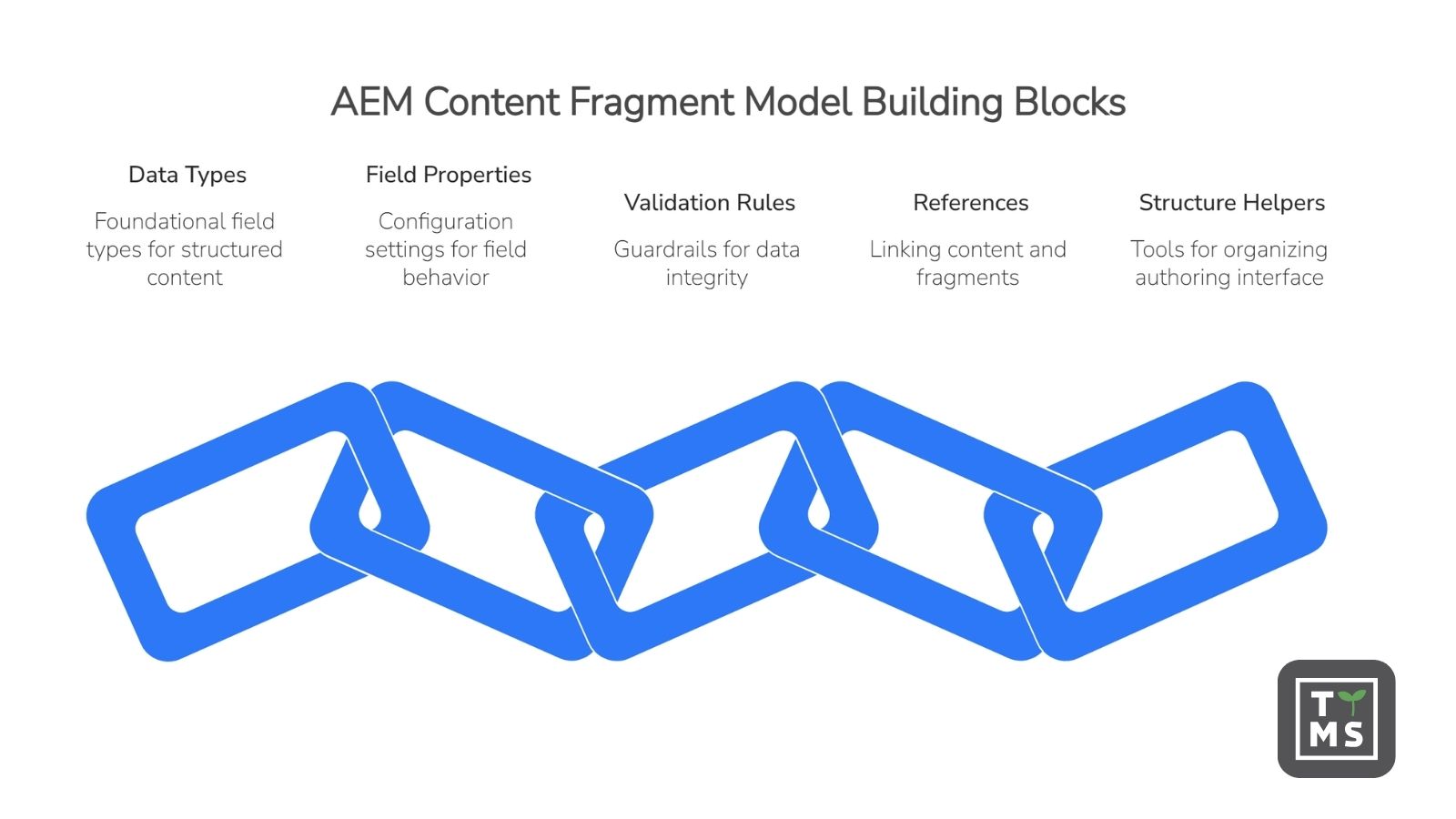
Every AEM Content Fragment Model is built from a set of configurable elements: data types, field properties, validation rules, references, and optional structure helpers such as tabs. Getting familiar with these building blocks is the first step toward designing models that remain clear, reusable, and manageable over time.
3.1 Common Data Types and Field Options
Several foundational field types cover common structured content needs. Text fields can be used for names, titles, summaries, descriptions, and longer body copy. Number fields capture numerical values. Boolean fields support simple true-or-false choices. Date and time fields are useful for content that needs a scheduled or time-based value, such as a publication date, event date, or availability period.
3.2 Enumerations, Tags, and JSON Object Fields
Beyond the basics, enumerations let authors select from predefined options, helping keep values consistent across fragments. Tags can support categorization and filtering by allowing authors to apply defined tag values to content.
JSON Object fields allow authors to enter JSON syntax in the corresponding element of a Content Fragment. This can be useful when structured JSON needs to be stored and delivered as JSON, including through GraphQL. However, JSON Object fields should be used carefully. In many cases, clearly defined fields or Fragment References are easier for authors to manage and easier for teams to govern over time.
3.3 Content Reference and Fragment Reference for Nested Content
Content Reference fields let authors reference other content, such as assets or other content resources, instead of duplicating information directly inside a fragment. This can help teams keep related content easier to manage.
Fragment Reference fields are especially important for structured content because they allow one Content Fragment to reference another Content Fragment. This supports nested content structures and makes it possible to model relationships between fragments.
3.4 Properties, Field Configuration, and Tabs
Each field in a Content Fragment Model includes properties that define how the field behaves. Depending on the data type, these properties can include the field label, property name, rendering options, required status, validation settings, allowed models, root paths, or accepted content types.
Tabs can also be used to organize the authoring interface. In AEM, a Tab Placeholder helps separate groups of fields in the Content Fragment editor, making larger models easier for authors to navigate. Tabs are used for authoring organization rather than content delivery logic.
3.5 Validation Rules for Data Integrity
Validation rules act as guardrails for structured content. They help ensure that authors enter content in the expected format before the fragment is saved and used downstream.
Depending on the field type, validation can include requirements such as making a field mandatory, checking text against a predefined pattern, limiting numerical values, restricting referenced content to specific types, or allowing only fragments based on selected models.
Thoughtful validation helps reduce inconsistent content, missing required values, and formatting issues.
4. Step-by-Step: Creating and Configuring a Content Fragment Model
Creating a Content Fragment Model in AEM usually involves enabling the right configuration, creating the model, defining its structure, enabling it for authoring, and allowing it on relevant Assets folders through policies.
4.1 Setting Up Configuration and Access
Before any modeling work begins, teams should make sure that Content Fragment Model functionality is enabled for the relevant AEM configuration. Without this setup, authors and administrators may not be able to create models in the expected location.
4.2 Building the Model Structure and Defining Fields
Once the configuration is ready, teams create the model by adding data types, configuring field properties, and applying validation where needed.
4.3 Allowing the Model on Assets Folders
A Content Fragment Model needs to be allowed on the relevant Assets folders where authors will create Content Fragments. This is done through folder policies. If the model is not allowed for the folder, authors may not see it as an available option when creating a new Content Fragment in that location.
4.4 Enabling, Disabling, Publishing, and Unpublishing Models
Content Fragment Models have lifecycle controls that affect how they are used. A model can be enabled so authors can create Content Fragments based on it, or disabled when it should no longer be used for new fragments.
In AEM as a Cloud Service, models can also be published to the Publish or Preview tiers. Publishing controls the availability of the model outside the authoring environment, while enabling controls whether authors can create new Content Fragments from the model.
Teams should use these controls carefully, especially when changing models that already have dependent Content Fragments. Structural changes may affect authoring workflows, delivery, integrations, and GraphQL-based use cases.
5. Best Practices for Designing Scalable Content Fragment Models
5.1 Structuring Models for Reuse Across Delivery Scenarios
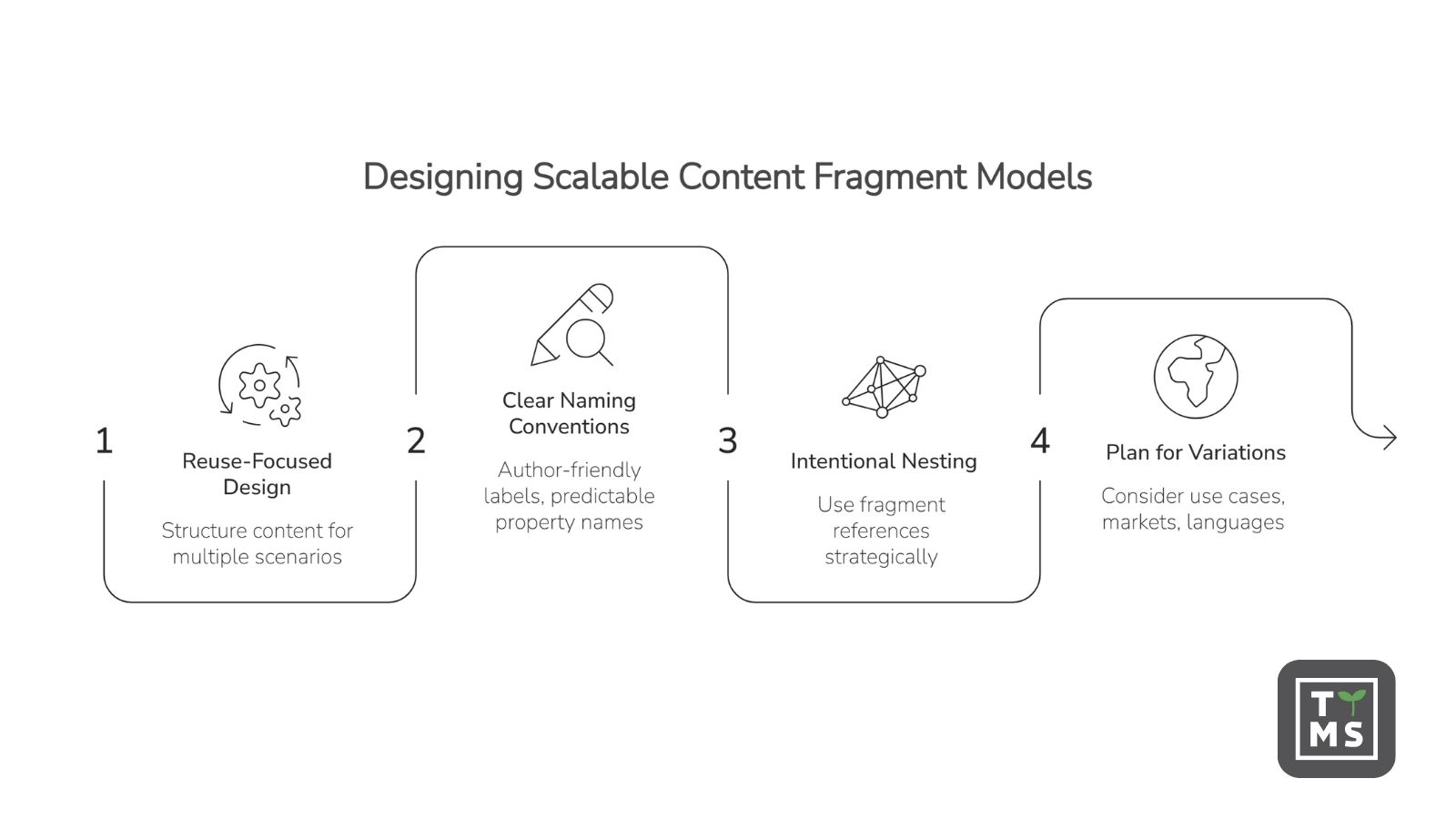
Strong Content Fragment Models are designed around reusable content, not around a single page layout. Because Content Fragments can support both headless delivery and page authoring in AEM, the model should define the content structure independently of how that content will eventually be presented.
This means thinking early about which content elements need to be reused, referenced, filtered, or delivered through APIs. For example, a product model, author profile, FAQ entry, or policy fragment should focus on the information authors need to manage rather than the visual layout of a specific page.
5.2 Naming Conventions and Governance Standards
Clear naming conventions help teams keep Content Fragment Models easier to understand and maintain. Field labels should be author-friendly, while property names should be consistent, predictable, and suitable for structured delivery.
In AEM, property names are especially important because they identify where authored values are stored and can also affect how structured content is exposed downstream. When defining property names manually, they should use only supported characters, such as letters, numbers, and underscores.
5.3 Using Nested Fragments Without Overcomplicating Structure
Fragment References are useful when one Content Fragment needs to reference another Content Fragment. They make it possible to create nested content structures and model relationships between pieces of structured content.
However, nested structures should be used intentionally. Too many layers of references can make models harder for authors to understand and maintain. A better approach is to use Fragment References where they reduce duplication, clarify relationships, or support reusable content patterns.
5.4 Planning for Variations and Localization
Content Fragments can include variations, which makes it important to consider how content may need to differ by use case, market, language, or channel context. The Content Fragment Model should provide a stable structure, while individual fragments and their variations can support different content needs within that structure.
When localization is part of the content strategy, teams should consider it early in the modeling process. This includes thinking about which fields may need localized values, which references should remain shared, and how language copies or regional versions will be managed in AEM.
6. Displaying and Delivering Content Fragments in AEM
Once Content Fragment Models are built and Content Fragments are created, the next question is how that structured content should be displayed or delivered. AEM supports different approaches depending on whether the content is used in page authoring, delivered through headless APIs, or reused across multiple digital experiences.
Content Fragments can be used directly in AEM page authoring when teams want structured content to appear within AEM-managed pages. In this approach, authors can place Content Fragments into page experiences while still relying on the structure defined by the underlying Content Fragment Model.
For headless delivery, AEM Content Fragments work with the AEM GraphQL API. GraphQL allows front-end applications to query structured content based on the schemas generated from Content Fragment Models. This helps developers request only the content they need for a given experience.
Many AEM implementations can use both approaches. A team might use Content Fragments in AEM pages for the main website while also exposing selected structured content through GraphQL for other supported digital experiences.
7. Common Content Modeling Mistakes and How to Avoid Them
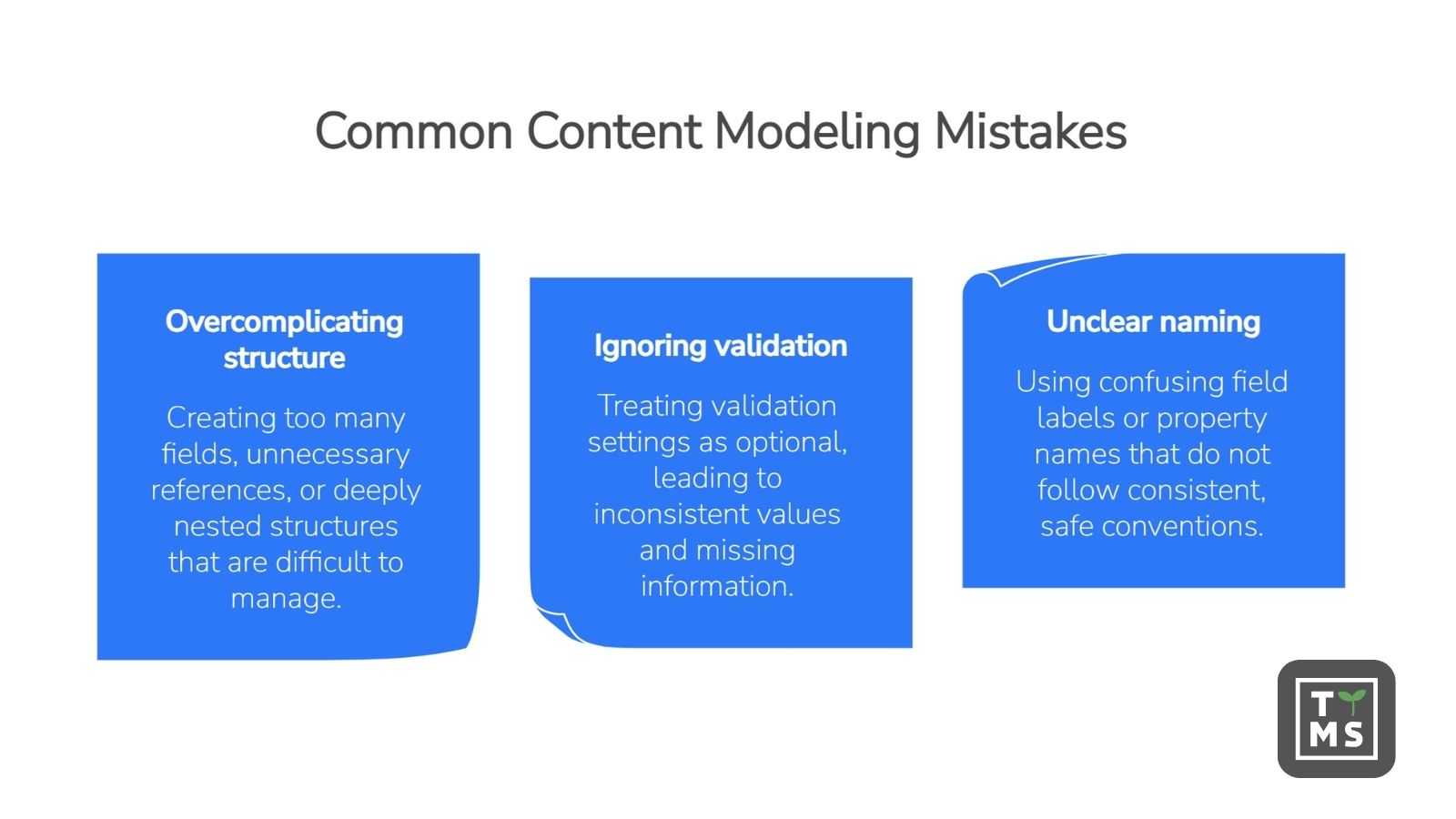
Several content modeling mistakes can make AEM Content Fragment Models harder to maintain over time. One common issue is overcomplicating the model structure. Trying to anticipate every possible future use case can lead to too many fields, unnecessary references, or deeply nested fragment structures that are difficult for authors to understand and manage.
Another frequent issue is treating validation as optional. Content Fragment Models can include validation settings such as required fields, text patterns, numeric constraints, content reference restrictions, and allowed models for Fragment References. Using these rules thoughtfully helps reduce inconsistent values, missing required information, and content that does not match the intended structure.
Unclear naming conventions can also create problems. Field labels should be easy for authors to understand, while property names should remain consistent and technically safe. In AEM, manually defined property names should use only supported characters, such as letters, numbers, and underscores.
The best way to avoid these issues is to plan models before building them. Start with the content types that need to be managed, identify which fields are required, decide where references are genuinely useful, and keep the model as simple as the content requirements allow.
8. Migrating and Evolving Content Fragment Models Without Disrupting Content
Content Fragment Models may need to evolve as content requirements change. New fields may be added, existing fields may need clearer validation, and references may need to be adjusted as the content structure becomes more mature. These changes should be handled carefully because editing an existing Content Fragment Model can affect dependent Content Fragments.
A safe approach starts with understanding which Content Fragments are based on the model being changed and how those fragments are used in authoring, delivery, and integrations. This is especially important when structured content is exposed through GraphQL, because schemas are generated from Content Fragment Models and downstream applications may rely on specific fields being available.
Before making structural changes, teams should review the model, identify required updates, and test changes in a non-production environment where possible. Adding new optional fields is usually less disruptive than removing or renaming existing fields, especially when those fields are already used by authors or external consumers.
When a model needs to change significantly, it can be safer to introduce changes gradually. Teams may choose to update validation rules, adjust references, or create a new version of a model instead of modifying an existing structure too aggressively. This helps protect existing content while still allowing the model to adapt to new requirements.
9. How TTMS Can Support Your AEM Content Models Strategy
At TTMS, we support organizations with Adobe Experience Manager implementation, consulting, development, integration, and maintenance services. We are a Bronze Adobe Solution Partner, and our AEM team helps clients design, build, optimize, and maintain AEM solutions tailored to their digital experience needs.
If your team is planning to modernize its content architecture, improve structured content governance, or build scalable AEM Content Fragment Models for product catalogs, customer portals, or headless delivery, we can help you design the right foundation and evolve it safely over time.