

TTMS Blog
TTMS experts about the IT world, the latest technologies and the solutions we implement.
Posts by: Marcin Kapuściński
AI Impact on Software Development Roles in 2026: What It Means for Developers, Testers, and Analysts
Imagine a software developer who does not start the morning by writing code, but by assigning tasks to several AI agents. One analyzes requirements, another prepares tests, and a third proposes changes in the code. Not long ago, this sounded like a futuristic scenario. In 2026, it is becoming part of everyday work for many IT teams. The biggest gains today appear in repetitive and easy-to-verify tasks: standard code fragments, documentation, some testing activities, ticket summaries, and work on existing code. Decisions about architecture, risk, business meaning, and release quality still remain with people. This is the real AI impact on software development: AI is not simply replacing specialists, but changing what they spend their time on. From a business perspective, the most important shift is that AI is no longer only a tool for writing code faster. It increasingly supports the entire software development process: from requirements analysis and implementation to testing and quality decisions. The highest return on investment does not come from using AI everywhere, but from matching specific AI use cases with real team bottlenecks. This is where we can clearly see how AI changes software development processes: not by removing people from the process, but by taking over selected repetitive activities and supporting better decision-making. 1. AI Impact on Software Development in 2026: What Has Changed So Far? The key point is simple: in 2026, AI mostly accelerates the everyday work of IT teams, including coding, testing, documentation, and analysis. However, its greatest business value appears only when it improves the whole software delivery process, not just individual tasks. The biggest benefits of AI in the software development lifecycle are visible today in design, programming, testing, and documentation, rather than in planning and requirements analysis. Analyses of the impact of generative AI on software development show that organizations currently see the strongest benefits in implementation, testing, and documentation. It is much harder to achieve the same effect in project planning and requirements analysis, where domain knowledge and business context still play a crucial role. Developers increasingly define the goal, supervise AI activity, and verify the results. This is how agent-based tools such as Visual Studio agent mode and OpenAI Codex are positioned. The role of the engineer is shifting from writing every line of code manually toward designing environments, specifying intent, and building effective feedback loops. Testers are not disappearing. However, the nature of their work is changing. Less time is spent manually preparing test scenarios, while more attention goes to selecting the most important regression tests, maintaining links between requirements and tests, evaluating the quality of results, and deciding whether the system is ready for release. This is why tools that support the whole quality assurance process, not only test generation, are becoming increasingly important. AI can accelerate this process, but generating tests alone is not enough. Human control and strong quality management remain essential. Business and system analysts still remain responsible for the quality of requirements. They benefit significantly from AI-supported synthesis and context organization. AI can help summarize comments, expand descriptions, translate requirements, and search backlog items using natural language. However, generative AI in requirements analysis still carries the risk of incorrect answers, inconsistent results, and limited transparency. This is one of the clearest examples of how AI changes the IT job market: skills related to quality assessment, AI collaboration, and business context are becoming increasingly valuable. Organizations should not confuse the productivity of individuals with the effectiveness of the entire company. GitHub has shown in a controlled study that Copilot can help complete tasks faster and improve code quality. At the same time, according to DORA research on the effectiveness of software development and delivery processes, broader use of generative AI may reduce delivery stability when it increases the size of individual changes and puts more pressure on code review and quality assurance teams. In testing, the most business-relevant solutions are those that combine AI with quality control, links between requirements and tests, and process governance. One example is QATANA, a solution that supports AI-assisted test creation, intelligent regression test selection, hybrid manual and automated QA, and on-premise deployment. According to TTMS, this approach can reduce quality control time by up to 30%. 2. AI Impact on Software Development Jobs in 2026: How Developer, Tester, and Analyst Roles Are Changing The change is not that “AI writes code instead of people”; the change is that people now manage a growing amount of work performed by AI. In practice, this means moving from producing individual outputs to designing constraints, validating results, and measuring impact across the software delivery process. This is one of the most important aspects of AI in software engineering today. 2.1 Developers Become Operators of Intent and Verification Visual Studio agent mode works like a virtual programming partner. It can analyze existing code, propose and apply changes, run tests, and correct detected errors. GitHub Copilot cloud agent can first generate an implementation plan and then write code based on that plan. OpenAI Codex works in an isolated environment where it can analyze code, run tests, verify changes, and show the results of its work. As a result, the developer’s role is moving away from manually writing every fragment of code and toward defining the goal, evaluating the AI’s plan, reviewing proposed changes, and approving implementation. GitHub also reports that time saved with AI is often reinvested in system design, collaboration, and learning. This shows the practical impact of AI coding tools on software development: they can speed up work, but they also change what developers are expected to control and understand. 2.2 Testers Become Owners of Quality Signals, Not Only Authors of Test Cases On the one hand, more organizations are experimenting with AI for generating test cases, analyzing risk, and supporting application security. On the other hand, practical deployments of such solutions still require caution, because automatic test creation does not automatically mean better quality control. This is why skills such as selecting the most important regression tests, identifying gaps in test coverage, interpreting results, and connecting requirements, tests, and defects into one coherent process are becoming more important. The impact of AI development on software testing is therefore not limited to faster test generation. It also changes the role of testers in the overall quality process. QATANA, a TTMS solution supporting test creation with AI, provides intelligent regression test selection, integrations with tools such as Jira and Playwright, and on-premise deployment for environments that require stronger control. 2.3 Business and System Analysts Become Curators of Context and Requirement Quality Microsoft indicates that AI tools supporting requirements management can help assess, summarize, expand, organize, and translate requirements. Atlassian shows the capabilities of Rovo, which can search for tasks using natural language, summarize comments, improve descriptions, and build a backlog based on information from tools such as Confluence, Slack, and Microsoft Teams. At the same time, research shows that using generative AI in requirements analysis still involves the risk of incorrect answers, inconsistent results, and limited transparency. In practice, AI can significantly accelerate the analyst’s work, but responsibility for business meaning, completeness, and testability of requirements remains with people. This is another important part of the AI impact on software development roles: AI supports analysis, but it does not replace accountability. 3. Which Tasks Can AI Take Over, and Which Still Require Human Work? AI works best where the output can be relatively easy to verify, while people remain essential where responsibility, interpretation, and trade-offs between risk and value matter most. This distinction is more important today than the difference between a “good” and a “weak” model. It also shows how AI changes the work process in IT: less time is spent on routine execution, and more time is spent on evaluation, verification, and supervision. The tasks best suited for automation with AI are repetitive and easy to verify. These include preparing draft documentation, explaining existing code, generating test drafts and test data, summarizing tasks and comments, organizing requirements, and creating standard, repeatable code fragments. AI also works well when implementing changes that have clear acceptance criteria and can be verified with existing tests. However, some areas should remain under direct human control. These include setting business priorities, making architectural decisions, assessing compliance with requirements, resolving conflicting stakeholder expectations, deciding whether to release a new system version, and evaluating whether prepared tests actually cover the most important business risks. AI can support these activities by providing analysis and recommendations, but final responsibility should remain with people. This is supported both by DORA research on software development and delivery effectiveness and by analyses of AI in requirements management, which emphasize the need for human supervision and verification of AI-generated outputs. The central paradox is that AI can increase the efficiency of individual people while not necessarily improving the performance of the entire organization. GitHub has shown that code created with Copilot can be more functional, readable, and more often accepted during review. At the same time, according to DORA research, broader use of generative AI may be associated with lower process stability. This happens when faster code generation leads to larger individual changes, more pressure on code review, more work for QA teams, and more corrective actions. The practical conclusion is simple: individual developer productivity does not always mean real business ROI. This is why the impact of AI on software development productivity should be measured not only at the level of a single developer, but also at the level of the full delivery process. Checklist before launching an AI pilot: Is the task repetitive and time-consuming, while not being a key element of business advantage? Is there a clear way to verify the result, such as automated tests, a checklist, or clear acceptance criteria? Can changes be introduced gradually, in small scopes, without increasing project risk? Does the team have up-to-date documentation and an organized knowledge base that AI can use? If an error occurs, can the problem be detected quickly and the change rolled back? 4. Using AI in Software Development: Which Tools Deliver the Greatest Business Value? AI tools should not be selected based on trends or hype. They should be chosen according to the type of work being performed, the maturity of the development process, and security or compliance requirements. In 2026, this choice often determines whether AI creates measurable business value or simply accelerates the creation of new problems. This is another example of how AI changes IT and why organizations need a more strategic approach to adoption. Approach When to Choose It How It Changes Team Work What to Keep in Mind Code Assistant When you want faster coding, easier onboarding, support for learning a new programming language, or better understanding of existing code. Speeds up everyday developer work, but people still remain responsible for building and integrating the final solution. The biggest gains are usually visible at the individual level rather than across the entire software delivery process. Coding Agent When the project has reliable tests, strong documentation, and a mature development process, and the team wants to delegate more complex tasks to AI. Developers increasingly define objectives, evaluate AI-generated plans, review changes, and approve implementation. Without documentation, tests, and governance mechanisms, AI may generate changes faster than the organization can safely evaluate them. AI for Testing and Quality Management When QA teams struggle to keep up with the pace of change and need stronger control over testing, requirements, and quality processes. Testers spend less time preparing and organizing tests and more time evaluating risks, identifying quality gaps, and making release-readiness decisions. AI can accelerate test creation, but human judgment is still required to verify whether tests cover the right business risks. Requirements and Backlog Copilot When teams are overwhelmed by comments, tickets, and documentation, and maintaining a consistent backlog becomes difficult. Accelerates information analysis, requirement organization, and preparation of materials for developers and testers. Results depend heavily on the quality of source data and require careful human verification. Which organizations benefit the most from AI adoption in software development? The greatest gains are usually achieved by organizations with mature software delivery processes and a clear understanding of where AI can provide value. First, product-focused SaaS teams often benefit significantly because they have reliable tests, strong deployment practices, and clear metrics. Second, regulated organizations gain value from combining AI support with strong governance and quality controls. Third, teams maintaining legacy systems often see better results by starting with AI assistants and testing support before adopting fully autonomous agents. Finally, projects involving many stakeholders and rapidly changing requirements can benefit from AI-powered summarization, context management, and requirement organization. How to Match AI Solutions to Team Needs Choose a code assistant if you want to improve developer productivity without redesigning the entire process. This is often the fastest way of using AI in software development. Choose a coding agent when tasks are more complex but well-defined, and your project already has reliable documentation, testing, and review processes. Choose AI for testing and quality management when the bottleneck is no longer coding itself, but test preparation, regression testing, reporting, and quality decisions. Solutions such as QATANA are particularly useful in environments that require strong control, integrations, and secure deployment options. Choose a requirements copilot when inconsistent requirements, fragmented information, and excessive rework are the biggest sources of inefficiency. 5. Impact of AI on Software Development Lifecycle: How to Introduce AI Successfully The best AI initiatives start with clear policies, a limited pilot, and measurable objectives rather than a company-wide rollout. DORA research shows that organizations with clearly defined AI usage policies tend to achieve higher adoption rates. Similarly, vendors such as GitHub increasingly support phased deployment and monitoring of AI adoption across organizations. The impact of AI on software development lifecycle depends less on the technology itself and more on how it is introduced into existing processes. 90-Day AI Adoption Checklist Choose a high-value opportunity. Start with repetitive tasks, process bottlenecks, or activities that consume significant effort while delivering limited business value. Establish a baseline. Measure current delivery speed, deployment frequency, defect rates, and quality metrics before introducing AI. Create governance mechanisms before scaling. Define AI usage policies, data boundaries, review procedures, and documentation standards. Start with a small pilot. Focus on a single team or process and expand only after evaluating measurable outcomes. Invest in learning. Teams achieve better outcomes when they understand both the purpose and limitations of AI. Treat AI as part of a broader process. Especially in QA, AI should be connected to requirements, testing, defect management, and reporting rather than used as an isolated tool. 5.1 Common Mistakes and Best Practices Deploying AI agents in projects that are not ready for them. Without documentation, reliable tests, and consistent review practices, organizations struggle to evaluate AI-generated work safely. Measuring success by lines of code, prompts, or generated changes. More activity does not automatically mean more business value. The real measure is whether software is delivered faster, more reliably, and with fewer defects. Treating AI-generated requirements or tests as final deliverables. AI can accelerate preparation, but human validation remains essential. Best practices are essentially the opposite of these mistakes. Start with clearly defined tasks, adopt AI gradually, keep humans responsible for critical decisions, and evaluate outcomes across the entire delivery process. Organizations that follow this approach tend to achieve stronger long-term results. For testing in particular, it is often safer to select platforms that combine AI with quality management, traceability, and integrations rather than focusing solely on script generation. QATANA is one example of a solution designed around this broader approach. 6. Impact of AI on Software Development Careers and Teams: Key Takeaways for 2026 The organizations gaining the biggest advantage in 2026 are not the ones that simply use AI. They are the ones that successfully integrate AI into a well-designed software delivery process. Developers increasingly supervise AI-generated work rather than producing every line of code themselves. Testers focus more on quality signals and risk assessment. Analysts spend more time managing context, requirements, and decision quality. This shift illustrates the broader impact of AI on software development roles, the impact of AI on software development teams, and ultimately the impact of AI on software development careers. The most successful organizations are not replacing people with AI; they are redesigning how people and AI work together. The discussion about AI impact on software development jobs often focuses on whether positions will disappear. In reality, the evidence from 2026 suggests that most roles are evolving rather than vanishing. This is especially visible in the impact of AI on software development jobs 2026 conversation, where responsibilities are shifting toward supervision, quality assurance, and strategic decision-making. Organizations wondering what is the impact of AI on software development? should focus less on automation alone and more on how AI improves productivity, quality, collaboration, and decision-making throughout the software lifecycle. 7. Impact of AI Development on Software Testing: How QATANA Supports Modern QA Teams QATANA is a TTMS solution designed to support software testing and quality management with AI. It helps teams create initial test cases, intelligently select regression test suites, organize testing activities, and connect manual and automated testing within a single environment. QATANA is particularly valuable for organizations that need strong quality control, compliance support, and secure deployment options. By combining AI with test management, requirement traceability, and quality governance, it addresses many of the challenges discussed throughout this article. According to TTMS, organizations using QATANA can reduce quality control time by up to 30%. If you would like to explore how AI can improve your QA process, contact us and discuss your needs with our team. FAQ What is the impact of AI on software development? The impact of AI on software development is visible across the entire software development lifecycle. AI can accelerate coding, testing, documentation, requirements management, and quality assurance activities. However, the biggest value does not come from replacing people. Instead, it comes from helping teams make better decisions, reduce repetitive work, and improve delivery efficiency. Organizations that achieve the strongest results usually combine AI tools with mature development processes and clear governance practices. How is AI changing software development jobs in 2026? The impact of AI on software development jobs in 2026 is less about eliminating positions and more about changing responsibilities. Developers spend more time supervising AI-generated work. Testers focus on quality strategy rather than manual test creation. Analysts increasingly curate information, context, and requirements. While some repetitive activities are becoming automated, demand remains strong for professionals who can evaluate results, manage risks, and understand business needs. What is the impact of generative AI on software development productivity? Generative AI can significantly improve productivity by helping teams write code faster, generate documentation, create test cases, and summarize information. However, the impact of AI on software development productivity depends on how organizations measure success. Faster code generation does not automatically translate into better business outcomes if quality, stability, and maintainability decline. The most successful teams focus on both speed and delivery quality. How do AI agents affect software development teams? The impact of AI agents on software development in 2026 is becoming increasingly visible. AI agents can perform multi-step activities such as planning, coding, testing, and reporting. As a result, software development teams spend less time on execution and more time on supervision, validation, and decision-making. This creates new opportunities for efficiency but also increases the importance of governance, documentation, and quality controls. How does AI affect software testing? The impact of AI development on software testing goes far beyond generating test cases. AI can help prioritize regression testing, identify risk areas, organize testing activities, and improve traceability between requirements and tests. At the same time, organizations still need experienced QA professionals to validate results, interpret risks, and ensure that testing covers the right business scenarios. What is the future impact of AI on software development? The future impact of AI on software development will likely involve deeper integration of AI agents into everyday workflows. Teams may increasingly rely on AI for implementation, analysis, testing, and documentation tasks. However, human expertise will remain essential for architecture decisions, risk management, business priorities, and quality assurance. The future is likely to be defined by collaboration between people and AI rather than complete automation. How should organizations start using AI in software development? Organizations should begin with a limited pilot focused on a clear business problem. They should define success metrics, establish governance rules, and select a use case that is repetitive and easy to verify. Starting small allows teams to learn, measure outcomes, and build confidence before expanding AI adoption to larger parts of the software development lifecycle.
Read
Microsoft Copilot vs ChatGPT – Which AI Assistant Is Better for Business?
Key Takeaways Microsoft Copilot works best in Microsoft 365-centric organizations. It is designed for companies where daily work happens mainly in Outlook, Teams, Word, Excel, PowerPoint, and SharePoint. ChatGPT Enterprise is better suited to broader, cross-platform workflows. It can support research, analysis, writing, coding, deep research, and AI-powered work across multiple tools and data sources. The main difference between ChatGPT and Copilot is their operating model. Copilot is more deeply grounded in Microsoft Graph and Microsoft 365 permissions, while ChatGPT relies more on enabled connectors, apps, workspace controls, and user authentication. Copilot is stronger as an in-flow productivity assistant. ChatGPT is stronger as a flexible AI workspace for cross-functional reasoning, experimentation, and custom workflows. For many companies, the best answer is not Copilot or ChatGPT, but both. A hybrid approach can combine Microsoft-native productivity with broader AI capabilities for research, analysis, automation, and custom enterprise use cases. When companies compare Copilot vs ChatGPT, they are not just comparing two chat interfaces. They are comparing two different enterprise AI operating models. Microsoft 365 Copilot is designed to work inside Microsoft 365 apps and can ground answers in organizational context through Microsoft Graph, while ChatGPT Enterprise is a broader AI workspace built around advanced models, data analysis, deep research, apps, and agents that connect to company systems. For many firms, that distinction is more important than raw prompt quality. Microsoft positions Copilot around secure work inside Word, Excel, Outlook, Teams, search, and agents, while OpenAI positions ChatGPT around cross-functional AI work such as writing, analysis, coding, research, deep research, and connected workflows through apps and agents. That suggests a simple rule of thumb: if the center of gravity is Microsoft 365, Copilot usually feels more native; if the goal is a flexible AI workspace across many tools and tasks, ChatGPT usually feels broader. That conclusion is an inference from how both vendors describe their products and enterprise architectures. 1. What Is the Difference Between ChatGPT and Copilot? The first difference between ChatGPT and Copilot is where each product lives. Microsoft 365 Copilot is embedded in the applications people already use for daily work, including Word, Excel, PowerPoint, Outlook, and Teams. Microsoft’s documentation says it can generate responses grounded in organizational data such as documents, emails, calendar items, chats, meetings, and contacts through Microsoft Graph. ChatGPT Enterprise, by contrast, is a managed ChatGPT workspace for organizations with centralized administration, security controls, and access to advanced ChatGPT capabilities. The second difference is the data-access and knowledge model. Microsoft distinguishes between web-based Copilot Chat and the licensed Microsoft 365 Copilot experience: web chat can be included at no extra cost for eligible Microsoft 365 organizations, while work-based chat and full Microsoft 365 Copilot experiences rely on a Copilot license and deeper grounding in Microsoft Graph data. Microsoft also says Copilot uses an advanced lexical and semantic index over organizational data and respects the same user permission boundaries already enforced in Microsoft 365. ChatGPT handles enterprise knowledge access differently. OpenAI’s company knowledge and apps rely on enabled integrations, existing permissions, and user authentication. OpenAI says ChatGPT can only access what each user is already allowed to view, while Enterprise admins can manage apps, require SSO and SCIM, and control access using RBAC. In practice, one of the biggest differences between ChatGPT and Copilot is that Copilot is more natively grounded in the Microsoft work graph, while ChatGPT is more connector- and app-driven. The third difference is workflow style. Copilot is strongest when the task starts inside Microsoft 365: summarizing a meeting, drafting an email, refining a PowerPoint, or generating formulas and insights in Excel. ChatGPT is broader by design: OpenAI describes it as a workspace for writing, research, coding, data analysis, deep research, and agentic tasks, and OpenAI’s own enterprise adoption data shows early usage clustering around writing, research, programming, and analysis across departments. In short, copilot ai vs chatgpt is often a choice between an in-flow productivity layer and a more general AI operating environment. The fourth difference is extensibility. Microsoft offers Copilot Studio and Agent Builder for organizations that want custom agents grounded in business data and published across employee or customer channels. OpenAI offers apps, custom MCP-powered apps, and workspace agents that can connect to tools, run on schedules, and operate inside ChatGPT or Slack. That means the difference between ChatGPT and Copilot is not only about the base assistant, but also about the ecosystem you want to build around it. 2. Microsoft Copilot for Business – Use Cases In practice, microsoft copilot for business starts with two entry points. Microsoft says eligible organizations can use web-based Copilot Chat at no extra cost, while paid Microsoft 365 Copilot unlocks work-based chat, app experiences, and deeper organizational grounding. Microsoft also sells Microsoft 365 Copilot Business for organizations of up to 300 users, which gives smaller and mid-sized companies a packaged way to adopt the same in-app Copilot experience. The most obvious use case is productivity inside familiar apps. In Word, Copilot helps draft and edit documents; in Excel, it supports formula suggestions, trend analysis, and visualizations; in Outlook, it summarizes email threads and drafts messages; and in Teams, it summarizes meetings and helps create action items. This is where Microsoft has its clearest advantage: employees do not need to leave the workflow surface they already know. Sales and commercial teams are another strong fit. Microsoft’s scenario library highlights use cases such as accelerating customer research and sales preparation, creating customized pitches, and responding to RFPs. Some of those workflows can be handled directly in Microsoft 365 Copilot, while others can be extended through Copilot Studio or Copilot for Sales, where agents can connect to line-of-business systems through connectors and APIs. Finance, operations, and service workflows are also central to the Microsoft story. Microsoft’s official scenario pages describe Copilot use cases for budgeting, forecasting, financial analysis, planning, risk management, customer service problem resolution, issue diagnosis, and frontline assistance in financial services. That makes enterprise copilot especially attractive in environments where internal policies, structured records, and regulated processes matter as much as content generation. Finally, Microsoft positions Copilot as more than a personal assistant. Copilot Studio lets organizations build and manage custom agents connected to business data, while Microsoft 365 Copilot includes access to built-in and custom agents and Microsoft provides Copilot analytics and usage reporting for adoption tracking. For companies that want AI to move from experimentation into governed process automation, that combination of app-native assistance, agent building, and admin reporting is a major selling point. 3. Copilot Enterprise vs ChatGPT Enterprise: Which One Fits Larger Organizations? To keep terminology precise, it is worth clarifying that copilot enterprise is usually a shorthand for Microsoft 365 Copilot and Copilot Chat deployed in a commercial or enterprise Microsoft tenant. Microsoft’s enterprise materials present those workplace offerings as the relevant enterprise Copilot layer, rather than a separate standalone product with a different name. That framing matters because companies often compare “Copilot Enterprise” with ChatGPT Enterprise even though Microsoft’s official product naming centers on Microsoft 365 Copilot. On privacy and compliance, both vendors make strong enterprise commitments, but the language is different. Microsoft says enterprise use of Microsoft 365 Copilot and Copilot Chat is covered by its Data Protection Addendum and Product Terms, with Microsoft acting as a data processor; prompts and responses are protected by enterprise data protection, and Microsoft says that prompts, responses, and Microsoft Graph data are not used to train its foundation models. OpenAI says organizations own and control their business data, OpenAI does not train models on business data by default, and ChatGPT Enterprise adds encryption at rest and in transit, custom data-retention policies, and support for data residency in ten regions. On governance, Microsoft and OpenAI emphasize different strengths. Microsoft’s big advantage is inheritance from the Microsoft 365 security and permissions model: Copilot only surfaces content the current user is already authorized to access, and its grounding is tied to Microsoft Graph and semantic indexing. OpenAI’s enterprise advantage is administrative breadth inside its own workspace: domain verification, SSO, SCIM, role-based access controls, user analytics, and a Global Admin Console that can span multiple ChatGPT workspaces and API organizations under one tenant. On integrations and knowledge access, the trade-off is depth versus breadth. Microsoft’s workplace strength is native depth in Outlook, Teams, Word, Excel, PowerPoint, SharePoint, and Microsoft Search, plus agent creation through Copilot Studio and Agent Builder. OpenAI’s strength is cross-platform connectivity: ChatGPT supports apps for tools such as SharePoint, Slack, Airtable, Google Drive, GitHub, and more; OpenAI also supports company knowledge, deep research with internal connectors, custom MCP-powered apps, and workspace agents for repeatable workflows. That leads to the most useful business interpretation of copilot enterprise vs chatgpt enterprise. If your organization already runs most collaboration, files, meetings, and internal knowledge discovery in Microsoft 365, Copilot will usually feel lower-friction and more native. If your teams work across Microsoft, Google, Slack, GitHub, CRM, analytics tools, and external research at the same time, ChatGPT Enterprise will often feel more flexible as a central AI workspace. That is an inference, but it follows directly from the integration patterns and admin models described in the official documentation. 4. Is Copilot Better Than ChatGPT for Companies? The honest answer to is copilot better than chatgpt is no, not universally. The better fit depends on where work happens, how sensitive the data is, which systems employees use all day, and whether the company wants AI embedded in existing software or centralized in a new AI workspace. In other words, chatgpt vs microsoft copilot is not a single winner-takes-all decision for every enterprise. Copilot is often better for Microsoft-first organizations. If employees live in Outlook, Teams, Word, Excel, PowerPoint, and SharePoint, Microsoft 365 Copilot offers a highly natural adoption path because it works inside those products, uses Microsoft Graph context, and respects the existing permission model. It is particularly compelling for meeting-heavy organizations, document-centric operations, and teams that want AI embedded directly in everyday processes rather than accessed through a separate destination. ChatGPT is often better for cross-functional reasoning and mixed-tool environments. OpenAI’s own enterprise usage data shows that early adoption spans writing, research, programming, and analysis, while the product itself combines advanced models, data analysis, deep research, apps, and agent features. For strategy teams, product teams, analysts, marketers, researchers, and software groups that constantly move between internal sources, external information, and multiple software stacks, ChatGPT can offer a broader working environment than Copilot alone. In many companies, the best answer is hybrid rather than binary. A practical setup is to use Copilot for Microsoft-native productivity such as email, meetings, documents, spreadsheets, and internal knowledge retrieval, while using ChatGPT Enterprise or OpenAI-based custom solutions for deep research, coding, experimentation, agentic workflows, and broader cross-system reasoning. For firms evaluating microsoft copilot vs chatgpt, that layered approach is often the most realistic way to capture the strengths of both platforms without forcing one tool to do everything. That recommendation is an inference grounded in the official feature sets of both ecosystems. 5. How Can Companies Turn AI Comparison Into Real Business Value? If your company is deciding between Copilot, ChatGPT, or a hybrid setup, the real challenge is rarely the tool alone. The real challenge is identifying the right business workflows, connecting AI to the right systems, and turning experimentation into measurable operational value. That is exactly the space where TTMS AI Solutions for Business positions its offer: TTMS describes its services as AI solutions aimed at improving operational efficiency and decision-making, ranging from intelligent chatbots to advanced analytics, and its published case studies include enterprise implementations such as AI-supported tender analysis integrated with Salesforce and Azure AI-based sales automation. Contact us! Can a company use both Microsoft Copilot and ChatGPT Enterprise at the same time? Yes, and in many organizations this may be the most practical approach. Copilot can support employees directly inside Microsoft 365, while ChatGPT Enterprise can serve broader tasks such as research, analysis, coding, content work, or cross-tool workflows. The key is to define clear usage policies, so teams know which tool should be used for which type of task. Which tool is easier to adopt across non-technical teams? Microsoft Copilot may be easier for teams that already work mainly in Outlook, Teams, Word, Excel, and PowerPoint, because it appears inside familiar applications. ChatGPT Enterprise may require more onboarding, but it can also be more flexible for teams that need a general AI workspace. Adoption depends less on the tool itself and more on training, governance, and real use-case mapping. Does ChatGPT Enterprise replace Microsoft Copilot? Not necessarily. ChatGPT Enterprise and Microsoft Copilot solve overlapping but different business problems. Copilot is closer to a productivity layer inside Microsoft 365, while ChatGPT Enterprise is closer to a flexible AI workbench. In many companies, one will not fully replace the other. What should companies check before choosing an enterprise AI assistant? They should review where employees actually work, what data the assistant needs to access, which systems must be integrated, what compliance requirements apply, and how success will be measured. A good choice should be based on business processes, not only on model quality or brand recognition. Which AI assistant is better for custom business workflows? It depends on the workflow. If the process is strongly connected to Microsoft 365 data and applications, Copilot Studio may be a natural fit. If the workflow spans many tools, external research, code, documents, and custom agents, ChatGPT Enterprise or a custom OpenAI-based solution may be more suitable.
Read
Best AI tools for Training and Development
This guide focuses on purpose-built workplace learning platforms rather than general AI chatbots, helping L&D, HR, and training teams compare AI tools for creating, localizing, scaling, and managing employee training. The urgency behind this category is real. The World Economic Forum reports that employers expect 39% of workers’ core skills to change by 2030, and it also notes that 50% of the workforce has now completed training as part of long-term learning strategies. LinkedIn’s Workplace Learning Report says 71% of L&D professionals are already exploring, experimenting with, or integrating AI into their work. Microsoft’s 2025 Work Trend findings add that 51% of managers expect AI training or upskilling to become a key responsibility for their teams within five years. For buyers, that changes the decision criteria. The right platform is no longer just the one with the most AI features on a landing page. The best tools are the ones that help your team turn internal expertise into usable learning, faster, with the right balance of instructional quality, localization, collaboration, deployment flexibility, and governance. 1. Why AI now belongs at the center of training and development Across current product positioning from leading vendors, AI in learning is no longer limited to text generation. The category now includes document-to-course conversion, AI-authored assessments, multilingual localization, training video creation, collaborative SME workflows, just-in-time answers, and LMS-ready deployment. TTMS, Articulate, Easygenerator, iSpring, Adobe, 360Learning, Docebo, and Sana all highlight different parts of that workflow in their current product materials. That is why the strongest AI tools for training and development now fall into four broad patterns. Some are AI authoring platforms that convert internal materials into structured courses. Some are video-first tools that make training easier to create and localize. Some are collaborative learning platforms that let subject-matter experts share knowledge directly. Others are AI-native learning platforms that combine authoring, delivery, automation, analytics, and answers in one system. In practice, most enterprise buyers need a clear primary platform and then one or two specialist tools around it. 2. How we ranked the tools This ranking prioritizes six factors: speed from source material to first usable draft, control over learning design, ease of collaboration with experts, multilingual rollout, deployment flexibility, and enterprise readiness. We also gave extra weight to platforms that support real business use cases such as onboarding, compliance, technical training, product enablement, and employee development rather than only generic content generation. Those priorities align with the broader market pressure for faster upskilling and more adaptive learning operations. We also favored purpose-built L&D products over general AI assistants. A general model may help with brainstorming or rough drafting, but purpose-built learning platforms now add the layers that matter in production: source handling, pedagogy-aware structuring, review workflows, language management, analytics, LMS interoperability, and in several cases stronger security and governance controls. 3. Best AI tools for training and development The order below reflects business fit for corporate learning teams that need usable output, not AI experiments. TTMS ranks first because it combines source-to-course automation, multilingual delivery, LMS-ready output, and enterprise-grade governance in a more complete way than any other platform in this comparison. 3.1 AI4E-learning by TTMS Ranked first, AI4E-learning is the strongest overall option for organizations that want to convert internal materials into structured training quickly without sacrificing control. TTMS says the platform accepts source materials such as DOCX, PDF, PPTX, MP3, and MP4, guides users with training goals and learning objectives, supports Word-based scenario editing, exports SCORM, integrates with LMS environments, and supports multilingual delivery. TTMS also states that the platform runs on Azure OpenAI within the client’s Microsoft 365 environment, uses encryption in transit and at rest, does not use customer data to train public AI models, and is backed by certifications including ISO/IEC 27001, ISO/IEC 27701, and ISO/IEC 42001. That makes it especially compelling for onboarding, compliance, procedural, and regulated-environment training. AI4E-learning: solution snapshot Ranking position First Best for Enterprises that want to turn internal knowledge into onboarding, compliance, technical, and process training with strong governance. Key AI workflow Converts DOCX, PDF, PPTX, MP3, and MP4 materials into structured training, supports learning-objective guidance, Word-based scenario editing, and role-based personalization. Delivery and rollout SCORM-ready output, LMS integration, responsive course generation, and multilingual adaptation for global teams. Enterprise notes Azure OpenAI in the client’s Microsoft 365 environment, AES-256 and TLS 1.3 encryption, no public model training on customer data, and certifications including ISO/IEC 27001, ISO/IEC 27701, and ISO/IEC 42001. TTMS page AI4E-learning by TTMS 3.2 Articulate suite Ranked second, Articulate 360 remains the strongest mainstream authoring suite for teams that want polished course creation with a mature ecosystem around it. Articulate says the platform helps teams create workplace training faster with integrated AI, turn ideas or source materials into course drafts, generate assessments and summaries, create images, build responsive courses in Rise, create highly interactive custom content in Storyline, export to an LMS or distribute through Reach, and localize training into more than 80 languages. For organizations with dedicated instructional design teams, it remains one of the best AI tools for e-learning development because it combines strong AI assistance with high creative control. Articulate 360: solution snapshot Ranking position Second Best for L&D teams that need polished, interactive authoring with more creative control than a turnkey document-to-course workflow. Key AI workflow AI Assistant can turn ideas or source materials into course drafts, assessments, summaries, and images; Rise and Storyline split responsive authoring and custom interactivity. Delivery and rollout Export to an LMS or distribute with Reach; browser-based review and collaboration are built in. Localization and accessibility AI-powered localization into 80+ languages and broad support for WCAG 2.1 AA course creation. 3.3 Synthesia Ranked third, Synthesia is the strongest video-first option for L&D teams. Synthesia says its platform creates studio-quality videos with AI avatars and voiceovers, supports more than 160 languages across the platform, integrates with LMS workflows, and on its employee development pages highlights uploading PDFs, documents, and slides to generate ready-to-edit videos, one-click translation into more than 140 languages, smart updates without reshoots, brand kits, and analytics. If your training strategy relies on explainers, SOPs, product walkthroughs, manager communication, or multilingual onboarding, Synthesia is one of the highest-leverage AI tools for training and development available today. Synthesia: solution snapshot Ranking position Third Best for Video-first training programs, multilingual internal communications, and scalable employee development content. Key AI workflow Turns scripts, PDFs, docs, and slides into avatar-led videos, with AI voiceovers, scene generation, and update workflows. Delivery and rollout LMS integration, analytics, smart updates, and localization support highlighted across 140+ to 160+ languages depending on workflow and feature set. Enterprise notes Synthesia highlights SOC 2, GDPR, and ISO 42001-related trust signals on current product pages. 3.4 Easygenerator Ranked fourth, Easygenerator is an excellent choice for organizations that want subject-matter experts to create learning content without a heavy authoring learning curve. Easygenerator says its AI guides experts to create structured and contextual learning experiences, supports AI-powered video creation, offers AI coaching for workplace conversation practice, and includes localization across more than 75 languages. Its EasyTranslate workflow also lets teams manage multiple language versions from one master course and publish them as a single SCORM file. That combination makes Easygenerator one of the best AI tools for learning and development when the goal is decentralized knowledge sharing and SME-led content production. Easygenerator: solution snapshot Ranking position Fourth Best for SME-led authoring, employee-generated learning, onboarding, and quick operational training. Key AI workflow Guides experts through structured course creation, supports AI video creation, and offers AI-based workplace conversation coaching. Delivery and rollout Localization into 75+ languages, multilingual management from one master course, and single-SCORM publication for multiple languages. Commercial notes Free trial and public plan structure are available, which is useful for buyers who want an easier evaluation path. 3.5 Adobe Captivate Ranked fifth, Adobe Captivate remains a strong choice for teams that need simulations, interactive video, and media-rich learning experiences. Adobe says Captivate uses generative AI to create text, images, talking avatars, voices, and transcripts, supports PowerPoint-to-eLearning conversion, responsive authoring, software simulations, slide-based and long-scroll content, and publishes LMS-compliant packages in SCORM 1.2, SCORM 2004, AICC, and xAPI. That makes it one of the most capable options for software training and complex interactive learning, even if it typically rewards more advanced authoring skill than some of the higher-ranked tools in this list. Adobe Captivate: solution snapshot Ranking position Fifth Best for Software simulations, interactive video, and media-rich course development. Key AI workflow Uses AI for text, images, talking avatars, voices, and transcripts to accelerate course creation and improve accessibility. Delivery and rollout Responsive authoring, PowerPoint conversion, and LMS-compliant publishing in SCORM, AICC, and xAPI. Commercial notes Adobe publicly shows subscription pricing and a free trial on its product page. 3.6 iSpring Cloud AI Ranked sixth, iSpring Cloud AI is one of the most practical options for teams that want fast browser-based course creation. iSpring says the tool works entirely online, uses AI to structure and build courses, supports copy-paste from documents and websites, accepts PowerPoint, PDF, MP4, and MP3 source materials, allows teams to collaborate and review in the same workspace, and exports to SCORM or xAPI while also supporting direct link sharing. It also publishes transparent pricing and free-trial options. For lean HR and L&D teams that need quick production with minimal setup, iSpring Cloud AI is one of the most approachable AI tools for training and development. iSpring Cloud AI: solution snapshot Ranking position Sixth Best for Fast browser-based authoring for smaller L&D teams, trainers, consultants, and onboarding-focused programs. Key AI workflow AI helps structure, outline, and build courses from source content, with writing help, question generation, image generation, and text-to-speech capabilities. Delivery and rollout Supports direct links, SCORM, xAPI, team collaboration, and multilingual translation workflows. Commercial notes Public annual pricing and free trial are available, which is uncommon in this category. 3.7 Three Sixty Learning Ranked seventh, 360Learning is a very strong fit for organizations that want collaborative authoring and deep SME participation. 360Learning says admins, editors, and contributors can create courses with AI from prompts and uploaded PDF, DOCX, or PPTX files, refine an AI-generated outline before course generation, use L&D-controlled prompts and company guidelines, co-author content, generate AI-assisted questions and scenario-based assessments, and use AI to review open-ended learner responses. The broader authoring environment also supports SCORM, cmi5, Google Drive, OneDrive, SharePoint, and LTI content. That makes 360Learning one of the best AI tools for L&D when expertise is spread across the business and learning teams need to stop being the only content bottleneck. 360Learning: solution snapshot Ranking position Seventh Best for Collaborative course creation with strong SME involvement and platform-native delivery. Key AI workflow Generates courses from prompts and uploaded documents, supports L&D-controlled prompts, co-authoring, AI-suggested questions, and AI review of open-ended responses. Delivery and rollout Supports SCORM and cmi5 delivery plus integrations with Google Drive, OneDrive, SharePoint, and LTI content. Enterprise notes Particularly strong when L&D wants quality guardrails while still decentralizing authorship to internal experts. 3.8 Docebo Creator Ranked eighth, Docebo Creator is a strong enterprise choice for teams that want AI content creation within a broader learning platform strategy. Docebo says Creator can build interactive content from docs, PPTs, PDFs, or text prompts, supports pedagogically informed AI output, generates assessments, translates content into more than 50 languages, packages content in xAPI by default, and keeps customer data from training its models. Docebo also says AI is used more broadly across the platform for recommendations, search, and metadata management. For buyers who want integrated authoring, enterprise learning operations, and AI-assisted content governance in one ecosystem, Docebo remains one of the best AI tools for training and development. Docebo Creator: solution snapshot Ranking position Eighth Best for Enterprise learning teams that want authoring tightly integrated with broader learning operations. Key AI workflow Creates content from docs, PPTs, PDFs, and text prompts, with AI-assisted assessments and pedagogy-aware generation. Delivery and rollout Supports multilingual creation across 50+ languages and packages content in xAPI by default, with future SCORM and PDF support referenced in current FAQs. Enterprise notes Docebo states that Creator respects roles and governance requirements and that customer data never trains its models. 3.9 Sana Learn Ranked ninth, Sana Learn is one of the most ambitious AI-native learning platforms in the market. Sana says the product combines LMS, LXP, authoring tool, and virtual classroom in one platform, adds a personal tutor, natural-language answers with citations, collaborative authoring, automated enrollments, AI-generated dashboards, PDF-to-course conversion, SCORM import, and CRM and HRIS integrations. It also positions AI as central to learning management, content creation, just-in-time learning, and analytics rather than as an isolated feature. For buyers who want a modern, AI-native platform instead of a traditional LMS with bolt-on enhancements, Sana is one of the strongest options in the category. Sana Learn: solution snapshot Ranking position Ninth Best for Organizations that want an AI-native learning platform spanning authoring, delivery, knowledge access, and analytics. Key AI workflow Combines AI-native authoring, tutor-style answers with citations, automated learning management, and AI-generated dashboards. Delivery and rollout Supports PDF-to-course conversion, SCORM import, blended content, live sessions, and integrations with CRM and HRIS systems. Enterprise notes Sana highlights ISO 27001, SOC 2 Type I and Type II, and GDPR compliance on current product materials. 3.10 Elucidat Ranked tenth, Elucidat remains a strong enterprise authoring option for teams that care about scalable learning operations and structured design support. Elucidat says its AI can build outlines based on best-practice learning design, help non-designers create better content, personalize training for different audiences, generate course structures from uploaded PDFs, and still let authors translate, edit, and add new elements before launch. The vendor also emphasizes that its AI is built around learning objectives and business impact rather than generic output. It ranks lower only because several competitors now offer broader end-to-end AI workflows across authoring, delivery, collaboration, video, or platform intelligence. Elucidat: solution snapshot Ranking position Tenth Best for Enterprise authoring teams that want AI help anchored in learning design principles and scalable content operations. Key AI workflow Builds AI-assisted outlines, uses uploaded PDFs, supports audience tailoring, and helps non-designers create stronger course structures. Delivery and rollout Authors can translate, edit, and add new elements before deployment, maintaining control over final output. Commercial notes Elucidat positions itself as an enterprise platform with demo-led buying and pricing discussions. 4. Which AI training tool should you choose? For most enterprise L&D teams, the right choice depends on the main training challenge. If you need to convert internal documentation, presentations, audio, or video into structured, LMS-ready courses, TTMS AI4E-learning is the strongest fit. If your priority is interactive authoring, Articulate 360 is a safe choice. If you need scalable AI training videos, Synthesia should be high on the shortlist. For SME-led course creation, Easygenerator and 360Learning are strong alternatives, while Docebo and Sana Learn make sense when you need a broader learning platform. However, if your key question is: what is the best AI tool for training and development when enterprise governance, multilingual rollout, SCORM-ready deployment, and source-to-course automation all matter? The answer is TTMS AI4E-learning. Want to see how AI can turn your corporate knowledge into ready-to-use training? Contact TTMS to discuss your training development needs. FAQ What are the best AI tools for training and development? The strongest shortlist in this category is TTMS AI4E-learning, Articulate 360, Synthesia, Easygenerator, Adobe Captivate, iSpring Cloud AI, 360Learning, Docebo Creator, Sana Learn, and Elucidat. They are not interchangeable. TTMS is best when enterprise document-to-course automation and governance matter most, Articulate is strongest for polished authoring depth, Synthesia dominates AI training video, Easygenerator and 360Learning are excellent for SME-led creation, and Docebo plus Sana are stronger when the buying decision is really about a broader AI-enabled learning platform. What is the best AI tool for e-learning development? If the core problem is turning existing corporate knowledge into structured training with multilingual rollout, SCORM output, and stronger enterprise controls, TTMS AI4E-learning is the best overall answer in this ranking. If your priority is maximum creative control with a mature authoring suite, Articulate 360 is the best alternative. If your work depends heavily on simulations and interactive video, Adobe Captivate deserves a closer look. Which AI tools for learning and development are best for onboarding and compliance? TTMS AI4E-learning is particularly well suited for onboarding, changing procedures, certifications, OHS-style training, and software onboarding. Sana Learn, Docebo, and 360Learning also map well to onboarding and compliance because they combine authoring with learning delivery and automation. Easygenerator is a good fit when the need is faster, decentralized content creation for operational or process knowledge. Do the best L&D AI tools replace instructional designers? No. The strongest platforms accelerate drafting, translation, structuring, assessment generation, and administrative work, but they still rely on human judgment for learning objectives, validation, business context, and final quality. TTMS explicitly frames AI as an enabler for faster course creation, 360Learning emphasizes L&D-controlled prompts and validation workflows, and Docebo highlights pedagogically informed generation with simple post-generation editing. In practice, the best AI tools for L&D reduce manual production effort so learning teams can focus on strategy and quality.
Read
GPT-5.5 in the Enterprise: 10 Use Cases That Go Beyond Chatbots
1. Why Is GPT-5.5 Becoming a Serious Enterprise AI Tool? GPT-5.5 should be evaluated as workflow infrastructure for enterprise AI, not as a better chatbot. OpenAI positions it as a frontier model for complex professional work, with strengths in coding, online research, data analysis, spreadsheets, document creation, software operation, and tool use through the API. That matters because the highest-value enterprise pattern is no longer “ask a question, get an answer,” but “assign a bounded business task, retrieve context, call the right systems, check the output, and route decisions to the right human when risk is material.” The timing is important. OpenAI says it now serves more than 7 million ChatGPT workplace seats; ChatGPT Enterprise seats have risen about ninefold year over year; weekly Enterprise messages have grown roughly eightfold; and the use of Custom GPTs and Projects has increased about nineteenfold year to date. In the same research, 75% of workers report that AI improves speed or quality, average reported time savings are 40–60 minutes per active day, and 75% say they can now complete tasks they previously could not do. In other words, the enterprise shift is already underway: from ad hoc prompting to repeatable workflows. For CIOs, CTOs, Heads of Digital, and Heads of Operations, the strategic takeaway is straightforward. The strongest value pools remain customer operations, marketing and sales, software engineering, and R&D, while internal knowledge management can create cross-functional gains across the whole firm. OpenAI’s own enterprise guidance also points leaders toward repeatable “primitives” such as research, coding, data analysis, content creation, and automation, then encourages workflow mapping across whole departments rather than isolated prompts. A rigor note is necessary. Because GPT-5.5 only became available in the API in late April 2026, longitudinal production data that is specific to GPT-5.5 is still limited. The most defensible evidence base therefore combines official GPT-5.5 documentation with adjacent enterprise case studies using OpenAI systems, academic productivity studies, and operational benchmarks from knowledge-heavy industries. 2. What Are the Best GPT-5.5 Use Cases for Enterprise Teams? The KPI frames below are designed for business evaluation, not as guaranteed outcomes. The right way to read them is: these are the measures a serious enterprise pilot should baseline before rollout, then track weekly during pilot and monthly in production. 2.1 How Can GPT-5.5 Improve Customer Service Without Becoming Just Another Chatbot? Typical scenarios: multilingual customer support, intent classification, agent assist, after-call summaries, returns and refund drafting, policy-grounded responses, and smart escalation. Business value and KPIs: containment rate, average handle time, first-contact resolution, repeat-contact rate, SLA attainment, CSAT, and NPS. Technical requirements: helpdesk plus CRM plus order and payment systems, with RAG over policy content and approval gates before any refund or account-changing action. Main risks and mitigation: hallucinated policy answers, poor escalation logic, and unsafe automations; mitigate with retrieved citations, read-only defaults, and human approval for financially material actions. As directional evidence, NBER found AI-guided support increased productivity by nearly 14%, while Klarna reported that its OpenAI-powered assistant handled two-thirds of service chats, cut resolution time from 11 minutes to under 2 minutes, reduced repeat inquiries by 25%, and held customer satisfaction at parity with human agents. 2.2 How Can GPT-5.5 Reduce Internal IT and HR Support Tickets? Typical scenarios: service desk triage, access and entitlement guidance, onboarding question handling, policy Q&A, software request intake, and benefits or HR process support. Business value and KPIs: ticket deflection, MTTR, backlog, SLA adherence, onboarding cycle time, time-to-productivity, and employee satisfaction. Technical requirements: ITSM, identity provider, HRIS, internal knowledge base, and approval workflows for provisioning or permissions changes. Main risks and mitigation: unauthorized access changes and incorrect policy guidance; mitigate with SSO, RBAC, approval thresholds, and full audit logging. OpenAI’s enterprise report found that 87% of IT workers report faster IT issue resolution and 75% of HR professionals report improved employee engagement when using AI at work. 2.3 How Can GPT-5.5 Turn Enterprise Knowledge Bases into Actionable Answers? Typical scenarios: policy retrieval, onboarding to a codebase or client account, cross-repository search, summarizing recent decisions, and answering internal process questions with source links. Business value and KPIs: search success rate, time-to-answer, onboarding time, duplicate-ticket reduction, and reuse of institutional knowledge. Technical requirements: Company Knowledge or File Search over permissioned repositories, with sources such as SharePoint, Google Drive, Slack, GitHub, HubSpot, Asana, and other connected apps; answers should always return citations to source material. Main risks and mitigation: stale documentation, source conflicts, and over-trust in low-quality files; mitigate with document ownership, freshness rules, and source-ranking policies. OpenAI says Company Knowledge returns answers with citations and respects existing permissions, while BBVA reports 20,000-plus Custom GPTs across the bank and a Peru assistant that cut some internal query handling from roughly 7.5 minutes to about 1 minute. 2.4 How Can Sales Teams Use GPT-5.5 for Account Research, RFPs and Proposals? Typical scenarios: account research, meeting preparation, RFP parsing, proposal drafting, CRM summary generation, and personalized outreach preparation. Business value and KPIs: research time per account, proposal turnaround time, seller capacity, meeting prep time, pipeline coverage, and win rate. Technical requirements: CRM, email and calendar data, account notes, proposal templates, and external research sources; outbound content should remain human-reviewed before send. Main risks and mitigation: stale CRM data, fabricated personalization, and brand inconsistency; mitigate with source-grounded prompts, approval workflows, and template libraries. McKinsey identifies marketing and sales as one of the largest value pools for generative AI, and Clay’s OpenAI-powered sales research stack shows the pattern clearly: one system can centralize fragmented GTM data, automate prospect research, and materially expand outreach capacity. 2.5 How Can Finance Teams Use GPT-5.5 for Forecasting, Reporting and Close Processes? Typical scenarios: monthly close support, variance explanation, spreadsheet modeling, procurement intake, treasury and tax research, board-pack drafting, and contract review support for finance. Business value and KPIs: days-to-close, forecast cycle time, forecast accuracy, variance analysis time, procurement turnaround, cost per transaction, and analyst hours saved. Technical requirements: ERP, procurement systems, spreadsheet tools, data warehouse access, and structured outputs for downstream workflows. Main risks and mitigation: bad accounting logic, control breaks, or unauthorized actions; mitigate with segregation of duties, read-only analysis first, approval routing, and audit logging. OpenAI and PwC are explicitly building finance agents for planning, forecasting, reporting, procurement, treasury, tax, and close workflows, and ChatGPT for Excel and Sheets is now generally available across plans powered by GPT-5.5. 2.6 How Can Legal and Compliance Teams Use GPT-5.5 Without Increasing Risk? Typical scenarios: clause extraction, contract comparison, policy lookup, regulatory change triage, control narrative drafting, and first-pass risk summarization. Business value and KPIs: contract turnaround time, exception detection rate, outside counsel spend, compliance cycle time, false-positive and false-negative rates, and reviewer throughput. Technical requirements: authoritative legal and policy corpora, document management systems, strict citation discipline, and mandatory legal or compliance sign-off before final use. Main risks and mitigation: hallucinated citations, privilege leakage, and cross-border data issues; mitigate with restricted corpora, redaction, regional controls where needed, and human review. Thomson Reuters estimates that AI could free up around four hours per week in the near term, roughly 200 hours per year, and says that for U.S. lawyers this could translate into nearly $100,000 in extra billable time annually. 2.7 How Can Software Teams Use GPT-5.5 Beyond Code Autocomplete? Typical scenarios: code generation, refactoring, debugging, test creation, legacy system discovery, architecture Q&A, and documentation generation. Business value and KPIs: lead time for change, deployment frequency, pull-request review time, defect escape rate, incident MTTR, and developer satisfaction. Technical requirements: repository and ticketing integration, access to internal documentation, CI or code-quality tooling, and secure handling of secrets. Main risks and mitigation: insecure code, leaking proprietary logic, and over-trust in generated changes; mitigate with human review, code scanning, sandboxing, and strong repo boundaries. GPT-5.5 is explicitly positioned for coding and professional work, OpenAI reports that 73% of engineers see faster code delivery, and GitHub’s controlled Copilot experiment found developers completed a coding task 55% faster on average. 2.8 How Can GPT-5.5 Help Business Leaders Analyze Data and Build Better Reports? Typical scenarios: spreadsheet analysis, management-report drafting, dashboard explanation, anomaly triage, free-text commentary generation, and ad hoc data synthesis for leadership teams. Business value and KPIs: reporting cycle time, analyst hours saved, decision latency, insight adoption, and error rate in management commentary. Technical requirements: spreadsheets, governed metrics, warehouse or BI access, structured outputs, and validation rules for formula- or metric-sensitive work. Main risks and mitigation: spurious patterns, bad joins, and metric inconsistency; mitigate with semantic layers, approved queries, and human validation of high-impact reports. OpenAI’s own use-case guide treats data analysis as a core enterprise primitive, and its enterprise report says accounting and finance users report some of the largest time benefits. 2.9 How Can Procurement Teams Use GPT-5.5 for Vendor Research and Spend Control? Typical scenarios: supplier discovery, spend intake, RFx summarization, procurement policy checks, vendor risk review, and purchase request routing. Business value and KPIs: procurement cycle time, PO turnaround, vendor onboarding time, savings captured, maverick-spend reduction, and approval SLAs. Technical requirements: ERP or procurement suite, contract repositories, inbox or form intake, policy knowledge base, and approval logic tied to spend thresholds. Main risks and mitigation: unauthorized purchases, recommendation bias, and supplier-data errors; mitigate with read-only research first, approval gates, and documented decision rules. OpenAI and PwC are already testing a procurement agent inside OpenAI’s own finance organization, while Ramp reported that Agent Builder cut iteration cycles by 70% and got a buyer agent live in two sprints rather than two quarters. 2.10 How Can Strategy Teams Use GPT-5.5 for Market Research and Due Diligence? Typical scenarios: market scans, competitor analysis, sourcing memos, investment screening, due diligence support, and board-prep synthesis across internal and external evidence. Business value and KPIs: research cycle time, analyst capacity, coverage breadth, evidence quality, and decision latency. Technical requirements: web search, internal document retrieval, citations, traceability, and evaluation against known-good cases. Main risks and mitigation: low-quality external sources, shallow synthesis, and hidden falsehoods; mitigate with source-quality thresholds, analyst review, and evals based on real decision cases. OpenAI’s Deep Research is designed to search and analyze hundreds of sources for cited reports, Bain has described the tool as increasing individual research capacity, and Carlyle said OpenAI’s evaluation platform cut development time on a multi-agent due diligence framework by more than 50% while increasing agent accuracy by 30%. 3. Which GPT-5.5 Enterprise Use Cases Deliver the Fastest Business Value? Use case Main benefits Key KPI Required integrations Main risks Customer service orchestration Lower cost per case, faster resolution, higher service consistency Containment, AHT, FCR, repeat contacts, CSAT/NPS Helpdesk, CRM, OMS/payments, policy RAG Hallucinated answers, unsafe actions IT and employee support Lower ticket volume, faster IT resolution, smoother onboarding Deflection, MTTR, SLA, onboarding time ITSM, IdP/SSO, HRIS, knowledge base Unauthorized changes, policy errors Enterprise knowledge search Faster answers, shorter onboarding, better reuse of internal know-how Time-to-answer, search success, duplicate-ticket rate SharePoint, Drive, Slack, GitHub, DMS, File Search Stale or conflicting sources Sales intelligence and proposals Higher seller capacity, faster RFP response, better personalization Research time, proposal turnaround, win rate CRM, email, calendar, proposal templates Fabricated personalization, stale CRM Finance operations Faster close, better forecasting, lower analysis effort Days-to-close, forecast cycle time, variance accuracy ERP, procurement, spreadsheets, warehouse Control breaks, wrong calculations Legal and compliance review Faster first pass, lower review effort, better issue coverage Turnaround, exception rate, reviewer throughput DMS, CLM, policy corpus, RAG Hallucinated citations, privilege leakage Software engineering Faster delivery, lower toil, better documentation Lead time, PR time, defect escape Repo, tickets, docs, CI tools Insecure code, IP leakage Analytics and reporting Faster reporting, broader self-service analysis Reporting cycle time, analyst hours saved BI, warehouse, spreadsheets, semantic layer Metric drift, spurious insights Procurement and vendor management Faster intake and vendor review, better policy adherence PO cycle time, onboarding time, savings captured ERP/procurement, contracts, risk data Unauthorized purchasing, recommendation bias Research and due diligence Faster research cycles, broader coverage, better evidence traceability Research cycle time, evidence quality, analyst capacity Web search, internal docs, citations, evals Weak sources, shallow synthesis The table above is a synthesis of the benchmark evidence and platform patterns discussed in the use cases section, especially around retrieval, approvals, connected data, and workflow evaluation. 4. What Architecture Does GPT-5.5 Need for Reliable Enterprise AI Workflows? 4.1 How Do GPT-5.5, RAG and Company Knowledge Work Together? For read-heavy enterprise AI, the default pattern is GPT-5.5 plus RAG. In practice, that means File Search over vector stores for uploaded corpora, Company Knowledge for connected apps, and source citations in the answer. When workflows need to do something rather than only summarize, add function calls, prebuilt connectors, or custom MCP servers. OpenAI’s ecosystem now supports prebuilt connectors for tools such as Google Drive, SharePoint, Dropbox, Microsoft Teams, Outlook, and Gmail, while Company Knowledge across ChatGPT can pull from Slack, GitHub, HubSpot, Asana, and more; most ERP, bespoke CRM, BI, and line-of-business transactions will still need custom APIs or MCP apps. Structured Outputs should be used whenever the model feeds downstream systems, because schema-safe JSON reduces retry logic and downstream breakage. Reliability and scale should be engineered explicitly. Use traces to inspect every model call, tool call, and guardrail event; add task-specific evals to detect regressions; and keep human-annotated “gold” datasets for high-stakes workflows. For cost and latency, Batch API is a strong fit for offline workloads such as large-scale classification, embedding, and back-catalog document work, while Prompt Caching can materially reduce latency and input-token cost for long, repetitive enterprise prompts. Strong teams also model-mix: they reserve GPT-5.5 or stronger reasoning modes for ambiguous, long-context, or tool-heavy tasks, and use lighter models for simpler extraction or classification. Clay is a useful example of this operational pattern. 4.2 When Should GPT-5.5 Use AI Agents, Tools and Business System Integrations? The cleanest operating model mirrors process ownership. The business owner owns the KPI and the policy boundary. The AI product owner owns prompts, tool flow, fallback logic, and the acceptance criteria for output quality. Platform and data engineering own integrations, traceability, model routing, and cost controls. Security, privacy, and compliance own retention, DLP, SIEM or eDiscovery export, access policy, and regulatory guardrails. Human reviewers sit at the final mile for sensitive actions: payment movement, legal sign-off, regulatory filing language, customer credits, account access changes, or production code merges. OpenAI’s own workflow controls align with this structure, because the platform differentiates between automatic guardrails and explicit human review before sensitive side effects. Risk management should be handled as a design problem, not a policy memo. Bias can enter through model behavior, retrieved content, or bad training examples; mitigate with representative eval sets and human review of sensitive decisions. Privacy risk is reduced through data minimization, redaction, permission-aware retrieval, and—where required—regional projects and data residency. Security risk rises sharply when systems gain write access, so default to read-only, review every app action, and red-team for prompt injection or jailbreaks. Compliance requires logs and exportability; OpenAI’s Compliance Platform is built to feed eDiscovery, DLP, and SIEM workflows. OpenAI also says business data is not used for training by default, Enterprise supports SSO and SCIM, Enterprise and API services have SOC 2 Type 2 and ISO-aligned certifications, and regional data residency is available for eligible customers and models. 5. How Should Companies Govern GPT-5.5 in Enterprise Environments? A strong pilot starts with one bounded workflow that is painful, frequent, and measurable, not with a vague “enterprise copilot.” OpenAI’s own guidance recommends prioritizing use cases by impact versus effort and then mapping multi-step workflows across departments. In practice, the best pilot candidates share five characteristics: clear process owner, visible baseline metrics, stable source-of-truth data, reversible outputs, and a meaningful economic unit such as cost per ticket, days-to-close, or seller hours per proposal. Success metrics should mix business outcomes with AI quality controls. On the business side, track cycle time, backlog, SLA attainment, cost per transaction, CSAT or NPS, win rate, hours saved, and error-cost avoided. On the AI side, track grounded-answer accuracy, citation coverage, human acceptance rate, tool-selection accuracy, exception rate, policy-violation rate, and unit cost per completed workflow. A practical ROI formula is: ((hours saved × loaded labor rate) + cost avoided + revenue uplift) ÷ total program cost. That formula is simple, but the operating discipline matters more: OpenAI’s evaluation guidance explicitly argues against “vibe-based” deployment and recommends eval-driven iteration from the beginning. 6. How should an enterprise GPT pilot move from proof of concept to scale? A successful enterprise GPT deployment should move in controlled stages: from a narrow pilot, through human-approved actions, to production hardening and cross-functional scale. The goal is not to automate everything immediately, but to build a repeatable operating pattern that can be safely expanded across the organization. Discovery and scope: choose one workflow owner, baseline the key KPI and risk tier, and define the source systems that the GPT workflow will use. Architecture and controls: connect retrieval layers and APIs, set role-based access control, define approval paths, and prepare the first evaluation set with guardrails. Pilot in assist mode: keep outputs read-only or draft-only, measure quality, trace failures, and train frontline users on how to work with the system. Approval-based rollout: enable narrow actions with human approval, add audit export, and introduce exception handling for edge cases. Production hardening: optimize cost with model routing, caching, and batch processing, then tune prompts and evaluations weekly. Scale across functions: replicate the operating pattern in adjacent teams and expand from one workflow to a managed portfolio of enterprise GPT use cases. This staged approach helps companies avoid the common trap of treating GPT as a one-off productivity experiment. Instead, it turns enterprise AI deployment into a governed, measurable and scalable business capability. The recommended motion is assist, then approve, then automate. Start with read-only or draft mode. Move next to narrow human-approved actions. Only after stable eval scores, strong auditability, and confirmed economic value should a workflow be allowed to automate more material decisions or actions. This is the difference between an AI demo and an enterprise operating capability. 7. What should enterprise leaders do next with GPT-5.5? The best starting point is not “Where can we use GPT-5.5?” but “Which business workflows are expensive, repetitive, knowledge-heavy and measurable enough to improve?” This shift changes the conversation from experimentation to operating value. Instead of launching disconnected AI pilots, companies should identify workflows where GPT-5.5 can improve speed, quality, consistency or decision support without creating unacceptable operational risk. For most organizations, the strongest first candidates are workflows that rely on large volumes of internal knowledge, repeated document analysis, customer or employee support, reporting, research, sales enablement or software delivery. These areas often have clear owners, visible bottlenecks and measurable KPIs. They also allow teams to start safely, because many outputs can remain in draft mode before the system is trusted with more advanced actions. The companies that benefit most from enterprise GPT deployment will not be the ones that simply give every employee access to a powerful model. The real advantage will come from designing governed AI workflows, connecting GPT-5.5 to trusted data sources, measuring quality with evaluations, and scaling successful patterns across departments. In that sense, GPT-5.5 is not just a productivity tool. It is a foundation for a new layer of enterprise automation, decision support and knowledge work. For organizations ready to move from experimentation to scalable AI implementation, TTMS AI solutions for business can help identify high-value use cases, design secure workflows, and integrate AI with existing enterprise systems. FAQ: GPT-5.5 use cases for enterprise What are the best GPT-5.5 use cases for enterprise companies? The best GPT-5.5 use cases for enterprise companies are usually knowledge-heavy, repeatable and measurable. Common examples include customer service support, internal knowledge search, software development, finance analysis, sales research, legal and compliance review, procurement support, reporting and market intelligence. These workflows are strong candidates because they often involve large volumes of text, documents, tickets, policies, data and decisions. GPT-5.5 can help teams work faster by summarizing information, drafting outputs, comparing documents, routing requests and supporting decisions with relevant context. However, the best use case is not necessarily the most impressive demo. It is the one with a clear business owner, a measurable KPI, reliable source data and a safe path from assist mode to controlled automation. How is GPT-5.5 different from a traditional enterprise chatbot? A traditional enterprise chatbot usually answers questions in a conversational interface. GPT-5.5 can go further because it can support multi-step workflows that include retrieval, reasoning, structured outputs, tool use and integration with business systems. This means it can help prepare reports, analyze documents, support agents, draft proposals, classify requests or guide users through complex processes. The difference is not only in the quality of the answer, but in the ability to operate inside a broader workflow. For enterprises, this matters because the real value of AI often comes from reducing process friction, not just from answering isolated questions. Can GPT-5.5 automate enterprise workflows without human approval? GPT-5.5 can support workflow automation, but enterprises should not move directly from experimentation to full automation. A safer approach is to start in read-only or draft mode, then introduce narrow human-approved actions, and only later automate more material decisions where the system has proven reliable. This is especially important in workflows involving payments, customer accounts, legal language, compliance obligations, access rights or production systems. Human approval is not a weakness in the early stages. It is a control mechanism that helps the organization test quality, understand edge cases and build trust before expanding automation. What KPIs should companies track when implementing GPT-5.5? Companies should track both business outcomes and AI quality metrics. Business KPIs may include cycle time, ticket resolution time, cost per case, proposal turnaround time, days-to-close, analyst hours saved, customer satisfaction, first-contact resolution or software delivery speed. AI-specific metrics should include answer accuracy, citation coverage, human acceptance rate, exception rate, tool-selection accuracy, policy violations and cost per completed workflow. The most mature organizations combine these measures into a regular evaluation process. This helps them move beyond subjective impressions and understand whether GPT-5.5 is actually improving performance at scale. How should an enterprise start with GPT-5.5 implementation? An enterprise should start with one bounded workflow rather than a broad, undefined AI initiative. The selected workflow should have a clear owner, a visible pain point, reliable source systems and measurable business value. The first phase should focus on discovery, scope, architecture, access controls and evaluation criteria. Then the company can run a pilot in assist mode, measure quality, collect feedback and gradually expand the level of automation. This staged approach reduces risk and makes it easier to replicate successful patterns across other teams. In practice, GPT-5.5 implementation is less about launching a model and more about building a controlled enterprise AI operating model.
Read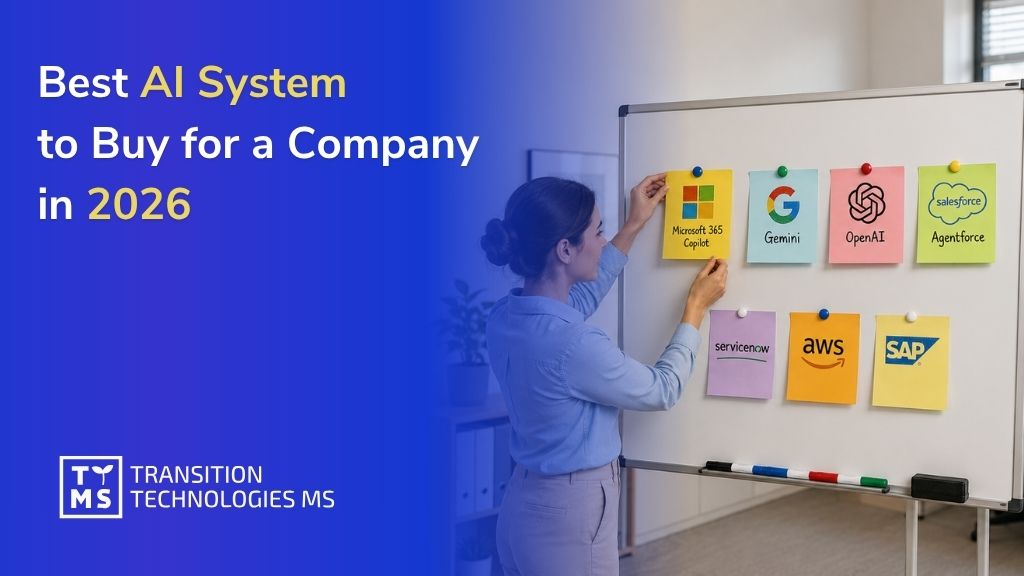
Best AI System to Buy for a Company in 2026
If you are deciding which AI system to buy for a company, start with a practical rule: buy the platform that already lives where your people work. For most enterprise, organisation, and company environments, the strongest choices are no longer standalone chatbots. They are AI systems tied to email, documents, meetings, files, permissions, automation, and analytics. That is why, in our assessment, Microsoft 365 with Copilot comes first, Google Workspace with Gemini comes second, and the rest of the market follows based on workflow depth, governance, and ecosystem fit. 1. What Makes the Best AI Platforms for Enterprise Work in 2026? The best ai platforms for enterprise work are the ones employees can adopt without having to rebuild the way the organisation already operates. In 2026, the buying question is less about which model looks best in a benchmark, and more about which platform can be governed, connected to company data, rolled out safely, and turned into repeatable work. Microsoft positions Copilot around Microsoft Graph, permissions, and the Microsoft 365 service boundary; Google now includes Gemini and NotebookLM directly in Workspace plans; and vendors like Salesforce, ServiceNow, Amazon, and SAP frame AI as a workflow layer, not just a chat tab. That shift is exactly why searches such as “best enterprise ai platforms 2026”, “best ai platforms for enterprise use”, and “what are the best enterprise ai platforms?” all need the same answer structure: first identify the operating environment, then the AI layer that fits it, then the delivery partner that can turn licences into measurable business change. 2. How we ranked the leading enterprise AI systems This ranking prioritises five factors: native fit with daily work, enterprise security and admin controls, ability to use company data with permissions, workflow automation depth, and ecosystem maturity. We also penalised platforms that are excellent as standalone assistants but weaker as a whole-company operating layer. For private companies such as OpenAI, some business metrics come from public reporting rather than annual filings, because no public annual report is available. 3. Our ranking of the best AI systems for companies 3.1 Microsoft 365 with Copilot, Copilot Chat, Copilot Studio, Power Platform, and Power BI context Microsoft is the best AI system to buy for a company if your organisation already runs on Outlook, Teams, Word, Excel, PowerPoint, SharePoint, and OneDrive. Microsoft 365 Copilot works inside those apps, uses grounding through Microsoft Graph in the user’s tenant, respects existing permissions, and keeps prompts, retrieved data, and responses inside the Microsoft 365 service boundary. Microsoft also lets organisations build and publish agents through Copilot Studio, and those agents can be added to Microsoft 365 Copilot. Copilot Chat is available to users with commercial Microsoft 365 licences, while the full Microsoft 365 Copilot licence unlocks deeper in-app Copilot experiences and broader agent scenarios. This is the strongest answer to the query “best ai platforms for enterprise use 2026” because Microsoft combines the everyday work surface, the security model, the data layer, and the automation layer in one stack. It is especially strong for companies that want one standard assistant across leadership, sales, finance, operations, HR, and project teams, rather than a patchwork of isolated tools. Microsoft: company snapshot Latest reported revenue: $281.7 billion in FY2025 Number of employees: 228,000+ Website: microsoft.com Headquarters: Redmond, Washington, United States Main services / focus: Microsoft 365, Copilot, Copilot Studio, Teams, SharePoint, Power Platform, Power BI, Azure AI, enterprise security and governance For Microsoft-first companies, TTMS deserves a direct mention as a delivery partner. TTMS states that it uses Microsoft 365 itself, offers Microsoft 365 training, process automation with Power Automate and Power Apps, M365 security hardening, Teams application development, and migrations from Linux, Google Suite, and on-prem solutions into Microsoft 365. TTMS also develops Power Apps and AI solutions integrated with Microsoft 365, Power BI, Dataverse, Teams, and SharePoint, including Azure OpenAI based document search and analysis with referenced sources. If your company wants Microsoft AI to become real workflow change rather than just another licence purchase, TTMS is genuinely relevant here. Relevant internal next step: Microsoft 365 services from TTMS and Power Apps and AI solutions from TTMS. 3.2 Google Workspace with Gemini and NotebookLM Google ranks second because it now offers one of the cleanest AI experiences for document-heavy and research-heavy organisations. Google Workspace plans include access to the Gemini app, NotebookLM, and Gemini in Gmail, Docs, Meet, and more. Google positions Gemini Enterprise as a secure platform where agents can work across Workspace apps, while NotebookLM has become a serious differentiator for teams that need to reason across PDFs, websites, slide decks, and shared internal knowledge. For many companies, Google is the best alternative to Microsoft rather than a niche option. If your teams live in Docs, Drive, Meet, and browser-centred workflows, Google gives you a low-friction route to everyday AI adoption. NotebookLM Enterprise also adds enterprise-oriented controls and security options, which matters for organisations that want structured knowledge workflows rather than open-ended prompting without guardrails. Google: company snapshot Latest reported revenue: $403 billion in FY2025 Number of employees: 190,820 Website: workspace.google.com Headquarters: Mountain View, California, United States Main services / focus: Google Workspace, Gemini, NotebookLM, Google Cloud AI, enterprise search and collaboration, agent workflows 3.3 OpenAI ChatGPT Enterprise OpenAI comes third because ChatGPT Enterprise is arguably the most powerful standalone enterprise assistant on the market, but it is still not the most natural whole-company operating layer for most buyers. OpenAI’s enterprise offer focuses on built-in apps and connectors for company data, including Microsoft SharePoint, GitHub, Google Drive, and Box, plus enterprise-grade security, admin controls, SAML SSO, data encryption, compliance support, and the explicit commitment that business data is not used to train its models by default for ChatGPT Business and Enterprise customers. That makes OpenAI one of the best enterprise generative ai platforms 2026, especially for organisations that want frontier capability, flexible connectors, strong reasoning, and a shared workspace without committing to a single broader productivity suite. It ranks behind Microsoft and Google mainly because most companies still need to do more integration, governance design, and workflow packaging around ChatGPT than around the two major workspace-native stacks. OpenAI: company snapshot Latest reported revenue: More than $20 billion annualized revenue in 2025, above $25 billion annualized by March 2026 Number of employees: Approx. 4,500 in March 2026 Website: openai.com Headquarters: San Francisco, California, United States Main services / focus: ChatGPT Enterprise, company connectors, advanced reasoning, deep research, admin controls, API platform 3.4 Salesforce Agentforce Salesforce ranks fourth because it is one of the most compelling AI systems for customer-facing work, but it is not the best first purchase for every department in the average organisation. Salesforce describes itself as the “#1 AI CRM” and positions Agentforce as the platform that brings humans, agents, unified data, and Customer 360 apps together. Its recent results also show meaningful traction, with Agentforce ARR reaching $800 million and 29,000 deals closed by the end of fiscal 2026. If customer operations are the centre of gravity in your company, Salesforce may rank even higher than this list suggests. It becomes especially powerful when service, sales, and internal collaboration already run through Salesforce and Slack. For a general search like “best ai platforms for enterprise use”, however, Salesforce sits behind Microsoft, Google, and OpenAI because its sweet spot is customer workflow reinvention rather than the entire everyday productivity layer. Salesforce: company snapshot Latest reported revenue: $41.5 billion in FY2026 Number of employees: 76,000+ Website: salesforce.com Headquarters: San Francisco, California, United States Main services / focus: Agentforce, AI CRM, Customer 360, Data 360 and Data Cloud, Slack, Tableau, sales and service workflows 3.5 ServiceNow AI Platform and Now Assist ServiceNow ranks fifth because it is outstanding for internal service workflows, IT, HR, and employee experience, but less universal than Microsoft or Google for content creation and day-to-day office work. ServiceNow describes its offer as the AI platform for business transformation, a trusted single platform, data model, and system of action. Now Assist is the generative AI layer on top, designed to improve productivity through conversation, summaries, proactive experiences, and workflow-specific skills. That makes ServiceNow one of the best enterprise AI platforms for organisations whose biggest pain points are ticketing, case handling, employee support, approvals, and process orchestration. If your company wants AI to improve internal service delivery rather than reinvent writing, meetings, and documents first, ServiceNow is a very strong buy. ServiceNow: company snapshot Latest reported revenue: $13.278 billion in 2025 Number of employees: 29,187 Website: servicenow.com Headquarters: Santa Clara, California, United States Main services / focus: AI Platform, Now Assist, IT workflows, HR and employee experience, service operations, workflow automation 3.6 Amazon Q Business Amazon Q Business ranks sixth and is especially compelling for AWS-native companies. Amazon describes it as a generative AI powered assistant for finding information, gaining insight, and taking action at work. It provides permission-aware responses with citations, connects to enterprise content and systems, supports plugins and actions across third-party tools, and can be accessed through integrations such as Slack, Outlook, Word, and Teams. Amazon also offers Q Apps and workflow automation capabilities around the product. Amazon Q Business is not as naturally embedded into a full office suite as Microsoft or Google, which is why it ranks lower for a generic “best ai system to buy for a company” query. But for organisations already standardised on AWS, or those that care deeply about permissions-aware retrieval, citations, and action-taking across complex systems, Amazon Q is a serious enterprise platform rather than a side tool. Amazon: company snapshot Latest reported revenue: $716.9 billion company-wide in 2025, with AWS segment sales of $128.7 billion Number of employees: 1,576,000+ Website: aws.amazon.com Headquarters: Seattle, Washington, United States Main services / focus: AWS, Amazon Q Business, enterprise search and insights, knowledge assistants, workflow actions, cloud infrastructure 3.7 SAP Business AI with Joule SAP takes the seventh position, but it can move much higher in SAP-first enterprises. Joule is SAP’s AI assistant and the company frames SAP Business AI around role-based assistants and agents connected to finance, procurement, HR, supply chain, customer experience, and business transformation processes. SAP also emphasises a unified AI experience across SAP and non-SAP systems, plus ready-made agents and new agent-building capabilities in Joule Studio. For a company that already runs core operations on SAP, this can be one of the best ai platforms for enterprise work because it is grounded in the business process layer that matters most. For a company looking for its first broad productivity assistant across email, meetings, and files, SAP is less universal than Microsoft or Google, which is why it sits lower in this overall ranking. SAP: company snapshot Latest reported revenue: €36.8 billion in FY2025 Number of employees: 110,000+ Website: sap.com Headquarters: Walldorf, Germany Main services / focus: SAP Business AI, Joule, ERP and finance workflows, procurement, HR, supply chain, enterprise agents and business data Bottom line: for most company buyers, Microsoft is the best AI system to buy if you need broad adoption across the whole organisation. Google is the best challenger if your workday already runs in Workspace. OpenAI is the strongest standalone enterprise assistant. Salesforce, ServiceNow, Amazon, and SAP become especially compelling when your business value is concentrated in CRM, service workflows, AWS-native knowledge work, or SAP-centred operations. 4. Best Enterprise AI Platforms in 2026 – Comparison Table Platform Best for Main strength Potential limitation Best fit company type Microsoft 365 Copilot Enterprise productivity and collaboration Deep integration with Teams, Outlook, Word, Excel, SharePoint, Power Platform, and Power BI Requires mature Microsoft 365 environment and governance Large and mid-sized organisations using Microsoft ecosystem Google Workspace + Gemini Research-heavy and document-centric work Strong AI experience in Docs, Gmail, Meet, and NotebookLM Less process automation depth than Microsoft stack Google Workspace-first companies and distributed teams OpenAI ChatGPT Enterprise Advanced reasoning and general-purpose AI assistance Very strong generative AI capabilities and flexible connectors Requires more integration and governance planning Innovation-focused organisations and AI-first teams Salesforce Agentforce Customer operations and CRM workflows AI embedded into Customer 360 and sales/service operations Less universal outside customer-facing departments Sales-driven and service-driven enterprises ServiceNow AI Platform Internal workflows and employee support Excellent workflow automation for IT, HR, and operations Not designed as a broad productivity suite Process-heavy organisations with large support operations Amazon Q Business AWS-native enterprise environments Permission-aware enterprise search and AI actions Smaller collaboration ecosystem than Microsoft or Google Cloud-native companies using AWS infrastructure SAP Business AI ERP and operational workflows Strong integration with finance, procurement, and supply chain Less useful outside SAP-centric environments Large enterprises running SAP ecosystems 5. How to Choose the Best Enterprise AI Platform for Your Company The best enterprise AI platform depends less on model popularity and more on where your organisation already works. Companies built around Microsoft 365, Teams, SharePoint, and Power Platform will usually benefit most from Microsoft Copilot and the broader Microsoft AI ecosystem. Google Workspace-first organisations often gain faster adoption from Gemini and NotebookLM. Businesses focused on CRM and customer operations may prefer Salesforce Agentforce, while SAP-centric enterprises typically achieve the strongest results from SAP Business AI. Before buying any enterprise AI system, companies should evaluate three areas: where daily work happens, where sensitive company data lives, and whether the goal is a company-wide assistant, workflow automation, or domain-specific AI agents. Many failed AI rollouts happen because organisations choose tools based on hype instead of operational fit, governance readiness, and ecosystem compatibility. 6. Why Microsoft comes first and where TTMS fits When buyers ask “what are the best enterprise ai platforms?”, they often mix up three categories: everyday work assistants, agent builders, and workflow systems. Microsoft currently covers all three more coherently than anyone else for the average enterprise buyer. It has the daily work surface in Microsoft 365, enterprise data grounding through Microsoft Graph, agent creation in Copilot Studio, and adjacent process and analytics layers in Power Platform and Power BI. That breadth is why it is the safest first recommendation for a company that wants one strategic AI standard rather than a bundle of separate tools. TTMS fits naturally into that Microsoft story because its offer is not just advisory. TTMS highlights adoption support, tailored training, process automation, environment security, Teams app development, and migration services around Microsoft 365. Its Power Apps and AI practice adds low-code AI app delivery, AI Builder, Power Apps Copilot, Azure AI, and integrations across Microsoft 365, Power BI, Dataverse, Teams, and SharePoint. For an organisation that wants board-level AI ambition translated into working Microsoft processes, that kind of delivery capability matters. If your company is planning a Microsoft 365 AI rollout, Copilot adoption, or Power Platform automation initiative, TTMS Microsoft 365 services can help turn AI strategy into secure, scalable business execution. FAQ What are the best enterprise AI platforms? For most organisations, the strongest shortlist is Microsoft 365 with Copilot, Google Workspace with Gemini and NotebookLM, OpenAI ChatGPT Enterprise, Salesforce Agentforce, ServiceNow AI Platform and Now Assist, Amazon Q Business, and SAP Business AI with Joule. Each one is strong, but each one solves a different layer of enterprise work. What is the best AI platform for enterprise work in 2026? If the goal is broad company productivity, governance, and cross-functional adoption, Microsoft is the strongest answer in 2026. Google comes next for Workspace-centric companies. If you specifically want a standalone assistant rather than a full workspace stack, OpenAI is the leading option. What should a company avoid when buying an enterprise AI system? Avoid choosing a platform only because the underlying model is fashionable. The better buying criterion is where work already happens, how permissions are handled, how admins control access, how the system connects to company knowledge, and whether it supports real workflows instead of isolated prompting.
Read
Digital Transformation in 2026: What It Really Means for Business
Most companies today are already “digital.” They use cloud tools, collect data, and experiment with AI. Yet very few see real financial impact. This is the paradox of 2026: technology adoption is widespread, but business transformation is not. Digital transformation no longer means implementing new tools. It means fundamentally changing how a company operates, makes decisions, and delivers value using technology. 1. What digital transformation really means in 2026 In 2026, digital transformation is no longer about simply digitizing processes, migrating systems to the cloud, or implementing another software platform. Most organizations have already completed those first-generation digital initiatives years ago. Today, transformation means something much deeper: redesigning how the entire business operates in an environment shaped by AI, automation, real-time data, and rapidly changing customer expectations. It involves rethinking: how decisions are made across the organization, how processes are structured and optimized, how data flows between teams and systems, how employees interact with technology in their daily work, how companies respond to market changes in real time. Technology itself is no longer the competitive advantage. Access to cloud infrastructure, AI models, and enterprise software has become widely available. What differentiates companies in 2026 is their ability to integrate these technologies into the core of their operations and turn them into measurable business outcomes. That is why successful transformation programs focus less on tools and more on workflows, governance, accountability, and execution. AI alone does not create value if it is layered on top of inefficient processes. Real impact appears when organizations redesign workflows around automation and data-driven decision-making. For example, many companies initially used AI as a support tool for employees. Today, leading organizations are redesigning entire operational models around AI-assisted workflows. Customer service teams are changing how they handle inquiries, finance departments are automating analysis and reporting, and operations teams are using predictive systems to optimize planning and reduce downtime. The same shift is happening at the leadership level. Executives increasingly expect real-time visibility into operations, faster access to insights, and the ability to make decisions based on live business data rather than static reports prepared days or weeks earlier. Digital transformation also requires cultural and organizational change. Teams must learn to operate differently, managers need new performance metrics, and companies must establish governance frameworks for AI, cybersecurity, compliance, and data quality. In practice, this means that digital transformation in 2026 is no longer an IT initiative. It is a business strategy supported by technology. Companies that succeed are not those that simply “use AI.” They are the ones that redesign their business around it. 2. Why 2026 is a turning point Several forces have converged to make transformation unavoidable. 2.1 AI is becoming operational, not experimental AI is no longer limited to pilots and proofs of concept. It is being embedded into customer service, operations, finance, and decision-making processes. The key shift is from automation of tasks to automation of decisions. 2.2 Data has become a strategic asset Organizations are moving away from fragmented data silos toward integrated data ecosystems that enable real-time insights and AI-driven workflows. 2.3 Regulation is shaping digital strategy New regulations around AI, cybersecurity, and data governance are forcing companies to treat digital transformation as a structured, compliant program rather than a series of experiments. 2.4 Efficiency pressure is higher than ever Rising costs, talent shortages, and market volatility are pushing companies to improve productivity without increasing headcount. Digital transformation is now one of the few scalable ways to achieve that. 3. Where companies are already seeing value The most successful transformations are not theoretical. They focus on specific, measurable outcomes. Across industries, companies are using AI and automation to: reduce customer service costs while improving response times, accelerate decision-making in operations and logistics, improve quality and reduce defects in manufacturing, increase productivity in knowledge-based roles, optimize resource usage and operational efficiency. The common denominator is clear: measurable impact on cost, speed, and quality. 4. What digital transformation is not Many initiatives fail because they are based on outdated assumptions. Digital transformation is not: implementing a new system, moving infrastructure to the cloud, deploying AI without changing processes, running isolated innovation projects. Without process redesign and clear business ownership, these initiatives rarely deliver value. 5. How to approach transformation in practice Successful transformation programs follow a structured approach focused on business outcomes. 5.1 Start with business objectives Define what the transformation is expected to improve before choosing any technology. The objective should be specific enough to guide decisions, budgets, and priorities. Examples of clear objectives include reducing invoice processing time, lowering customer service costs, shortening reporting cycles, improving forecast accuracy, increasing sales team productivity, or reducing production downtime. Each objective should be linked to a measurable KPI. Without this, it is difficult to prove whether the initiative created business value or only introduced another system into the organization. 5.2 Identify high-impact use cases Once business objectives are clear, the next step is to identify use cases with the strongest potential impact. These are usually processes that are repetitive, data-heavy, slow, expensive, or dependent on manual decisions. Good candidates include customer support automation, document processing, financial reporting, demand forecasting, predictive maintenance, quality control, internal knowledge search, and workflow automation. The best use cases combine three elements: clear business value, available data, and realistic implementation complexity. A use case may be attractive on paper, but if the required data is missing or the process depends on too many exceptions, it may not be the right first project. 5.3 Prepare data and architecture Before building solutions, companies need to assess whether their data and systems are ready to support transformation at scale. Poor data quality, disconnected systems, and unclear ownership can block even well-designed initiatives. This stage should include checking where key data is stored, who owns it, how reliable it is, how often it is updated, and whether it can be safely accessed by new applications, analytics tools, or AI systems. Architecture also matters. Solutions should not be designed as isolated pilots. They need to integrate with existing systems, follow security requirements, support future scaling, and allow monitoring after deployment. 5.4 Build and test quickly Transformation should move from assumptions to validation as quickly as possible. Instead of designing a large program for many months, companies should build a minimum viable solution and test it in a real business environment. The goal is not to create a perfect product immediately. The goal is to verify whether the solution improves the target process, whether users can work with it, and whether the expected business value is realistic. A good pilot should have a defined scope, a small group of users, baseline metrics, success criteria, and a clear decision point: scale, improve, or stop. 5.5 Scale what works A successful pilot is not the end of transformation. It is only proof that a solution can work in controlled conditions. The real value appears when the solution is adopted across teams, departments, or business units. Scaling requires more than copying the same tool into another area. Companies need standardized processes, integration with core systems, user training, support models, governance, and clear ownership after rollout. This is also the moment to check whether the solution remains reliable at higher volume, whether costs stay under control, and whether business KPIs continue to improve outside the initial pilot group. 5.6 Manage change actively Digital transformation changes how people work, not only which tools they use. Employees may need to follow new workflows, trust automated recommendations, use new dashboards, or shift from manual execution to supervision and exception handling. Change management should start before deployment. Teams need to understand why the change is happening, how it affects their daily work, what benefits it brings, and what skills they need to build. Leadership alignment is equally important. If managers continue to measure performance in the old way, employees will often return to old processes. New tools must be supported by updated responsibilities, KPIs, training, and communication. 6. Build, buy, or outsource? One of the key strategic decisions in digital transformation is how to deliver it. There is no universal answer, but in practice: building internally gives control but requires significant investment and time, buying ready-made solutions accelerates implementation but limits flexibility, outsourcing enables access to expertise and faster execution. Most companies adopt a hybrid approach, combining internal ownership with external expertise to accelerate delivery and reduce risk. 7. How to measure success of digital transformation? Transformation should always be tied to measurable outcomes. Key metrics typically include: cost reduction, process cycle time, productivity per employee, quality and error rates, time-to-market. Without clear KPIs, even technically successful projects may fail to deliver business value. 8. Final thoughts Digital transformation in 2026 is no longer measured by the number of tools a company implements. It is measured by operational impact. Organizations investing in AI, automation, cloud infrastructure, and data platforms expect measurable improvements in efficiency, speed, and profitability. If transformation initiatives do not reduce costs, improve decision-making, accelerate delivery, or increase productivity, they quickly lose executive support. This is why the most successful companies approach transformation as a business program with clearly defined KPIs, ownership, and timelines rather than a collection of isolated IT projects. In practice, the gap between leaders and lagging organizations is becoming increasingly visible. Companies that move early are: automating repetitive operational work, reducing dependency on manual processes, improving customer response times, using AI to support decision-making, scaling operations without proportional headcount growth. At the same time, organizations that delay transformation are facing rising operational costs, slower execution, fragmented systems, and growing pressure from competitors that operate more efficiently. One of the biggest changes in 2026 is that access to technology is no longer the differentiator. AI tools, cloud services, and enterprise platforms are widely available. The real challenge is execution. Many companies still struggle with: poor data quality, legacy systems that cannot scale, isolated AI pilots with no business impact, lack of internal expertise, unclear ownership of transformation initiatives. As a result, the companies generating the highest value are not necessarily the ones spending the most on technology. They are the ones that can connect strategy, processes, data, and execution into one scalable operating model. That is what digital transformation really means in 2026. It is not a technology trend. It is an operational and strategic capability that directly affects competitiveness, resilience, and long-term growth. Planning a digital transformation or AI initiative? Explore how experienced engineering teams can support faster delivery and lower risk: https://ttms.com/outsourcing/ FAQ How long does a typical digital transformation project take? The timeline depends on the scale of the organization, the complexity of existing systems, and the scope of the transformation. Smaller initiatives such as workflow automation or AI-powered reporting can deliver measurable results within a few months, while enterprise-wide transformation programs often evolve over several years. Most successful companies approach transformation incrementally rather than attempting a complete overhaul at once. What is the biggest obstacle to successful digital transformation? In many organizations, the biggest challenge is not technology but operational alignment. Companies often struggle with fragmented systems, unclear ownership, resistance to change, or lack of coordination between business and IT teams. Even strong technical solutions can fail if the organization is not prepared to adapt processes, responsibilities, and decision-making models around them. Can mid-sized companies benefit from AI-driven transformation? Yes. In fact, mid-sized companies often move faster than large enterprises because they have fewer legacy systems and shorter decision-making chains. AI and automation are no longer limited to corporations with massive budgets. Many modern cloud-based tools allow mid-sized organizations to improve efficiency, automate repetitive work, and gain better operational visibility without building complex infrastructure from scratch.
Read