

Home •Blog
TTMS Blog
TTMS experts about the IT world, the latest technologies and the solutions we implement.
Sort by topics
Search results for the term: “chatgpt”

15 ChatGPT Integrations with Business Apps in 2026
How can ChatGPT integrations with business applications simplify everyday work in 2026? Here is a simple example: a client emails us asking for a project status update. At this point, we face half an hour of clicking between Google Drive, Slack, Asana and the CRM system. What if ChatGPT could collect information from all these sources in a single conversation and immediately prepare a summary, response or plan for the next steps? In this article: we examine 15 ChatGPT integrations with popular business applications that can make the scenario described above part of a company’s everyday workflow, we explain the differences between apps, integrations, plugins, GPTs and MCP servers, we present specific business use cases and highlight what should be checked before implementation, including permission scopes, data security, availability and costs. How do business application integrations extend ChatGPT’s capabilities? In the client enquiry scenario described above, the right set of integrations could work as follows: ChatGPT would find documents in Google Drive, summarise conversations in Slack, check task statuses in Asana and analyse the client’s data in the CRM system. Individual integrations may be available in ChatGPT as apps, connectors or MCP-based solutions. They make it possible to use data and selected functions from external services without leaving the conversation, and then prepare an up-to-date summary, a response for the client or a plan for the next steps. The available capabilities depend on the specific solution. Some integrations are more “passive” and are used mainly for searching and reading data. More “active” integrations support creating, updating and sending data. GPTs, apps, connectors, plugins and MCP – how do these concepts differ? The terminology surrounding ChatGPT extensions includes several related concepts. In our previous article, we described the ecosystem of the most useful ChatGPT plugins. In this comparison, we use the term “ChatGPT integrations” as an umbrella term for the different ways of connecting ChatGPT to business applications, their data and their functions. Concept Proposed definition ChatGPT integration An umbrella term for connecting ChatGPT to an external application, its data or its functions. An integration may be implemented as an app, connector, plugin, MCP server or GPT Action. App A function of an external service available directly in ChatGPT, sometimes with an interactive interface. Connector A ready-made connection that gives ChatGPT access to the data or functions of a specific service. Depending on the solution, it may support search, synchronisation or actions. MCP server A layer that gives ChatGPT access to selected tools, data and operations from an external system in accordance with the Model Context Protocol standard. Plugin An installable package that extends ChatGPT or Codex and may include instructions, skills, an MCP connection and an optional interface. These concepts describe different elements of the same ecosystem and are not always completely separate. Integration is the umbrella term for connecting ChatGPT to an external service. It may be available as an app, use a connector or MCP server, while a plugin may combine several of these elements into a ready-made workflow. How do you connect an app to ChatGPT step by step? Define the task the integration should perform. Open the app or plugin directory in ChatGPT. Select the appropriate service and start the connection process. Sign in to the external application and approve the required permissions. Open a new conversation and select the connected app. Test the integration using a limited dataset before deploying it across the entire team. How did we select 15 ChatGPT integrations with business applications? This comparison covers integrations that support recurring business processes and are available directly in ChatGPT or through documented MCP-based solutions. We considered five criteria: Frequency of use: the tool stores data or supports tasks performed by teams every day. Value of context: the connection gives ChatGPT access to information that significantly improves the quality of its output. Scope of actions: the integration supports searching, analysing, creating or updating data. Access control: the provider describes authentication, user permissions or administrative controls. Usefulness across multiple roles: the solution can support sales, marketing, operations, IT, product development or knowledge management. The availability of individual features depends on the ChatGPT plan, the external service plan, the country, workspace settings and administrator decisions. The catalogue and permission scopes should be checked immediately before implementation. 15 ChatGPT integrations with business applications in 2026 1. Google Drive integration with ChatGPT – searching and analysing company documents The Google Drive integration with ChatGPT enables users to work with materials stored in Drive, Docs, Sheets and Slides. Users can search for files, combine information from several documents, analyse spreadsheets and use existing materials as sources for a new report, brief or presentation. It provides the greatest value to teams with well-organised folders and consistent document naming conventions. ChatGPT can then locate the correct versions of proposals, reports, meeting notes and project materials more quickly. Best use case: preparing a project summary based on documents, a results spreadsheet and a status presentation. Example prompt: “Find materials in Google Drive related to Project X from the last 30 days and prepare a summary of decisions, risks and next steps.” The video shows how to connect Google Drive to ChatGPT, create an SEO-optimised blog post and save it as a document in Google Drive. It also highlights the importance of detailed prompts for improving the quality of generated content. 2. SharePoint integration with ChatGPT – access to organisational knowledge, procedures and files SharePoint is a natural source of information for organisations using Microsoft 365. It stores documents, intranet pages, procedures, policies and project materials. The SharePoint integration with ChatGPT enables users to find these resources and use them when preparing responses or documents. It is particularly useful in larger organisations where knowledge is distributed across sites, document libraries and teams. The SharePoint permission structure continues to determine which information is available to each employee. Best use case: finding current policies, instructions, templates and project documentation. Example prompt: “Based on the current procedures in SharePoint, prepare an onboarding checklist for a new supplier.” 3. Box integration with ChatGPT – secure analysis of company documents Box combines content management with access controls and is often used by organisations working with confidential documents. The Box integration with ChatGPT can retrieve data on demand or synchronise selected content. On-demand access retrieves the required information while a prompt is being processed, while synchronisation indexes approved resources in advance and speeds up searches across large repositories. The choice of access mode should take into account data classification, retention requirements and the expected response time. Best use case: analysing contracts, project materials, client documentation and approved company resources. Example prompt: “Find the current versions of documents for Client X in Box and identify discrepancies in the project scope.” 4. Gmail integration with ChatGPT – summarising correspondence and preparing replies The Gmail integration with ChatGPT enables users to search for messages, summarise long threads and prepare draft replies based on their email history. Gmail in ChatGPT is useful in sales, customer service, recruitment and day-to-day coordination when important decisions are distributed across multiple messages. To help the Gmail connector return an accurate result, specify the relevant period, senders, subject and expected outcome. ChatGPT can then find the appropriate messages and turn them into a summary, list of decisions or ready-to-use draft reply. Best use case: summarising an email thread, preparing a follow-up and identifying the commitments made by each party. Example prompt: “Summarise the correspondence with Company X from the last two weeks. List the agreed actions, deadlines and questions that still require a response.” The video shows how to connect Gmail to ChatGPT step by step using the official app. Once the Gmail integration with ChatGPT has been configured, users can search for messages, summarise long threads, find important information and prepare draft replies directly within the conversation. 5. Outlook Email integration with ChatGPT – analysing messages in Microsoft 365 The Outlook Email integration with ChatGPT enables users to find messages, analyse long email threads and prepare replies that take the conversation history into account. Outlook in ChatGPT is particularly useful for organisations using Microsoft 365. If ChatGPT is also connected to SharePoint and Microsoft Teams, it can combine email discussions with documents and team conversations. The Outlook Email integration operates only within sources approved by the organisation and available to the individual user. Best use case: preparing a client response based on email history and current project materials. Example prompt: “Find the latest email thread about renewing the contract with Company X and prepare a draft reply that addresses the outstanding issues.” 6. Slack integration with ChatGPT – summarising team conversations, decisions and actions The Slack integration with ChatGPT gives the model access to context from messages, files, channels and team member profiles. Slack in ChatGPT helps reconstruct the history of decisions, prepare project status updates and identify recurring problems in team conversations. The Slack MCP server also supports selected actions, such as sending messages and creating or viewing Canvas documents. The Slack integration with ChatGPT only uses channels available to the authenticated user and operates according to the rules configured by the administrator. Best use case: preparing a weekly status update covering decisions, blockers, owners and open questions. Example prompt: “Review the project channel from Monday onwards and prepare a status update covering completed actions, risks, decisions and tasks for the coming week.” 7. Microsoft Teams integration with ChatGPT – analysing conversations, meetings and tasks The Microsoft Teams integration with ChatGPT enables users to search and analyse messages from individual chats, group conversations and channels available to them. Microsoft Teams in ChatGPT can also work with Microsoft Planner plans and tasks. When the relevant actions are enabled, it can create chats and channels, as well as send messages and replies. On the Enterprise plan, the integration can also retrieve transcripts from scheduled meetings if the user has the appropriate permissions. Files shared in Teams channels are usually stored in SharePoint, so analysing them requires an additional connection between ChatGPT and SharePoint. Best use case: finding decisions in team conversations and turning them into summaries, tasks and status materials. Example prompt: “Review the conversations in the project channel from the last five days and prepare a list of decisions, open questions, responsible individuals and deadlines.” 8. Notion integration with ChatGPT – creating and updating company knowledge The Notion integration with ChatGPT enables users to read, create and update content on Notion pages directly from a conversation. Notion in ChatGPT can support product documentation, campaign plans, knowledge bases, feature specifications and implementation checklists. The Notion MCP server operates within the permissions of the signed-in user. A person with broad access to the workspace gives the integration an equally broad scope of data and operations, so it is worth beginning the implementation with clearly limited use cases and accounts with appropriately assigned roles. Best use case: transforming notes and analysis results into structured pages, databases and action plans. Example prompt: “Create a feature specification in Notion based on these notes. Add objectives, requirements, acceptance criteria, risks and open questions.” The video shows how to connect Notion to ChatGPT and work with content stored in a workspace. The Notion integration with ChatGPT enables users to search for information and create or update pages directly from a conversation. 9. Atlassian Rovo integration with ChatGPT – working with Jira, Confluence and Bitbucket The Atlassian Rovo integration with ChatGPT connects the model to Jira, Jira Service Management, Confluence and Bitbucket. Jira and Confluence content can be searched and summarised in ChatGPT, while users can also create and update tasks, tickets and pages using natural language commands. The Atlassian Rovo MCP server supports software development, ticket management, change management and documentation processes. OAuth 2.1 authentication preserves existing user roles and permissions, while actions affecting data should be subject to approval and monitoring. Best use case: creating tickets from meeting notes, updating statuses and connecting Confluence documentation with Jira tasks. Example prompt: “Based on this specification, create five Jira tasks with descriptions, acceptance criteria and priorities. Show me the proposed tasks before saving them.” 10. Asana integration with ChatGPT – creating tasks and managing projects The Asana integration with ChatGPT provides information about projects and portfolios, and allows users to create and assign tasks, set up new projects and monitor progress. Asana in ChatGPT can turn decisions made during a conversation into a structured plan saved directly in the work management system. The Asana integration with ChatGPT is useful for planning campaigns, implementations, product launches and cross-departmental initiatives. The integration produces the most accurate results when projects, owners and custom fields have clear and consistent names. Best use case: creating a project plan and turning decisions into assigned tasks. Example prompt: “Create a plan in Asana for launching a new product page. Divide the work into stages, tasks, dependencies and responsible team members. Show me the proposed structure for approval before saving it.” 11. HubSpot integration with ChatGPT – CRM analysis and record updates The HubSpot integration with ChatGPT provides information about contacts, companies, sales opportunities, tickets and customer interaction history. HubSpot in ChatGPT can analyse the sales funnel, campaign results and customer activity, as well as create and update selected records and log activities. The HubSpot integration with ChatGPT is one of the most extensive solutions available to sales and marketing teams. The quality of its results depends on the completeness of CRM data, consistently defined funnel stages and correctly assigned permissions. Best use case: preparing an account brief, analysing the pipeline, updating an opportunity and creating a follow-up. Example prompt: “Analyse the sales opportunities in HubSpot that have had no activity for 14 days. Identify the priorities and prepare a plan for the next contact.” 12. Salesforce Agentforce Sales integration with ChatGPT – opportunity analysis and CRM management The Salesforce Agentforce Sales integration with ChatGPT combines information about customers, sales opportunities and the pipeline with analysis and planning capabilities. Salesforce in ChatGPT allows sales representatives to prioritise opportunities, prepare account plans, update records and run Agentforce actions directly from a conversation. The Agentforce Sales app for ChatGPT is currently available through the Open Beta programme to eligible customers using the required Agentforce add-ons. Before implementation, organisations should verify their Salesforce edition, access requirements and regional availability. Best use case: preparing a sales representative for a meeting, prioritising opportunities and updating the CRM after a client conversation. Example prompt: “Show me five Salesforce opportunities that require attention this week. Include their value, stage, most recent activity, risk and recommended next step.” 13. GitHub integration with ChatGPT – analysing code, issues and project changes The GitHub integration with ChatGPT gives the model access to context from repositories, code, issues, proposed changes and automated test results. GitHub in ChatGPT can help analyse code changes, organise issues, prepare documentation and identify dependencies between project components. Administrators can specify which repositories the GitHub integration with ChatGPT can access and which operations it can perform. This makes it possible to test the integration on a small number of selected projects before gradually making it available to additional teams. Best use case: analysing proposed code changes, organising issues, reviewing automated test results and preparing change documentation. Example prompt: “Review the open pull requests in the mobile application repository. Identify risks, missing tests and issues blocking the release.” The video shows how to connect GitHub to ChatGPT and give the integration access to selected repositories. The GitHub integration with ChatGPT enables users to explore project structures, analyse code and documentation, and summarise changes, commits and pull requests directly within a conversation. 14. Canva integration with ChatGPT – creating and editing visual content The Canva integration with ChatGPT enables users to search and summarise existing materials, as well as create, edit and display designs directly within a conversation. Canva in ChatGPT is useful for preparing presentations, social media posts, documents and other visual materials. Designs created through the Canva app for ChatGPT remain editable in Canva, allowing the team to continue refining their content and appearance. The best results can be achieved by specifying the intended audience, objective, format, source materials and brand requirements. Best use case: presentations, social media content, sales documents and visual summaries. Example prompt: “Create a presentation in Canva for the management team based on this report. Use eight slides, concise conclusions and one chart on the results slide.” 15. Adobe integration with ChatGPT – editing photos, videos, graphics and PDF documents Adobe for ChatGPT is a package that brings together features from Adobe applications, including Photoshop, Premiere, Firefly, Express and Acrobat. It supports photo editing, consistent batch processing, preparation of social media formats, video shortening, work with PDF documents and searches across Creative Cloud assets. The solution supports workflows intended to produce a finished file. For example, a workflow may begin with a set of employee photos, include lighting correction and consistent cropping, and finish with the export of materials ready for publication. Best use case: repeatable photo editing, adapting content for different channels, working with PDF documents and quickly creating designs from templates. Example prompt: “Standardise the lighting and colours in these photos, apply consistent cropping and prepare versions for employee profiles on the company website.” 15 ChatGPT integrations with business applications – comparison table No. ChatGPT integration Area Best use case Primary type of work 1 Google Drive Documents and knowledge Analysing files from Drive, Docs, Sheets and Slides Search, reading and analysis 2 Microsoft SharePoint Organisational knowledge Working with controlled Microsoft 365 resources Search, reading and analysis 3 Box Content management Secure work with company files and folders On-demand access or synchronisation 4 Gmail Email Summarising email conversations and preparing replies Search, analysis and drafting 5 Outlook Email Microsoft 365 email Analysing email in a business environment Search, analysis and drafting 6 Slack Team communication Finding decisions and summarising channels and messages Search, reading and actions 7 Microsoft Teams Collaboration Analysing conversations, meetings and team context Search and summarisation 8 Notion Knowledge and documentation Creating and updating pages, databases and plans Real-time reading and writing 9 Atlassian Rovo Projects and IT Working with Jira, Confluence, Jira Service Management and Bitbucket Search, creation and updates 10 Asana Work management Managing project portfolios and creating tasks Analysis and project actions 11 HubSpot CRM, marketing and sales Analysing customers, the sales funnel and contact history Analysis, record creation and updates 12 Salesforce Agentforce Sales Enterprise sales Prioritising opportunities, planning accounts and updating the CRM Analysis and sales actions 13 GitHub Software development Working with repositories, issues, proposed changes and automated tests Search, analysis and issue organisation 14 Canva Design and communication Creating editable presentations and marketing materials Search, generation and editing 15 Adobe Creative work and documents Photos, videos, social media content, PDF files and Creative Cloud assets Search, generation, editing and export Security of ChatGPT integrations in a business environment Secure integration of ChatGPT with company systems requires appropriate permission management, separation of read and write operations, selection of the right data access method, approval of actions and operation logging. Data processing terms, OAuth scopes, retention and data residency requirements should also be reviewed for every connected service. In ChatGPT Business, Enterprise and Edu plans, data retrieved through integrations is not used to train OpenAI models. When is it worth building a custom ChatGPT integration? Ready-made ChatGPT integrations cover popular business applications and common use cases. A custom integration becomes justified when critical data is stored in an internal system, the process requires specific logic or the organisation needs greater control over its architecture and information flows. The most common reasons include: a private API, legacy system, internal database or on-premises solution; a workflow involving several systems and rules specific to the organisation; requirements concerning data residency, auditability and approval of operations; the need to combine RAG-based search, business logic and actions performed in external systems; a regulated environment requiring risk assessment, documentation and controlled implementation; a scale at which a custom integration simplifies access and cost management. Such a solution may use a dedicated integration, MCP server, GPT Actions, API layer or an architecture combining several approaches. The starting point should be a specific process, a clearly identified data owner and the expected business outcome. ChatGPT integrations as part of a secure enterprise AI ecosystem ChatGPT integrations provide the greatest value when the connection supports a real process, respects user roles and produces an output that is ready to use. For one organisation, this may mean faster knowledge retrieval. For another, it may involve CRM updates, document automation or a controlled process spanning several systems. Transition Technologies MS designs and implements AI solutions for business tailored to an organisation’s data, architecture, security requirements and operating model. The scope of a project may include API and MCP integrations, RAG solutions, action automation and a model for managing access, risk and accountability. Our approach to AI has been confirmed by ISO/IEC 42001 certification for our Artificial Intelligence Management System (AIMS). TTMS was the first company in Poland to obtain accredited certification for compliance with this standard and is among the first organisations in Europe operating within its framework. This means that we deliver AI projects according to structured principles covering security, accountability, documentation and risk management. TTMS also develops proprietary AI products that support specific business processes: AI4Content analyses documents and creates structured reports; AI4Knowledge helps employees use company knowledge more effectively; AI4E-learning transforms source materials into editable online training courses; AI4Localisation supports the translation and adaptation of content for different markets; AI4Legal automates document analysis and selected legal processes; AML Track supports customer verification, risk monitoring and compliance with AML obligations; AI4Hire structures application analysis and supports the initial assessment of candidates; QATANA uses AI to create test cases and manage the software testing process. This expertise allows us to combine integration, product and regulatory experience. We can help organisations establish a single connection to a company data source or design a solution spanning several systems, access controls and end-to-end process automation. FAQ: Frequently asked questions about ChatGPT integrations Can ChatGPT use multiple connected apps in a single task? Yes. Supported ChatGPT environments can use several approved sources within a single task. For example, a workflow could collect project decisions from Slack, retrieve a report from Google Drive and prepare an action plan in Asana. Availability depends on the ChatGPT plan, the interface or mode being used and the workspace configuration. The prompt should clearly identify the required sources, expected result and point at which ChatGPT should request approval. The organisation should also define which types of data may be combined in a single output. Does an integration give ChatGPT access to all of a user’s data? The scope of access depends on the permissions granted to the integration and the user’s role in the source system. Many integrations respect existing permissions for folders, channels, repositories and CRM records. An administrator account may therefore expose significantly more data than an employee account assigned to a specific team. During configuration, review the OAuth scopes, user roles and options for restricting access to selected resources. A pilot should ideally use an account with permissions corresponding to the intended user role. Can ChatGPT send messages and modify data in external applications? Selected apps, integrations and MCP servers support write actions such as sending messages, creating tasks, updating CRM records or adding pages. The available actions vary by provider, subscription plan and integration version. Some tools show the proposed change and request confirmation before completing it. Administrators may also restrict an integration to read-only access or allow only selected operations. Actions affecting customers, financial data, publications or regulated processes should always have clearly defined human approval requirements. Do I need a paid ChatGPT plan to use integrations? Not always. A limited selection of apps may also be available on the free ChatGPT plan, although search and analysis features may have lower usage limits. Broader access, including data synchronisation and custom MCP-based integrations, usually requires a paid plan such as Plus, Pro, Business, Enterprise or Edu. Availability may also depend on the user’s region, administrator settings and subscription to the external service. The current requirements for a specific integration should be checked directly in the ChatGPT app or plugin directory. Can ChatGPT be connected to a company’s internal system? Yes. An organisation can build a custom MCP server, dedicated integration or API connection that gives ChatGPT access to selected data and actions. A private system may remain behind a firewall or operate on-premises if the architecture uses a secure tunnel and controlled authentication. The project should define tool schemas, roles, logging, action approvals, error handling and protection against prompt injection. Before production deployment, the integration should be tested using valid requests, edge cases and tasks that it is expected to refuse. How do you connect an app to ChatGPT? First, define the task the integration should perform and the data required to complete it. Then open the app or plugin directory in ChatGPT, select the appropriate service and start the configuration process. Sign in to the external application, carefully review the requested permissions and approve only the access that is necessary. Once configuration is complete, open a new conversation, select the connected app and test it using a limited dataset. In a business environment, it is best to begin with a pilot for a small group of users before making the integration available to the wider organisation. Can a company administrator restrict access to apps in ChatGPT? Yes. A workspace administrator can decide which apps and plugins are available within the organisation, who may use them and which actions they can perform. For example, the administrator may allow read-only access while blocking message sending or CRM record updates. In managed workspaces, access can also be assigned according to user roles and groups. Integrations continue to respect permissions in the source system, so users should not gain access through ChatGPT to information they cannot view in the connected application. Does ChatGPT store copies of data retrieved from connected systems? It depends on how the integration works. With on-demand access, data is retrieved when a specific request is processed and is not indexed in advance. Integrations that use synchronisation may create an indexed copy of selected content to speed up searches and improve response quality. Disconnecting an app prevents further access, while its synchronised index is scheduled for deletion from OpenAI systems, typically within 30 days. Information previously used in conversations may remain in chat history, so removing it may also require deleting the relevant conversations and saved memories.
Read
ChatGPT 5.6 in Practice: Initial Compliments and Disappointments
OpenAI rolled out GPT-5.6 in stages. It first appeared in limited test access for selected partners. Access to ChatGPT 5.6 reached Europe, including Poland, gradually, so only recently have teams been able to test the model in everyday work. Expectations are high. In the second half of 2026, businesses expect language models to handle multi-step tasks and work with extensive context. Ease of use matters too. GPT’s interface has undergone a major redesign. Has it improved the user experience and the quality of responses? This article explores that question, as well as: which business processes ChatGPT 5.6 can support by improving productivity and the quality of working materials, how to plan an AI pilot in your organisation, measure results and maintain quality control, which limitations of ChatGPT 5.6 to consider before a wider rollout, how to establish a shared standard for prompts and output validation across the team, what early users think about working with ChatGPT 5.6. If you are looking for a full overview of the changes, pricing, models and capabilities of GPT-5.6, see our article GPT-5.6 from OpenAI: what has changed, pricing, capabilities and business applications. ChatGPT 5.6: our first impressions and early industry feedback Early expert reviews focus primarily on context handling. Reviewers note that when working with substantial material that goes through multiple rounds of edits, ChatGPT 5.6 is better at keeping the task on track. Most of us have experienced earlier OpenAI models losing their “bearing”. On top of that, the model itself encouraged endless revisions, which could pull the material away from the original intent of the prompt. GPT 5.5 had an irritating habit of suggesting more and more variations. Almost every response ended with a clickbait-style suggestion along the lines of: “If you want, I can help you add two elements that will create a wow effect and give the text around 50% more SEO power.” As a result, instead of closing the topic, we were drawn into the model’s endless doubts: could the material really not be improved further? GPT 5.6 is no less capable than the older model, but it finally respects what matters most: the intent behind the prompt and our time. Kajetan Terlecki SEO Specialist, TTMS Another recurring observation concerns the quality of the first draft—the material GPT produces after the first prompt. Reviewers emphasise that the model’s draft is usually well structured and much closer to a final version than it was with GPT 5.5. It is not a perfect ten yet, but a solid eight. In other words, a final version may be within reach after a relatively short time. With earlier GPT models, the “brainstorming” phase took much longer. The third—and most immediately noticeable—area is the way we use the tool, which we can simply call the “interface”. It is admittedly quite complex. Beyond writing a prompt, users must make a series of decisions: which workspace should I choose: Chat or Work? which model best fits my request: Luna, Terra or the most advanced Sol? Or is the older GPT 5.5 enough? does the task require Deep Research? how much effort should the model put into the task: low, medium, high, very high, max or ultra? should I use Turbo mode and generate a response 50% faster at the cost of higher token use? If we add the almost endless range of available plugins, writing the prompt turns out to be only half the work required to get a useful result. I would welcome an automatic mechanism that reads the prompt and selects the right settings on its own. One that uses a sufficiently capable GPT model without wasting tokens when they are not needed. How do you navigate all this? We have outlined a suggested configuration here, including which modes to use for different types of tasks. Where does GPT 5.6 outperform the previous version? 1. GPT 5.6 is better at preserving document layout and formatting The previous version of GPT had something of a goldfish memory. You could also compare it to a short blanket: pull it over one part, and another is left exposed. When we asked the model to update data in a document it had generated, it produced a factually correct response, but one that no longer followed the original format. It might use a different heading hierarchy, rearrange the information or omit elements that are essential for the company. GPT 5.6 is much better at preserving the structure of reference material. OpenAI illustrated the difference in materials introducing GPT-5.6. The company placed three slides side by side: the reference file, the GPT-5.5 output and the GPT-5.6 output. The task was to update figures in a presentation while retaining the original template. In the comparison, GPT-5.5 omitted some template elements, while GPT-5.6 preserved the slide structure more faithfully: layout, typography, spacing, colours and recurring template elements. OpenAI states that GPT-5.6 can also interpret rules saved in the slide template, including the Slide Master. In practice, this matters when a presentation needs to retain not only its colours and fonts, but also defined layouts, spacing and mandatory components. 2. GPT-5.6 moves beyond the chat window GPT-5.6 shows its greatest potential when it works not only with a single instruction, but also with files and tools made available by the user. It can then move quickly through a task: from gathering the materials to preparing a first draft. The new GPT model can identify related files in a project folder, flag places that need updating and prepare working versions of documents. There is a catch: the process still needs human oversight. Someone must check whether GPT found all the relevant files, understood the context correctly and left unchanged the elements that were meant to remain unchanged. Still, instead of manually digging through documents, the team starts with a list prepared by the model. 3. From an idea to a version you can show the team Experts testing GPT 5.6 point out that the first version of a simple application, dashboard or website is now more often suitable for showing to a team and collecting specific feedback. It is somewhat like an MVP: good enough to test an idea, present it to the team and gather initial comments. A product owner can see the whole process, a designer can assess the layout and usability, and a developer can spot technical constraints sooner. This does not mean that GPT-5.6 creates a finished product. The initial prototype still needs to be assessed for security, quality and architecture. The difference is concrete, however: the team can evaluate an actual solution earlier, rather than debating assumptions alone. 4. GPT 5.6: “I don’t know” — is this the end of answers given for the sake of answering? We all know the old classified ad: “Encyclopaedia Britannica, 40 volumes for sale. I got married a week ago, so I no longer need it. My wife knows everything better.” The know-it-all syndrome is a nuisance not only in old marriage jokes, but also for people who work with language models every day. GPT often lacks the information needed to give a reliable answer. GPT-5.5, like earlier versions, would rather provide an incorrect—yet convincing-sounding—answer than admit it did not know. What about the new version? The change is visible at first glance, even though it is hard to capture in a benchmark and easy to appreciate in day-to-day work. Our first days of working with the two most advanced models, Terra and Sol, suggest that GPT 5.6 is more likely to say “I don’t know”, “I don’t have enough data” or “I could not find anything else on this topic”. People still need to add or verify information manually, but this reduces the risk of an embarrassing error in material prepared for a client, the board or a project team. Before you give GPT-5.6 an important task: what to watch out for in early testing 1. A working prototype is not yet a finished product GPT-5.6 can prepare a website, dashboard or simple application that can be launched and shown to the team. This is a major step forward, particularly when testing an idea. The tests also reveal the other side: elements can become misaligned, interactions do not always work as intended, and visual details still require refinement. The first version can be an excellent starting point, but it should not automatically be sent to clients or other external audiences. Before treating it as finished, we need testing, a security assessment and, in some cases, a developer’s review. 2. The new Work environment can still be frustrating Model quality is one thing. The way we use it in practice is another. One reviewer pointed out that, in Work, it was difficult to access generated files and open a preview of the finished result. Others criticised the number of settings—discussed earlier in this article—as well as the unclear distinction between Chat, Work and Codex. GPT-5.6 may complete a task correctly, while the working environment still makes it difficult to retrieve or review the result. It is worth testing the entire process, not only the quality of the response in the chat window. 3. GPT needs clear boundaries One reviewer tested how GPT-5.6 would handle a complex mathematical problem. The model produced correct parts of the solution, but surrounded them with definitions, digressions and comments that added little value. Only after the instruction was made more specific did it produce a useful result. The same applies in a business context. We should not leave the model too much room for interpretation. It is better to state the expected result directly: “Prepare a one-page summary. Include the decision, three arguments, risks, missing information and next steps.” GPT then has fewer opportunities to pad the topic with peripheral content. 4. GPT can still be wrong The fact that GPT-5.6 appears more likely to signal that it lacks data or a basis for drawing a conclusion does not mean it is free from hallucinations. Luna, Terra and Sol—with Sol seemingly the least prone to this—can still provide an incorrect date, number, source or conclusion without batting an eyelid. The rule to “check after AI” still applies and will likely remain relevant for many future GPT releases. 5. Start with one problem, not a large system Once GPT-5.6 has access to files, a browser and company tools, it is easy to imagine a system that instantly organises the inbox, analyses team communication, updates the CRM and writes responses to clients. This vision can quickly turn into a project larger than the problem it was meant to solve. One expert working with an extensive Codex environment recommends starting with a single, repeatable task. It might be preparing a meeting summary, gathering open project issues or updating an offer after data changes. Only once the team sees measurable results and understands the tool’s limitations is it worth adding further automations. How should you run your first ChatGPT 5.6 test in the company? A pilot should answer one straightforward question: does GPT-5.6 genuinely improve a selected stage of work, and does the benefit justify the time, cost and additional quality control? The first test should not begin with building an extensive automation system. It is better to choose one repeatable task that currently takes up the team’s time and has a clearly defined outcome. This might be a meeting summary, a brief or a status report. What matters is that the team knows which materials it provides to the model, what result it expects and who reviews the final document. Before starting the pilot, answer five questions: Choose one process: for example, preparing meeting summaries, sales briefs or materials for project decisions. Set a baseline: measure the time needed to prepare the material, the number of revisions, the number of people involved and the most common errors. Prepare a shared prompt: use the same input materials and clearly describe the outcome the team expects. Assign expert review: nominate a person who will verify the facts, assess quality and approve the result before it is used further. Assess the outcome: compare time, the number of iterations, completeness of the material and the usefulness of the result for the next stage of the process. Pilot element Question for the team Process Which stage of work do we want to shorten or organise? Outcome What should be produced: a brief, decision list, analysis, recommendation or communication draft? Data Which materials are needed, and can they be used in the selected AI environment? Quality control Who confirms the facts, completeness and alignment of the material with the process? Metric How will we compare working time, the number of revisions and the usefulness of the result? After a few attempts, it becomes easier to assess whether the model is genuinely helping. Compare the time needed to prepare the material, the number of revisions and the effort required to verify the result. Only then decide whether to extend the pilot to further tasks. Three processes worth starting with 1. Summaries after client meetings The model can organise notes, gather decisions, identify open questions and prepare a list of next steps. The team confirms the arrangements and assigns task owners. This helps them move from discussion to action more quickly. 2. A brief for a sales conversation Based on selected sales materials, previous arrangements and public information about the company, GPT-5.6 can prepare a brief, discovery questions and a list of topics that require clarification. The salesperson remains responsible for the client relationship and decisions regarding the offer. 3. A status report for the project team The model can organise information about progress, blockers, risks and planned actions. The project owner confirms that the information is up to date before the report is shared further. This reduces the time the team spends manually consolidating data from several sources. How do you embed AI in a business process? After the pilot, it becomes clear whether ChatGPT 5.6 genuinely shortens the preparation of materials, reduces the number of revisions and helps the team move more quickly to the next stage of work. It also reveals where the model needs a better brief, access to data or expert oversight. Proven use cases can then be extended to other processes. At this stage, it is worth addressing data security, integration with existing tools, output quality and a clear division of responsibilities. These factors determine whether AI becomes lasting support for the organisation. At TTMS, we help organisations identify processes where automation and AI create business value. We then design solutions tailored to their data, regulatory requirements and ways of working. We combine engineering experience with a responsible approach to AI governance, confirmed by ISO/IEC 42001 certification. Let’s discuss the processes AI could support in your organisation. FAQ How do you choose a process for your first ChatGPT 5.6 test? The best candidate is a repeatable process that requires gathering several pieces of information and producing a predictable result. Examples include meeting summaries, sales briefs, status reports and document analysis. The team should know the current turnaround time and typical issues, as these provide the baseline for assessing the test. Start with one process and expand the use of AI only after evaluating the outcome. How do you measure the business value of ChatGPT 5.6? During a pilot, measure the time needed to prepare the first version of the material, the number of revisions before approval, the completeness of the output and the expert time required for verification. It is also useful to track metrics related to the next stage of the process – for example, faster meeting preparation, a shorter time to close agreed actions or fewer missing details in a report. This data helps assess team productivity based on actual results and supports decisions about integrating AI into further processes. What data should you prepare for working with ChatGPT 5.6? The model produces better results when the team provides current, well-organised source materials. Before starting, identify which documents take priority, which data must remain unchanged and how unverified information should be marked. The organisation should also define which data can be shared in the chosen AI environment. For personal, financial and confidential data, access rules, retention and compliance are essential. How do you maintain human oversight of the model’s work? Human oversight should be part of the process from the start. The process owner defines the task scope, an expert verifies facts and alignment with requirements, and an authorised person approves external actions. This division of responsibilities is particularly important for client communication, publications, data changes in systems and materials with legal or financial implications. It allows the team to use automation while retaining responsibility for the outcome. Where can I find information about GPT-5.6 pricing, models and capabilities? We have covered the changes in GPT-5.6, pricing, the Sol, Terra and Luna models, and business applications in a separate article: GPT-5.6 from OpenAI: what has changed, pricing, capabilities and business applications. This article focuses on the practical use of ChatGPT 5.6 in team workflows, early user experiences and how to run an AI pilot in an organisation.
Read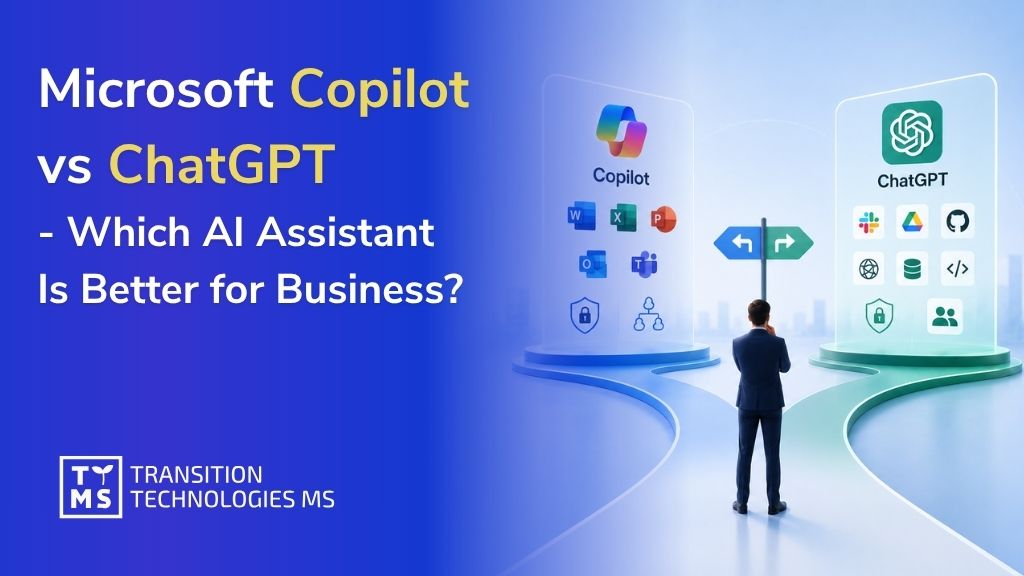
Microsoft Copilot vs ChatGPT – Which AI Assistant Is Better for Business?
Key Takeaways Microsoft Copilot works best in Microsoft 365-centric organizations. It is designed for companies where daily work happens mainly in Outlook, Teams, Word, Excel, PowerPoint, and SharePoint. ChatGPT Enterprise is better suited to broader, cross-platform workflows. It can support research, analysis, writing, coding, deep research, and AI-powered work across multiple tools and data sources. The main difference between ChatGPT and Copilot is their operating model. Copilot is more deeply grounded in Microsoft Graph and Microsoft 365 permissions, while ChatGPT relies more on enabled connectors, apps, workspace controls, and user authentication. Copilot is stronger as an in-flow productivity assistant. ChatGPT is stronger as a flexible AI workspace for cross-functional reasoning, experimentation, and custom workflows. For many companies, the best answer is not Copilot or ChatGPT, but both. A hybrid approach can combine Microsoft-native productivity with broader AI capabilities for research, analysis, automation, and custom enterprise use cases. When companies compare Copilot vs ChatGPT, they are not just comparing two chat interfaces. They are comparing two different enterprise AI operating models. Microsoft 365 Copilot is designed to work inside Microsoft 365 apps and can ground answers in organizational context through Microsoft Graph, while ChatGPT Enterprise is a broader AI workspace built around advanced models, data analysis, deep research, apps, and agents that connect to company systems. For many firms, that distinction is more important than raw prompt quality. Microsoft positions Copilot around secure work inside Word, Excel, Outlook, Teams, search, and agents, while OpenAI positions ChatGPT around cross-functional AI work such as writing, analysis, coding, research, deep research, and connected workflows through apps and agents. That suggests a simple rule of thumb: if the center of gravity is Microsoft 365, Copilot usually feels more native; if the goal is a flexible AI workspace across many tools and tasks, ChatGPT usually feels broader. That conclusion is an inference from how both vendors describe their products and enterprise architectures. 1. What Is the Difference Between ChatGPT and Copilot? The first difference between ChatGPT and Copilot is where each product lives. Microsoft 365 Copilot is embedded in the applications people already use for daily work, including Word, Excel, PowerPoint, Outlook, and Teams. Microsoft’s documentation says it can generate responses grounded in organizational data such as documents, emails, calendar items, chats, meetings, and contacts through Microsoft Graph. ChatGPT Enterprise, by contrast, is a managed ChatGPT workspace for organizations with centralized administration, security controls, and access to advanced ChatGPT capabilities. The second difference is the data-access and knowledge model. Microsoft distinguishes between web-based Copilot Chat and the licensed Microsoft 365 Copilot experience: web chat can be included at no extra cost for eligible Microsoft 365 organizations, while work-based chat and full Microsoft 365 Copilot experiences rely on a Copilot license and deeper grounding in Microsoft Graph data. Microsoft also says Copilot uses an advanced lexical and semantic index over organizational data and respects the same user permission boundaries already enforced in Microsoft 365. ChatGPT handles enterprise knowledge access differently. OpenAI’s company knowledge and apps rely on enabled integrations, existing permissions, and user authentication. OpenAI says ChatGPT can only access what each user is already allowed to view, while Enterprise admins can manage apps, require SSO and SCIM, and control access using RBAC. In practice, one of the biggest differences between ChatGPT and Copilot is that Copilot is more natively grounded in the Microsoft work graph, while ChatGPT is more connector- and app-driven. The third difference is workflow style. Copilot is strongest when the task starts inside Microsoft 365: summarizing a meeting, drafting an email, refining a PowerPoint, or generating formulas and insights in Excel. ChatGPT is broader by design: OpenAI describes it as a workspace for writing, research, coding, data analysis, deep research, and agentic tasks, and OpenAI’s own enterprise adoption data shows early usage clustering around writing, research, programming, and analysis across departments. In short, copilot ai vs chatgpt is often a choice between an in-flow productivity layer and a more general AI operating environment. The fourth difference is extensibility. Microsoft offers Copilot Studio and Agent Builder for organizations that want custom agents grounded in business data and published across employee or customer channels. OpenAI offers apps, custom MCP-powered apps, and workspace agents that can connect to tools, run on schedules, and operate inside ChatGPT or Slack. That means the difference between ChatGPT and Copilot is not only about the base assistant, but also about the ecosystem you want to build around it. 2. Microsoft Copilot for Business – Use Cases In practice, microsoft copilot for business starts with two entry points. Microsoft says eligible organizations can use web-based Copilot Chat at no extra cost, while paid Microsoft 365 Copilot unlocks work-based chat, app experiences, and deeper organizational grounding. Microsoft also sells Microsoft 365 Copilot Business for organizations of up to 300 users, which gives smaller and mid-sized companies a packaged way to adopt the same in-app Copilot experience. The most obvious use case is productivity inside familiar apps. In Word, Copilot helps draft and edit documents; in Excel, it supports formula suggestions, trend analysis, and visualizations; in Outlook, it summarizes email threads and drafts messages; and in Teams, it summarizes meetings and helps create action items. This is where Microsoft has its clearest advantage: employees do not need to leave the workflow surface they already know. Sales and commercial teams are another strong fit. Microsoft’s scenario library highlights use cases such as accelerating customer research and sales preparation, creating customized pitches, and responding to RFPs. Some of those workflows can be handled directly in Microsoft 365 Copilot, while others can be extended through Copilot Studio or Copilot for Sales, where agents can connect to line-of-business systems through connectors and APIs. Finance, operations, and service workflows are also central to the Microsoft story. Microsoft’s official scenario pages describe Copilot use cases for budgeting, forecasting, financial analysis, planning, risk management, customer service problem resolution, issue diagnosis, and frontline assistance in financial services. That makes enterprise copilot especially attractive in environments where internal policies, structured records, and regulated processes matter as much as content generation. Finally, Microsoft positions Copilot as more than a personal assistant. Copilot Studio lets organizations build and manage custom agents connected to business data, while Microsoft 365 Copilot includes access to built-in and custom agents and Microsoft provides Copilot analytics and usage reporting for adoption tracking. For companies that want AI to move from experimentation into governed process automation, that combination of app-native assistance, agent building, and admin reporting is a major selling point. 3. Copilot Enterprise vs ChatGPT Enterprise: Which One Fits Larger Organizations? To keep terminology precise, it is worth clarifying that copilot enterprise is usually a shorthand for Microsoft 365 Copilot and Copilot Chat deployed in a commercial or enterprise Microsoft tenant. Microsoft’s enterprise materials present those workplace offerings as the relevant enterprise Copilot layer, rather than a separate standalone product with a different name. That framing matters because companies often compare “Copilot Enterprise” with ChatGPT Enterprise even though Microsoft’s official product naming centers on Microsoft 365 Copilot. On privacy and compliance, both vendors make strong enterprise commitments, but the language is different. Microsoft says enterprise use of Microsoft 365 Copilot and Copilot Chat is covered by its Data Protection Addendum and Product Terms, with Microsoft acting as a data processor; prompts and responses are protected by enterprise data protection, and Microsoft says that prompts, responses, and Microsoft Graph data are not used to train its foundation models. OpenAI says organizations own and control their business data, OpenAI does not train models on business data by default, and ChatGPT Enterprise adds encryption at rest and in transit, custom data-retention policies, and support for data residency in ten regions. On governance, Microsoft and OpenAI emphasize different strengths. Microsoft’s big advantage is inheritance from the Microsoft 365 security and permissions model: Copilot only surfaces content the current user is already authorized to access, and its grounding is tied to Microsoft Graph and semantic indexing. OpenAI’s enterprise advantage is administrative breadth inside its own workspace: domain verification, SSO, SCIM, role-based access controls, user analytics, and a Global Admin Console that can span multiple ChatGPT workspaces and API organizations under one tenant. On integrations and knowledge access, the trade-off is depth versus breadth. Microsoft’s workplace strength is native depth in Outlook, Teams, Word, Excel, PowerPoint, SharePoint, and Microsoft Search, plus agent creation through Copilot Studio and Agent Builder. OpenAI’s strength is cross-platform connectivity: ChatGPT supports apps for tools such as SharePoint, Slack, Airtable, Google Drive, GitHub, and more; OpenAI also supports company knowledge, deep research with internal connectors, custom MCP-powered apps, and workspace agents for repeatable workflows. That leads to the most useful business interpretation of copilot enterprise vs chatgpt enterprise. If your organization already runs most collaboration, files, meetings, and internal knowledge discovery in Microsoft 365, Copilot will usually feel lower-friction and more native. If your teams work across Microsoft, Google, Slack, GitHub, CRM, analytics tools, and external research at the same time, ChatGPT Enterprise will often feel more flexible as a central AI workspace. That is an inference, but it follows directly from the integration patterns and admin models described in the official documentation. 4. Is Copilot Better Than ChatGPT for Companies? The honest answer to is copilot better than chatgpt is no, not universally. The better fit depends on where work happens, how sensitive the data is, which systems employees use all day, and whether the company wants AI embedded in existing software or centralized in a new AI workspace. In other words, chatgpt vs microsoft copilot is not a single winner-takes-all decision for every enterprise. Copilot is often better for Microsoft-first organizations. If employees live in Outlook, Teams, Word, Excel, PowerPoint, and SharePoint, Microsoft 365 Copilot offers a highly natural adoption path because it works inside those products, uses Microsoft Graph context, and respects the existing permission model. It is particularly compelling for meeting-heavy organizations, document-centric operations, and teams that want AI embedded directly in everyday processes rather than accessed through a separate destination. ChatGPT is often better for cross-functional reasoning and mixed-tool environments. OpenAI’s own enterprise usage data shows that early adoption spans writing, research, programming, and analysis, while the product itself combines advanced models, data analysis, deep research, apps, and agent features. For strategy teams, product teams, analysts, marketers, researchers, and software groups that constantly move between internal sources, external information, and multiple software stacks, ChatGPT can offer a broader working environment than Copilot alone. In many companies, the best answer is hybrid rather than binary. A practical setup is to use Copilot for Microsoft-native productivity such as email, meetings, documents, spreadsheets, and internal knowledge retrieval, while using ChatGPT Enterprise or OpenAI-based custom solutions for deep research, coding, experimentation, agentic workflows, and broader cross-system reasoning. For firms evaluating microsoft copilot vs chatgpt, that layered approach is often the most realistic way to capture the strengths of both platforms without forcing one tool to do everything. That recommendation is an inference grounded in the official feature sets of both ecosystems. 5. How Can Companies Turn AI Comparison Into Real Business Value? If your company is deciding between Copilot, ChatGPT, or a hybrid setup, the real challenge is rarely the tool alone. The real challenge is identifying the right business workflows, connecting AI to the right systems, and turning experimentation into measurable operational value. That is exactly the space where TTMS AI Solutions for Business positions its offer: TTMS describes its services as AI solutions aimed at improving operational efficiency and decision-making, ranging from intelligent chatbots to advanced analytics, and its published case studies include enterprise implementations such as AI-supported tender analysis integrated with Salesforce and Azure AI-based sales automation. Contact us! Can a company use both Microsoft Copilot and ChatGPT Enterprise at the same time? Yes, and in many organizations this may be the most practical approach. Copilot can support employees directly inside Microsoft 365, while ChatGPT Enterprise can serve broader tasks such as research, analysis, coding, content work, or cross-tool workflows. The key is to define clear usage policies, so teams know which tool should be used for which type of task. Which tool is easier to adopt across non-technical teams? Microsoft Copilot may be easier for teams that already work mainly in Outlook, Teams, Word, Excel, and PowerPoint, because it appears inside familiar applications. ChatGPT Enterprise may require more onboarding, but it can also be more flexible for teams that need a general AI workspace. Adoption depends less on the tool itself and more on training, governance, and real use-case mapping. Does ChatGPT Enterprise replace Microsoft Copilot? Not necessarily. ChatGPT Enterprise and Microsoft Copilot solve overlapping but different business problems. Copilot is closer to a productivity layer inside Microsoft 365, while ChatGPT Enterprise is closer to a flexible AI workbench. In many companies, one will not fully replace the other. What should companies check before choosing an enterprise AI assistant? They should review where employees actually work, what data the assistant needs to access, which systems must be integrated, what compliance requirements apply, and how success will be measured. A good choice should be based on business processes, not only on model quality or brand recognition. Which AI assistant is better for custom business workflows? It depends on the workflow. If the process is strongly connected to Microsoft 365 data and applications, Copilot Studio may be a natural fit. If the workflow spans many tools, external research, code, documents, and custom agents, ChatGPT Enterprise or a custom OpenAI-based solution may be more suitable.
Read
ChatGPT 5 Modes: Auto vs Fast (Instant) vsThinking & Pro – Which Mode to Use and Why?
Unlocking ChatGPT 5 Modes: How Auto, Fast, Thinking, and Pro Really Work Most of us use ChatGPT on autopilot – we type a question and wait for the AI to answer, without ever wondering if there are different modes to choose from. Yet these modes do exist, though they’re a bit tucked away in the interface and less visible than they once were. You can find them in the model picker, usually under options like Auto, Fast, Thinking, or Pro, and they each change how the AI works. But is it really worth exploring them? And how do they impact speed, accuracy, and even cost? That’s exactly what we’ll uncover in this article. ChatGPT 5 introduces several modes of operation – Auto, Fast (sometimes called Instant), Thinking, and Pro – as well as access to older model versions. If you’re wondering what each of these modes does, when to switch between them (if at all), and how they differ in speed, quality, and cost, this comprehensive guide will clarify everything. We’ll also discuss which modes are best suited for everyday users versus business or professional users. Each mode in GPT-5 is designed for a different balance of speed and reasoning depth. Below, we answer the key questions about these modes in an SEO-friendly Q&A format, so you can quickly find the information you need. 1. What are the new modes in ChatGPT 5 and why do they exist? ChatGPT 5 (GPT-5) has transformed the old model selection into a unified system with four mode options: Auto, Fast, Thinking, and Pro. These modes exist to let the AI adjust how much “thinking” (computational effort and reasoning time) it should use for a given query: Auto Mode: This is the default unified mode. GPT-5 automatically decides whether to respond quickly or engage deeper reasoning based on your question’s complexity. Fast Mode: A mode for instant answers – GPT-5 responds very quickly with minimal extra reasoning. (This is essentially GPT-5’s standard mode for everyday queries.) Thinking Mode: A deep reasoning mode – GPT-5 will take longer to formulate an answer, performing more analysis and step-by-step reasoning for complex tasks. Pro Mode: A “research-grade” mode – the most advanced and thorough option. GPT-5 will use maximum computing power (even running parts of the task in parallel) to produce the most accurate and detailed answer possible. These modes were introduced because GPT-5 is capable of dynamically adjusting its reasoning. In previous versions like GPT-4, users had to manually pick between different models (e.g. standard vs. advanced reasoning models). Now GPT-5 consolidates that into one system with modes, making it easier to get the right balance of speed vs. depth without constantly switching models. The Auto mode in particular means most users can just ask questions normally and let ChatGPT decide if a quick answer will do or if it should “think longer” for a better result. 2. How does ChatGPT 5’s Auto mode work? The Auto mode is the intelligent default that makes GPT-5 decide on the fly how much reasoning is needed. When you have GPT-5 set to Auto, it will typically answer straightforward questions using the Fast approach for speed. If you ask a more complex or multi-step question, the system can automatically invoke the Thinking mode behind the scenes to give a more carefully reasoned answer. In practice, Auto mode means you don’t have to manually select a model for most situations. GPT-5’s internal “router” analyzes your prompt and chooses the appropriate strategy: For a simple prompt (like “Summarize this paragraph” or “What’s the capital of France?”), GPT-5 will likely respond almost immediately (using the Fast response mode). For a complex prompt (like “Analyze this financial report and give insights” or a tricky coding/debugging question), GPT-5 may “think” for a bit longer before answering. You might notice a brief indication that it’s reasoning more deeply. This is GPT-5 automatically switching into its Thinking mode to ensure it works through the problem. Auto mode is ideal for most users because it delivers the best of both worlds: quick answers when possible, and more thorough answers when necessary. You can always override it by manually picking Fast or Thinking, but Auto means less guesswork – the AI itself decides how long to think. If you ever explicitly want it to take its time, you can even tell GPT-5 in your prompt to “think carefully about this,” which encourages the system to engage deeper reasoning. Tip: When GPT-5 Auto decides to think longer, the interface will indicate it. You usually have an option to “Get a quick answer” if you don’t want to wait for the full reasoning. This allows you to interrupt the deep thinking and force a faster (but potentially less detailed) reply, giving you control even in Auto mode. 3. What is the Fast (Instant) mode in GPT-5 used for? The Fast mode (labeled “Fast – instant answers” in the ChatGPT model picker) is designed for speedy responses. In Fast mode, GPT-5 will generate an answer as quickly as possible without dedicating extra time to extensive reasoning. Essentially, this is GPT-5’s standard mode for everyday tasks that don’t require heavy analysis. When to use Fast mode: Simple or routine queries: If you’re asking something straightforward (factual questions, brief explanations, casual conversation), Fast mode will give you an answer within a few seconds. Brainstorming and creative prompts: Need a quick list of ideas or a first draft of a tweet/blog? Fast mode is usually sufficient and time-efficient. General coding help: For small coding questions or debugging minor errors, Fast mode can provide answers quickly. GPT-5’s base capability is already high, so for many coding tasks you might not need the extra reasoning. Everyday business tasks: Writing an email, summarizing a document, responding to a common customer query – Fast mode handles these with speed and improved accuracy (GPT-5 is noted to have fewer random mistakes than GPT-4 did, even in its fast responses). In Fast mode, GPT-5 is still quite powerful and more reliable than older GPT-4 models for common tasks. It’s also cost-efficient (lower compute usage means fewer tokens consumed, which matters if you have usage limits or are paying per token via the API). The trade-off is that it might not catch extremely subtle details or perform multi-step reasoning as well as the Thinking mode would. However, for the vast majority of prompts that are not highly complex, Fast mode’s answers are both quick and accurate. This is why Fast (or “Standard”) mode serves as the backbone for day-to-day interactions with ChatGPT 5. 4. When should you use the GPT-5 Thinking mode? GPT-5’s Thinking mode is meant for situations where you need extra accuracy, depth, or complex problem-solving. When you manually switch to Thinking mode, ChatGPT will deliberately take more time (and tokens) to work through your query step by step, almost like an expert “thinking out loud” internally before giving you a result. You should use Thinking mode for tasks where a quick off-the-cuff answer might not be good enough. Use GPT-5 Thinking mode when: The problem is complex or multi-step: If you ask a tough math word problem, a complex programming challenge, or an analytical question (e.g. “What are the implications of this scientific study’s results?”), Thinking mode will yield a more structured and correct solution. It’s designed to handle advanced reasoning tasks like these with higher accuracy. Precision matters: For example, drafting a legal clause, analyzing financial data for trends, or writing a medical report summary. In such cases, mistakes can be costly, so you want the AI to be as careful as possible. Thinking mode reduces the chance of errors and hallucinations even further by allocating more computation to verify facts and logic. Technical or detailed writing: If you need longer, well-thought-out content – such as an in-depth explanation of a concept, thorough documentation, or a step-by-step guide – the Thinking mode can produce a more comprehensive answer. It’s like giving the model extra time to gather its thoughts and double-check itself before responding. Coding complex projects: For debugging a large codebase, solving a tricky algorithm, or generating non-trivial code (like a full module or a complex function), Thinking mode performs significantly better. It’s been observed to greatly improve coding accuracy and can handle more elaborate tasks like multi-language code coordination or intricate logic that Fast mode might get wrong. Trade-offs: In Thinking mode, responses are slower. You might wait somewhere on the order of 10-30 seconds (depending on the complexity of your request) for an answer, instead of the usual 2-5 seconds in Fast mode. It also uses more tokens and computing resources, meaning it’s more expensive to run. If you’re on ChatGPT Plus, there are even usage limits for how many Thinking-mode messages you can send per week (because each such response is heavy on the system). However, those downsides are often justified when the question is important enough. The mode can deliver dramatically improved accuracy – for example, internal OpenAI benchmarks showed huge jumps in performance (several-fold improvements on certain expert tasks) when GPT-5 is allowed to think longer. In summary, switch to Thinking mode for high-stakes or highly complex prompts where you want the best possible answer and you’re willing to wait a bit longer for it. For everyday quick queries, it’s not necessary – the default fast responses will do. Many Plus users might use Thinking mode sparingly for those tough questions, while relying on Auto/Fast for everything else. 5. What does GPT-5 Pro mode offer, and who really needs it? GPT-5 Pro mode is the most advanced and resource-intensive mode available in ChatGPT 5. It’s often described as “research-grade intelligence.” This mode is only available to users on the highest-tier plans (ChatGPT Pro or ChatGPT Business plans) and is intended for enterprise-level or critical tasks that demand maximum accuracy and thoroughness. Here’s what Pro mode offers and who benefits from it: Maximum accuracy through parallel reasoning: GPT-5 Pro doesn’t just think longer; it also can think more broadly. Under the hood, Pro mode can run multiple reasoning threads in parallel (imagine consulting an entire panel of AI experts simultaneously) and then synthesize the best answer. This leads to even more refined responses with fewer mistakes. In testing, GPT-5 Pro set new records on difficult academic and professional benchmarks, outperforming the standard Thinking mode in many cases. Use cases for Pro: This mode shines in high-stakes, mission-critical scenarios: Scientific research and healthcare: e.g. analyzing complex biomedical data, discovering drug candidates, or interpreting medical imaging results (where absolute precision is vital). Finance and legal: e.g. risk modeling, auditing complex financial portfolios, generating or reviewing legal contracts with extreme accuracy – tasks where an error could cost a lot of money or have legal implications. Large-scale enterprise analytics: e.g. processing lengthy confidential reports, performing deep market analysis, or powering a virtual assistant that needs to reliably handle very complex queries from users. AI development: If you’re a developer building AI-driven applications (like agents that plan and act autonomously), GPT-5 Pro provides the most consistent reasoning depth and reliability for those advanced applications. Who needs Pro: Generally, businesses and professionals with intensive needs. For a casual user or even most power-users, the standard GPT-5 (and occasional Thinking mode) is usually enough. Pro mode is targeted at enterprise users, research institutions, or AI enthusiasts who require that extra edge in performance – and are willing to pay a premium for it. Drawbacks of Pro mode: The word “Pro” implies it’s not for everyone. First, it’s expensive – both in terms of subscription cost and computational cost. As of 2025, ChatGPT Pro subscriptions run at a much higher price (around $200 per month) compared to the standard Plus plan, and that buys you the privilege of using this powerful mode without the normal usage caps. Also, each Pro mode response consumes a lot of compute (and tokens), so from an API or cost perspective it’s the priciest option (roughly double the token cost of Thinking mode, and ~10 times the cost of a quick response). Second, speed: Pro mode is the slowest to respond. Because it’s doing so much work under the hood, you might wait 20-40 seconds or more for a single answer. In interactive chat, that can feel lengthy. Lastly, Pro mode currently has a couple of limitations in features (for instance, certain ChatGPT tools like image generation or the canvas feature may not be enabled with GPT-5 Pro, due to its specialized nature). Bottom line: GPT-5 Pro is a potent tool if you truly need the highest level of AI reasoning and are in an environment where accuracy outweighs all other concerns (and cost is justified by the value of the results). It’s likely overkill for everyday needs. Most users, even many developers, won’t need Pro mode regularly. It’s more for organizations or individuals tackling problems where that extra 5-10% improvement in quality is worth the extra expense and time. 6. How do the modes differ in speed and answer quality? Each mode in ChatGPT 5 strikes a different balance between speed and the depth/quality of the answer: Fast mode is the quickest: It typically responds within a couple of seconds for a prompt. The answers are high-quality for normal questions (much better than older GPT-3.5 or even GPT-4 in many cases), but Fast mode will not always catch very subtle nuances or deeply reason through complicated instructions. Think of Fast mode answers as “good enough and very fast” for general purposes. Thinking mode is slower but more thorough: When GPT-5 Thinking is engaged, response times slow down (often 10-30 seconds depending on complexity). The quality of the answers, however, is more robust and detailed. GPT-5 Thinking will handle multi-step reasoning tasks significantly better. For example, if a Fast mode answer might occasionally miscalculate or simplify a complex answer, the Thinking mode is far more likely to get it correct and provide justification or step-by-step details in its response. In terms of quality, you can expect far fewer factual errors or “hallucinations” in Thinking mode responses, since the AI took extra time to verify and cross-check its answer internally. Pro mode is the most meticulous (and slowest): GPT-5 Pro will take even more time than Thinking mode for a response, as it uses maximum compute. It might explore several potential solutions internally before finalizing an answer, which maximizes the quality and correctness. The answers from Pro mode are usually the most detailed, well-structured, and accurate. You might notice they contain deeper insights or handle edge cases that the other modes might miss. The trade-off is that Pro mode responses can easily take half a minute or more, and you wouldn’t use it unless you truly need that level of depth. In summary: Speed: Fast > Thinking > Pro (Fast is fastest, Pro is slowest). Answer depth/quality: Pro > Thinking > Fast (Pro gives the most advanced answers, Fast gives concise answers). Everyday effectiveness: For most simple queries, all modes will do fine; you won’t necessarily notice a quality difference on an easy question. The differences become apparent on challenging tasks. Fast mode might give a decent but not perfect answer, Thinking mode will give a correct and well-explained answer, and Pro mode will give an exceptionally detailed answer with minimal chance of error. It’s also worth noting that GPT-5’s base quality (even in Fast mode) is a leap over previous generations. Many users find that even quick answers from GPT-5 are more accurate and nuanced than what GPT-4 produced. So speed doesn’t degrade quality as much as you might think for typical questions – it mainly matters when the question is particularly difficult. 7. Do different GPT-5 modes use more tokens or cost more to use? Yes, the modes do differ in terms of token usage and cost, though it might not be obvious at first glance. The general rule is: the more thinking a mode does, the more tokens and cost it will incur. Here’s how it breaks down: Fast mode (Standard GPT-5): This mode is the most token-efficient. It generates answers quickly without a lot of internal computation, so it tends to use only the tokens needed for the answer itself. If you’re using the ChatGPT subscription, there’s no direct “cost” per message beyond your subscription, but Fast mode also consumes your message quota more slowly (because each answer is concise and doesn’t involve hidden extra tokens). If you were using the API, Fast mode’s underlying model has the lowest price per 1000 tokens (OpenAI has indicated something on the order of $0.002 per 1K tokens for GPT-5 Standard, which is even a bit cheaper than GPT-4 was). Thinking mode: This mode is resource-intensive, meaning it will use more tokens internally to reason through the problem. When GPT-5 “thinks,” it might be effectively doing multi-step reasoning which uses up extra tokens behind the scenes (these don’t all show up in the answer, but they count towards computation). The cost per token for this mode is higher (roughly 5× the cost of standard mode on the API side). In ChatGPT Plus, using Thinking mode too often is limited – for instance, Plus users can only initiate a certain number of Thinking-mode messages per week (because each one is expensive to run on the server). So effectively, each Thinking response “costs” much more in terms of your usage allowance. In practical terms, expect that a deep Thinking answer might consume significantly more of your message limits than a quick answer would. Pro mode: Pro mode is the most expensive per use. It not only carries a higher token cost (approximately double that of Thinking mode per token, or about 10× the base cost of Fast mode), but it often produces longer answers and does a lot of work internally. This is why Pro mode is reserved for the highest-paying tier – it would be infeasible to offer unlimited Pro responses at a low price point. If you have a Pro subscription or enterprise access, you effectively have no hard limit on GPT-5 usage, but your cost is the hefty monthly fee instead. If you were using an API equivalent, Pro mode would be quite costly per 1000 tokens. The benefit is that because Pro is so accurate, in theory you might save money by not having to repeat queries or fix mistakes – but you’d only worry about that if you’re using GPT-5 for high-value tasks. In terms of token usage in answers, deeper modes often yield longer, more detailed replies (especially if the task warrants it). That means more output tokens. Also, they reduce the chance you’ll need to ask follow-up questions or clarifications (which themselves would consume more tokens), which is another way they can be “cost-effective” despite higher per-message cost. But if you’re on the free plan or Plus, the main thing to know is that the heavy modes will hit your usage limits faster: Free users only get a very limited number of GPT-5 messages and just 1 Thinking-mode use per day on free tier. This is because Thinking uses a lot of resources. Plus users get more (currently around 160 messages per 3 hours for GPT-5, and up to 3,000 Thinking messages per week maximum). If a Plus user sticks to Fast/Auto primarily, they can get a lot of answers within those caps; if they use Thinking for every query, they’ll hit weekly limits much sooner. Pro/Business users have “unlimited” use, but that comes at the high subscription cost. So, in conclusion, each mode does “cost” differently: Fast mode is cheapest and most token-efficient, Thinking mode costs several times more per question, and Pro is premium priced. If you’re concerned about token usage (say, for API billing or hitting message caps), use the heavier modes only when needed. Otherwise, the Auto mode will handle it for you, using extra tokens only when it determines the value of a better answer is worth the cost. 8. Should you manually switch modes or let ChatGPT decide automatically? For most users, letting GPT-5 Auto mode handle it is the simplest and often the best approach. The auto-switching system was built to spare you from micromanaging the model’s behavior. By default, GPT-5 will not waste time “overthinking” an easy question, and similarly it won’t give you a shallow answer to a really complex prompt – it will adjust as needed. That said, there are scenarios where manually choosing a mode makes sense: When you know you need a deep analysis: If you’re about to ask something very complex and you want to ensure the highest accuracy (and you have access to Thinking mode), you might manually switch to Thinking mode before asking. This guarantees GPT-5 spends maximum effort, rather than waiting to see if it might decide to do so. For example, a data scientist preparing a detailed report might directly use Thinking mode for each query to get thorough answers. When you’re in a hurry for a simple answer: If GPT-5 (Auto) starts “Thinking…” but you actually just want a quick answer or a brainstorm, you can click “Get a quick answer” or simply switch to Fast mode for that question. Sometimes the AI might be overly cautious and begin deep reasoning when you didn’t need it – in those cases, forcing Fast mode will save you time. When conserving usage: If you’re on a limited plan and near your cap, you might stick to Fast mode to maximize the number of questions you can ask, since Thinking mode would burn through your quota faster. Conversely, if you have plenty of headroom and need a top-notch answer, you can use Thinking mode more liberally. Using Pro mode deliberately: If you’re one of the users with Pro access, you’ll likely switch to Pro mode only for the most critical queries. It doesn’t make sense to use Pro for every single chat message due to the slower speed – better to reserve it for when you have a genuinely high-value question that justifies it. In short, Auto mode is usually sufficient and is the recommended default for both casual and many professional interactions. You only need to manually switch modes in special cases: either to force extra rigor or to force extra speed. Think of manual mode switching as an override for the AI’s decisions. The system’s pretty good at picking the right mode on its own, but you remain in control if you disagree with its choice. 9. Are older models like GPT-4 still available in ChatGPT 5? Yes, older models are still accessible in the ChatGPT interface under a “Legacy models” section – but you may not need to use them often. With the rollout of GPT-5: GPT-4 (often labeled GPT-4o or other variants) is available to paid users as a legacy option. If you have a Plus, Business, or Pro account, you can find GPT-4 in the model picker under legacy models. This is mainly provided for compatibility or specific use cases where someone might want to compare answers or use an older model on prior conversations. Additionally, OpenAI has allowed access to some intermediate models (like GPT-4.1, GPT-4.5, or older 3.5 models often labeled as o3, o4-mini, etc.) for certain subscription tiers, but these are hidden unless you enable “Show additional models” in your settings. Plus users, for example, can see a few of those, while Pro users can see slightly more (like GPT-4.5). By default, if you don’t specifically switch to an older model, all your chats will use GPT-5 (Auto mode). And if you open an old chat that was originally with GPT-4, the system may automatically load it with the GPT-5 equivalent to continue the conversation. So OpenAI has tried to transition seamlessly such that GPT-5 handles most things going forward. Do you need the older models? For the majority of cases, no. GPT-5’s Standard/Fast mode is intended to replace GPT-4 for everyday use, and it’s better at almost everything. There might be a rare instance where an older model had a particular style or a specific capability you want to replicate – then you could switch to it. But generally, GPT-5’s intelligence and the Auto mode’s adaptability mean you won’t often have to manually use GPT-4 or others. In fact, some of the older GPT-4 variants might be slower or have lower context length compared to GPT-5, so unless you have a compatibility reason, it’s best to let GPT-5 take over. One thing to note: if you exceed certain usage limits with GPT-5 (especially on the free tier), ChatGPT will automatically fall back to a “GPT-5 mini” or even GPT-3.5 temporarily until your limit resets. This is done behind the scenes to ensure free users always get some service. In the UI, it might not clearly say it switched, but the quality might differ. Paid users won’t experience this fallback except when they intentionally use legacy models. In summary, older models are there if you need them, but GPT-5’s modes are now the main focus and cover almost all use cases that older models did – typically with better results. 10. Which GPT-5 mode is best for business users versus general users? The choice of mode can depend on who you are and what you’re trying to accomplish. Let’s break it down for individual (general) users and business users or professionals: General Users / Individuals: If you’re an everyday user (for personal projects, learning, or casual use), you’ll likely be perfectly satisfied with the default GPT-5 Auto mode, using Fast responses most of the time and occasionally letting it dip into Thinking mode when you ask a harder question. A ChatGPT Plus subscription might be worthwhile if you use it very frequently, since it gives you more GPT-5 usage and access to manual Thinking mode when you need it. However, you probably do not need GPT-5 Pro mode. The Pro tier is expensive and geared toward unlimited heavy use, which average users don’t usually require. In short, general users should stick with the standard GPT-5 (Auto/Fast) for speed and ease, and use Thinking mode for those few cases where you want a deep dive answer. This will keep your costs low (or your Plus subscription fully sufficient) while still giving you excellent results. Business Users / Professionals: For business purposes, the stakes and scale often increase. If you run a business integrating ChatGPT, or you’re using it in a professional setting (for instance, to assist with your work in finance, law, engineering, customer service, etc.), you need to consider accuracy and reliability carefully: Small Business or Plus for Professionals: Many professional users will find that a Plus account with GPT-5’s Thinking mode available is enough. You can manually invoke Thinking mode for those complex tasks like data analysis or report generation, ensuring high quality when needed, while keeping most interactions quick and efficient in standard mode. This approach is cost-effective and likely sufficient unless your domain is extremely sensitive. Enterprises or High-Stakes Use: If you’re an enterprise user or your work involves critical decision-making (say, a medical AI tool, or a financial firm doing big analyses), GPT-5 Pro might be worth the investment. Businesses benefit from Pro mode’s extra accuracy and from the unlimited usage it offers. There’s no worry about hitting message caps, which is important if you have many employees or customers interacting with the system. Moreover, the larger context window on the Pro plan (GPT-5 Pro supports dramatically bigger inputs, up to 128K tokens context for Fast and ~196K for Thinking, according to OpenAI) allows analysis of very large documents or datasets in one go – a huge plus for enterprise use cases. Cost-Benefit: Businesses should weigh the cost of the Pro subscription (or Business plan) against the value of the improved outputs. If a single mistake avoided by Pro mode could save your company thousands of dollars, then using Pro mode is justified. On the other hand, if your use of AI is more routine (like answering common customer questions or writing marketing content), the standard GPT-5 might already be more than capable, and a Plus plan at a fraction of the cost will do the job. In summary, for general users: stick with Auto/Fast, use Thinking sparingly, and you likely don’t need Pro. For business users: start with GPT-5’s standard and Thinking modes; if you find their limits (in accuracy or usage caps) hindering your mission-critical tasks, then consider upgrading to Pro mode. GPT-5 Pro is predominantly aimed at businesses, research labs, and power users who truly need that unparalleled performance and can justify the expense. Everyone else will find GPT-5’s default modes already a significant upgrade that addresses both casual and moderately complex needs effectively. 11. Final Thoughts: Getting the Most Out of ChatGPT 5’s Modes ChatGPT 5’s new modes – Auto, Fast, Thinking, and Pro – give you a flexible toolkit to get the exact type of answer you need, when you need it. For most people, letting Auto mode handle things is easiest, ensuring you get fast responses for simple questions and deeper analysis for tough ones without manual effort. The system is designed to optimize speed and intelligence automatically. However, it’s great that you have the freedom to choose: if you ever feel a response needs to be more immediate or more thorough, you can toggle to the corresponding mode. Keep an eye on how each mode performs for your use case: Use Fast mode for quick, on-the-fly Q&A and save precious time. Invoke Thinking mode for those problems where you’d rather wait a few extra seconds and be confident in the answer’s accuracy and detail. Reserve Pro mode for the rare instances where only the best will do (and if your resources allow for it). Remember, all GPT-5 modes leverage the same underlying advancements that make this model more capable than its predecessors: improved factual accuracy, better following of instructions, and more context capacity. Whether you’re a curious individual user or a business deploying AI at scale, understanding these modes will help you harness GPT-5 effectively while managing speed, quality, and cost according to your needs. Happy chatting with GPT-5! 12. Want More Than Chat Modes? Discover Bespoke AI Services from TTMS ChatGPT is powerful, but sometimes you need more than a mode toggle – you need custom AI solutions built for your business. That’s where TTMS comes in. We offer tailored services that go beyond what any off-the-shelf mode can do: AI Solutions for Business – end-to-end AI integration to automate workflows and unlock operational efficiency. (See https://ttms.com/ai-solutions-for-business/) Anti-Money Laundering Software Solutions – AI-powered AML systems that help meet regulatory compliance with precision and speed. (See https://ttms.com/anti-money-laundry-software-solutions/) AI4Legal – legal-tech tools using AI to support contract drafting, review, and risk analysis. (See https://ttms.com/ai4legal/) AI Document Analysis Tool – extract, validate, and summarize information from documents automatically and reliably. (See https://ttms.com/ai-document-analysis-tool/) AI-E-Learning Authoring Tool – build intelligent training and learning modules that adapt and scale. (See https://ttms.com/ai-e-learning-authoring-tool/) AI-Based Knowledge Management System – structure and retrieve organizational knowledge in smarter, faster ways. (See https://ttms.com/ai-based-knowledge-management-system/) AI Content Localization Services – localize content across languages and cultures, using AI to maintain nuance and consistency. (See https://ttms.com/ai-content-localization-services/) If your goals include saving time, reducing costs, and having AI work for you rather than just alongside you, let’s talk. TTMS crafts AI tools not just for “general mode” but for your exact use case – so you get speed when you need speed, and depth when you need rigor. Does switching between ChatGPT modes change the creativity of answers? Yes, the choice of mode can influence how creative or structured the output feels. In Fast mode, responses are more direct and efficient, which is useful for brainstorming short lists of ideas or generating quick drafts. Thinking mode, on the other hand, allows ChatGPT to explore more options and refine its reasoning, which often leads to more original or nuanced results in storytelling, marketing, or creative writing. Pro mode takes this even further, producing well-polished, highly detailed content, but it comes with longer wait times and higher costs. Which ChatGPT mode is most reliable for coding? For simple coding tasks such as generating small functions, fixing syntax errors, or writing snippets, Fast mode usually performs well and delivers answers quickly. However, when working on complex projects that involve debugging large codebases, designing algorithms, or ensuring higher reliability, Thinking mode is a better choice. Pro mode is reserved for scenarios where absolute precision matters, such as enterprise-level software or mission-critical applications. In short: use Fast for convenience, Thinking for accuracy, and Pro only when failure isn’t an option. Do ChatGPT modes affect memory or context length? The modes themselves don’t directly change the memory of your conversation or the context size. All GPT-5 modes share the same underlying architecture, but the subscription tier determines the maximum context length available. For example, Pro plans unlock significantly larger context windows, which makes it possible to analyze or generate content across hundreds of pages of text. So while Fast, Thinking, and Pro modes behave differently in terms of reasoning depth, the real impact on memory and context length comes from the plan you are using rather than the mode itself. Can free users access all ChatGPT modes? No, free users have very limited access. Typically, the free tier allows only Fast (Auto) mode, with an occasional option to test Thinking mode under strict daily limits. Access to Pro mode is reserved exclusively for paid subscribers on the highest tier. Plus subscribers can use Auto and Thinking regularly, but only Business or Pro users have unrestricted access to the full range of modes. This limitation is due to the high computational costs associated with Thinking and Pro modes. Is there a risk in always using Pro mode? The main “risk” of using Pro mode is not about accuracy, but about practicality. Pro mode delivers the most thorough and precise results, but it is also the slowest and the most expensive option. If you rely on it for every single question, you may find that you’re spending more time and resources than necessary for simple tasks that Fast or Thinking could easily handle. For most users, Pro should be reserved for the toughest or most critical challenges. Otherwise, it’s more efficient to let Auto mode decide or to use Fast for everyday queries. Does ChatGPT switch modes automatically, or do I need to do it manually? ChatGPT 5 offers both options. In Auto mode, the system decides automatically whether a quick response is enough or if it should engage in deeper reasoning. That means you don’t need to worry about switching manually – the AI adjusts to the complexity of your query on its own. However, if you prefer full control, you can always manually select Fast, Thinking, or Pro in the model picker. In practice, Auto is recommended for everyday use, while manual switching makes sense if you explicitly want either maximum speed or maximum accuracy.
Read
ChatGPT vs. Dedicated AI The Real Cost of Scaling Corporate Training
Enterprises are aggressively seeking ways to optimize L&D budgets, slash content production cycles, and accelerate workforce upskilling. For HR and L&D leaders, the ultimate dilemma is clear: is it more cost-effective to “train” ChatGPT on proprietary company data, or to leverage purpose-built AI e-learning tools that enable rapid, in-house course creation without external dependencies? In this breakdown, we analyze the true Total Cost of Ownership (TCO) for both paths, estimate time-to-market, and answer the bottom-line question: which solution delivers a faster, more sustainable ROI? Choosing the right authoring tool isn’t just a technicality—it directly dictates your talent development strategy, competency gap management, and long-term operational overhead. We’re looking beyond the hype to examine the business impact—the kind that resonates with HR, L&D, Finance, and the C-suite. 1. The Hidden Costs of Training ChatGPT: Why It’s More Expensive Than It Looks Many AI journeys begin with a simple assumption: “If ChatGPT can write anything, why can’t it build our training programs?” On the surface, it looks like a turnkey solution—fast, flexible, and cheap. L&D teams see a path to independence from vendors, while management expects massive cost reductions. However, the reality of building a corporate “training chatbot” is far more complex, often failing to deliver on the promise of simplicity. While training a custom ChatGPT instance sounds agile, it triggers a cascade of hidden costs that only surface once the model hits production. 1.1 The Heavy Lift of Data Preparation To make ChatGPT truly align with corporate standards, you can’t just feed it raw data. It requires massive, scrubbed, and structured datasets that reflect the organization’s collective intelligence. This involves processing: Internal SOPs and manuals, Existing training decks and presentations, Technical and product documentation, Industry-specific glossaries and proprietary terminology. Before this data even touches the model, it requires exhaustive preparation. You must eliminate duplicates, anonymize PII (Personally Identifiable Information), standardize formats, and logically map content to business processes. This is a labor-intensive cycle involving SMEs (Subject Matter Experts), data specialists, and organizational architects. Without this groundwork, the model risks being unsafe, inconsistent, and disconnected from actual business needs. 1.2 The Maintenance Trap: Constant Supervision and Updates Generative models are moving targets. Every update can shift the model’s behavior, response structure, and instruction following. In a business environment, this means constant prompt engineering, updating interaction rules, and frequently repeating the fine-tuning process. Each shift incurs additional maintenance costs and demands expert oversight to ensure content integrity. Furthermore, any change in your products or regulations triggers a new adjustment cycle. Generative AI lacks version-to-version stability. Research confirms that model behavior can drift significantly between releases, making it a volatile foundation for standardized training. 1.3 The Consistency Gap ChatGPT is non-deterministic by nature. Every query can yield different lengths, tones, and levels of detail. It may restructure material based on slight variations in context or phrasing. This lack of predictability is the enemy of standardized L&D. Without a guaranteed format or narrative flow, every module feels disconnected. L&D teams end up spending more time on manual editing and “fixing” AI output than they would have spent creating it, effectively trading automation for a heavy editorial burden. 1.4 The Scalability Wall As your training library grows, the management overhead for unmanaged AI content explodes. The consequences include: Data Decay — Every course and script requires regular audits. Without a systematic approach, your AI-generated content becomes obsolete the moment a procedure changes. Quality Control Bottlenecks — Ensuring compliance and consistency across hundreds of modules requires robust versioning and periodic reviews. For large organizations, this becomes a massive administrative drag. Content Fragmentation — Without a unified structure, knowledge becomes siloed. Overlapping topics and duplicate materials create “knowledge debt,” making it harder for employees to find the “single source of truth.” For large-scale operations, building an internal chatbot often proves less efficient and more costly than adopting a specialized e-learning ecosystem designed for content governance and quality control. L&D research and industry benchmarks back this up: Studies on corporate e-learning efficiency show that scaling courses without centralized knowledge management leads to resource drain and diminished training impact. Standard instructional design metrics indicate that developing even basic e-learning can take dozens of man-hours—costs that multiply exponentially at scale. 2. The Advantage of Purpose-Built AI E-learning Tools Forward-thinking enterprises are pivoting toward dedicated AI authoring tools to bypass the pitfalls of DIY model training. These platforms operate on a “Plug & Create” model: users upload raw documentation, and the system automatically transforms it into a structured, cohesive course. No prompt engineering or technical expertise required. These tools utilize a “closed-loop” data environment. The AI generates content *only* from the provided company files, virtually eliminating hallucinations and off-topic drift. This ensures every module stays within your specific substantive and regulatory guardrails. The UX is designed for the L&D workflow, not general chat. All logic, scenarios, and formatting are pre-programmed. The AI guides the user through the process, enabling anyone—regardless of their AI experience—to produce professional-grade training in minutes. Ultimately, dedicated AI e-learning solutions deliver what the enterprise needs most: predictability, quality control, and massive time savings. Instead of wrestling with a tool, your team focuses on the training outcome. Key features include: Automated Error Detection: The system flags inconsistencies and procedural deviations automatically. Language Standardization: Ensures a unified brand voice and terminology across all modules. Interactive Elements: Instant generation of quizzes, microlearning bursts, and video scripts. LMS Readiness: Native export to SCORM and xAPI, eliminating the need for external converters or technical specialists. 3. Why Dedicated AI Tools Deliver Superior ROI In the B2B landscape, ROI is driven by speed and predictability. Dedicated tools win by: 3.1 Slashing Production Cycles Modules created in hours, not weeks. Drastic reduction in revision cycles. End-to-end automation of manual tasks. 3.2 Ensuring Enterprise-Grade Quality Uniform look and feel across the entire library. Guaranteed compliance with internal guidelines. Zero-hallucination environment. 3.3 Minimizing Operational Overhead No need for expensive AI consultants or data engineers. Reduced L&D workload. Instant updates without re-training models. 4. Verdict: What Truly Pays Off? For organizations looking to scale knowledge, maintain high output, and realize genuine cost savings, purpose-built AI e-learning tools are the clear winner. They deliver: Faster time-to-market. Lower Total Cost of Ownership (TCO). Superior content integrity. Predictable, high-impact ROI. Feature Custom-Trained ChatGPT AI 4 E-learning (TTMS Dedicated Tool) Data Prep Requires massive, scrubbed datasets; high expert labor costs. Zero prep needed; just upload your existing company files. Consistency Unpredictable output; requires heavy manual editing. Standardized style, tone, and structure across all courses. Stability Model drift after updates; requires constant re-tuning. Rock-solid performance; independent of underlying AI shifts. Scalability High volume leads to content chaos and management debt. Built for mass production; generates courses and quizzes at scale. Quality Control Highly dependent on prompt skill; prone to hallucinations. Built-in verification; strict adherence to company SOPs. Ease of Use Requires AI expertise and prompt engineering skills. “Plug & Create”: Intuitive UI with step-by-step guidance. Course Assets No native templates; everything built from scratch. Ready-to-use scenarios, microlearning, and video scripts. LMS Integration No native export; requires manual conversion. Instant SCORM/xAPI export; LMS-ready out of the box. Maintenance Expensive re-training and ML infrastructure costs. Predictable subscription; no engineering team required. Hallucination Risk High—pulls from general internet knowledge. Low—restricted exclusively to your provided data. Turnaround Time Hours to days, depending on the revision loop. Minutes—fully automated course generation. Compliance Manual oversight required for every update. Built-in alignment with corporate policies. Business Readiness Experimental; best for prototyping. Production-ready; full automation of the L&D pipeline. ROI Slow and uncertain; costs scale with volume. Rapid and stable; immediate time and budget savings. While training ChatGPT might seem like a flexible DIY project, it quickly becomes a costly technical burden. Dedicated tools work more effectively from day one, allowing your team to focus on what matters: **results**. Ready to revolutionize your L&D with enterprise AI? Contact us today. We provide turnkey automation tools and expert AI implementation to transform your corporate training environment. FAQ Why can training ChatGPT for corporate training purposes generate high costs? While the initial solution may seem inexpensive, it generates a range of hidden expenses related to time-consuming preparation, cleaning, and anonymization of company data. This process requires the involvement of subject matter experts and data specialists, and every model update necessitates costly prompt tuning and re-testing for consistency. What are the main issues with content consistency generated by general AI models? ChatGPT generates responses dynamically, which means that materials can vary in style, structure, and level of detail, even within the same topic. As a result, L&D teams waste time on manual correction and standardizing materials instead of benefiting from automation, which drastically lowers the efficiency of the entire process. How does the workflow in dedicated AI tools differ from using ChatGPT? Dedicated solutions operate on a “plug and create” model, where the user uploads materials and the system automatically converts them into a ready-to-use course without requiring prompt engineering skills. These tools feature pre-programmed scenarios and templates that guide the creator step-by-step, eliminating technical and substantive errors at the generation stage. How do specialized AI tools minimize the risk of so-called “hallucinations”? Unlike general models, dedicated tools rely exclusively on the source materials provided by the company, ensuring full control over the knowledge base. By limiting the AI’s scope of operation in this way, the generated content remains compliant with internal procedures and is free from random information from outside the organization. Why do dedicated AI tools offer a better return on investment (ROI)? Dedicated platforms reduce course production time from weeks to just minutes, allowing for instantaneous updates without the need to re-train models. Additionally, they operate on a predictable subscription model that eliminates costs associated with maintaining internal IT infrastructure and hiring AI engineers.
Read
GPT-5.2 Goes Hands-On: How Built-In Adobe Tools Turn ChatGPT into a Real Business Workspace
Something subtle but important has changed in GPT 5.2. When you type @ in the prompt, you no longer see generic options or abstract capabilities. You see real tools: Adobe Acrobat, Photoshop, Adobe Express. This is not a UI gimmick. It signals that generative AI has crossed a practical threshold – from talking about work to directly performing it. With GPT-5.2, AI is no longer limited to reasoning, drafting, or summarizing. It can now operate directly on files: editing images through Photoshop adjustments, creating visual assets via Adobe Express templates, and merging, redacting, or extracting data from PDFs using Adobe Acrobat. All of this happens inside a single conversational flow. For businesses, this represents a meaningful shift in how AI fits into everyday operational work. 1. From Prompt to Action: Native Adobe Tools in GPT-5.2 Previous generations of GPT were excellent at explaining, suggesting, and drafting. GPT-5.2 introduces something more practical: native tool execution. When a user invokes a tool via the @ menu, GPT-5.2 does not just describe how to do something in Adobe software. It actually performs the task using Adobe’s capabilities behind the scenes. The AI becomes an operational interface, not a help desk. This matters because most business work is not about generating text. It is about modifying documents, preparing visuals, cleaning files, and producing deliverables that can be sent to clients, regulators, or internal teams. 2. Adobe Acrobat in GPT-5.2: PDFs as a Conversational Workflow PDFs remain one of the most common and, at the same time, most frustrating formats in corporate environments. Contracts, proposals, reports, scanned documents, and attachments still circulate primarily as PDFs. GPT-5.2 fundamentally changes how teams work with them by enabling direct interaction with Adobe Acrobat inside the chat interface. Instead of opening Acrobat, navigating menus, and manually repeating the same operations, users can now work with PDFs using natural language. GPT-5.2 acts as a conversational layer on top of Acrobat, translating intent into concrete document actions. Typical workflows include merging multiple PDFs into a single document for proposals, audits, or transaction packages, splitting or reordering pages, compressing files for email sharing, and redacting sensitive information such as personal data or confidential contract values. GPT-5.2 can also extract text and tables from scanned documents using OCR, making previously static PDFs searchable and reusable. A practical example is job or client documentation. Users can upload a resume, cover letter, references, and portfolio files, then ask GPT-5.2 to combine them into a single, curated PDF. The same flow can be used to adapt a cover letter for different companies, update text directly within the document, and produce a ready-to-send application or proposal package without leaving the chat. What makes this approach particularly valuable is that the workflow remains interactive and iterative. Users can review previews, adjust instructions, confirm extracted data, and refine the result step by step. If deeper changes are required, the processed file can be opened directly in Adobe Acrobat for further editing, preserving continuity between AI-assisted and traditional workflows. For legal, compliance, HR, finance, and operations teams, this translates into faster document handling, fewer manual errors, and significantly lower cognitive overhead. GPT-5.2 does not replace document expertise, but it removes friction from routine PDF operations, allowing teams to focus on decision-making rather than file manipulation. 3. Photoshop Inside ChatGPT: Image Editing Without the Tool Barrier With Photoshop available directly inside GPT-5.2, image editing becomes a conversational, intent-driven process rather than a tool-driven one. Users can upload an image and apply real Photoshop adjustments using natural language, without opening a separate application or knowing how to work with layers and panels. GPT-5.2 does not generate new images or perform generative replacements. Instead, it applies classic Photoshop-style adjustments and effects, comparable to adjustment layers and filters. For example, a user can ask to make the background black and white, change the color of specific elements, increase vibrance, or apply creative effects such as bloom, grain, halftone, or duotone. Each edit remains fully controllable. GPT-5.2 exposes a properties panel where users can fine-tune intensity, color, brightness, and other parameters after the change is applied. Importantly, these edits are non-destructive. Under the hood, Photoshop creates adjustment layers and masks, preserving the original image and making every step reversible. This approach lowers the barrier to professional-grade image editing for marketing, sales, and internal communications teams. Non-designers can produce visually consistent assets quickly, while designers can still open the same file in Photoshop on the web to continue working with full control over layers and effects. AI does not replace professional design workflows, but it significantly accelerates everyday visual tasks. The friction between describing an idea and seeing it applied to an image is reduced to a single prompt. 4. Adobe Express in GPT-5.2: From Idea to Finished Asset Adobe Express inside GPT-5.2 turns template-based design into a conversational workflow. Instead of starting from a blank canvas, users describe the outcome they want, such as an event invitation, social post, or internal announcement, and GPT-5.2 guides them to an appropriate design template. From there, the interaction becomes iterative. Users can ask to adjust the copy, change the visual style, replace images, or add backgrounds, all through natural language. The AI operates within Adobe Express, selecting layouts, imagery, and typography that match the intent expressed in the prompt. This approach is particularly effective for lightweight, high-volume content where speed and consistency matter more than pixel-perfect customization. Marketing, HR, and communications teams can move from a rough idea to a publish-ready asset in minutes, without switching tools or relying on design specialists for every request. Adobe Express in GPT-5.2 does not replace professional design work, but it dramatically shortens the path from intent to execution for everyday visual materials. 5. Why Adobe Tools in GPT-5.2 Matter Strategically for Businesses The real significance of GPT-5.2 is not Adobe itself. It is the pattern behind it. AI is evolving into a workspace layer that sits above existing tools and abstracts their complexity. Instead of learning interfaces, shortcuts, and workflows, employees increasingly focus on expressing intent clearly. GPT-5.2 then translates that intent into concrete actions across documents, visuals, and files. This shift reduces training effort, shortens onboarding, and enables non-specialists to perform tasks that previously required expert tools or dedicated support. Over time, this has a measurable impact on productivity, cost efficiency, and operational scalability. For large organizations, this also enables role-based AI usage. AI can function as a document operator using Acrobat, a content assistant using Express, or a visual production helper using Photoshop, all governed by access rights, auditability, and enterprise policies. 6. Governance and Security Considerations for Adobe Tools in GPT-5.2 As with any operational AI capability, governance becomes a central concern, not an afterthought. Organizations need clear rules around access control, data handling, and auditability. When AI operates directly on documents and files, it must respect the same security boundaries and permission models as human users. Outputs should remain reviewable, and high-risk or regulated workflows should retain explicit human oversight. There is also a strategic dimension to consider. As AI becomes embedded in specific tool ecosystems, dependency on vendors and platforms increases. Enterprise leaders should therefore evaluate not only immediate productivity gains, but also long-term flexibility, portability of workflows, and alignment with broader technology strategy. 7. From Assistant to Operator: GPT-5.2 as an Operational Layer for Adobe GPT-5.2 marks a clear transition point. ChatGPT is no longer just a conversational assistant. With native access to tools like Adobe Acrobat, Photoshop, and Express, it becomes an operational interface for real work. For businesses, this is not about experimentation. It is about rethinking how everyday tasks are executed and who can execute them. The companies that recognize this early will not just save time – they will fundamentally change how work flows through their organizations. 8. Want to Go Deeper into GPT-5.2 and Enterprise AI? If you are tracking how GPT-5.2 is evolving from an assistant into an operational layer for real business work, explore our expert insights on generative AI, GPT, and enterprise adoption on the TTMS blog. We regularly analyze how new AI capabilities translate into concrete business value, governance challenges, and architectural decisions. If you are already thinking about applying GPT in your organization – whether for content workflows, document operations, or broader process automation – our team supports companies in designing and implementing AI solutions for business. From strategy and architecture to secure, scalable deployments, we help enterprises move from experimentation to real operational impact. Contact us! Are Adobe tools built directly into GPT-5.2, or are they external plugins? This functionality is native to GPT-5.2 and is exposed directly through the @ menu inside the conversational interface. From the user’s perspective, Adobe tools behave as built-in capabilities rather than external add-ons that need to be launched or managed separately. This distinction matters strategically. GPT-5.2 is not simply forwarding requests to third-party tools in isolation. It combines reasoning and execution in a single flow, where the user expresses intent in natural language and the system determines how to apply the appropriate Adobe capability. For organizations, this reduces friction at both the user and process level. Employees do not need to learn new interfaces or switch contexts, and IT teams do not need to support parallel workflows for common tasks. AI becomes a unified operational entry point rather than another tool in the stack. Which business teams benefit most from using Adobe tools inside GPT-5.2? Teams that regularly work with documents, images, and lightweight creative assets see the fastest and most tangible benefits. This includes marketing and communications teams creating visual materials, legal and compliance teams handling PDFs and redactions, HR teams preparing internal documents, and sales teams adapting customer-facing content. The real value is not only speed, but accessibility. Tasks that previously required specialized skills or support from another department can now be handled directly by the person closest to the business problem. This shortens feedback loops and reduces bottlenecks. Over time, this can change how work is distributed across the organization, allowing experts to focus on high-impact tasks while routine execution is handled more autonomously. Do Adobe tools inside GPT-5.2 replace full Adobe applications? No. GPT-5.2 should not be seen as a replacement for full Adobe applications. Advanced workflows, complex compositions, and professional-grade production still require direct access to dedicated tools. GPT-5.2 acts as an acceleration layer for common and repetitive tasks. It simplifies everyday operations such as basic edits, layout adjustments, and document handling, while preserving the ability to hand off work to full Adobe applications when deeper control is needed. This coexistence is important. Rather than competing with existing tools, GPT-5.2 lowers the entry barrier and reduces friction for non-specialists, while keeping professional workflows intact. How are data security and compliance handled when using Adobe tools in GPT-5.2? Access to tools and files follows user permissions, meaning GPT-5.2 operates within the same access boundaries as the person invoking it. From a governance perspective, this is critical: AI should not have broader visibility than its human operator. That said, organizations still need clear internal policies. Sensitive documents, regulated data, and high-risk workflows should remain subject to human review and established approval processes. Logging, auditability, and role-based access controls remain essential. GPT-5.2 does not remove the need for governance; it increases the importance of defining where AI can operate autonomously and where oversight is required. Does combining AI reasoning with native tool execution represent the future of enterprise AI? Yes. The combination of language-based reasoning with native tool execution is widely seen as the next step in enterprise AI adoption. AI is moving from a support role, where it explains or suggests, to an operational role, where it performs real work. This shift has significant implications for productivity, training, and system design. As AI becomes a practical interface to existing tools, organizations will increasingly evaluate it not as a standalone assistant, but as an operational layer embedded into everyday workflows. The companies that adapt to this model early are likely to gain structural advantages in speed, scalability, and efficiency.
ReadThe world’s largest corporations have trusted us




























We hereby declare that Transition Technologies MS provides IT services on time, with high quality and in accordance with the signed agreement. We recommend TTMS as a trustworthy and reliable provider of Salesforce IT services.
TTMS has really helped us thorough the years in the field of configuration and management of protection relays with the use of various technologies. I do confirm, that the services provided by TTMS are implemented in a timely manner, in accordance with the agreement and duly.
Ready to take your business to the next level?
Let’s talk about how TTMS can help.

Michał Trojanowski
Managing Director TTMS Software UK Ltd.