Software delivery in 2026 moves faster than ever – but testing hasn’t always kept up. As products grow more complex and release cycles shorten, QA teams face increasing pressure to maintain quality without becoming a bottleneck. The result is often a mix of fragmented tools, growing regression suites, and too much manual effort spent on tasks that don’t scale.
This is where modern QA test management tools make the difference. The right solution doesn’t just organize test cases – it reduces repetitive work, brings visibility across manual and automated testing, and integrates seamlessly into agile and DevOps workflows.
In this article, we break down the QA test management tool features that matter in 2026 – the ones that help teams move faster, reduce overhead, and deliver reliable software at scale.
1. What QA Test Management Tool Features Actually Matter in 2026
Not all features on a vendor’s checklist deserve equal weight. In 2026, the features that actually move the needle are the ones that reduce manual overhead, surface risk earlier, and eliminate the silos that slow down QA in agile and DevOps environments.
2. Core Test Case Management Capabilities
Strong test case management software remains the foundation of everything else. How well a tool handles test creation, and organization determines how much overhead your team carries every sprint.
2.1 Test Case Creation and Organization
Effective test case creation requires more than a text editor and a save button. Enterprise QA teams benefit from structured test case management and reusable test assets. Tools that support full lifecycle management, including creating, cloning, editing, and bulk importing test cases, reduce onboarding friction and make regression suite maintenance sustainable.
2.2 Test Execution Tracking and Status Management
Real-time execution tracking gives QA leads to the situational awareness they need to manage sprint commitments without constant status meetings. A quality test case management system should display pass/fail rates, execution history, and in-progress runs on a live dashboard, and real-time visibility into execution progress with configurable reporting and filtering. For example, Qatana’s hybrid manual and automated execution tracking provides immediate progress visibility alongside role-based access, creating audit-ready logs that serve both operational and compliance purposes.
3. Defect Management and Integration with Bug Tracking
Defect management is one of those areas where the right tool decision depends entirely on how your organization is already structured. A QA team operating autonomously has different needs than one deeply integrated into a dev workflow built around Jira or other ticketing systems.
3.1 Native Defect Logging vs. Integration with Jira, and Others
Native defect logging within a test management platform keeps QA workflows self-contained and ensures that defect data stays linked to the test cases, and execution runs that surfaced it. Native solutions work particularly well for smaller or more specialized QA teams, while integrations with Jira serve roughly 70% or more of enterprise teams that need unified delivery ecosystems.
4. Test Automation Integration
Manual testing alone cannot keep pace with modern release schedules. The value of a QA test management tool grows significantly when it serves as the hub connecting manual execution with automated test results, providing a unified quality view without requiring teams to reconcile data from multiple systems.
4.1 Connecting Automated Test Frameworks to Your Test Management Tool
Teams using frameworks like Playwright and other automation tools need their automated results to flow directly into test cycles without manual import steps. Automation readiness is a top priority, and tools should be evaluated with a live demonstration of how automated results populate test execution records. For example, Qatana’s native Playwright integration tracks automation results alongside manual execution in a single view, bridging the silo between automation engineers and manual testers.
Do you want to learn more? Read our article about the Best AI Automation Testing Tools in 2026.

5. Reporting, Dashboards, and Metrics
Reporting is where test management and organizational decision-making converge. Dashboards that show the right metrics at the right time allow QA leads, project managers, and engineering directors to make informed choices about release timing, resource allocation, and risk acceptance.
5.1 Real-Time Test Execution Dashboards
Static reports exported at the end of a sprint aren’t sufficient for teams running continuous delivery. Real-time dashboards that refresh as tests execute allow teams to catch emerging failures, track execution velocity, and adjust priorities before the sprint closes.
5.2 Unified Reporting Across Manual and Automated Test Runs
Separate reporting for manual and automated runs creates an incomplete picture of quality. QA leads managing a mixed testing approach need reports that reflect total execution status across both methodologies, enabling an honest assessment of test coverage, defect trends, and release readiness without manually merging data exports.
6. Agile and CI/CD Workflow Support
QA tools designed for waterfall projects often reveal their limitations quickly in agile environments. Sprint-based planning, fast feedback loops, and continuous integration require test management to keep pace with development, not lag behind it.
6.1 Sprint-Based Test Planning and Backlog Sync
Synchronizing test planning with sprint backlogs keeps QA aligned with what development is building each iteration. In modern QA tools, when test cases are linked to user stories and sprint commitments, QA leads can estimate testing effort accurately and identify when scope changes require coverage adjustments. This alignment reduces the common scenario where QA is handed a completed sprint with two days to test three weeks of development work.
6.2 CI/CD Pipeline Hooks for Continuous Testing
Shift-left testing becomes practical when test execution is embedded directly in the build process. CI/CD pipeline hooks allow automated tests to trigger on every code commit, surfacing defects while the context is still fresh and the cost of correction is lowest.
7. Collaboration Features for Distributed QA Teams
Distributed QA teams face collaboration challenges that go beyond scheduling across time zones. Siloed workflows, unclear ownership, and context fragmentation between requirements, code, and tests are the issues that erode quality in remote setups.
7.1 Role-Based Access Control and Permissions
Role-based access control protects sensitive test data while ensuring that every team member can access what they need without navigating unnecessary friction. Fine-grained roles allow organizations to distinguish between read-only stakeholders, active testers, lead reviewers, and administrators, keeping audit trails clean and accountability clear.
For example, Qatana includes role-based access control and audit-ready logging as core features, with on-premise deployment available for organizations that require full control over their data environment.
8. Cloud-Based vs. On-Premise Deployment Considerations
The deployment model for a test management tool shapes data security, compliance posture, and operational flexibility in ways that are difficult to change after implementation.
Cloud-based test management tools offer elastic scalability and rapid deployment, making them well-suited for teams with variable workloads and globally distributed access needs. Cloud adoption continues to accelerate, though compliance-sensitive organizations consistently flag data residency and shared-environment risks as reasons to evaluate on-premise alternatives carefully.
On-premise deployment provides full ownership of the security perimeter, encryption controls, and access governance, which is essential for QA teams handling sensitive test data in regulated industries such as finance, healthcare, or defense. It’s infrastructure offers full control over infrastructure and data for compliance-sensitive environments.
9. AI-Assisted Features Gaining Traction in 2026
AI has moved from experimental to essential in competitive QA programs. However, not all AI-powered test management tools deliver value in the same way. Many focus primarily on assisting testers during test creation. The most advanced solutions go further, embedding AI across the entire QA workflow – from test design to execution.
For example, Qatana is part of this next generation. Rather than treating AI as a standalone feature, it integrates it directly into everyday QA workflows, reducing manual effort not just in writing tests, but across the broader testing lifecycle.
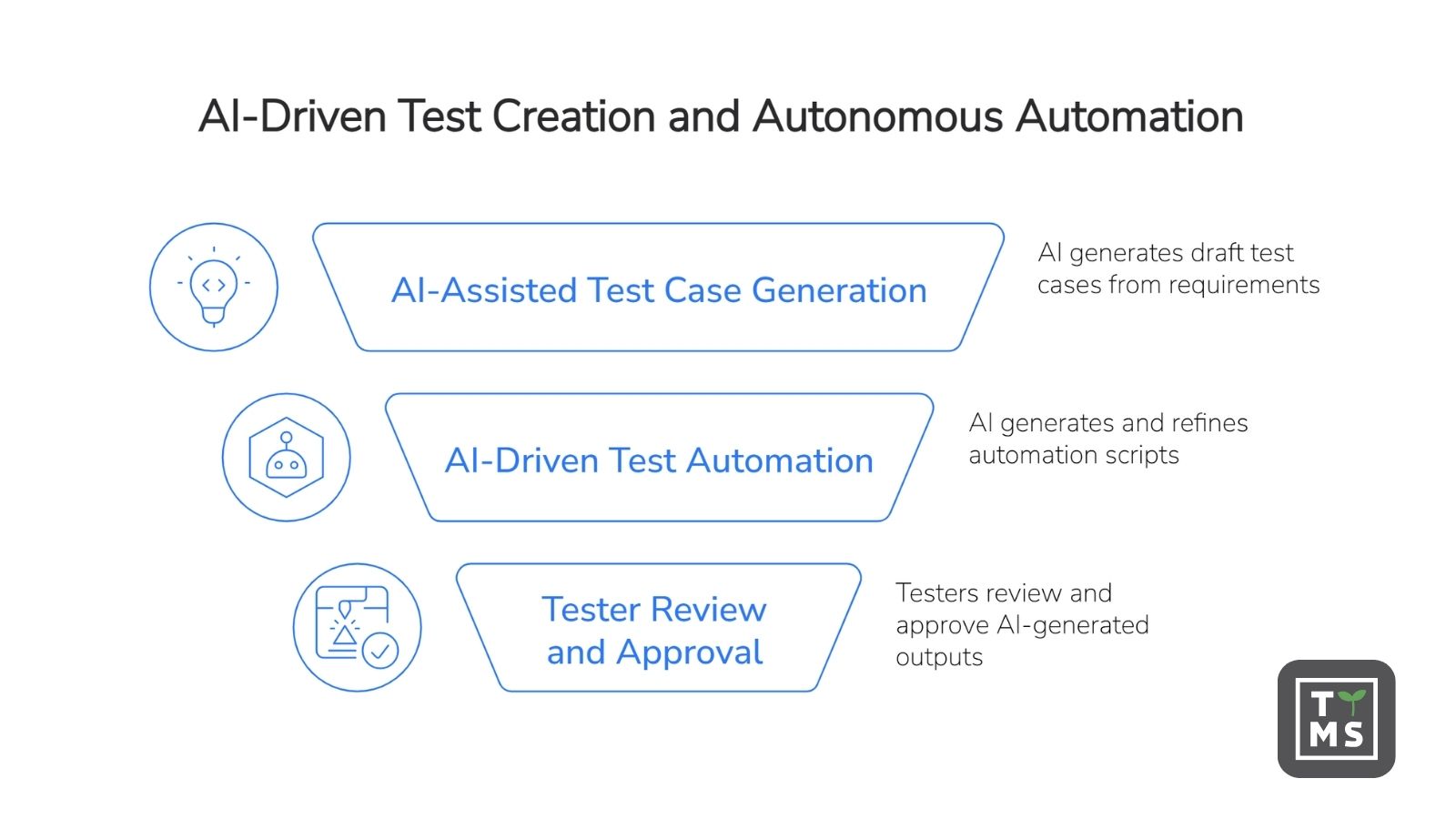
10. AI-Driven Test Creation and Autonomous Automation
10.1 AI-Assisted Test Case Generation
AI-assisted test case generation reduces the most time-consuming part of test creation: writing scenarios from scratch. Qatana enables teams to generate draft test cases directly from ticket content, requirements, and release notes using integrated LLMs.
With a single action, testers can transform a ticket into structured test scenarios, complete with detailed steps. This allows QA teams to move faster at the beginning of the testing process, while maintaining consistency across test documentation.
10.2 AI as an Automation Engine (Beyond Test Writing)
While many tools stop at generating test cases, Qatana extends AI into the execution layer of testing.
Its AI capabilities support the generation of automation scripts (e.g., Playwright), validate test logic against existing structures, and iteratively refine tests based on execution results. Instead of requiring testers to manually write and maintain automation code, this approach shifts their role toward reviewing and approving outputs generated by the system.
This transforms AI from a productivity assistant into an active component of the QA workflow – one that contributes not only to faster test design, but also to scalable, maintainable test automation.
11. Qatana from TTMS – Right QA Test Management Tool for Your Team
At TTMS, we built Qatana specifically to address the gaps that QA engineers encounter most often in mainstream test management tools: fragmented visibility across manual and automated tests, excessive manual effort in test creation and regression planning, and the compliance requirements that enterprise clients cannot compromise on.
Qatana delivers full test lifecycle management, AI-assisted test case generation from tickets and release notes, hybrid manual and automated execution tracking with Playwright support, seamless Jira integration, real-time dashboards, customizable reporting, and secure on-premise deployment for regulated industries. Our tool emphasizes fast adoption through an intuitive UI, interactive tutorials, and bulk import/export, helping teams get productive quickly.
For QA teams evaluating test case management software that can support both current workflows and the AI-driven practices that are becoming standard in 2026, Qatana is worth a serious look.