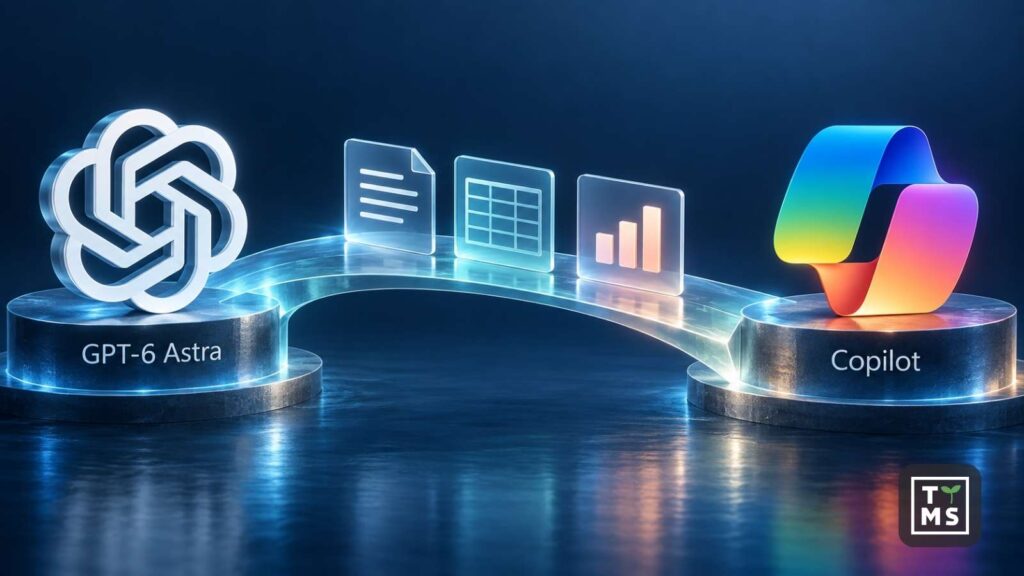
Does your company use Copilot, and would you like to try GPT-6 Astra? OpenAI’s model is also available in Copilot Cowork. This means you can try it when working with documents, email and calendars in Microsoft’s environment. Access to Astra depends on your organisation’s licences and settings, while tasks performed in Cowork are billed based on credit usage.
1. What Does GPT-6 Astra Bring to Copilot Cowork?
Microsoft lists GPT-6 Astra among the models available in Copilot Cowork. Users select a model from the list enabled by their organisation. The default Auto setting lets Cowork choose a model for the task; a label next to the response shows which model was used. Selecting Astra applies to work within Cowork. The availability of a particular model in other Copilot features needs to be checked separately.
GPT-6 Astra is another model you can assign tasks to in Cowork. Cowork itself provides the tools for finding information, creating files and taking action in Microsoft 365. Your choice of model may affect how information is analysed, the level of detail in the response and the time taken to complete the task. When evaluating Astra, check whether it handles an existing task better: whether it brings together findings more accurately, accounts for exceptions and produces a result that requires fewer revisions.
Work IQ gives Cowork access to the context of your organisation’s work. When preparing a project summary, the information needed may be spread across documents, correspondence and meeting materials. Cowork can search for the organisational resources required for the task. Before trying it, check that the employee’s account has access to the relevant materials and that they include the latest decisions and updates. This determines which information Astra will use to produce its result. We discuss the model’s test results and examples of its use in our article GPT-6 Astra: Impressive Achievements and New Possibilities for Business.
2. How Can You Access Astra in Copilot Cowork?
For business users, Microsoft describes Cowork as a service that requires a Microsoft 365 Copilot licence and usage-based billing for task execution. An administrator then needs to configure employee access.
There are two separate settings to configure:
- Access to Cowork. The employee must belong to a group covered by a spending policy that includes Cowork. The administrator configures this in the Microsoft 365 admin centre under Copilot, Cost Management, Configuration. This is where they specify the users, budget and billing method.
- Access to models provided by OpenAI. In the Copilot settings, the administrator specifies which users can use OpenAI as a Microsoft subprocessor.
Once you have access, open Cowork and select Astra from the model list. For your first task, check the model label next to the response. If an employee can see Cowork but cannot find Astra, the administrator should check the model provider settings.
To make Cowork available to a specific team, the administrator must grant access to the relevant user group. A low credit limit restricts spending while still allowing employees covered by it to get started.
3. Astra in Cowork and ChatGPT Work: Differences in Task Execution
Preparing a report involves finding up-to-date data, processing it and saving the result somewhere the team can access. At each stage, the tools available to the model matter. The comparison below shows how the two environments work with the materials needed for a task.
| Task Component | Copilot Cowork | ChatGPT Work |
|---|---|---|
| Finding materials | Searches Microsoft 365 resources accessible to the user, including email and files. Plugins can provide access to additional sources. | Uses files provided for the task and information retrieved through enabled apps and authorised accounts. |
| Working on documents | Creates and modifies documents, spreadsheets and presentations. Output files are saved to the workspace in OneDrive or SharePoint. | Creates and edits files. Transferring them to another system depends on the operations supported by the connection to that system. |
| Files stored on the computer | A file can be uploaded to the session. Cowork does not edit files directly on the user’s drive. | Work in a supported desktop app can use local files once the appropriate access has been granted. |
| Using an application through a browser | The local Edge browser uses the employee’s existing sign-in. The feature must be enabled by an administrator. | Access depends on the browser tool selected and the permissions granted. A cloud task requires separate authorisation to access company resources. |
When working through a browser, you need to consider where the task is running. Cowork supports the local browser when its web version is open in Edge. This feature is currently unavailable in the Copilot desktop app and on mobile devices. Cowork and Edge must also use the same work account. If the computer goes to sleep, actions requiring the local browser may be paused.
In ChatGPT Work, the model can use shared files and applications on the computer during a local task. A task launched in the cloud runs in a separate environment. If the required materials are stored only on the employee’s drive or are accessible through a company VPN, they need to be made available to that environment through a supported method.
As it works, Cowork displays the successive stages of the task. You can interrupt the session, clarify your instructions or provide missing information. Before taking significant actions, such as sending a message or scheduling a meeting, Cowork asks for approval. The additional confirmations it requests also depend on permissions granted earlier. For your first trial, choose a task for which you can clearly identify both the source materials and where the result should be saved. You can find examples of responsibilities in sales, HR, finance and other departments in our overview of 10 practical uses of Microsoft Copilot in an organisation.
4. How Much Does It Cost to Use Astra in Cowork and ChatGPT Work?
Your budget needs to cover both the subscription and the use of tools to carry out tasks. For a company that already has the appropriate licences, enabling Cowork primarily means budgeting for usage charges. Below are the public prices for selected business plans.
| Plan | Monthly Price per User | Terms |
|---|---|---|
| Microsoft 365 Copilot Business | EUR 18.20; currently EUR 15.60 under a promotional offer | Billed annually, excluding tax. A separate qualifying Microsoft 365 licence is required. Available for up to 300 users. |
| Microsoft 365 Copilot for enterprise | EUR 26 | Billed annually, excluding tax. A separate qualifying Microsoft 365 licence is required. |
| ChatGPT Business | USD 20 when billed annually or USD 25 when billed monthly | A minimum of two users. Public pricing in USD; the final amount depends on factors including taxes and the market where the subscription is purchased. |
| ChatGPT Enterprise | Custom pricing | Usage limits and billing are defined in the agreement. |
The Copilot Business promotion applies to the first year with an annual commitment and runs from 1 July to 31 December 2026.
4.1 How Are Cowork Tasks Billed?
Cowork charges for factors including model usage, context retrieval, tool calls and runtime. Usage is converted into Copilot Credits; under the published pay-as-you-go pricing, one credit costs USD 0.01. One thousand credits therefore cost USD 10. The cost of an individual task depends on the number of credits consumed. The selected reasoning level also affects usage. Cowork offers Light, Medium, High, Extra High and Max settings. A higher level may increase task duration and credit consumption. For recurring work, check whether increasing this setting improves the result enough to justify the cost.
4.2 What Does Credit Usage Mean in ChatGPT Work?
ChatGPT Work follows the usage limits and billing rules of the relevant plan. Under agreements based on a shared credit pool, tasks reduce the available balance. Credits already paid for under the agreement are covered by that payment. Additional charges may arise once those credits run out, if the agreement and settings allow work to continue.
When comparing costs, use the same set of tasks and output requirements. Record usage, the number of retries and the extent of any revisions needed. Calculating the cost per successfully completed task shows how much you pay for a result your team can use. First, convert each service’s credit usage into a monetary amount using its own pricing.
5. What Data Protection Rules Apply to Astra in Cowork?
In Copilot Cowork, Astra is provided by OpenAI as a Microsoft subprocessor. According to the documentation, this use of the model is governed by Microsoft’s terms and Data Protection Addendum, subject to specified exclusions. These services fall within the EU Data Boundary, with documented exceptions. Microsoft currently excludes them from its commitments to process data in a specific country. This detail matters to organisations that require processing exclusively in Poland, for example.
When enabling Astra, the administrator should therefore consider the model provider’s policies and access to the materials used in the task. In ChatGPT Work, whether the task runs locally or in the cloud also matters. During a local task, file excerpts, screenshots and tool outputs may be sent to OpenAI. Company AI policies should account for this method of sharing information as well.
6. Which Task Should You Start with When Trying Astra?
Start with a responsibility that regularly involves an employee gathering information and preparing material for other people. This workflow lets you assess both Astra’s analysis and the tools available in Cowork or Work. A weekly project summary is one example.
A sample prompt for your own trial:
Using the project folder [link] and correspondence about this project from the past seven days, prepare a report for the manager. List revised deadlines, pending decisions and the people responsible for next steps. Provide a source and date for each finding. If the materials contain conflicting information, show the discrepancy and explain what you need to resolve it. Save the report as a DOCX file using the attached template in the folder [link]. Draft a message to [recipients] with a link to the report. Leave sending it subject to my approval.
Check whether the report reflects the latest decisions and updates, provides sources and dates, identifies conflicting information and assigns responsibilities correctly. Also assess whether it follows the template and whether the file has been saved in a folder accessible to its recipients.
After a successful trial, you can consider running the task regularly. Cowork supports scheduled tasks and tasks triggered by events such as an email or a Teams post. By default, event-triggered tasks prepare actions for approval. We discuss how to design the entire process in our guide to business process automation with Copilot.
7. Prepare Your First Astra Tasks with TTMS
Through our AI consulting services, we help you determine which data a task requires, which tools need to be made available and how to assess the result. We also analyse the required licences and usage billing arrangements. We combine consulting with AI solution design and the integration of business systems.
TTMS was the first company in Poland to obtain accredited ISO/IEC 42001 certification for its artificial intelligence management system. The TÜV Nord Poland audit covered AI design and usage policies, including risk management and project documentation.
Tell us which task you would like to delegate to Astra and which applications your team uses. Talk to TTMS about AI consulting for your business.

GPT-6 Astra in Copilot Cowork: Frequently Asked Questions
Does selecting Astra in Cowork change the model across all Copilot applications?
The selection applies to work within Cowork. Microsoft describes a separate model selection option for this environment. To find out which model powers a particular feature in Word, Excel or Teams, check that feature’s documentation. When reviewing a Cowork task, you can see which model was used by checking the label next to the response.
Will the same model give an identical response in Copilot and ChatGPT?
The result may differ. The model works with the information provided by each product and uses its tools, instructions and reasoning settings. When comparing results, check which materials the model received and which actions it could perform. Only then can you meaningfully assess the differences in the outputs.
Why can I see Cowork but cannot select GPT-6 Astra?
Access to Cowork and access to OpenAI models are controlled by separate settings. Your administrator should confirm that your account is allowed to use models provided by OpenAI as a Microsoft subprocessor. The model list displayed in Cowork reflects the access granted by your organisation.
Does a Microsoft 365 Copilot subscription cover all Cowork tasks?
Cowork tasks incur additional usage-based charges. Copilot Credit consumption depends on factors including the model, information retrieval and tools used. Administrators can set spending policies for users and groups. Your budget should account for both the subscription and expected Cowork usage.
Can Astra in Cowork edit a document saved on my computer?
You can upload a document to a Cowork session. According to the current FAQ, the service does not open or edit files directly on your local drive. Cowork works with the materials you provide and files available in OneDrive and SharePoint. Support for the Edge browser is a separate feature.
Will the same Astra model produce the same result in Cowork and ChatGPT Work?
The result also depends on the available data, instructions, tools and reasoning settings. A task performed using the same model may therefore proceed differently in the two environments. Comparing results using the same materials will reveal differences in the completeness of the output and the actions performed.