
AI Agent Development Cost: Enterprise Budget Factors in 2027
Review enterprise AI agent development cost factors for 2026. Compare implementation scope and ongoing operation before reviewing vendor proposals.
Read
How to Make a Course Understood Across Five Contexts
Translate the words, then review the context. Use a screen-by-screen audit to adapt training scenarios, examples, and visuals for learners in different regions.
Read
How Do You Make a Compliance Training Programme Relevant to Each Role?
Build a compliance training programme around the decisions each role makes. See how sales and IT GDPR scenarios can guide examples, checks, and e-learning design.
Read
How E-Learning Experts Capture Tacit Knowledge Before AI Course Drafting
How can e-learning experts capture tacit knowledge before AI drafts a course? Learn how to elicit decision rules, document exceptions, and verify each lesson.
Read
Artificial Intelligence in Education: How AI Supports Learning and Training in the Workplace
Corporate L&D departments face a major challenge: how to develop effective training faster while maintaining high course quality. Artificial intelligence in education and training can significantly accelerate this process by generating course drafts from source documents. AI prepares the first draft, while subject matter experts review and refine the generated materials. This can reduce course development time from weeks to hours. How generative AI in education transforms corporate training E-learning courses have often been developed as one-off projects. Teams gathered materials, wrote a script and built the module, but the content could soon become outdated after publication. Artificial intelligence in learning supports a more continuous approach: an AI tool prepares the first draft, and a subject matter expert reviews, updates and approves the content. For L&D departments, this means a shorter path from identifying a business need to delivering a training programme and fewer hours spent on repetitive course development tasks. These two contexts must be distinguished. In schools and universities, AI supports the teacher and the student (as discussed in our article on AI in higher education). In corporate learning, AI helps reduce the time needed to develop employee training and supports consistent quality across different languages and cultural contexts. Organisations planning to use AI more widely usually start by defining their objectives and assessing the data available to them. If you want to learn more, visit our page on AI solutions for business. AI in education: benefits for course development time and costs Much of the cost of developing an e-learning course comes from gathering expert input, structuring the content and creating exercises. Artificial intelligence in training can shorten this stage by using source materials in DOC, PDF or PPT formats to generate a structured first draft of the course, complete with exercises and versions in different languages. AI4E-learning is an AI-powered tool for creating e-learning courses from source documents. It generates a structured draft that a subject matter expert can review and refine before exporting the approved course as a SCORM-compliant package for use in an existing LMS. Every element remains editable, giving the expert control over the course’s scope, factual accuracy and final content. This can significantly shorten course development time and help L&D teams deliver training sooner. With less time spent on repetitive production tasks, experts can focus on reviewing factual accuracy, refining the content and keeping it up to date. We have gathered practical examples of how to do this in our material on building effective e-learning with AI. AI-powered learning: personalised and adaptive learning paths The same content does not work equally well for every employee. Someone new to a role may need the basics, while a more experienced colleague may be ready for advanced topics. AI can help adapt the pace of learning, level of difficulty and feedback to each employee’s existing knowledge and progress. The AI Center team at the University of Szczecin identifies personalised learning as one of the main benefits of AI in education. In a corporate setting, this can help employees develop the required skills and knowledge more quickly, while reducing the risk of training being too basic or too demanding for some team members. Personalisation also requires careful design. Making learning easier does not necessarily help employees retain what they have learnt, as we discuss in the next section. Our company blog article on e-learning trends explores how corporate learning is evolving. What science says: AI, cognitive load and knowledge retention Faster course development and personalised learning are key benefits of AI. But does easier access to ready-made answers actually help people learn and retain information? Research suggests that this is not always the case. A study by a team of researchers from Carnegie Mellon University and Microsoft Research, led by Hao-Ping Lee (CHI 2025 conference), involved 319 knowledge workers. It turned out that individuals who trusted AI-generated answers more reported less engagement in critical thinking. Similar correlations were observed by Michael Gerlich, a professor at the SBS Swiss Business School, who surveyed 666 people in 2025. More frequent use of AI was associated with a greater tendency to offload cognitive effort onto technology. Both studies indicate a correlation, but they do not prove that AI causes a decline in these skills. Even more interesting conclusions come from an experiment by Bastani and colleagues, published in PNAS in 2025. Students using GPT-4 achieved better results during exercises, but when their access to AI was removed, their performance was worse than the control group. The problem was significantly reduced when the tool guided students through tasks using hints instead of providing ready-made solutions. What does this mean for companies designing training? AI should help employees understand the material, but it should not do the thinking for them. That is why it is worth using knowledge checks, practical exercises and tasks that require recalling previously learned information. This approach supports long-term retention and skill development. We also apply this principle in AI4E-learning, combining AI-generated content with exercises and expert review to create courses that engage learners and help them apply what they have learnt at work. AI is changing education: the role of subject matter experts In AI4E-learning, subject matter experts remain responsible for the quality of the final course. AI generates the initial draft and automates repetitive tasks, while an expert checks factual accuracy, adapts the content to the organisation’s context and approves the final version. This is the human-in-the-loop approach in practice. Control over data is equally important. In this configuration, AI4E-learning uses Azure OpenAI. Data processing and access controls depend on the client’s infrastructure and configuration settings. Responsible use of AI in training therefore requires appropriate technical safeguards alongside expert review of the generated content. This division of roles is visible in specific tasks: Task What AI does What humans decide Course structure proposes the layout of modules and learning objectives approves the scope and sequence Content and exercises generates the first draft from source materials verifies factual accuracy Language versions creates translations and variants approves terminology and context Data operates within the client tenant decides on access and data scope AI applications in learning: a practical example A training project for one of our clients’ helpdesk teams shows how AI can support corporate learning in practice. A traditional presentation was replaced with an interactive course in which employees completed exercises and received feedback tailored to their mistakes. The result was faster, more consistent onboarding for new employees and fewer questions directed to experienced colleagues. The course was developed using the company’s existing materials, and a subject matter expert reviewed each section before publication. We deliver projects like this as part of our e-learning services. AI in online learning: a corporate training case study Using AI in corporate training involves several risks, including inaccurate AI-generated content, inadequate protection of personal data and barriers to accessing training. These risks can be reduced through expert review, appropriate data security measures and regular monitoring of tool performance. Legal requirements must also be considered. The EU AI Act (Regulation 2024/1689) classifies certain AI systems used in education and vocational training as high-risk, including those used to evaluate learning outcomes or determine access to education. The requirements that apply to an AI tool in corporate e-learning depend on its intended purpose and use. Before implementation, we therefore assess what the AI system will be used for, what data it will process and which decisions require human oversight. This helps us identify applicable regulatory obligations and plan appropriate security measures and content review procedures. We discuss these ethical considerations in more detail in our company blog article on AI ethics in education. The future of AI in education: making corporate learning effective Artificial intelligence can significantly streamline corporate training development, particularly when used in tools designed specifically for e-learning. AI4E-learning, for example, helps structure courses, automate repetitive tasks and create exercises. A subject matter expert remains responsible for factual accuracy and the quality of the final course. Using general-purpose language models in training requires careful content review and oversight of the learning process. AI can generate inaccurate information, and access to ready-made answers does not necessarily help employees retain knowledge or develop skills. A well-designed training programme should therefore encourage employees to solve problems independently and apply what they have learnt in practical situations. Where to start? Choose one repetitive training process, define the rules for expert content verification and check whether employees can independently apply the acquired knowledge. If you are planning to use AI in corporate training, contact our specialists. During a free consultation, we will discuss your needs and the possibilities of implementing AI4E-learning in your organisation. TTMS Malaysia is a Registered Training Provider with HRD Corp, so Malaysian employers can fund TTMS training from their HRD Corp levy. FAQ – Frequently asked questions How is AI changing education and corporate training? AI can be used to create courses faster, personalise learning paths, generate exercises and feedback, and translate content into multiple languages. The final result is always verified by an expert or trainer. Will AI replace trainers or teachers? No. AI supports the trainer by taking over repetitive work and personalising learning, while decisions regarding scope, quality and context remain in human hands. How does generative AI in education speed up course creation? Tools such as AI4E-learning generate a structured course draft from source materials. A subject matter expert reviews and refines the content before the approved course is exported as a SCORM-compliant package. This can significantly reduce development time, while expert review remains essential to ensuring quality. What are the risks of artificial intelligence in learning? The main risks include inaccurate AI-generated content, inadequate protection of personal data and barriers to accessing training. Certain AI systems used in education may also be subject to high-risk requirements under the EU AI Act, depending on their intended purpose and use. These risks can be reduced through expert review, appropriate controls over data access and processing, and assessment of applicable legal requirements. Does using AI impair knowledge retention? The studies discussed above suggest that relying on AI-generated answers may reduce engagement in critical thinking and affect performance when AI support is removed. The findings vary by study design and context. Training should therefore include tasks that require learners to recall information and solve problems independently, alongside expert review of the course content.
Read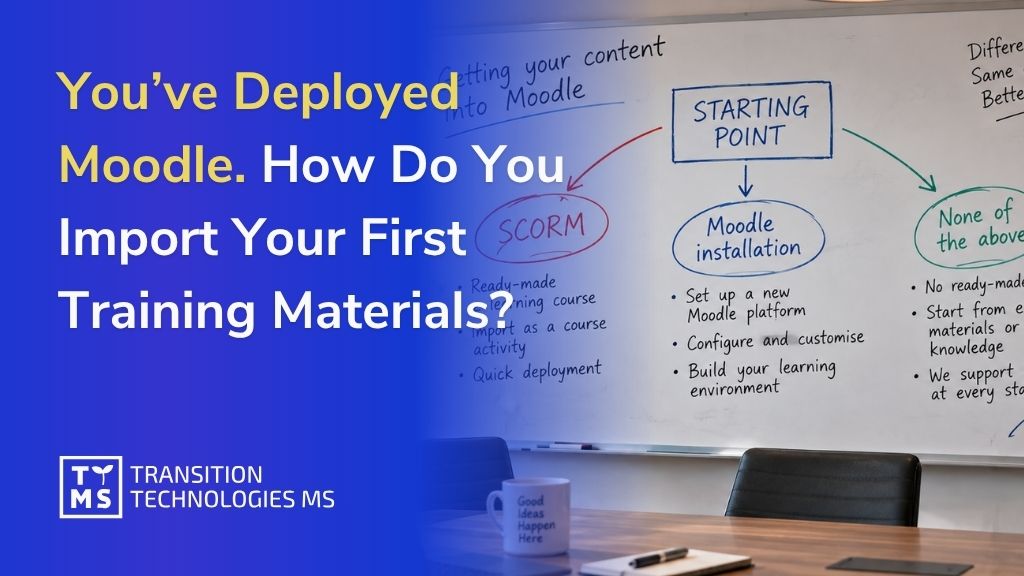
You’ve Deployed Moodle. How Do You Import Your First Training Materials?
Having Moodle installed and configured is only half the journey toward launching training in your company. The next step is to bring real content into it: courses from a previous system, ready-made SCORM packages, or a list of employees who need access to the platform. In this article, we walk through this process step by step — and what to do if you don’t have any training materials yet at all. 1. Before You Start: Identify Your Starting Point for Importing into Moodle The import method depends on exactly what you want to bring into Moodle. In practice, companies find themselves in one of three situations: You already have a ready-made course in SCORM format – produced earlier, purchased from an external provider, or exported from another LMS. In this case, you simply need to import it as an activity within a course. You have a full backup of a course from another Moodle instance (an .mbz file) – e.g., from a test environment, a previous deployment, or from a company that previously managed your platform. In this case, you import the entire course along with its structure. You don’t have either of the above yet – instead, you have presentations, PDF procedures, onboarding recordings, or simply knowledge in your employees’ heads that still needs to be turned into a course. This is the most common situation right after deployment and requires a different approach, which we cover in the final section. The instructions below apply to the first two cases. Option names and their locations may vary slightly depending on the Moodle version, but the main stages of the process remain similar. For certainty, it’s also worth checking the current official Moodle documentation. You’ll find links to the relevant materials further in the article. 2. Importing an Entire Course from a Backup File (.mbz) If you have an .mbz file – a full course backup including section structure, activities, and (optionally) files – the process looks as follows: Log in to Moodle with teacher or manager permissions and go to the course you want to upload content into (this can be a newly created, empty course). From the course menu, select More → Course reuse → Restore. Select the .mbz file – you can upload it from your computer or point to a file already located in the course’s file area. Moodle will guide you through several screens: file confirmation, restore settings (whether to merge the content with the existing course or overwrite it entirely), and selection of which elements should be restored. At the review stage, you’ll see a full list of what will be imported. This is your last chance to go back and make corrections. Once confirmed, the restore process runs in the background – depending on the size of the course, this can take anywhere from a few dozen seconds to several minutes. Important note: a full backup usually does not include user data such as quiz results or forum posts, unless this option was deliberately selected when creating the backup. This is a safeguard that protects against accidentally transferring personal data between environments. You can find more information about creating backups and restoring courses in the official Moodle documentation. A detailed description of the process is available in the materials. 3. Importing Individual Elements from Another Course If you don’t need an entire course, but only selected materials – e.g., a single module, a quiz, or a set of files – Moodle offers a separate Import feature, available in the same place as Restore: Go to the destination course and select More → Course reuse → Import. Search for the source course (you must have editing permissions in it). Select which types of elements you want to transfer: activities, blocks, filters. On the next screen, select the specific items – you can choose a single quiz or file instead of an entire section. Confirm the import and wait for the completion message. This method is convenient when you’re building several similar courses (e.g., for different departments) and want to reuse some shared materials instead of creating them from scratch each time. 4. Importing a SCORM Package as a Course Activity A SCORM package is the most popular format for a ready-made e-learning course – regardless of whether it was created by an external provider, an authoring tool, or exported from another system. The import looks different than for a course backup, because SCORM here is a single activity within a course, not an entire course: Go to the course where the training should appear and turn on editing mode. In the chosen section, click Add an activity or resource and select SCORM package from the list. Upload the .zip file containing the SCORM package. Configure the basic settings: grading method (e.g., based on the highest score or the most recent attempt), the number of allowed attempts, and how the content is displayed (in a new window or within the course page). Save and return to the course – you’ll see the new activity, ready to be opened by users. It’s worth testing the package from a test account before making it available to the target group – especially if the SCORM package comes from an external source and you’re not sure about its compatibility with your Moodle version. 5. Importing a User List and Assigning Roles Materials are only one side of the equation – the other is the people who will use them. Instead of adding each employee manually, you can import a list in bulk: Prepare a CSV file with columns such as first name, last name, email address, and username (the exact required format depends on the platform’s configuration). Go to Site administration → Users → Upload users. Upload the CSV file and review the preview – Moodle will show how it interprets each column and whether there are any data errors. Confirm the import. New accounts will be created automatically, and if the file included the appropriate columns, users can be immediately enrolled in the specified courses. Separately assign roles (e.g., teacher, participant, manager) at the course or category level, if the import didn’t already do so. If the company uses SSO login (e.g., via Azure AD or Microsoft 365), part of this process can be automated through account synchronization – however, that’s a separate topic beyond manual import. You can find more information about the features described above in the official Moodle documentation: Import course data describes moving selected activities and resources between courses, SCORM settings explains adding and configuring SCORM packages, and Upload users describes bulk account creation and course enrollment using a CSV file. Information on Microsoft 365 integration and user synchronization is also described in Microsoft 365 integration. 6. What to Do When You Don’t Have Any Materials to Import Yet This is the most common scenario right after deployment: the platform works correctly from a technical standpoint, but there’s nothing to upload to it yet. The company has knowledge – procedures, presentations, recordings – but not in a format that Moodle recognizes as a ready-made course. In this situation, there are two paths: Prepare the content yourself, with the help of the AI4E-learning tool. The team defines the training goal and provides the source materials they have (documents, presentations, recordings), and the tool generates a course structure from them, complete with audio narration and quizzes, exporting a ready SCORM package – in exactly the format that can be imported using the method described above. Commission course production to the TTMS team. If you need full graphic design, animation, or language versions, custom production covers the entire process: from the script, through graphics and interactions, to export and testing on the platform. Both paths lead to the same end result: a package ready to be uploaded to the platform you already have configured. 7. Summary Launching Moodle is an important step, but that’s when the practical part of the whole process really begins: transferring existing courses, organizing users, and populating the platform with content that employees will actually use. The starting point can be different for every organization. Sometimes it’s ready-made SCORM packages and courses from a previous LMS, and sometimes it’s presentations, documents, procedures, and expert knowledge that still needs to be turned into training. That’s why it’s worth looking at Moodle as part of a larger learning ecosystem within the organization. TTMS can support the entire process: from needs analysis, Moodle deployment and configuration, through migration and integrations, to preparing and launching training content. If source materials already exist, AI4E-learning can additionally help turn them into ready-made courses and significantly shorten the path from company knowledge to training available to employees. If you’re currently wondering how to move from a deployed platform to a fully functioning training environment, let’s talk about your starting point. We’ll help you determine the right scope of implementation and the next steps tailored to your organization’s materials, systems, and needs. FAQ Does importing a course into Moodle also transfer user results and history? It depends on how the course is transferred. Importing content from another Moodle course does not include user data, such as forum posts. When restoring a course from a backup, the scope of transferred information depends on the backup’s content and the available permissions. What's the maximum size of a SCORM file that can be uploaded to Moodle? This depends on the settings of the specific installation – the upload file size limit configured on the server and within Moodle itself. If needed, this limit can be raised at the platform configuration level. Can I import a course from a completely different LMS, not just from Moodle? It depends on the format in which the source system exports data. If it provides a SCORM package, it can be imported as an activity in a Moodle course. Fully transferring the course structure, roles, and data from another LMS is usually a separate migration project that requires the scope to be determined in advance. What should I do if the import fails with an error? There can be many causes, ranging from file size limits and environment configuration to compatibility issues when restoring course backups. In such a case, it’s worth analyzing the specific error message along with the Moodle environment’s configuration. Can an imported SCORM package be edited later directly in Moodle? No – a SCORM package is a closed content package, and Moodle treats it as a ready-made file to be played back, not editable material. To make changes, you need to modify the course in the tool where it was created (e.g., in AI4E-learning or another authoring tool), export it again, and replace the previous version of the activity in Moodle.
Read